GPT-Image-2.6 in Codex: Availability and API Cost Guide
Is GPT-Image-2.6 live in Codex? Here is how Codex handles image generation, what it costs compared to the OpenAI API, and how to preserve your plan limits.
👁 115 reads
I am on the highest Codex tier, and the first thing I did on the morning of the GPT-Image-2.6 launch was ask Codex whether it already had the new model. The answer was honest and slightly disappointing: the image tool is there, but it does not reveal the underlying model version or let you pick between Sunburst and Flare, while Codex documentation on launch day still pointed to the older gpt-image-2. Codex added that it would not label generated images as “2.6” without explicit confirmation. Fair enough.
Because of that, all my benchmark runs for the Images 2.6 overview were executed directly through the API, where I specify the model identifier myself and track the bill down to the cent. Below is an overview of when each route makes practical sense.
The model selected in Codex is not the image model
This is the most common misunderstanding. At the bottom of the Codex workspace, you select a primary model-in my setup, “GPT-6.1 Sol” on high reasoning effort. That is the engine handling conversations, writing code, and planning tasks. Images are generated by a separate tool that Codex invokes when you request a graphic, which is exposed in Codex CLI through the $imagegen skill. You cannot switch this image tool in the main model selector dropdown.
OpenAI stated at release that GPT-Image-2.6 is coming “to Codex and to the API.” However, they did not clarify whether rollout was immediate across all tiers or which model variant-Flare or Sunburst-powers the backend. If you want to check your own environment, ask Codex directly about its image tool version and update your application. I will check again in a few days and update this report.
Codex vs API: Cost breakdown
- Codex on a ChatGPT subscription carries no extra charge beyond your regular recurring plan. However, image generations draw from the exact same usage budget as your code iterations, and user reports indicate they consume that quota several times faster than standard text prompts. Image generation is unavailable on the Free tier.
- The API charges strictly per token: 30 USD per million output image tokens, identical for both Flare and Sunburst. In my tests on 5.11.2026, generating an image at medium quality cost an average of 0.035 USD, while low quality averaged 0.02 USD.
My workflow rule is straightforward. For single assets needed directly in a repository-app icons, wireframes, illustrations for a README-I rely on Codex because it is covered under the subscription and automatically writes files to disk. For batches of dozens of images, automated benchmarking, or any task requiring absolute verification of the underlying model variant, I switch entirely to the API.
How to prompt Codex for images without exhausting your limit
- Specify the target format and directory immediately, such as “create a 512×512 icon with a transparent background, save it to assets/icons/”. Every prompt adjustment burns another generation turn.
- For a series of visuals, store your prompts in a structured configuration file and direct Codex to iterate through the list. This makes it far easier to regenerate a single failed image instead of repeating the whole run.
- When you need large batches of variants, configure Codex to utilize your direct API key. You will pay standard token rates, but you avoid exhausting your weekly workspace allowance.
If you are new to the environment, take a look at my setup guide on what Codex is and how to configure it.
Sources
- OpenAI Developers on X: GPT-Image-2.6 in Codex and API
- OpenAI: GPT-Image-2.6 Flare Model Documentation and Pricing
- Daniel Vaughan: Image Generation in Codex CLI and the $imagegen Skill
- Developers Digest: Codex Usage Limits in 2026
Verified: 5.11.2026.

More on this from QUANTSLANT

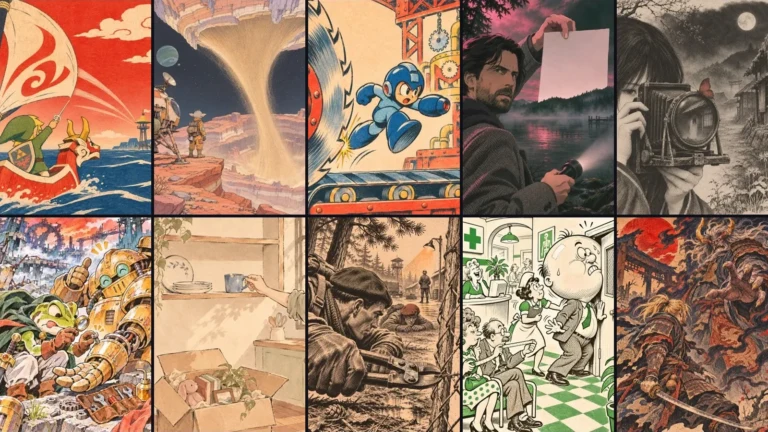
 benchmarks·GPT-Image-2.6 vs Nano Banana 2.1, FLUX 3, Seedream, QwenWe benchmarked GPT-Image-2.6 against Nano Banana 2.1, FLUX 3, Seedream 5 Pro, and Qwen Image 3 Pro across speed, generation cost, and rendering typography.