Local AI: Run Text, Image, Video and Music on Your PC
A hands-on engineering guide to running open text, image, video, and music models locally on your own PC, backed by real hardware benchmarks and license audits.
👁 132 reads
Local AI lets you run neural models directly on your personal computer: generating text, images, video, synthesized music, and voice transcriptions without recurring subscription fees, external accounts, or private data leaving your storage. Everything documented in this benchmark guide was deployed and measured directly on my test workstation equipped with an Nvidia RTX 4090 24 GB, Intel Core i9-14900KF, 64 GB RAM, and Windows 11. Whether you want to run a private local LLM or spin up automated diffusion pipelines, this guide covers real memory footprints, execution times, and licensing terms across every modality.
Update, October 20, 2026: four new open-weight models - Muse Spark Open, DeepSeek V4.1 Flash 1017, Step 5 and Nemotron 3.5 Super VL - are far too large for a single 24 GB GPU. Sizes, licenses and my test: Open-Weight AI Models, October 2026: 4 Open Source LLMs Tested.
For a broader comparison of AI video generators, with my test results, USD prices and free plans, see Best AI Video Generator 2026: Test Results and USD Prices.
As of 17 October 2026
- Text: Gemma 4 31B hits 41-43 tok/s at 19.2 GB VRAM; Gemma 4 12B fits comfortably on 8-12 GB cards (around 8 GB VRAM).
- Images: FLUX 3 Image Klein produces an image in 6-7 s using just 7.5 GB VRAM peak.
- Video: Kandinsky 6.0 Lite renders a 5-second video clip with synchronized native audio in roughly 2 minutes under an MIT license.
- Music: ACE-Step 1.5 generates complete vocal tracks under an MIT license, reaching 95.6% word intelligibility in automated speech tests.
Best Local AI Models: Measured Category Winners
Choosing the right open architecture requires balancing parameter scale, inference speed, and legal commercial usability. Here are my verified picks based on actual GPU execution benchmarks on a single RTX 4090.
| Category | Winner | Measured Result | Commercial Use |
|---|---|---|---|
| Text (24 GB VRAM) | Gemma 4 31B | 42 tok/s, 9.5/10 quality score | Yes (Apache 2.0) |
| Text (8-12 GB VRAM) | Gemma 4 12B | 72.3 pts writing score, ~8 GB | Yes (Apache 2.0) |
| Text (Polish language) | Bielik 11B v3 | Lowest linguistic error rate | Yes (Apache 2.0) |
| Images (General) | FLUX 3 Klein | 6-7 s, 7.5 GB peak VRAM | Revenue threshold limited |
| Images (Fastest) | Qwen-Image 2.1 Turbo | 3-4 s, 16.8-18.6 GB VRAM | No (Research only) |
| Images (Unrestricted) | Z-Image Turbo | 4.2 s per render (1344×768) | Yes (Apache 2.0) |
| Video with Audio | Kandinsky 6.0 Lite | 1:51-2:28 min for 5 s clip | Yes (MIT) |
| Vocal Music | ACE-Step 1.5 | 34-91 s per 2 min song | Yes (MIT) |
| Voice Synthesis | XTTS v2 | 17.6 s for 53 s speech (3.0 GB) | No (CPML) |
| Transcription | Whisper large-v3 | Accurate offline audio parsing | Yes (MIT) |
Start Here: Run AI Locally in 4 Steps
- Check your dedicated video memory. In Windows Task Manager, navigate to Performance, select your GPU, and read the “Dedicated GPU memory” value. Alternatively, run
nvidia-smiin your terminal. This figure dictates what models fit entirely in hardware. - Choose the right runtime application. Use LM Studio for a clean GUI, Ollama for CLI inference and background serving, or pair Ollama with Open WebUI for a browser-based self-hosted interface. For image and video pipelines, install ComfyUI, or simplify multi-app deployments with Pinokio. For audio transcription, use Whisper.
- Download an initial model sized for your VRAM. For text, start with Gemma 4 12B (approximate 7 GB download). For graphics, grab Z-Image Turbo or FLUX 3 Klein. Stick to verified repositories such as Hugging Face model cards or the official Ollama library.
- Verify full GPU offloading. When running text models via Ollama, execute
ollama psand verify that the output reports “100% GPU”. Partial memory spilling into system RAM will degrade generation performance several-fold.
Text: Local Language Models (LLM)
Local language models handle code generation, drafting, synthesis, and private document question-answering. Running models via Ollama, LM Studio, or pure llama.cpp relies on the same shared inference primitives. Below are my measured generation benchmarks on an RTX 4090 using CUDA.
| Model | VRAM Used | Speed | Benchmark Score |
|---|---|---|---|
| Gemma 4 31B QAT | 19.2 GB | 41-43 tok/s | 9.5/10 rubric |
| Qwen 3.8 27B (Q4_K_M) | 17.0 GB | 50 tok/s | 72.2 pts |
| Bielik 11B v3 (Q8) | 16.7 GB | 72 tok/s | 64.4 pts |
| GPT-OSS 20B | 12.2 GB | 218 tok/s | 52.4 pts |
| Gemma 4 12B | ~8.0 GB | 91-104 tok/s | 72.3 pts |
| Gemma 4 E4B | 5.4-6.1 GB | 110-129 tok/s | Unrated |
The 0-100 score reflects an automated AI-judge writing benchmark evaluating complex tasks (in which Claude Haiku 4.5 scored 62.7 pts). The 9.5/10 rating for Gemma 4 31B is based on an extended 5-task rubric. For high-throughput extraction, GPT-OSS 20B reaches 218 tok/s, while Gemma 4 12B remains the standard recommendation for 8-12 GB systems. Compression formats make a massive difference in hardware budgets; check my analysis on GGUF quantization to understand Q4_K_M versus higher precision tiers.
Images: Local Diffusion and Flow Generation
Modern open generative image pipelines have improved radically beyond classical Stable Diffusion weights, exhibiting vastly superior hands and prompt alignment. I evaluated these generators inside ComfyUI 0.41 on an RTX 4090, measuring clean render latency (excluding cold initialization from storage).
| Model | Render Latency | Peak VRAM | Commercial Use |
|---|---|---|---|
| FLUX 3 Image Klein (int8) | 6-7 s (1024×1536) | 7.3-7.5 GB | Revenue threshold limited |
| Qwen-Image 2.1 Turbo | 3-4 s | 16.8-18.6 GB | No (Research only) |
| Qwen-Image 2.1 (25 steps) | 13-20 s | Up to 19.0 GB | No (Research only) |
| Z-Image Turbo | 4.2 s (1344×768) | Up to 18.0 GB | Yes (Apache 2.0) |
For mid-tier hardware with 8-12 GB VRAM, FLUX 3 Image Klein is exceptionally efficient, demanding only 7.5 GB peak VRAM across the whole card while supporting multi-reference conditioning. If raw output pace on a 24 GB card is your main constraint, Qwen-Image 2.1 Turbo finishes renders in 3-4 seconds, though its research license prevents production monetization. For completely unrestricted commercial art production, Z-Image Turbo runs under Apache 2.0 at 4.2 seconds per frame. Read my workflow on generating a local AI influencer for practical character generation tests across multiple architectures.
Video: Self-Hosted Motion Synthesis
Generating video clips locally represents the most hardware-intensive challenge for consumer workstations. On a 24 GB GPU, models are practically limited to the 5B-14B parameter range, producing 5-second sequences in 1 to 7 minutes.
| Model | Output & Duration | Memory Load | Commercial Use |
|---|---|---|---|
| Kandinsky 6.0 Lite | 5 s clip with audio (1:51-2:28 min) | 19-20 GB VRAM | Yes (MIT) |
| Kandinsky 6.0 Pro (int8) | 5 s clip with audio (6:18-6:52 min) | 21 GB VRAM + 29 GB RAM | Yes (MIT) |
| Wan 2.2 TI2V 5B | Silent clip, ~1 min (960×544) | ~20 GB VRAM | Yes (Apache 2.0) |
| LTX-Video 13B | 58 s total execution (2 s clip) | ~9-20.9 GB file weight | Revenue threshold limited |
Kandinsky 6.0 generates synchronized visuals, lip movements, and sound effects simultaneously. The Lite variant completes a 5-second generation in roughly 2 minutes, while the Pro build offloads weights into system RAM, taking up to 6:52 min on my RTX 4090. Wan 2.2 TI2V requires passing the --disable-smart-memory argument in ComfyUI; omitting it resulted in severe execution slowdowns when background OS tasks competed for memory. To explore practical rendering workflows, read my project on generating AI influencer video locally.
Music and Voice: Songs, Speech, and Transcription
Vocal Music Generators
I tested four open song generators using identical lyrical prompts across three distinct seeds, passing the generated audio output into Whisper large-v3 to verify speech intelligibility and lyrical tracking.
As detailed in my dedicated ACE-Step 1.5 test, the architecture builds a 2-minute vocal track in 34-91 seconds, requiring between 10.7 GB and 20 GB peak VRAM under an unrestricted MIT license. YuE2 achieves 100% word tracking on English lyrics, but its non-commercial license prevents monetization. Meanwhile, MiniMax Music 3 displayed a tendency to truncate songs before structural endings. For purely instrumental tracks and sound design, Stable Audio 3 serves as the standard local option.
Text-to-Speech (TTS)
Local voice synthesis engines run with minimal hardware demands, though synthetic quality remains distinct from enterprise cloud pipelines. In testing on my system, the commercial cloud model Eleven v4 scored 15/15 on pronunciation accuracy. Here is how local alternatives stack up:
| Model | Pronunciation Score | Execution Profile | Commercial Use |
|---|---|---|---|
| XTTS v2 | 10/15 pts | 3.0 GB VRAM, 17.6 s per 53 s audio | No (CPML) |
| Piper (gosia voice) | 6/15 pts | CPU execution, 5.8 s per 36 s audio | Engine GPL-3.0 |
| Chatterbox Multilingual | 4/15 pts (skips numbers) | 5.3 GB VRAM, 26.4 s per 33 s audio | Yes (MIT) |
For detailed speech waveform tests, see my extended AI voice comparison.
Speech-to-Text Transcription
For automated audio transcription, OpenAI’s open Whisper large-v3 remains the benchmark standard under an MIT license. Competing alternatives like Voxtral Small 24B require approximately 55 GB of memory and lack broad non-English support. For step-by-step setup guides, check my guides on Whisper transcription and offline speech to text offline.
Hardware: What Runs on 8, 12, 16, and 24 GB
Available dedicated VRAM is the ultimate bottleneck for running local AI. The operational matrix below indicates what workloads realistically execute within each hardware tier, verified by real measurements on my 24 GB card and layer-budget offloading simulations in Ollama.
| GPU Class | Text Workloads | Image Models | Video & Music |
|---|---|---|---|
| 8 GB (RTX 4060, 3070) | Gemma 4 E4B; Gemma 4 12B (48 tok/s simulated) | FLUX 3 Klein (7.5 GB peak VRAM) | Insufficient for primary video models |
| 12 GB (RTX 3060, 4070) | Gemma 4 12B full; GPT-OSS 20B (165 tok/s simulated) | FLUX 3 Klein comfortably | ACE-Step near capacity (from 10.7 GB) |
| 16 GB (4060 Ti 16GB, 4080) | Qwen 3.8 27B (33.4 tok/s, 64/65 layers) | Z-Image Turbo (16 GB required) | YuE2 near capacity (13.3-16.3 GB) |
| 24 GB (RTX 3090, 4090) | Gemma 4 31B, Qwen 3.8 27B, Bielik 11B Q8 | All models, including Qwen Turbo | Kandinsky 6 Lite, Wan 2.2 5B, ACE-Step |
When an LLM cannot fit entirely into video memory, splitting layers between the GPU and system RAM causes massive latency penalties, as demonstrated in my measured Ollama tests:
Memory bandwidth dictates real generation throughput far more than core clock speeds. Below are verified baseline numbers from public llama.cpp benchmarks evaluating Llama 2 7B Q4_0 across multiple graphics cards and unified memory platforms.
Software Tools to Run AI Locally
Choosing the correct local interface determines how easily you can switch checkpoints, manage downloads, and pipe inferences into custom scripts.
Desktop GUI app for running local text LLMs with built-in model search and hardware sizing hints.

Command-line tool and local API background server for managing and running quantised language models.

Self-hosted web chat interface mimicking ChatGPT, offering chat history and document parsing for Ollama.

Node-based graphical workflow interface for running open image, video, and music diffusion pipelines.

Desktop browser offering automated one-click install scripts to deploy various local AI applications.

Minimalist open-source desktop chat application designed to download and run local models with zero hassle.
- llama.cpp: The low-level C++ backend powering Ollama and LM Studio. When running on Nvidia hardware, consistently select the CUDA build; the Vulkan backend tested 1.9 to 2.6 times slower on my setup.
- Whisper: The reference speech recognition model for generating timestamped subtitles and text transcripts offline.
- Pinokio: A modular application browser providing automated single-click scripts to clone, install, and execute self-contained local AI projects.
Open AI Model Licenses and Commercial Restrictions
Having publicly accessible model weights does not automatically confer unrestricted commercial rights. Model creators use different licensing terms to restrict commercial usage, impose gross revenue thresholds, or exclude specific territories entirely.
| Model | License Type | Commercial Terms |
|---|---|---|
| Gemma 4, Qwen 3.8, Bielik, GPT-OSS | Apache 2.0 | Permitted without royalties |
| Z-Image Turbo, Wan 2.2 | Apache 2.0 | Permitted without royalties |
| Kandinsky 6.0, ACE-Step 1.5, Whisper | MIT | Permitted without restrictions |
| FLUX 3 Image Klein | FLUX Kommunity | Allowed if company revenue is < $5M |
| LTX-2 (Lightricks) | LTX-2 Community | Allowed if annual revenue is < $10M |
| Qwen-Image 2.1 & 2.1 Turbo | Qwen Research | Non-commercial research only |
| YuE2 | CC BY-NC 4.0 | Non-commercial only |
| XTTS v2 | Coqui Public Model License | Non-commercial only |
| MiniMax H3, HunyuanVideo | Territorial Restriction | Excludes the European Union entirely |
Take special note of geographic clauses: both MiniMax H3 and HunyuanVideo explicitly ban use within the European Union, preventing lawful operation in EU countries regardless of local hardware ownership.
Is Running Local AI Worth It?
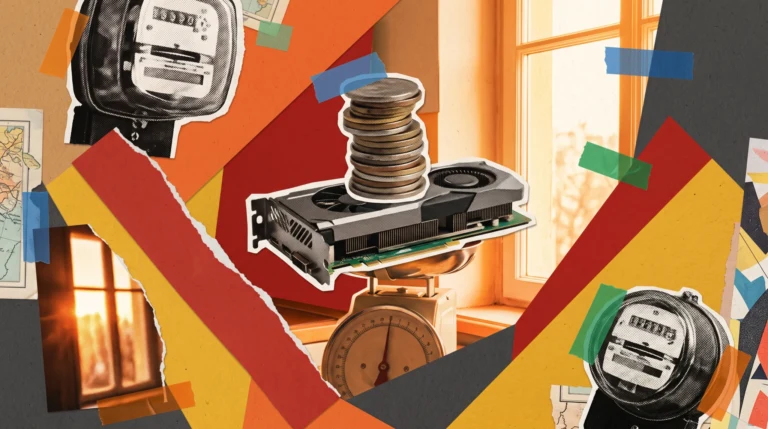
Running models on your own GPU eliminates subscription fees, guarantees zero external data logging, functions entirely offline, and circumvents rate limits. However, the hardware capital expenditure only balances against cloud API usage after hundreds of compute hours. Frontier cloud foundation models still surpass open local weights in complex reasoning tasks, but for data privacy, unmetered experimentation, and batch pipelines, running models on your own PC is unmatched. See my detailed financial breakdown in local AI vs API cost comparison.
New Local AI Guides and Deep Dives
- Read my installation and benchmarking guide for Open WebUI with Ollama to deploy a self-hosted ChatGPT interface with document parsing.
- Explore the test of ACE-Step 1.5 to generate vocal music tracks directly on an RTX 4090.
- Examine my memory benchmarks on GGUF quantization comparing Q4_K_M, Q6_K, and Q8_0 performance.
- Review my Windows deployment walk-through for Pinokio to launch AI applications without terminal setup.
- Check the implementation details of a local AI influencer evaluating character consistency across five open image architectures.
- Analyze the rendering benchmarks for an AI influencer video locally comparing 15 clips generated with Kandinsky 6 and Wan 2.2.
- Compare execution speeds and operational tradeoffs in my breakdown of Ollama vs LM Studio.
- Examine standalone diffusion video metrics in my review of LTX-Video locally.
Frequently Asked Questions
What is local AI?
Local AI refers to artificial intelligence models executed directly on your own workstation hardware rather than on an external provider’s cloud servers. You download the neural weights and execute them via software like Ollama, LM Studio, or ComfyUI. Once downloaded, the models process prompts and tasks completely offline without sending data over the internet.
How much VRAM do I need to run AI locally?
For text inference, 8 GB of VRAM handles compact models like Gemma 4 E4B, while 12 GB runs Gemma 4 12B comfortably. For image synthesis, FLUX 3 Klein operates within 7.5 GB peak VRAM, though faster models like Qwen-Image Turbo require 17 to 19 GB. Motion synthesis and music generation generally demand 16 to 24 GB of dedicated VRAM.
Can I run local AI models entirely offline?
Yes, all local runtimes including LM Studio, Ollama, ComfyUI, llama.cpp, and Whisper operate fully offline once you have saved the model checkpoint files to your disk. Prompts, documents, output media, and transcriptions never leave your physical system.
What is the best GPU for local AI execution?
Dedicated VRAM capacity is the primary constraint, followed closely by overall memory bandwidth. Nvidia GPUs are strongly recommended due to standard software support for CUDA. In benchmark tests, the RTX 4090 24 GB leads consumer performance, while the older RTX 3090 24 GB delivers comparable capacity at roughly 14% lower inference throughput.
Can I run local AI models on an Apple Silicon Mac?
Yes, software like Ollama, LM Studio, and ComfyUI offer native macOS builds that run on Apple Silicon unified memory. Benchmarks on Llama 2 7B Q4_0 show an M4 chip achieving around 24 tok/s, an M4 Pro reaching 51 tok/s, and an M4 Max hitting 83 tok/s.
Can I run local AI without a dedicated GPU?
Compact text models and lightweight text-to-speech tools like Piper can execute on a central processor alone. However, diffusion image generation and video synthesis are impractically slow on CPU execution. Offloading even partial LLM layers to system memory reduces token generation speeds several-fold.
Is running local AI completely free?
The underlying software applications and open weights featured in this guide are free to download and use. Your operational expenses are restricted to your initial hardware setup and domestic electricity consumption. If you intend to monetize outputs, verify the licensing terms on each model card to ensure commercial rights are permitted.
Sources
- Author hardware measurements on Nvidia RTX 4090 24 GB, Intel Core i9-14900KF, 64 GB RAM, Windows 11 (26.09.2026 - 17.10.2026).
- llama.cpp Nvidia hardware benchmark discussions (#15013), accessed 09.10.2026.
- llama.cpp Apple Silicon benchmark discussions (#4167), accessed 09.10.2026.
- ACE-Step 1.5 Model Card on Hugging Face (MIT License), accessed 17.10.2026.
- LTX-2 Community License terms on Hugging Face, accessed 17.10.2026.
- Z-Image Turbo Model Card on Hugging Face (Apache 2.0), accessed 17.10.2026.
- Wan 2.2 TI2V 5B Model Card on Hugging Face (Apache 2.0), accessed 17.10.2026.
- Artificial Analysis Speech to Text Leaderboard, accessed 09.10.2026.
- Testing method: Quantslant Lab
Checked on 17 October 2026.
More on this from QUANTSLANT

 guides·Local AI vs API: Real Cost of Running Models on Your GPUWe measured power draw on an RTX 4090 running local models versus cloud API costs. Electricity is cheaper, but the GPU payback takes hundreds of hours.