FLUX 3 Image: 5 Edits in One Prompt vs 6 Other Models
All seven models made five changes from one prompt, but only FLUX 3 Image left the rest of the photo untouched. SSIM 0.995 vs Grok's 0.708.
👁 279 reads
All seven models executed five changes from a single prompt, but only FLUX 3 Image left the rest of the photo practically untouched. In four areas that should have remained unchanged, similarity to the original (SSIM) was 0.995 out of 1. Right behind it was Ideogram 4.5 (0.989), followed by Seedream 5 Pro (0.961) and Nano Banana Pro (0.942). GPT Image 2.5 (0.870) and Grok Imagine 2 (0.708) repainted the entire room. The price for this precision: 204 seconds of waiting and a 4 Mpx limit on input images.
Black Forest Labs states that FLUX 3 Image handles multiple edits in one round, and pixels outside the edited areas remain “bit-for-bit identical.” This is an important promise for anyone editing product photos or interior visualizations: you change the sofa color, and the rest of the photo should stay exactly the same, including the parquet texture and molding.
I tested that promise on October 1, 2026, launch day, with one photo of a living room and one prompt containing five changes, then gave the same job to six other models that edit images from text.
One photo, one prompt, one attempt per model
- Date: October 1, 2026, FLUX 3 Image launch day.
- Access: all models through edit endpoints on fal.ai.
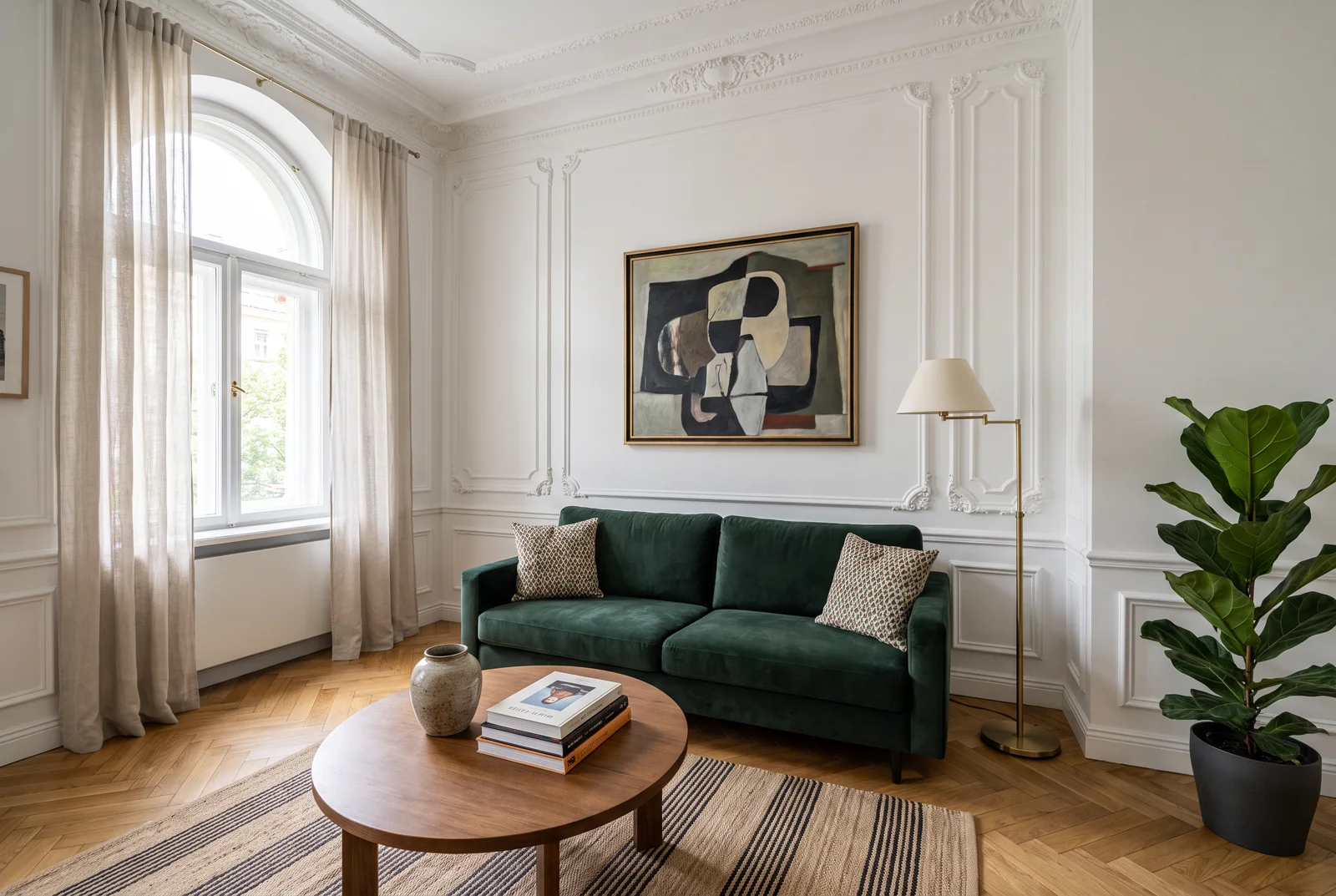
- Base image: apartment living room generated by Nano Banana Pro, 2528 × 1696 px. Every model received the same image.
- Exception: FLUX 3 on fal.ai accepts input images with a maximum area of 4 Mpx. The first call with the full file (4.29 Mpx) returned an error “Image dimensions are too large”, so FLUX received the same base scaled down to 2400 × 1610 px.
- Single attempt: one result per model, no randomization or cherry-picking better versions.
- Same prompt for all, in English.
- Measurement: I checked each change myself at high magnification and measured the unchanged areas with SSIM in four regions: window with curtains, molding under the ceiling, right wall, and parquet floor. SSIM 1 means an image identical to the original.
The prompt: five changes at once
Make exactly these five changes and keep everything else in the photo identical: 1) change the sofa upholstery from dark green to rust terracotta velvet, same shape and cushions; 2) replace the abstract painting with a black and white photograph of the Palace of Culture and Science in Warsaw, keep the same gold frame and position; 3) remove the ceramic vase from the coffee table; 4) change the floor lamp shade from cream to matte black; 5) add a small sleeping brown dachshund lying on the striped rug.The changes are deliberately varied:
- Sofa color - material change without altering the shape.
- Wall painting - content replacement while keeping the frame and position.
- Vase removal - the model must redraw the table surface underneath.
- Lamp shade - small change in one element of a larger object.
- Dachshund on rug - adding a new object with shadow and perspective.
FLUX 3 Image made all five changes and left the room alone
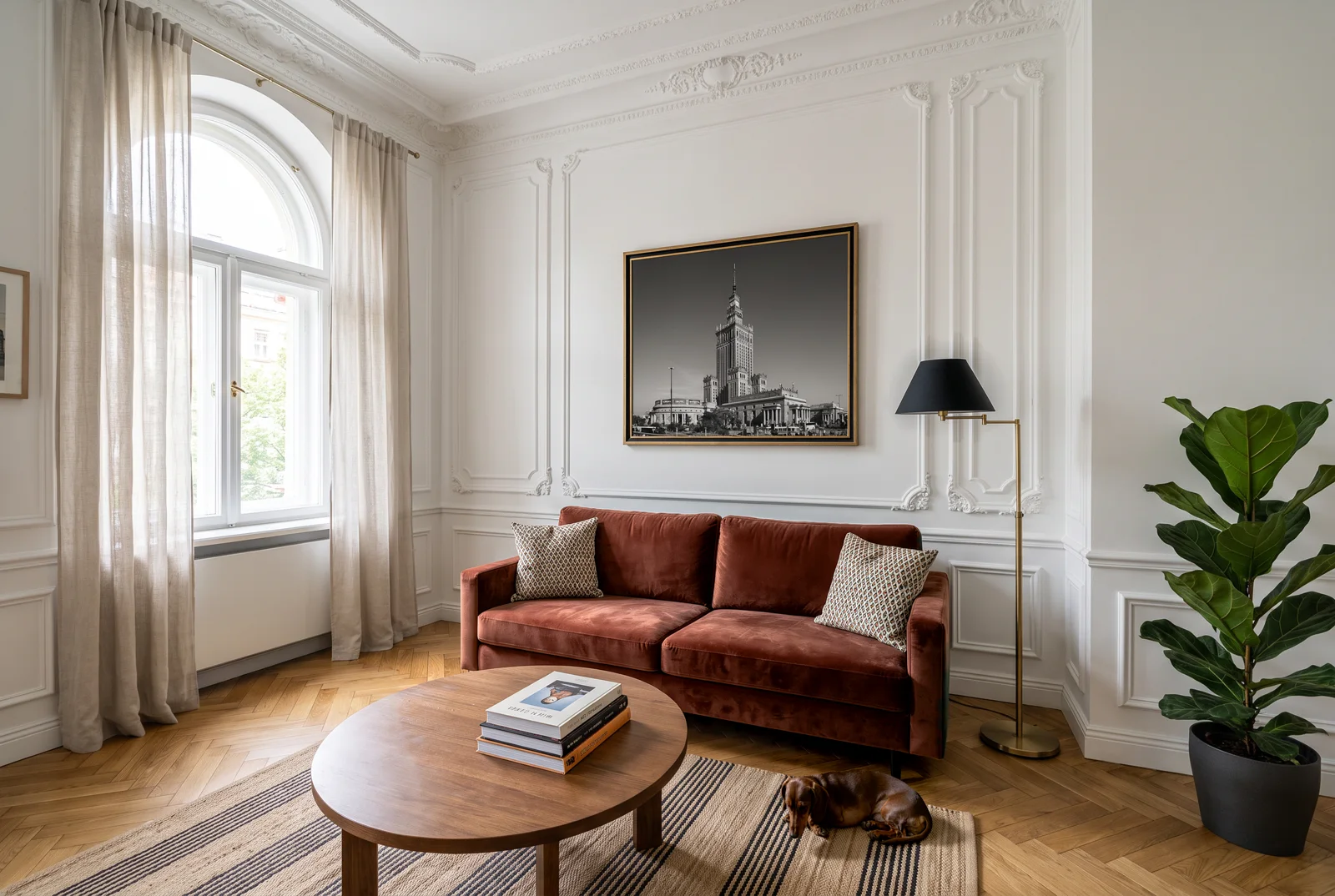
All five changes are in place. The sofa has rust velvet and the same cushions, the gold frame holds a black and white photo of the Palace of Culture, the vase is gone and the table surface beneath it is clean. The lamp shade is black, the lamp base remained brass, and the dachshund sleeps on the rug to the right of the table with a shadow beneath it.
I checked the “bit-for-bit” promise separately by comparing the result with the 2400 × 1610 px file that FLUX received as input. However, fal.ai returned an image of 2480 × 1664 px, a different size than the input, so I had to rescale the pixels and cannot confirm exact identity. The difference in unchanged areas averaged between 0.45 and 1.8 brightness levels out of 255, which is invisible. On the difference map, only the sofa, painting, lamp shade, vase location, and dachshund shine brightly.
Six other models, from Ideogram 4.5 to Grok Imagine 2
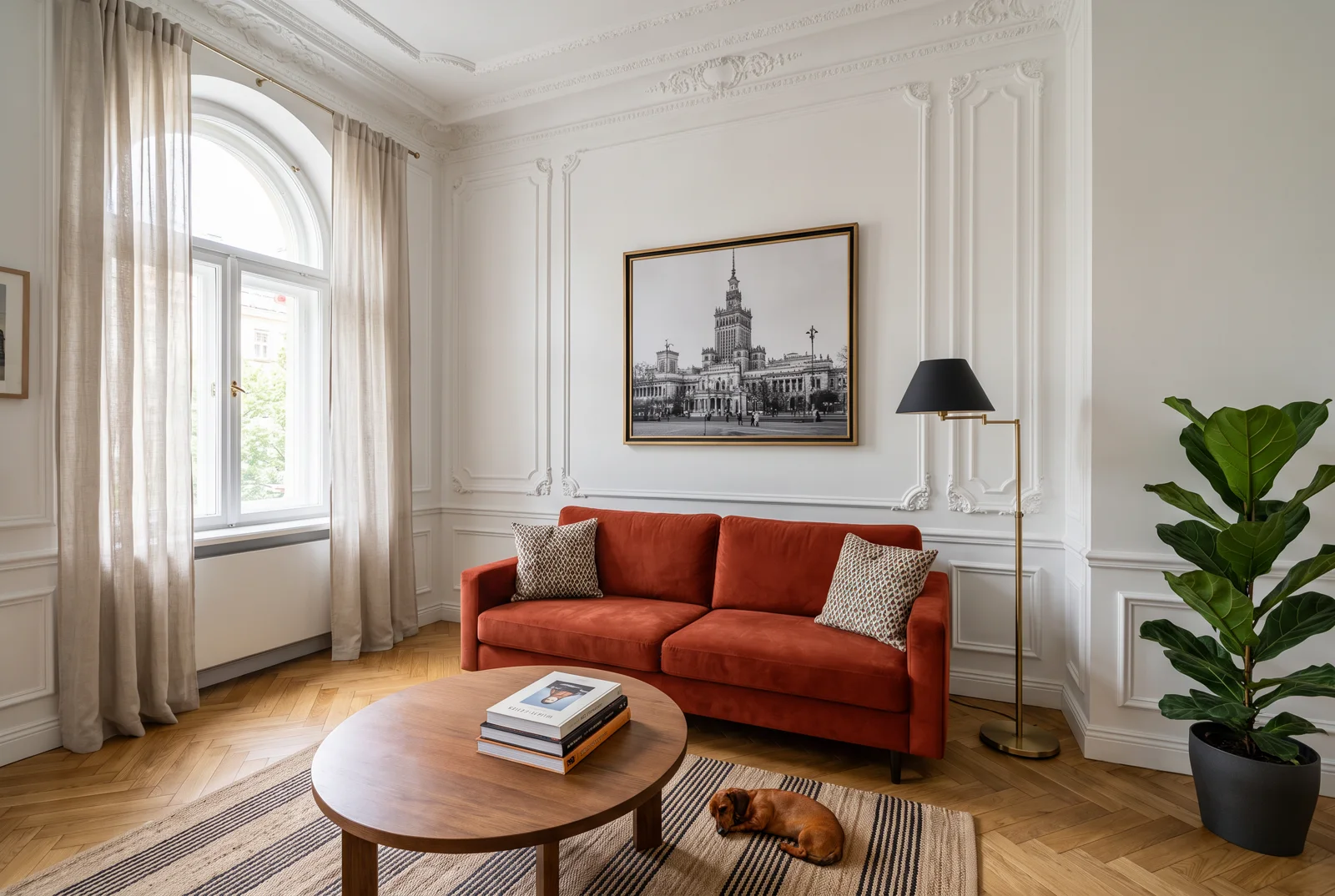
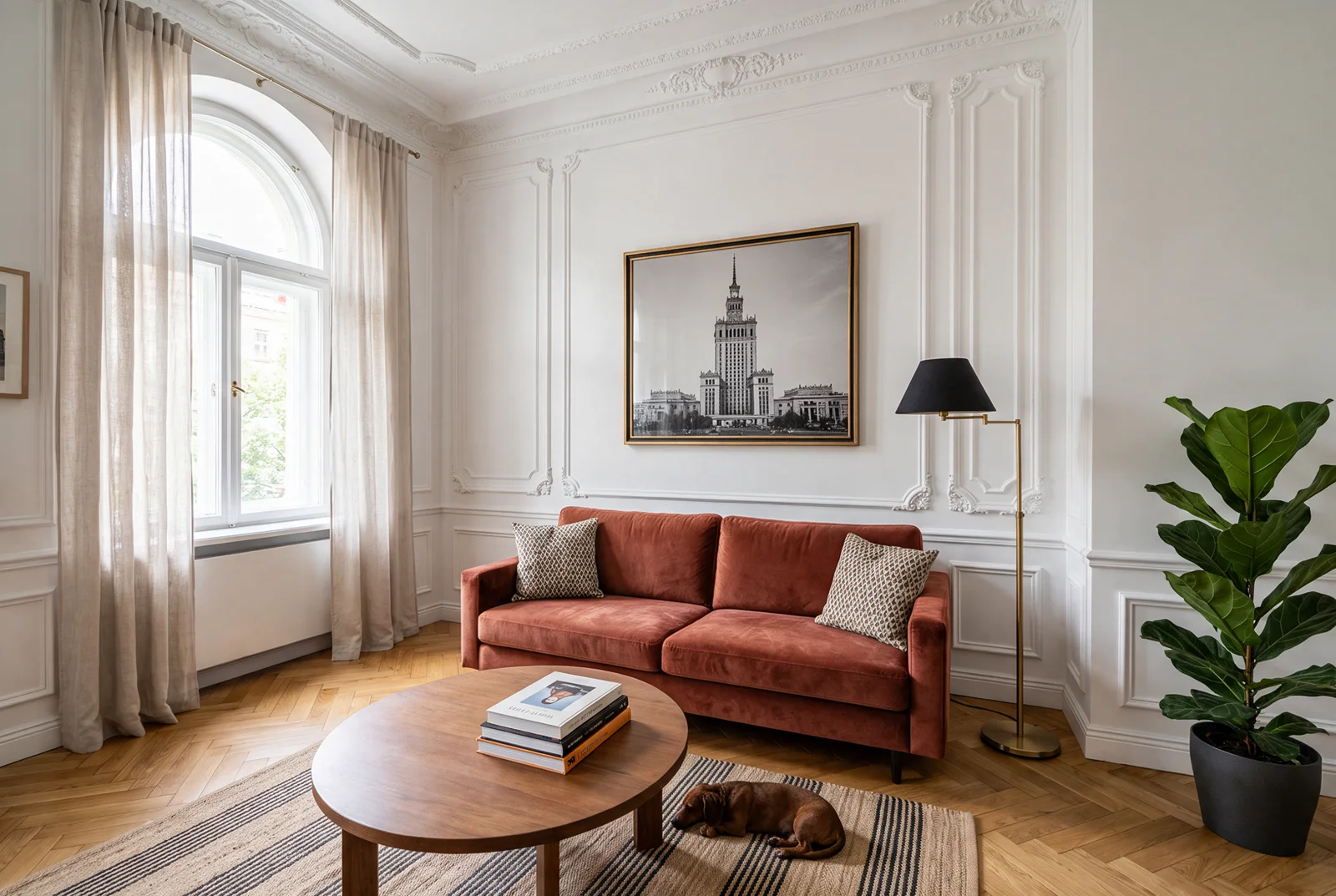
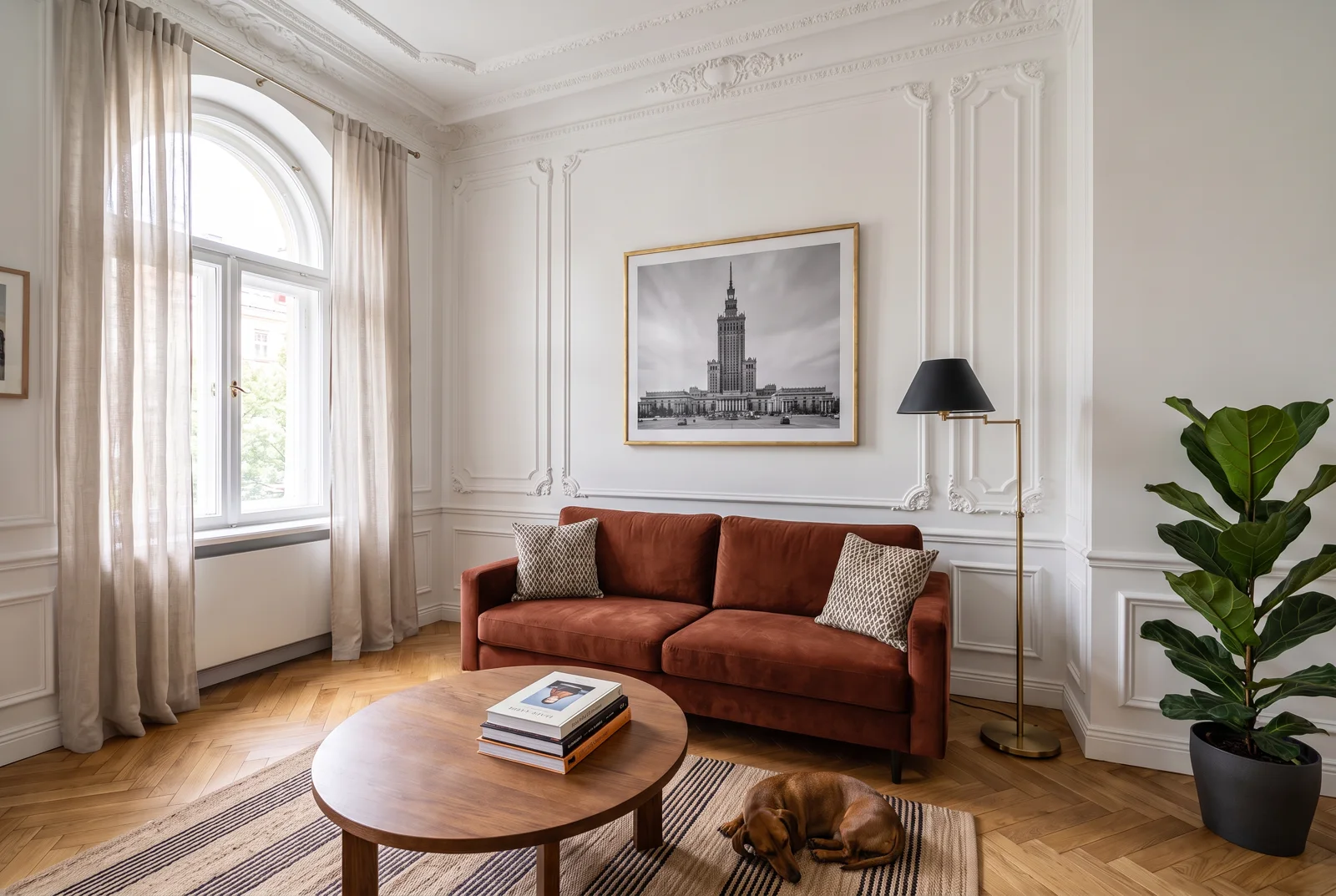
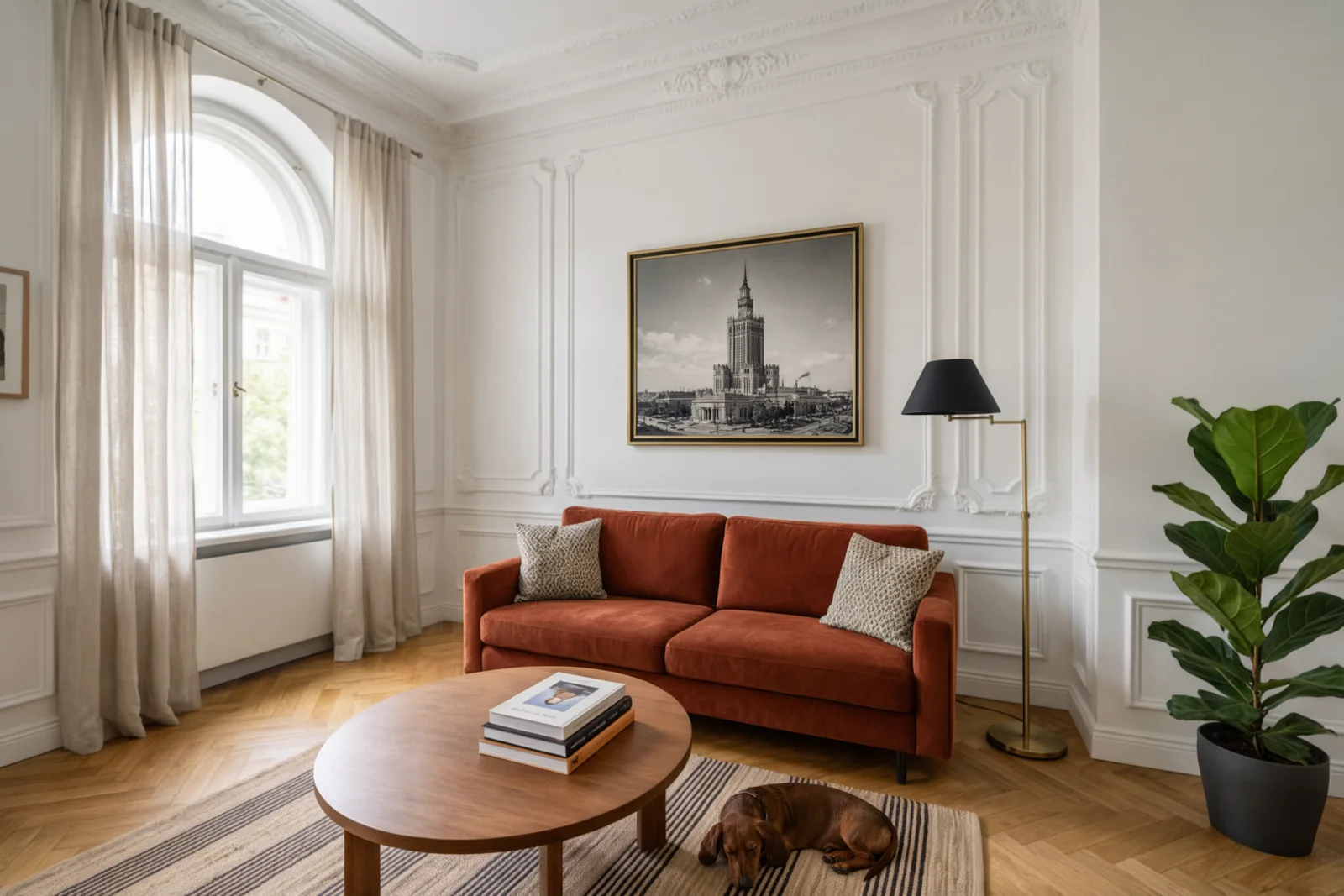
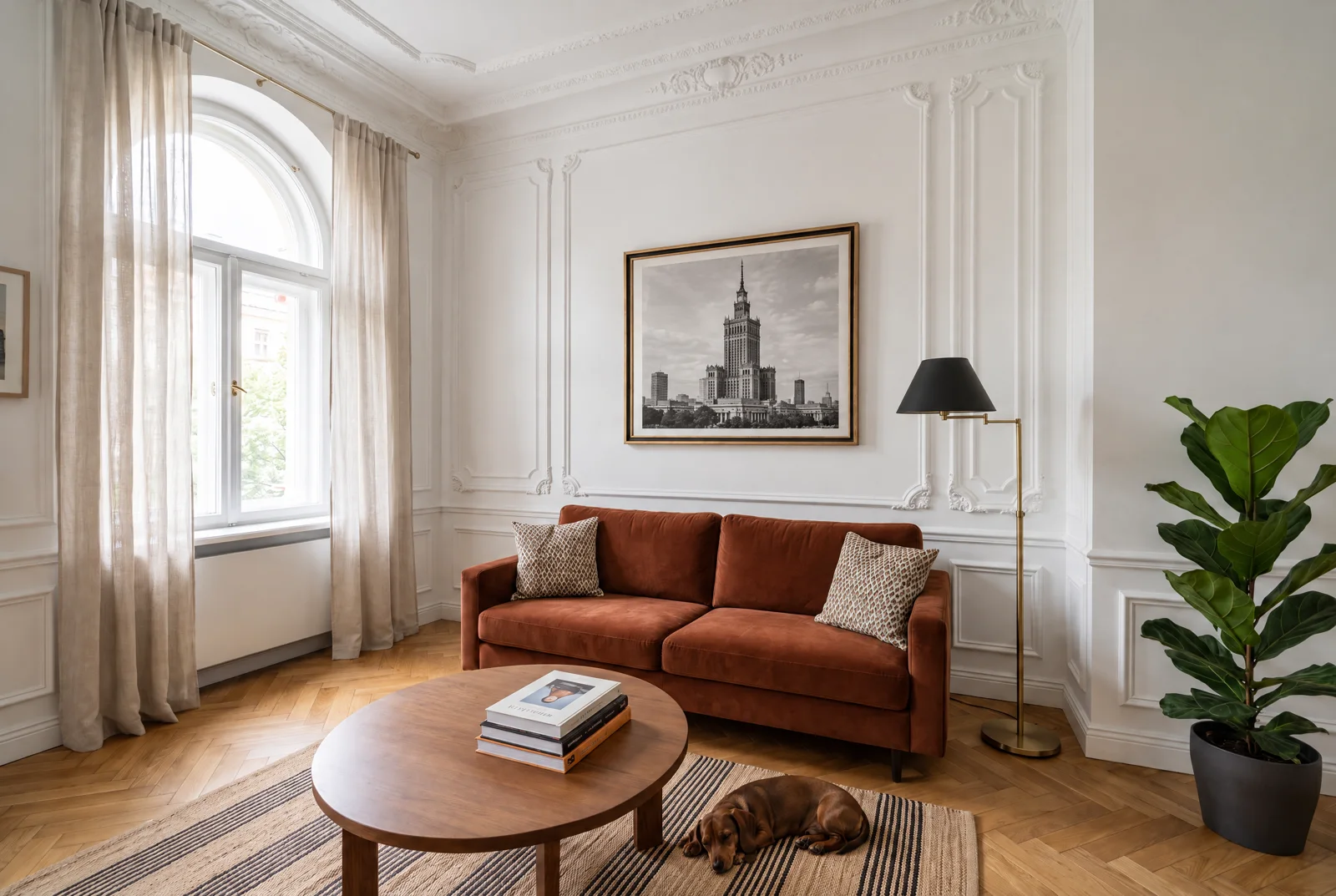
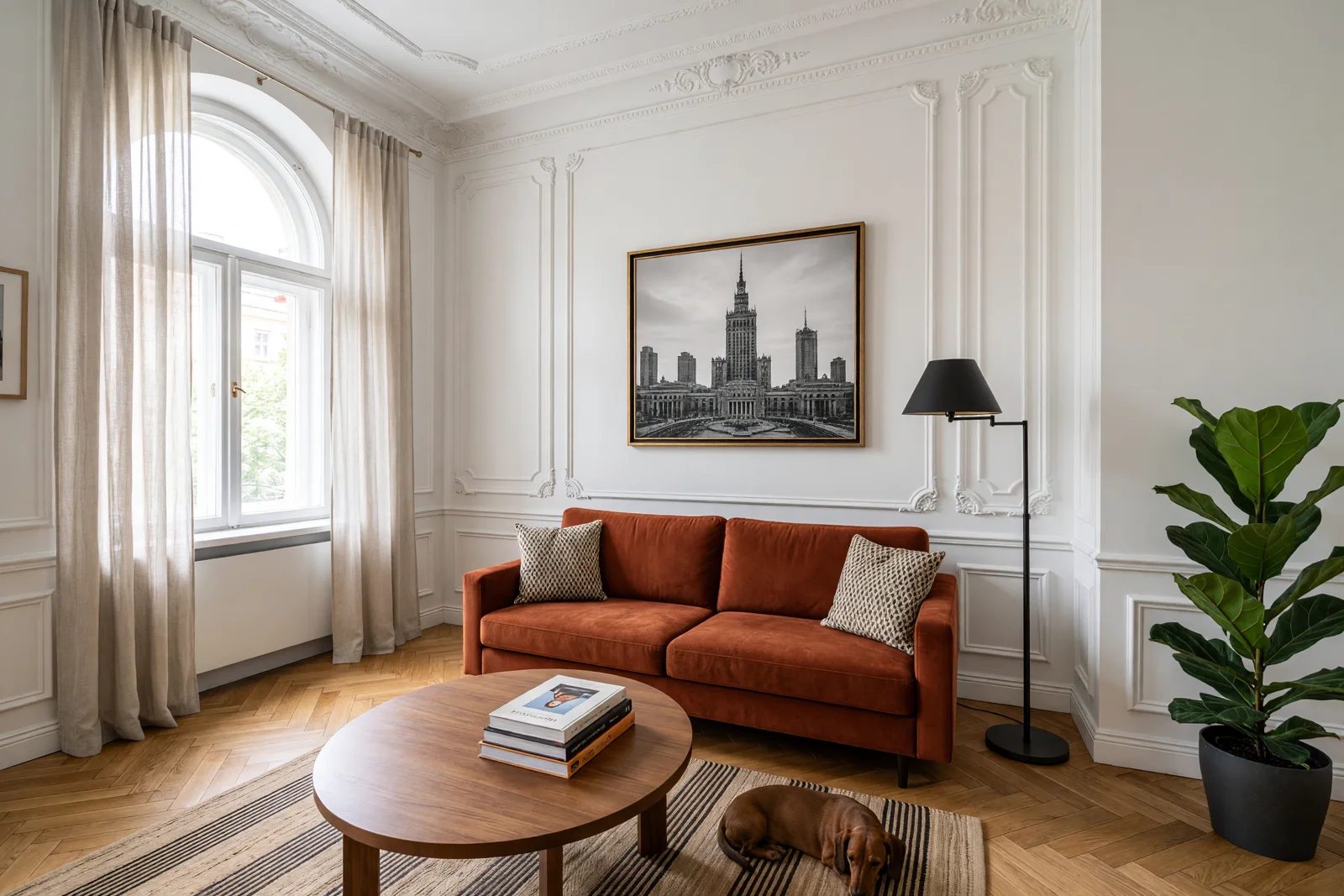
What each model did:
- Ideogram 4.5: complete set of changes and second-best SSIM score. The sofa came out more orange than rust, but it fits the prompt. The dachshund lies on the rug right next to the table leg.
- Seedream 5 Pro: five changes, frame preserved, rest of the room slightly changed in textures.
- Nano Banana Pro: five changes, but added a white mat to the Palace of Culture photo that wasn’t in the frame. Same frame, but the interior of the frame changed.
- Qwen Image 3: five changes, noticeably altered curtains and parquet, which isn’t visible at first glance but shows on the difference map.
- GPT Image 2.5 Sunburst: five changes, also with added mat. The model repainted the entire interior: curtains, molding, ficus leaves, and parquet differ from the original in small details.
- Grok Imagine 2: did everything, but painted the entire lamp black, including the stand and base, not just the shade. It also slightly shifted and rescaled the entire interior, hence the lowest SSIM.
Results: all 5/5, but SSIM from 0.995 down to 0.708
| Model | Changes Completed | Additional, Unordered Changes | SSIM of Unchanged Areas | Time | Price on fal.ai |
|---|---|---|---|---|---|
| FLUX 3 Image | 5/5 | none | 0.995 | 204 s | $0.024 (1K) on launch day; $0.048 since October 8 |
| Ideogram 4.5 | 5/5 | none visible | 0.989 | up to ~3 min* | $0.22 (high) |
| Seedream 5 Pro | 5/5 | minor textures | 0.961 | up to ~3 min* | $0.135 |
| Nano Banana Pro | 5/5 | mat in frame | 0.942 | up to ~3 min* | $0.15 (2K) |
| Qwen Image 3 | 5/5 | curtains, parquet | 0.889 | up to ~3 min* | $0.075 (2K) |
| GPT Image 2.5 Sunburst | 5/5 | mat, entire interior repainted | 0.870 | up to ~3 min* | size-dependent (2560 × 1440 high: $0.055) |
| Grok Imagine 2 | 5/5 | entire lamp black, shifted frame | 0.708 | up to ~3 min* | $0.08 (2K medium) + $0.01 for input image |
* I timed only FLUX 3 exactly (second run, after downsizing the base). Other models responded on the first pass, and according to file save times, each returned results within about three minutes of starting.
What SSIM Shows and What It Doesn’t
SSIM compares brightness, contrast, and structure of two image fragments. The difference between 0.995 and 0.942 looks innocent on the chart, but in practice it’s the boundary between “I see no change” and “the parquet and curtains look slightly different when I toggle between images.” At Grok’s 0.708, you see the difference immediately because the entire room shifted.
However, SSIM says nothing about the quality of the changes themselves. Ideogram has almost as high an SSIM as FLUX, but made the sofa more orange. GPT Image 2.5 has low SSIM, but its dachshund and Palace of Culture photo look very good. That is why I score the two separately.
When precision matters more than looks
- Product and real estate photos: clients compare “before” and “after” versions pixel by pixel. Here FLUX 3 and Ideogram 4.5 are safe, while GPT Image 2.5 and Grok Imagine 2 may change something no one ordered.
- Series of variants: five sofa colors in the same interior. A model that repaints the background will give you five slightly different rooms.
- Creative rework: if you care about a new atmosphere rather than fidelity, repainting everything isn’t a flaw.
FLUX 3’s limitation is input size. A 24 Mpx camera photo must be downsized to 4 Mpx before editing, so “bit-for-bit” applies to that downsized version, not the original.
One prompt beats ten rounds of edits
This test checked five changes in one prompt. That’s a different situation from ten corrections in sequence, where each step can add small distortions. I tested Ideogram 4.5 earlier in exactly that scenario: ten sequential edits of one photo. If you know in advance what you want to change, collect everything in one prompt. Fewer rounds means fewer opportunities to corrupt the rest of the image.
Five rules for a multi-change prompt
- Start with a prohibition. “Make exactly these five changes and keep everything else identical” sets the model in edit mode, not repaint mode.
- Number the changes. Each in a separate point, with the name of the object the model should find.
- State before and after. “From dark green to rust terracotta” is more reliable than just “terracotta”.
- Say what stays. “Same gold frame and position”, “same shape and cushions”. Two models still added a mat, so for frames add “no mat”.
- Specify the part of the object. Grok understood “lamp shade” as the entire lamp. Adding “keep the brass stand” would probably have helped.
More FLUX 3 tests
- FLUX 3 Image - launch, prices and features
- FLUX 3 under the microscope: 4K vs 6 models
- Composition from frames: FLUX 3 vs 5 models
- Interior visualizations in FLUX 3
- Ads and product shots in FLUX 3
- 4K wallpapers with FLUX 3
- Graphics with frames in FLUX 3: JSON layouts
- AI image generator rankings
- GPT Image 2.5 and Ideogram - separate hubs with tests
FAQ
Does FLUX 3 really leave the rest of the photo unchanged?
In my test, the difference in unchanged areas was invisible (SSIM 0.995, averaging below 2 brightness levels out of 255). I didn’t confirm bit-for-bit identity because fal.ai returned an image in a different size than the input.
What image can you upload for editing in FLUX 3 on fal.ai?
With an area of at most 4 Mpx, for example 2400 × 1610 px. The API rejects larger files with the error “Image dimensions are too large”.
How much does editing in FLUX 3 cost?
On fal.ai a 1K (1 MP) result costs $0.048, at a flat price per image regardless of how many reference images you send; larger outputs cost more. The launch-day price of $0.024 was introductory and ended on October 8, 2026. Editing took 204 seconds in my test.
Sources
- My test of October 1, 2026: base image, results and SSIM measurements.
- Black Forest Labs - FLUX 3 Image
- fal.ai - FLUX 3 Image Edit
- fal.ai - Ideogram 4.5 Edit
- fal.ai - Seedream 5 Pro Edit
- fal.ai - Nano Banana Pro Edit
- fal.ai - Qwen Image 3 Edit
- fal.ai - GPT Image 2.5 Sunburst Edit
- fal.ai - Grok Imagine 2 Edit
- Checked on October 29, 2026 (fal.ai prices for FLUX 3 Image Edit).

More on this from QUANTSLANT

 benchmarks·FLUX 3 4K Test: Real Resolution vs 6 AI Image ModelsFLUX 3 Image delivers true 4K with 16.8 Mpx of real detail. We tested it against six models to measure effective resolution, text accuracy, and speed.