Claude Opus 5.5 Motion Graphics: 60s Showreel from One Prompt
I tested the viral Claude Opus 5.5 motion graphics claim: one prompt in Claude Code produced a 60-second 1080p60 showreel with code-generated music, .00 at API prices.

Update (9 Nov 2026): Claude Fable 5.2 and Mythos 5.2 are out - prices, access and benchmarks are in my Claude Fable 5.2 guide.
👁 405 reads
Claude Opus 5.5 can make motion graphics from one prompt, but it does not draw video: it writes a program that renders every frame, then runs it. On September 25, 2026, Opus 5.5 in Claude Code turned my one-line request into a 60-second 1080p60 showreel with music it also wrote in code. The agent worked for 18 minutes, produced 1,568 lines of code and, at API prices, would have cost $3.00. It is strong at typography, charts, interfaces and cutting on the beat; drawn characters come out poorly, so for videos with people use a video generator. Below are the full video, the session numbers and what the viral posts leave out.
The trend started with a 15-second post on X
On September 25 at 1:39 PM, X user @ajith_io posted a 15-second video captioned “Made with claude OPUS 5.5” with the prompt text. He asked for a dynamic motion designer showreel “like for a resume.” The post got 33,200 views within hours. Then came the flood: product videos, app previews, ready-made “skills” for Claude Code designed to produce such videos in series. The OrcaRouter service accurately noted that the precise description isn’t “Opus made a video,” but “Opus wrote and directed a program that renders video.”
This is a difference that matters. Video generators like Kling or Veo create pixels from noise, and every correction means rolling the dice again. Here every element is a line of code: changing color, text, or tempo is editing, not re-rolling.
My prompt was one line, written in Polish
I showed Opus 5.5 in Claude Code a screenshot of the viral post and typed one prompt, in Polish and in capitals, typos included:
POKAZ CO POTRAFISZ - ZNASZ MNIE I MOJ STYL - ZROB INNA CIEKAWSZA ANIMCJE
ZWIAZANA BARDZIEJ ZE MNA ALBO Z AI I JAK DASZ RADE TO DLUZSZA.
Translation: “SHOW WHAT YOU CAN DO - YOU KNOW ME AND MY STYLE - MAKE A DIFFERENT, MORE INTERESTING ANIMATION, MORE ABOUT ME OR ABOUT AI, AND IF YOU CAN, MAKE IT LONGER.”
The important part is “you know me.” Claude Code had access to memory from my previous sessions: project lists, the number of sites I run and my design rules (dark, sharp, no rounded buttons). That is where the content came from: the video shows real numbers and project names from my work, not made-up slogans. The logo in it belongs to my Polish-language brand.
Eight scenes, cuts on the beat at 120 BPM:
- Terminal - typing a command, each keystroke has its own click in the audio track.
- Logo - the brand name assembles from random characters, with measurement lines like in design software.
- Numbers - 47 services in Google Search Console and “1 person, zero team.”
- Under the Hood - tokens, network layers, and probability distribution of the next word.
- Projects - tunnel with cards of 20 projects, ending with “20 projects. One person.”
- SEO and GEO - chart where AI answers catch up to Google.
- Pipeline - “Prompt goes in. Product comes out,” with live music spectrum.
- Finale - logo and address.
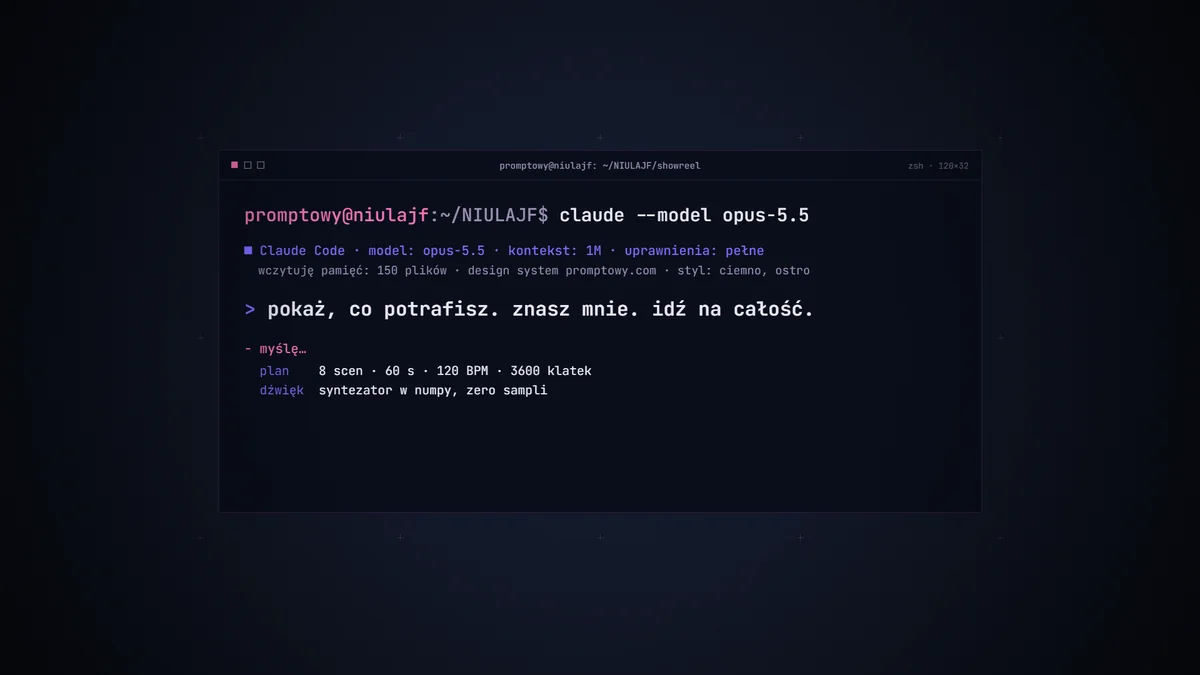
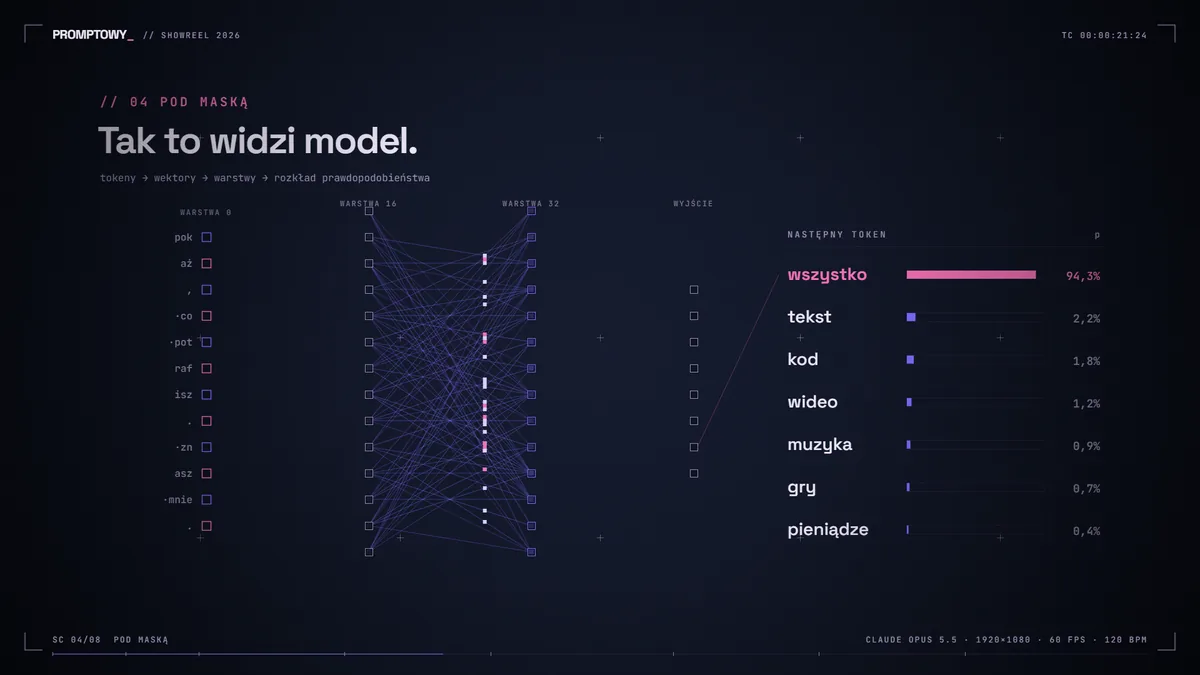
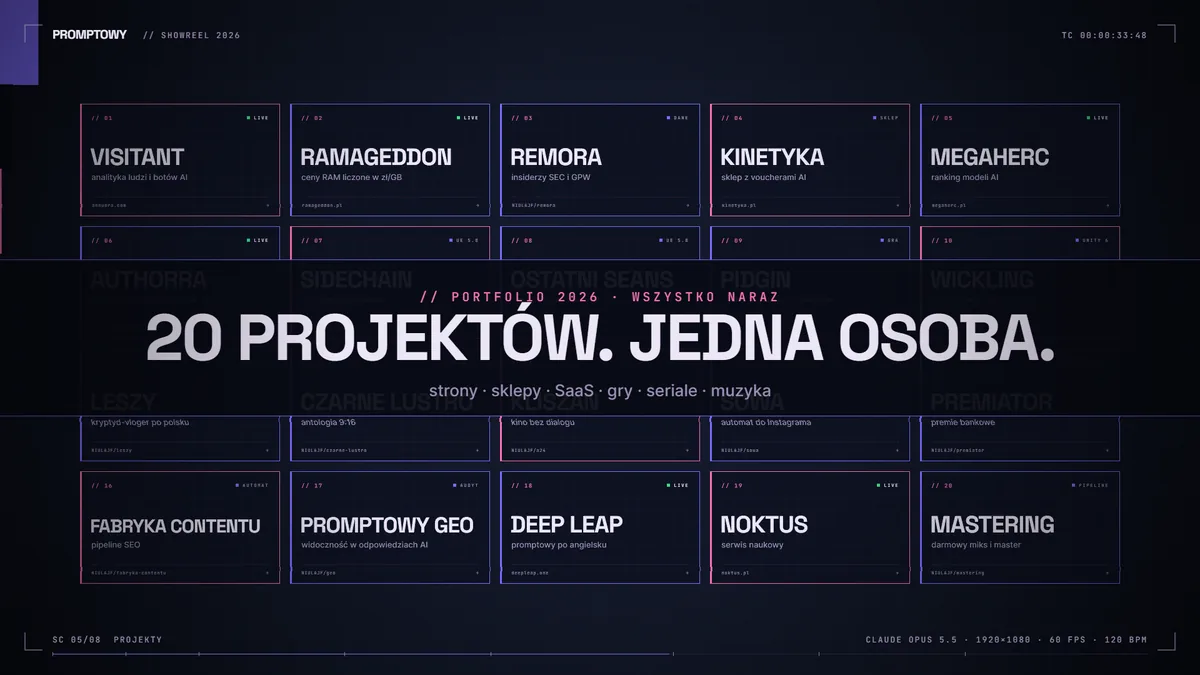
18 minutes, 22 responses and $3.00 at API prices
Data comes from the Claude Code session log (the conversation history file contains token usage for each response):
| What | Value |
|---|---|
| My prompts | 2: main one and “FINISH!” after a break |
| Agent work time | approx. 18 minutes (12 + 6, with 3.5 hours waiting between) |
| Model responses / tool executions | 22 / 23 |
| Output tokens (code, plan, description) | 79,455 |
| Tokens read from cache | 2.15 million |
| Cost according to Opus 5.5 API pricing | $3.00 |
| Code | reel.js 987 lines, audio.py 465, capture.py 116 |
| Result | 60 s, 3,600 frames, 1920×1080, 60 fps, 72 MB, audio -9 LUFS |
I calculated the cost from Anthropic’s API prices for Opus 5.5: $4 per million input tokens, $20 for output, $0.20 for cache reads and $5 for cache writes. On my Claude subscription I paid nothing extra, but the session used part of the plan’s limit. More about pricing is in the article how much Claude Opus 5.5 costs.
Prepaid API access to Claude, GPT-6, Gemini, Veo and Kling with one key: see my Jantaris guide.
Three programs: animation, sound and render
Opus built three parts and tested each one itself:
- Animation - one
renderFrame(n)function in JavaScript draws frame number n on a canvas. It’s deterministic: the same number always produces the same image. This means the browser preview and file export look identical. - Sound - a Python script synthesizes music from pure mathematics (numpy and scipy libraries): drums, bass, keyboard clicks. It also saves a file with hit moments so the animation knows when to cut.
- Render - Playwright launches 10 Chromium browsers simultaneously, each renders its segment, and ffmpeg stitches the segments with audio. The whole process takes about 3 minutes.
At the end, the model checked 20 frames from across the video length and splice points. It couldn’t listen to the music, so it measured loudness: -9 LUFS, peaks at -1 dB. Ask for this step every time: an agent that checks its own output catches errors before you do.
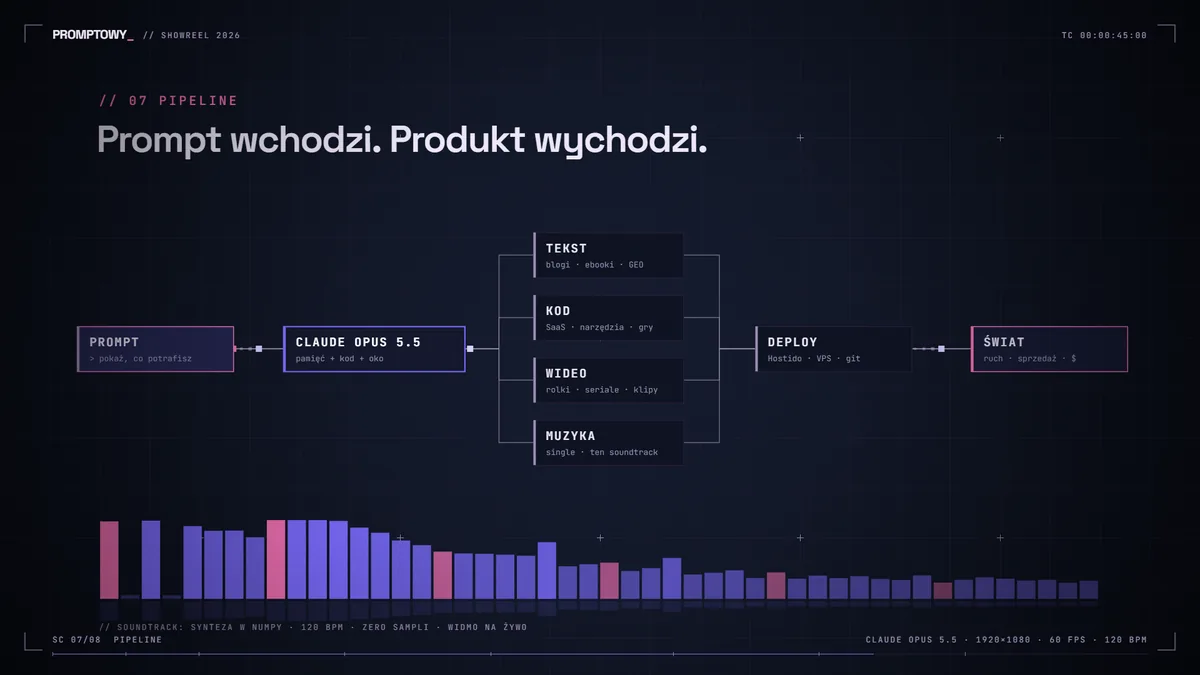
What the viral posts leave out
The video was just the beginning. On the same engine that same evening, 14 more were created: six videos about my other projects, a vertical version of the showreel, and seven one-minute 9:16 stories for TikTok. Changing scene content and re-rendering takes minutes, not hours. The real value is not the first video but the template it leaves behind.
Weak points emerged quickly. Characters drawn in code and “marker sketches” looked bad, and a photo at the end of one story was its weakest frame. Since then I show people only as heavily blurred, noisy shadows and build formats on interface, typography, and sound. On the other hand, a story told entirely as a chat with a mother, without a single spoken line, was the best of the series.
“One prompt” requires good context. Without memory of projects and style, Opus would make a nice but generic animation. With memory, it made a video that looks like it was commissioned from a studio. If you want to replicate this effect, start with a brand description: colors, fonts, numbers you want to show, and things you don’t want to see.
Four steps to repeat it
- Install Claude Code and select the Opus 5.5 model (requires Pro, Max plan, or API key).
- Create an empty folder and describe the brand in a CLAUDE.md file: colors in HEX, fonts, tone, 5-10 real numbers and facts.
- Ask for a video of specific length, in specific resolution, with sound. Add that it should render the MP4 itself and watch several frames before delivering.
- Correct with words: “scene 3 too long by a second,” “less pink,” “bar chart instead of line chart.” Each correction is code editing and re-rendering.
The second route is the Remotion library, which most viral videos are based on. I tested it separately in the guide Opus 5.5 and Remotion step by step. For rendering you need Python, Node.js or a browser, and ffmpeg. Claude Code will suggest what to install. A graphics card isn’t necessary because frames are drawn by the browser.
Frequently Asked Questions
Do you need a powerful graphics card for this?
No. Frames are drawn by the browser on the CPU, and rendering a 60-second 1080p60 video in 10 parallel browsers took about 3 minutes.
How is this different from Kling or Veo?
Video generators create images from noise and don’t allow editing individual elements. Code-generated video can be corrected pixel by pixel and frame by frame, but code struggles with realistic people and nature.
Sources
- My Claude Code session of September 25, 2026 (model claude-opus-5-5): token usage from the session log, files of the showreel project.
- X - @ajith_io: “Made with claude OPUS 5.5” (September 25, 2026).
- OrcaRouter - Claude Opus 5.5 video: plan, one shot.
- Anthropic - Claude pricing (Opus 5.5 API and prompt caching prices).
- My Claude Opus 5.5 guide.
- Checked on October 29, 2026.

More on this from QUANTSLANT
 benchmarks·Wan 2.2 on RTX 4090: timings, VRAM and four test clipsMy four-clip Wan 2.2 TI2V 5B test: RTX 4090 timings, memory use, visible mistakes and the limits of applying these results to another GPU.