ChatGPT as a Daily Work Tool: An Honest Assessment
ChatGPT earns its place in a daily workflow for specific tasks - but knowing exactly where it breaks down is what separates useful adoption from expensive frustration.

👁 114 reads
The most practical question about ChatGPT is not whether it is impressive. It is whether it saves you more time than it costs you in corrections, re-prompting, and fact-checking. That answer depends almost entirely on which tasks you are handing it.
Where ChatGPT genuinely earns its keep
The clearest wins fall into a tight cluster of language and reasoning tasks where a wrong answer is immediately obvious to you - because you already know the territory.
Drafting and rewriting. Give it a rough idea, a bullet list, or a bad first draft, and it returns something structurally sound at a pace no human editor matches. The real value is not that the output is publication-ready - it rarely is - but that staring at a draft is psychologically easier than staring at a blank document. Rewriting is arguably better than drafting: feed it your own clunky paragraph and ask for something crisper, and the gap between input and output is often striking.
Summarizing. Paste in a long email thread, a dense policy document, or meeting notes, and ask for the three decisions buried inside. For this kind of extraction work, ChatGPT is fast and reliable as long as the source text fits inside the active context window - more on that limit shortly.
Brainstorming. When you need twenty angles on a marketing problem or a dozen names for a product feature, ChatGPT is a patient, tireless thought partner. The ideas are rarely original on their own, but they break the blank-page paralysis and occasionally surface a direction you would not have reached alone. Treat the output as raw material, not finished thinking.
Code snippets and scripting. For developers writing utility scripts, debugging small functions, or converting logic between languages, the tool earns its cost within a single session. The caveats: generated code needs review, and it can fail confidently on niche libraries or recent API changes. Still, for boilerplate, regex, and standard data transformations, it is faster than a documentation search.
Patient explanation. Ask it to explain a concept in three different ways until one of them clicks, and it never sighs. This is genuinely useful for non-specialists navigating an unfamiliar domain - legal concepts, statistical methods, infrastructure terminology. The explanations are usually accurate at the introductory level, which is exactly where they are needed.
Where it routinely disappoints
The failures are just as consistent as the strengths, and pretending otherwise wastes your time.
Confident errors on facts. ChatGPT does not retrieve information - it generates text that resembles accurate information. The difference matters enormously for anything time-sensitive or specific: current statistics, the latest regulations, recent events, exact attributions. It will state an incorrect figure in the same calm tone it uses for a correct one. If a fact matters, verify it independently. The official ChatGPT page documents the browsing capability available on some tiers, which helps with recency, but even browsing results need a critical eye.
Generic style without strong instructions. Left to its own devices, ChatGPT writes in a recognizable house style: measured, slightly formal, heavy on transitional phrases. If your brand has a distinct voice - clipped and sardonic, or warm and colloquial - you have to do deliberate work to pull it in that direction. A detailed style prompt, a few examples of your own writing pasted in as reference, and explicit instructions like ‘avoid summarizing conclusions at the end of every section’ all help. Without that investment, the output reads like everyone else’s output.
Long-document limits in practice. In current versions, the context window is larger than it used to be, but working with genuinely long documents still produces friction. The model can lose track of details established early in a long conversation, contradict itself across sessions, or compress nuance when summarizing dense material. For a ten-page brief this is fine. For a hundred-page contract or a book manuscript, expect to chunk the work deliberately and cross-check the seams.
Memory quirks. Persistent memory features exist, but they are selective and sometimes surface the wrong things at the wrong moment. A project context you established three weeks ago may or may not be available in a new session. Workflows that depend on the model remembering your preferences without prompting are fragile. The practical fix is to keep a short ‘context block’ - a few sentences describing your role, your project, and your preferred output style - and paste it at the start of any session that matters.
Who should not pay for it
The free tier is a reasonable entry point for occasional use. The paid tier makes sense if ChatGPT is open in a browser tab most of the working day. It does not make sense if:
- Your primary need is accurate, cited, up-to-date information. A tool built around web retrieval will serve you better.
- Your work is almost entirely visual - image generation exists but is not the core strength, and dedicated image tools are more capable.
- You work in a highly regulated field and cannot afford the overhead of verifying every output. The time savings can evaporate under compliance review.
- You only need it for one narrow task, like transcription or scheduling. Specialized tools handle those better and often cheaper.
Pricing tiers change often - check the official pricing page for current options before committing.
Google · Your sourcesQuantslant higher in your Google - one clickAdd to preferred sources →The fit-for-purpose verdict
ChatGPT is a strong second brain for language work when you are the expert in the room. It accelerates drafting, clears cognitive logjams, and handles the kind of tedious text transformation that eats an afternoon. It is a poor substitute for research, a mediocre stylist without guidance, and an unreliable archivist of its own past conversations. Use it where you can immediately judge the quality of what it returns - and stay skeptical everywhere else. That calibration, more than any feature comparison, determines whether the tool actually improves your work.

More on this from QUANTSLANT
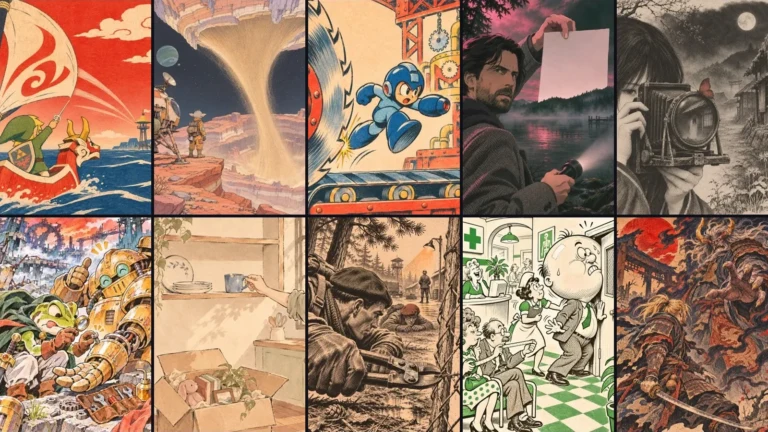


 guides·AI Image Generators by Use Case: A Practical Match-UpPicking an AI image generator based on leaderboard rankings wastes time - the right choice depends entirely on what you are making and how you work.