Crawl4AI Tutorial: Local Setup and a Real Extraction Test
Set up Crawl4AI in an isolated Python environment, fetch one page, and inspect the result. Includes actual three-page measurements and honest limits of the sample.
👁 116 reads
Crawl4AI gives you a local Python workflow for rendering pages and preparing their content for an AI application. This tutorial describes setup and my own three-page test as of October 2026, with clear separation between tested Windows steps and guidance for other operating systems.
In short
- Use one isolated environment for the package, browser installation, and script.
- Start with one URL and inspect the saved Markdown before adding a crawl.
- In my test the raw output retained tables but also included navigation.
Install into a dedicated Python environment
Create a project directory and use a virtual environment so this experiment does not alter unrelated Python projects. My Windows test used Python 3.13.15 and Crawl4AI 0.9.5. Current package requirements should be checked when installing; these versions describe the historical run rather than guaranteeing compatibility on every system.
On Windows, run these commands in PowerShell from the project directory. Calling the environment’s interpreter directly avoids depending on shell activation settings.
python -m venv .venv
.\.venv\Scripts\python.exe -m pip install crawl4ai
.\.venv\Scripts\playwright.exe install chromium
On macOS or Linux, the environment executables are under bin. The equivalent setup is below. I did not run these commands myself; my test was on Windows.
python3 -m venv .venv
.venv/bin/python -m pip install crawl4ai
.venv/bin/playwright install chromium
The current Crawl4AI installation guide also provides crawl4ai-setup for browser dependencies and crawl4ai-doctor for diagnostics. On Linux, missing system libraries may require the setup command and operating-system package installation. Read the diagnostics instead of repeatedly installing different global copies of Python packages.
For Windows, run these tools from .venv\Scripts; on macOS and Linux, use .venv/bin. Save the package versions after a working setup. That gives future troubleshooting a concrete reference when dependencies or browser builds change.
Fetch one URL before following links
Save the following as read_page.py. It uses a headless browser, bypasses the crawl cache, and sets a bounded timeout. The example URL is illustrative; replace it only with a page you are authorized to retrieve. This is a minimal example of the test’s configuration, not a copy of its full measurement harness.
import asyncio
from pathlib import Path
from crawl4ai import (
    AsyncWebCrawler, BrowserConfig,
    CrawlerRunConfig, CacheMode,
)

async def main():
    browser = BrowserConfig(headless=True)
    run = CrawlerRunConfig(
        cache_mode=CacheMode.BYPASS,
        page_timeout=60000,
    )
    async with AsyncWebCrawler(
        config=browser
    ) as crawler:
        result = await crawler.arun(
            url="https://example.com",
            config=run,
        )
        if not result.success:
            raise RuntimeError(result.error_message)
        Path("page.md").write_text(
            result.markdown.raw_markdown,
            encoding="utf-8",
        )
        print(result.status_code)

asyncio.run(main())
Run it with .venv\Scripts\python.exe read_page.py on Windows or .venv/bin/python read_page.py on macOS and Linux. The script fetches one URL. It does not recursively crawl a domain or invoke a language model for extraction.
Open page.md and compare it with the source. A successful status is only the first check. Verify the title, main text, required table labels, and any date or qualification your application needs. If the result is a login page or unrelated notice, it should not become evidence merely because a file was created.
What my Windows test returned
On October 21, I fetched three public editorial pages from one site, sequentially and once each. The environment used Playwright 1.64.0 and Chromium 156.0.8078.4. Main-content filtering and model extraction were off, and local crawl caching was bypassed.
| Page | Elapsed time | Markdown characters | Table separators |
|---|---|---|---|
| A | 0.938 s | 23,478 | 2 |
| B | 1.259 s | 38,860 | 2 |
| C | 1.618 s | 44,607 | 7 |
Each request returned HTTP 200. The times cover the individual arun calls, including rendering and conversion. Shared-browser startup took another 0.560 seconds and is excluded. These single observations do not establish average latency or expected throughput.
The Markdown contained 31, 51, and 36 ATX headings respectively. That includes surrounding page material, not just editorial sections. The output retained the same number of table separators as the tables detected in the saved article HTML, but no cell-by-cell equivalence check was performed.
Page A’s saved HTML contained five MP4 source URLs, and page C’s contained three. Their raw Markdown did not retain those addresses. This matters if media references are part of the required output. It does not establish whether Crawl4AI can capture them under a different configuration, which was not tested.
Clean the output according to the downstream task
The sample’s main weakness was extra page material. Navigation and repeated surrounding elements made the raw Markdown longer than the article-focused Jina result for page A. That is a reason to configure and evaluate filtering, not evidence that every shorter result is better.
Choose required fields before removing content. A documentation assistant may need section headings and version labels. A pricing assistant needs billing conditions near the table. An overly narrow selector can discard exactly the caveat that prevents a wrong answer. Compare a filtered result against the saved source before adopting it.
For stable sites, explicit extraction rules can make sense. For varied layouts, inspect a wider sample and preserve a diagnostic path to raw HTML when permitted. I did not measure any particular filter’s improvement, so there is no percentage reduction or accuracy gain to report.
- Store the source URL and retrieval time alongside accepted content.
- Mark missing required fields instead of filling them with guesses.
- Keep retries bounded and separate network errors from extraction failures.
- Apply domain and page limits before introducing recursion.
Decide what local execution is worth to you
Crawl4AI’s Apache-2.0 library does not charge a license fee per page. Running it still consumes hardware resources and maintenance time. Optional proxy services or external model extraction can add costs. My test used no model key and no model-based extraction.
Local execution gives control over the runtime, but it does not make every data flow local. Fetching a remote page contacts its server. Sending extracted content to a cloud model creates another external transfer. Design the pipeline around the actual data path rather than assuming that a Python process settles privacy questions.
Use the three-tool comparison when deciding between local configuration and hosted convenience. The legal guide covers access and reuse, while the agent data hub explains how extraction fits into retrieval and answer generation.
FAQ
Was macOS or Linux tested here?
No. My installation and measurements were on Windows. The other commands show the equivalent environment layout and should be checked against current platform dependencies.
Do I need an LLM key?
Not for the basic rendering and Markdown conversion shown here. Model-assisted extraction is a separate option with its own configuration, cost, and data-transfer considerations.
Does HTTP 200 mean the page is usable?
No. Inspect the content and required fields. A successful response can still contain navigation, a notice, or incomplete information that should not support the final answer.
Can I estimate a production success rate from this test?
No. Three single runs from one site are insufficient. A production assessment needs representative sources, repeated measurements, and explicit acceptance criteria.
Sources
- Crawl4AI installation and diagnostics - accessed 2026-10-23.
- Crawl4AI quickstart and configuration - accessed 2026-10-23.
- Crawl4AI repository and Apache-2.0 license - accessed 2026-10-21.
More on this from QUANTSLANT
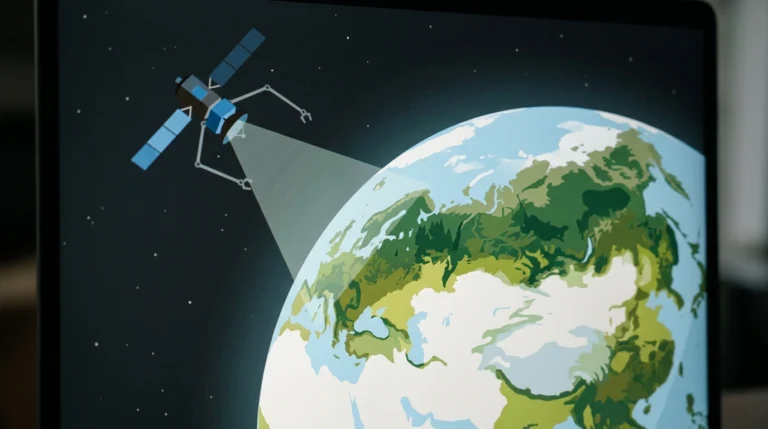 news·AlphaEarth Foundations Maps Forest Types From SpaceGoogle DeepMind’s AlphaEarth Foundations aims to map forest ecosystems worldwide, distinguishing forest types rather than simply recording tree cover.