GTA 6 Trailer Style in AI: Wan 3.0 vs Seedance and MiniMax
We tested Wan 3.0, Seedance 2.5, and MiniMax H3 using official Rockstar screenshots as style references to recreate the signature GTA 6 aesthetic.
👁 117 reads
GTA 6 trailers have an unmistakable visual signature: golden hour lighting, humid haze, saturated pink-orange skies, intense sun glare, and a camera skimming right alongside speeding cars. I tested which AI video generator captures this aesthetic best. To start, I fed each tool an initial image of a car on a coastal highway, paired with three official Rockstar press screenshots serving as direct references for color grading and lighting.
I ran the exact same prompt and visual references across three video models: Seedance 2.5, Wan 3.0, and MiniMax H3. Each clip runs for 5 seconds, all generated on November 3, 2026. Below are the resulting videos, prompts, and the final verdict.
Quick Summary
- Wan 3.0 won out. It matched the color palette of the official screenshots most accurately and was the only model to execute the complete camera motion: tracking low by the car, then rising over the forest to reveal the sea.
- Seedance 2.5: Delivered the sharpest fidelity and vehicle physics, but the camera refused to rise above the road. It was also the most expensive, costing several times more than Wan.
- MiniMax H3: Disregarded the starting frame entirely, replaced the setting with an American road with yellow lane markings, and morphed the car midway through.
- Key takeaway: Using official screenshots as style references makes a massive difference in matching cinematic color grading.
Step 1: The Initial Starting Frame
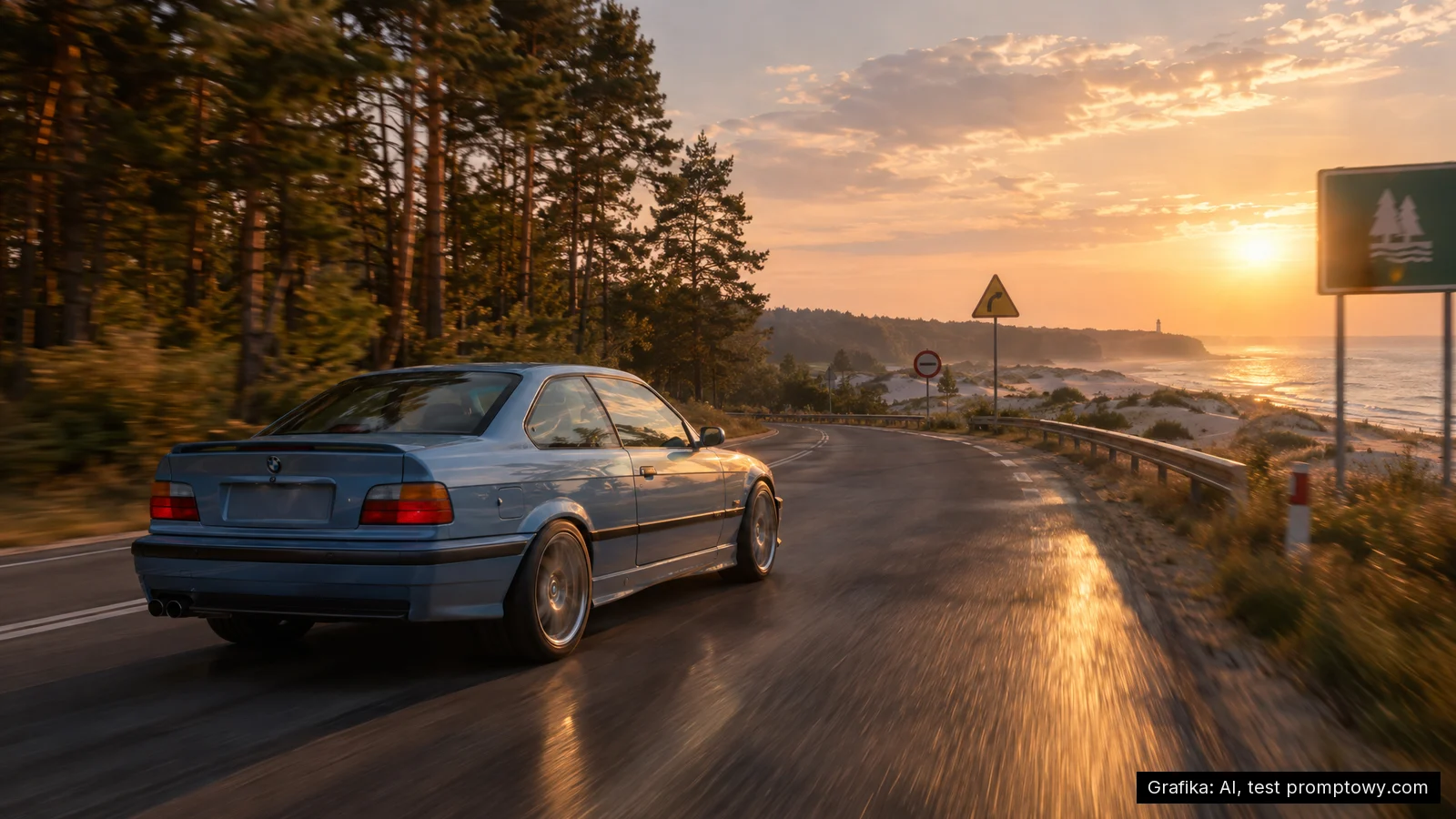
I first generated a starting frame in GPT Image 2.5 designed to look like a modern next-gen video game capture: a pastel-blue 1990s BMW coupe driving along coastal sand dunes past pine trees at sunset. The detailed prompt and breakdown for that generation are covered in the guide on how to create GTA 6 style graphics in AI.
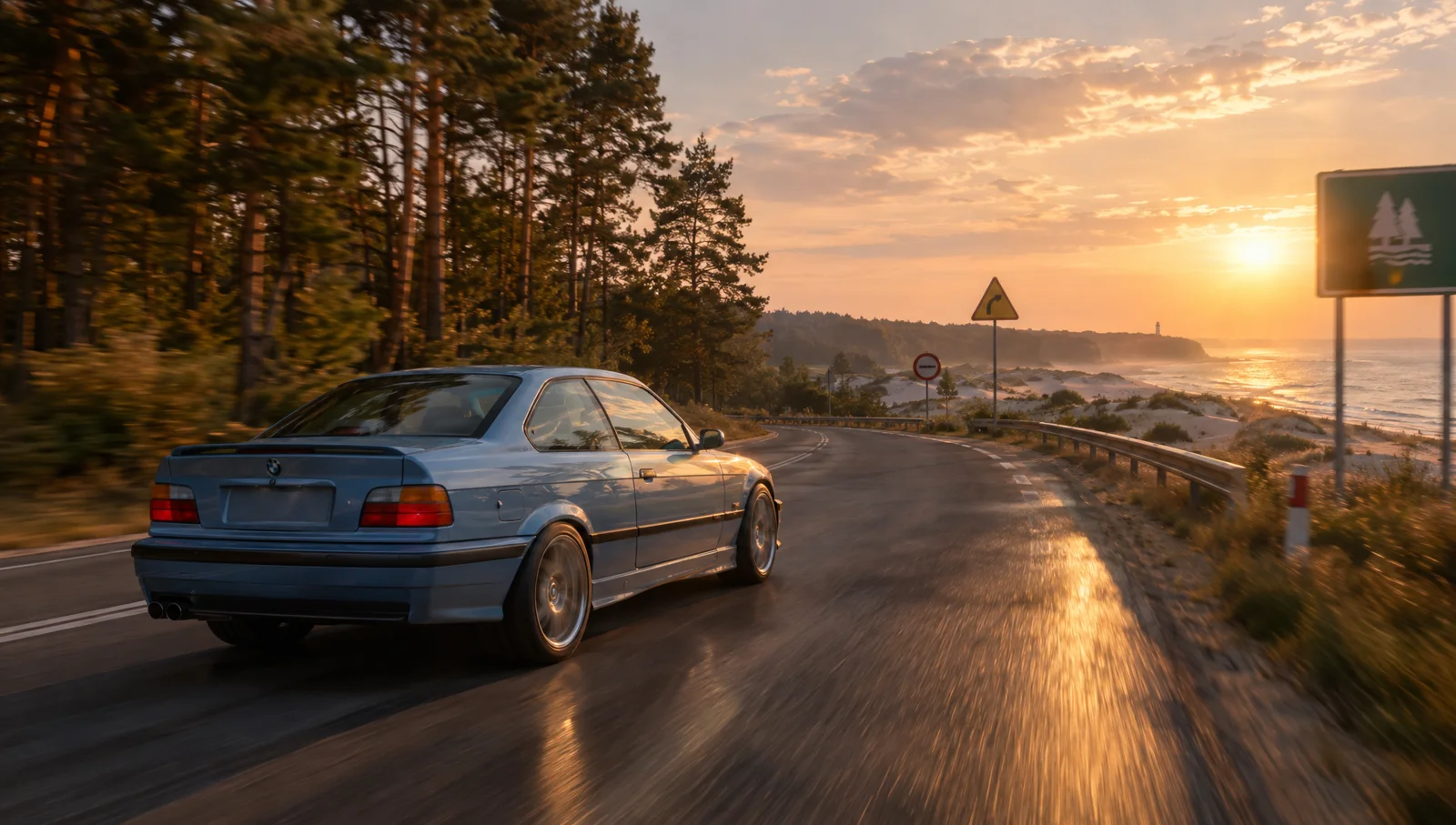
Starting with an image rather than relying strictly on text prompting is vital. The video model does not have to guess how the vehicle, road, or lighting should look, leaving it free to focus strictly on realistic movement.
Step 2: Feeding Official Screenshots as Style References
Alongside the initial frame, I attached three official GTA 6 screenshots from Rockstar’s press kit: Vice City, Leonida Keys, and Port Gellhorn. In the text prompt, I explicitly instructed the model to borrow only their color grading, atmospheric haze, lens glare, and next-gen gaming sheen, without copying their specific geography or architecture.
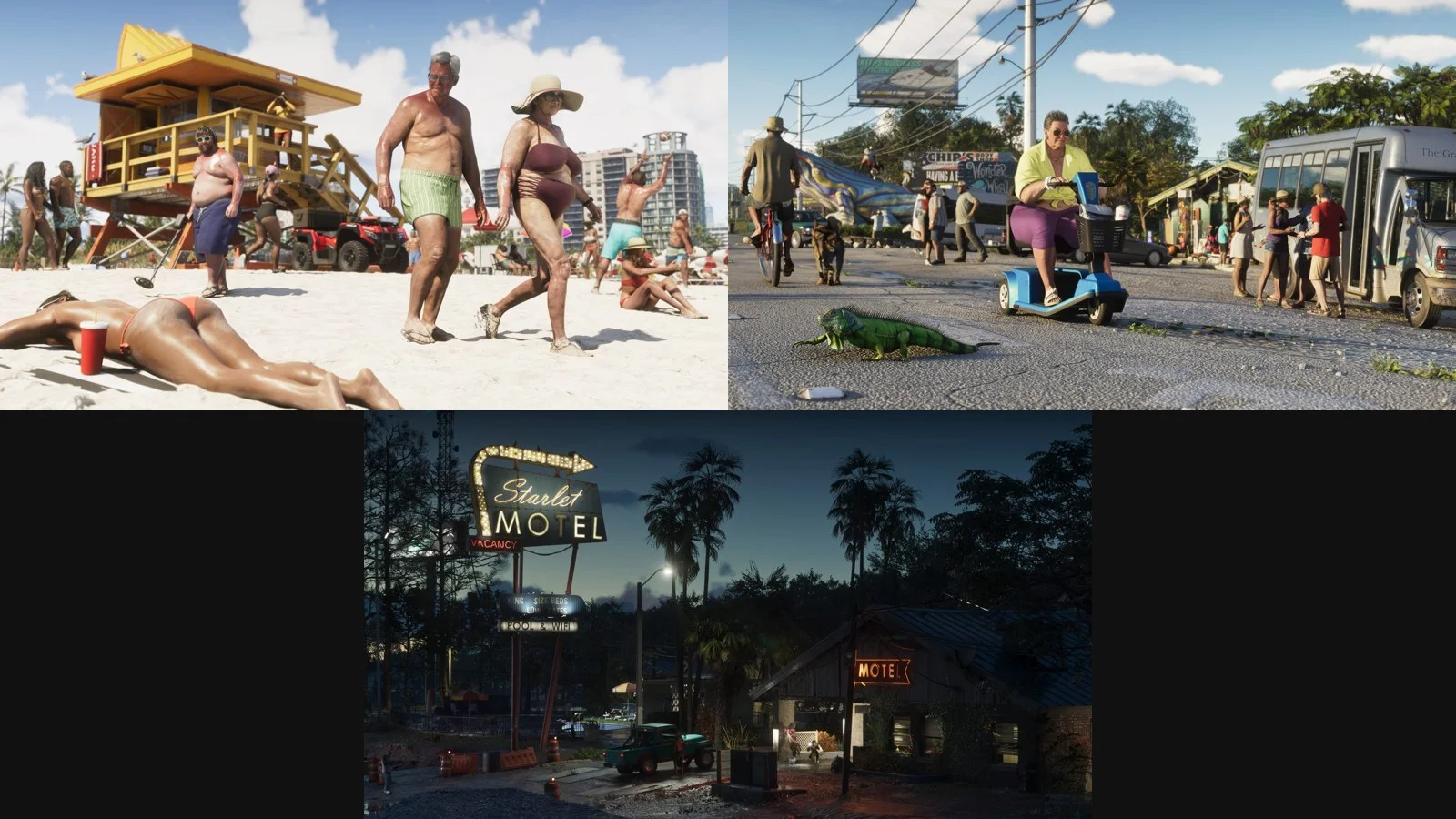
In Seedance, image references are designated as @image1 through @image4. In Wan and MiniMax, they are labeled as “Image 1” onward. The rest of the prompt remained identical across all tests.
Wan 3.0: The Clear Winner
- Color reproduction: Closest match to the official screenshots. The sky shifted into distinct pink and purple tones instead of staying a generic warm sunset orange.
- Camera choreography: Followed the prompt instructions completely. It tracks low alongside the car, then ascends over the pines to reveal the dunes and the sea.
- Drawbacks: The car drives out of frame during the second half of the sequence.
- Cost: The most affordable model of the three.
Seedance 2.5: Stunning Visuals, Rigid Camera
- Image quality: Cleanest fidelity and most convincing “game engine” finish. Tarmac reflections, wheel motion blur, and car suspension physics were handled impeccably.
- Camera path: Stayed pinned directly behind the car for all 5 seconds, ignoring the prompt’s crane ascent over the forest.
- Color fidelity: The style references had a weaker influence here than in Wan, staying closer to the original starting image.
- Cost: The most expensive option, coming in several times pricier than Wan.
For comparison, here is the same initial frame run through Seedance without the official style references. The camera followed instructions more closely, but the palette remained an ordinary sunset, lacking the saturated GTA 6 styling:
MiniMax H3: Failed Generation
- Ignored the input frame and started on an entirely different road featuring an overpass and American yellow road markings.
- The blue BMW morphed into a silver vehicle of a completely different make midway through.
- While the concluding landscape shot of the forest and sea looks nice, it did not follow the scripted prompt.
Model Comparison
| Model | GTA 6 Aesthetic | Camera Control | Subject Consistency | Cost |
|---|---|---|---|---|
| Wan 3.0 | Best | Full motion, successful crane rise | Good, car exits frame late | Lowest |
| Seedance 2.5 | Moderate | Chases car only | Best | Highest |
| MiniMax H3 | Poor | Deviates from prompt | Vehicle morphs | Low |
How to Direct a Full GTA 6 Style Trailer
A single generation yields five seconds, which corresponds to one shot. A real GTA trailer consists of dozens of rapid cuts lasting 1 to 3 seconds each. Here is the workflow to assemble one:
- Storyboarding: Outline your shot list: a car drive, a boat, beachgoers, city at night, character close-up, and a closing title card. Each shot needs its own dedicated prompt.
- Generate initial frames for every shot using GPT Image 2.5, applying identical style tags at the end of each image prompt.
- Feed the same 2-3 official screenshots into each shot as color references. This keeps the visual grading consistent across every scene.
- Start with low-resolution draft previews. Review motions first, then upscale and render out only the best takes.
- Cut to the beat. Official Rockstar trailers cut aggressively on musical downbeats, often slicing shots mid-motion.
- Add title cards in post-production. Do not attempt generating text titles inside the video models, as lettering frequently deforms.
Mistakes to Avoid
- Avoid typing “GTA” or character names directly. Many video generators trigger safety filters or content blocks. Describing the lighting and aesthetic style works far better.
- Do not use character art of Jason and Lucia as references. Generative models often graft their faces into unexpected places. Use environmental screenshots with no people in them for pure style transfer.
- Respect copyright boundaries. Creating a personal fan video is one thing; using official GTA logos or assets in commercial campaigns infringes on Rockstar Games intellectual property.
For more details on launch timing and news, check our hub on GTA 6.
Google · Your sourcesQuantslant higher in your Google - one clickAdd to preferred sources →Sources
- Rockstar Games: Official GTA VI Screenshots
- Independent tests: GPT Image 2.5, Seedance 2.5, Wan 3.0, and MiniMax H3, conducted November 3, 2026
More on this from QUANTSLANT


 guides·How to Create GTA 6 Style Art in AI: Prompts, Covers and PhotosRecreate the iconic GTA 6 aesthetic in AI image generators. Test loading-screen styles, grid cover collages, and transform your own photo using proven prompts.