GTA 6 clips: AI tools to turn a long stream into Shorts and TikToks
A practical workflow from OBS recording to vertical clips, with AI highlight detection, captions and a policy checklist before you post.
VIGTA 6 launch: all our guides in one place
👁 111 reads
The fastest way to turn a long GTA 6 stream into Shorts and TikToks is to record the full session locally in OBS, let an AI highlight detector flag the best moments, then reframe to 9:16 and add captions before a manual policy check. Grand Theft Auto VI launches on 19 November 2026 on PlayStation 5 and Xbox Series X|S, so you have two days to build a pipeline that does not collapse under hours of footage.
GTA 6 launch: why a clip workflow matters now
Rockstar lists PlayStation 5 and Xbox Series X|S as the only platforms and has not announced a PC version. That shapes your setup, because most console streamers rely on a capture card or the console’s own sharing features rather than capturing on the same machine that runs the game. If you stream at launch, you will end up with several hours of raw footage per session, and only a few minutes of it will work as a short clip.
The aim is a repeatable process: one long recording in, a batch of vertical clips out, with a human making the final call on anything sensitive.
GTA 6 release time and pre-load: use the quiet days to test
Rockstar announced on 3 November that pre-load would begin on 10 November, and on 10 November it published “Pre-Load Grand Theft Auto VI Now”. Pre-loading takes care of the download, but it is also a good moment to test everything that surrounds the game: your capture card, scene layout, audio levels and export presets.
On timing, Forbes reported on 12 November, citing Rockstar’s support information, that the game unlocks at midnight local time on 19 November in each region. New Zealand is among the first places to play, and Forbes reported that millions of Americans can start the night before, on 18 November local time. Check Rockstar’s official guidelines and support pages for your own region rather than relying on a third-party time. Once the game unlocks, you will not get a second chance at a first-hour stream, so test beforehand.
From OBS recording to vertical clips: the workflow
1. Record locally, stream separately
Record a high-quality local file in OBS even if you also stream live. Platform VODs are compressed and can expire, while a local file gives your AI tools clean input. Keep gameplay and your microphone on separate audio tracks if your setup allows it. That lets you run captions on your voice only and mute or replace the game audio later if a platform flags it.
2. Mark moments as you go
Auto-detection is helpful but imperfect. Set an OBS hotkey, or use a chat command with a bot, to drop a marker whenever something notable happens. Those markers become a shortlist you can compare against what the AI finds.
3. Run auto-highlight detection
Highlight tools generally look for audio spikes, sudden speech changes, chat activity and scene changes. Treat the output as suggestions. A loud laugh or a shout can be a great clip, but it can also be a technical hiccup. Ask the tool for more candidates than you need, then cut the weak ones.
AI tools for GTA 6 clips: what each type does
You do not need one product that does everything. Many creators combine a few types of tool:
- Highlight finders: scan a long recording and suggest clip-length segments.
- Auto-reframing: converts 16:9 footage to 9:16 by tracking the subject or the action. CapCut and several other editors include this.
- Caption generators: transcribe your voice and burn in styled subtitles. Always proofread names and slang.
- General editors: for trimming, pacing and final exports. CapCut is a common choice for short-form work.
How to reframe gameplay to 9:16 for Shorts and TikTok
A widescreen game frame does not fit a vertical screen without compromise. There are two common layouts. The first is a full-height crop with auto-tracking on the action. The second is a stacked layout with the gameplay in the upper part and your facecam or captions in the lower part. Whichever you choose, check that the key action stays inside the safe area, away from the screen edges where app buttons and captions from the platform sit.
Auto-reframing struggles when the action moves quickly or the point of interest is not the centre of the screen. Scrub through each clip once and adjust the crop manually where it drifts. Do not rely on a single pass.
Step-by-step table: tools and tips
| Step | Type of tool | Tip |
|---|---|---|
| 1. Capture the game | Capture card or console sharing, feeding OBS | Run a full test recording before launch and listen back for audio sync problems. |
| 2. Record the session | OBS local recording | Use separate audio tracks for game sound and your voice. |
| 3. Mark moments live | OBS hotkeys or chat bot markers | Mark immediately, then refine the exact start and end later. |
| 4. Detect highlights | AI highlight finder | Generate more candidates than you need, then cut the weakest. |
| 5. Trim and pace | Video editor such as CapCut | Open with the payoff or a strong line, not a slow lead-in. |
| 6. Reframe to 9:16 | Auto-reframe feature | Check every clip for drift and keep key action inside the safe area. |
| 7. Add captions | Speech-to-text captioning | Proofread character names, place names and slang. |
| 8. Check policies | Your own checklist | Review platform rules and Rockstar’s official guidelines before posting. |
| 9. Export and publish | Editor export presets and platform schedulers | Write a separate title for each platform instead of copying one caption everywhere. |
GTA 6 content policy: what to check before you post
This is the step creators skip, and it is where channels get into trouble. Before you publish, check Rockstar’s official guidelines for what it allows when you share footage of its games. I am not going to summarise them from memory, because wording and scope can change and you should read the current version yourself.
Then read each platform’s rules for the places you post. Look at how YouTube, TikTok and others handle:
- Graphic or violent content, and whether it needs age restrictions or limits reach.
- Nudity, strong language and references to drugs and alcohol.
- Music, including in-game radio audio, which may trigger copyright claims or muting.
- Monetisation rules that apply to gameplay footage.
In the US, the game carries an ESRB Mature 17+ rating, with descriptors including Blood and Gore, Intense Violence, Nudity, Strong Language, and Use of Drugs and Alcohol, plus In-Game Purchases. Those descriptors are a useful guide to which moments may need extra care. A clip that works in a long, age-gated stream can be a problem as a 20-second vertical video that anyone can stumble on.
Captions, thumbnails and AI prompts: stay original
If you use an image generator for covers or backgrounds, describe an original visual style, for example “neon-lit coastal city at dusk, retro poster look, warm pinks and teals”. Do not ask it to imitate official Rockstar artwork, logos or the likeness of the game’s characters. Using your own footage for thumbnails is usually the safer and more honest route anyway.
For captions, keep lines short, put the key word on screen as it is spoken, and avoid covering the part of the frame where the action happens.
Spoilers and review season: a note on timing
Critics’ reviews are collected by Metacritic and OpenCritic, and Rockstar has not published a review embargo time. That means you should not plan clips around an assumed date. Be careful with story moments in the first days. Many viewers will want to avoid spoilers, so label clips clearly and keep story beats out of titles and thumbnails. The story follows Jason and Lucia across the state of Leonida, and there is plenty of non-story material to clip without giving away plot.
A simple launch-week checklist
- Run a test recording and a test export to 9:16 before the game unlocks.
- Decide your marker hotkey and your clip length target.
- Save presets for captions and layout so every clip looks consistent.
- Read Rockstar’s official guidelines and each platform’s current rules.
- Review every AI-selected clip by eye before it goes live.
AI can cut the hours of scrubbing down to minutes, but it cannot judge context, tone or policy risk. Use it to find and format, and keep the final decision for yourself.
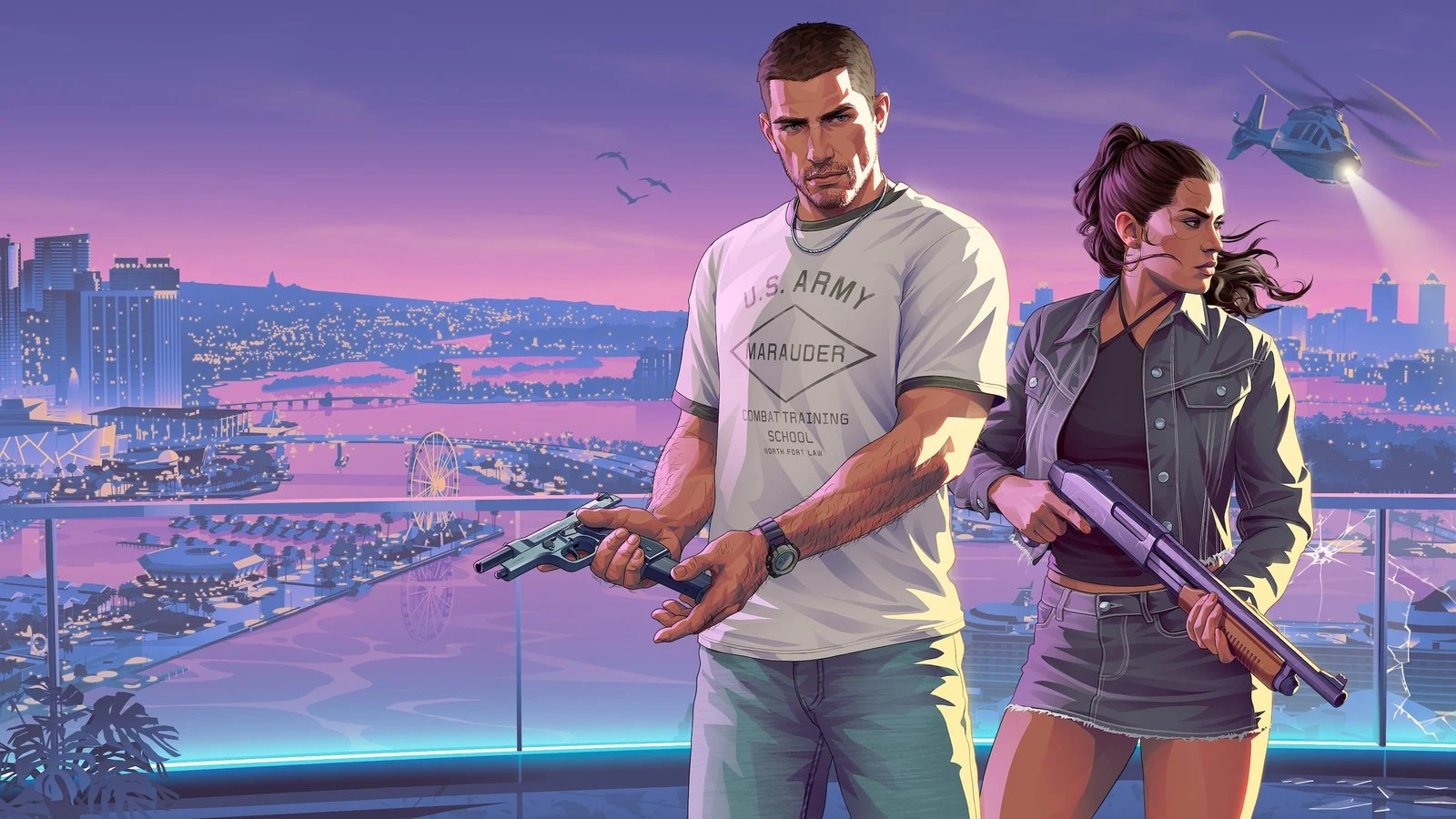
Photo: Rockstar Games (official artwork) / rockstargames.com/VI
More on this from QUANTSLANT

 guides·GTA 6 release time: when it unlocks in the US and UKGTA 6 unlocks at midnight local time on 19 November, with some US players starting the night before. Here is what to check first.