AI Image Generator: How to Choose the Right One for Your Needs
There's no single best AI image generator - it's about matching the tool to the task. What to choose for photo editing, consistent style series, and more.
👁 117 reads
There are now over a dozen AI image generators, and they all do the same basic thing: turn descriptions into graphics. The differences that actually matter for your choice lie elsewhere than in the flashy examples on product pages. It’s about text rendering, style consistency across images, commercial usage rights, and whether the tool lets you fix part of a finished image instead of re-rolling everything from scratch.
Which AI image generator to use for what
- For working with existing image files - adding something to a photo, extending the frame, or removing an object - a tool built into graphics software wins. I describe it in the guide to Adobe Firefly.
- For series work in one style, when you need twenty graphics that look like a set rather than a random collection of images, the right choice is a generator with custom style models, described in the article about Leonardo.
- For social media materials, where speed and ready-made formats matter, Canva is enough.
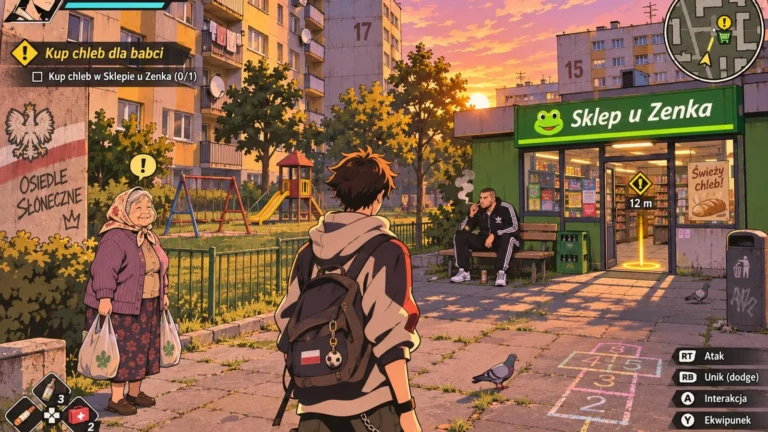
- For graphics with text - posters, covers, or thumbnails with lettering - the situation is trickiest. Special characters and diacritics are where generators fail most often, which is why we run a separate test of typography in generators (testing non-English text rendering, including diacritics).
Four things worth checking before you choose
Usage rights. If the graphic goes into a campaign, a book, or on a product, you need to know what the model was trained on and what the terms say about commercial use. This is the only reason companies choose slower and less impressive tools.
Partial editing. The ability to select a piece of the image and change only that part is the difference between working and gambling. Without it, on the tenth try you have an image where the hand improved but the background broke.
Consistency. The same character across multiple graphics is a task some tools handle well and others not at all. Test this with your own example before you build a project around it.
Cost per image. Not the subscription, but the real price at your work pace, because high-resolution generation and many variants can eat through your limit much faster than the advertising suggests.
How to write prompts to get what you want
The best order is: what’s in the image, how it’s shown, in what style, what shouldn’t be there. Instead of “nice photo of coffee,” write “espresso cup on wooden counter, top-down shot, natural daylight from the side, food photography style, no people and no text.” Exclusions are as important as descriptions here, because the most common disappointment comes from things the model added, not from missing elements.
I write more about building such descriptions in the guide what is a prompt, and I collect current comparisons of image models in the AI for graphics section.
What to remember when publishing
Some platforms and publications require labeling generated materials. Some tools save this information in metadata automatically. A separate issue is likeness: generating images depicting specific, recognizable people is sometimes prohibited by terms of service, and regardless of terms, can end in legal trouble. For materials about real people, it’s better to use a photo you have rights to.
Google · Your sourcesQuantslant higher in your Google - one clickAdd to preferred sources →How one parameter changes everything
You can see this best in comparisons of the same frame: the same photo in six cameras, one photo in five illustration techniques, and four materials in the same shot.
More on this from QUANTSLANT

 ai tools·Suno AI Music Generator: How It Works, Rights & Real Use CasesSuno generates complete songs from text descriptions - music, vocals, and lyrics. We tested it in Polish to see how it handles non-English text.