AI Lookbook: Same Jacket in 4 Shots
Front, back, motion and detail of the same jacket. We show you the prompts for an AI lookbook and check what helps preserve pockets, buttons and cut.
👁 115 reads
Four beautiful photos of a woman in an olive jacket do not have to show the same garment. In one frame an extra pocket appears, in another a button vanishes, and a seam sprouts on the back. In a lookbook, such differences matter more than an impressive background.
We prepared one fictional jacket and its view from the front and back. We added a separate reference of the model. Then we asked for four shots: full front, back, walk and detail. The whole thing is meant to show how to build a series, not to reproduce a real product.
Two references, two tasks
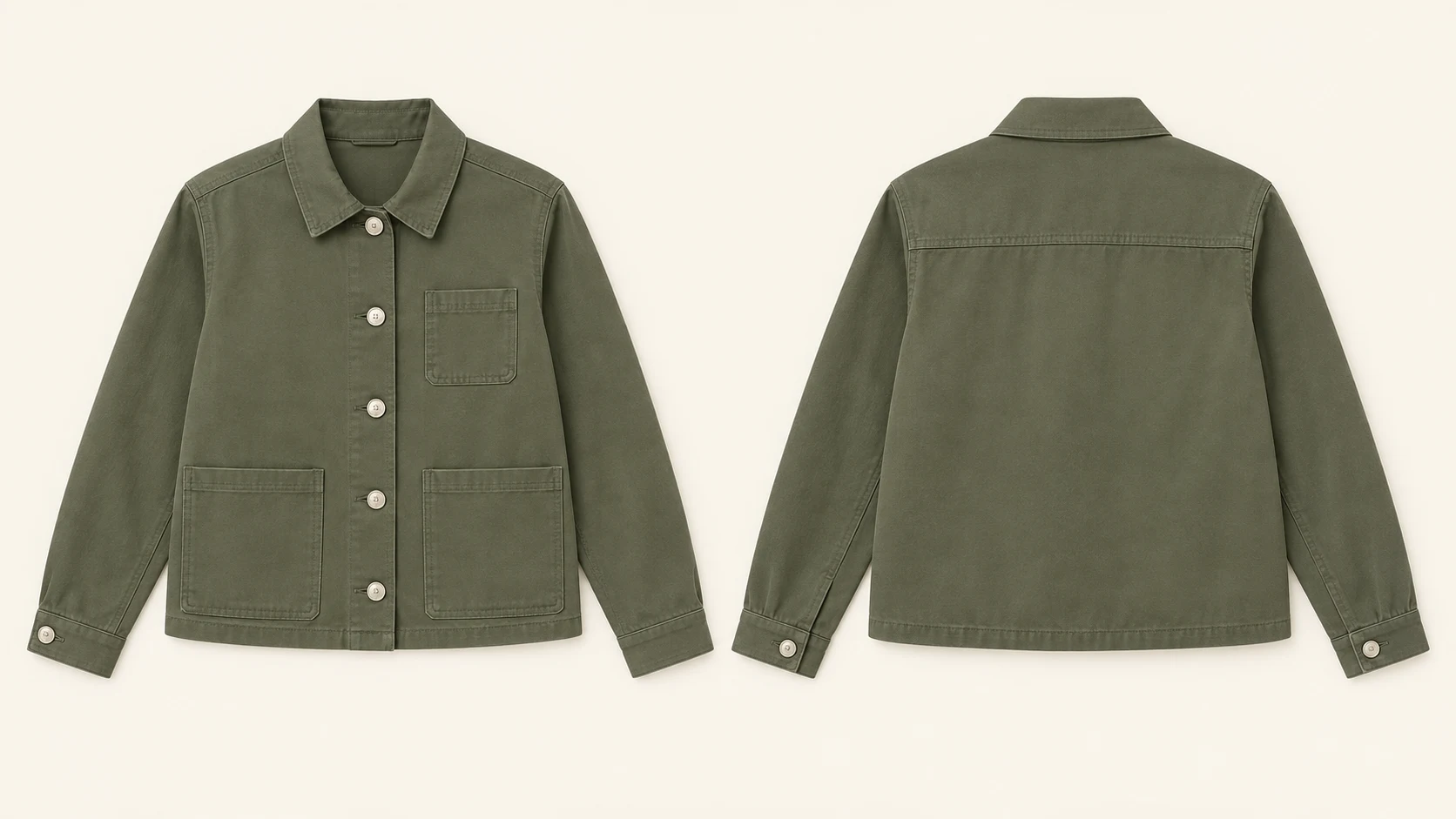
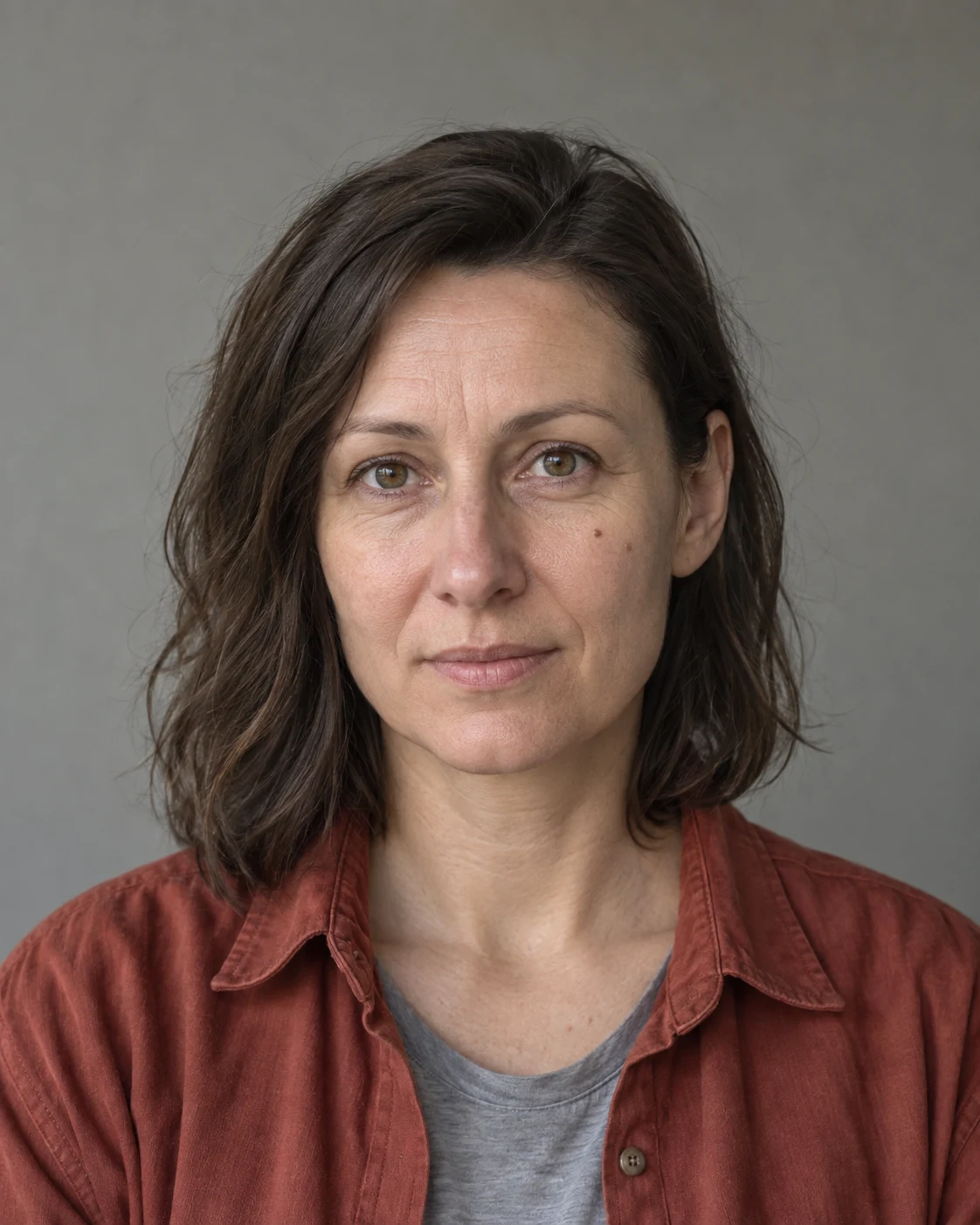
The garment board defines the construction: olive cotton, collar, five buttons, two lower pockets and one on the left chest. The portrait defines the person’s identity. In the instruction we explain this difference so the model does not carry over the clothing from the portrait.
The back view is especially useful. The front alone does not show the nape, seams or how the fabric finishes at the back. With a real product we would use photos of these elements instead of relying on the model to infer the construction.
Input materials
1. Full-body front view
Attachments for this prompt, in order: front and back of jacket, model portrait.
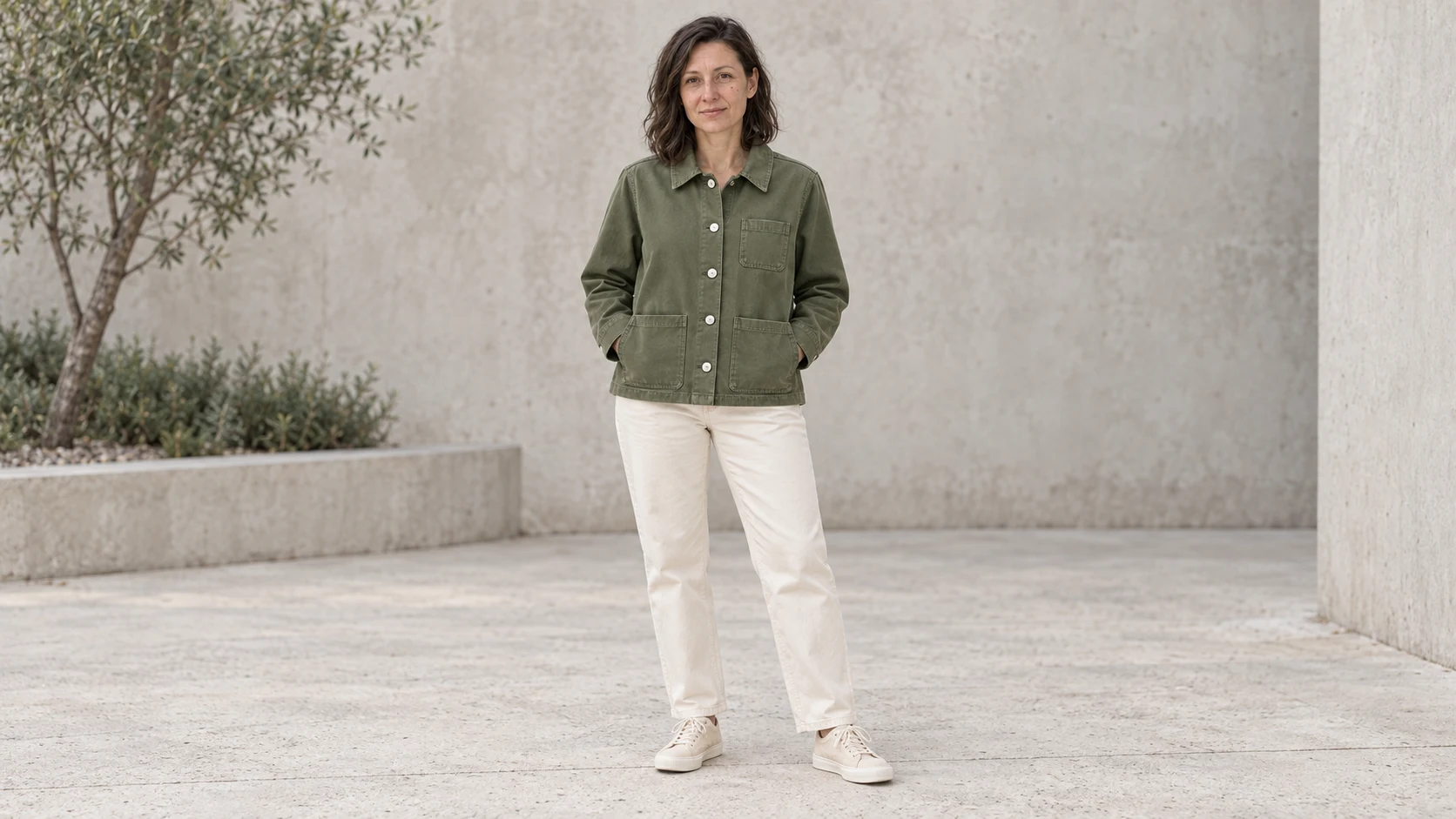
Three pockets and five buttons of the front closure are visible. The hands ended up in the lower pockets, which shows their position well.
Prompt to copy:
Photographic lookbook 16:9. Reference 1 shows the same jacket from front and back; reference 2 defines the woman's identity. Dress her in the jacket from the first reference plus plain cream trousers and light shoes. Preserve the olive color, collar, five silver buttons on the front closure, two lower patch pockets and one pocket on the left chest, horizontal yoke at the back. Do not add pockets or zippers. Full silhouette of the woman standing casually on a light concrete courtyard, facing the camera, jacket buttoned, slight natural smile. Head and shoes in frame. Soft overcast daylight, natural skin, no text, frames or artificial gloss.
2. Jacket from the back
Attachments for this prompt, in order: front and back of jacket, model portrait.
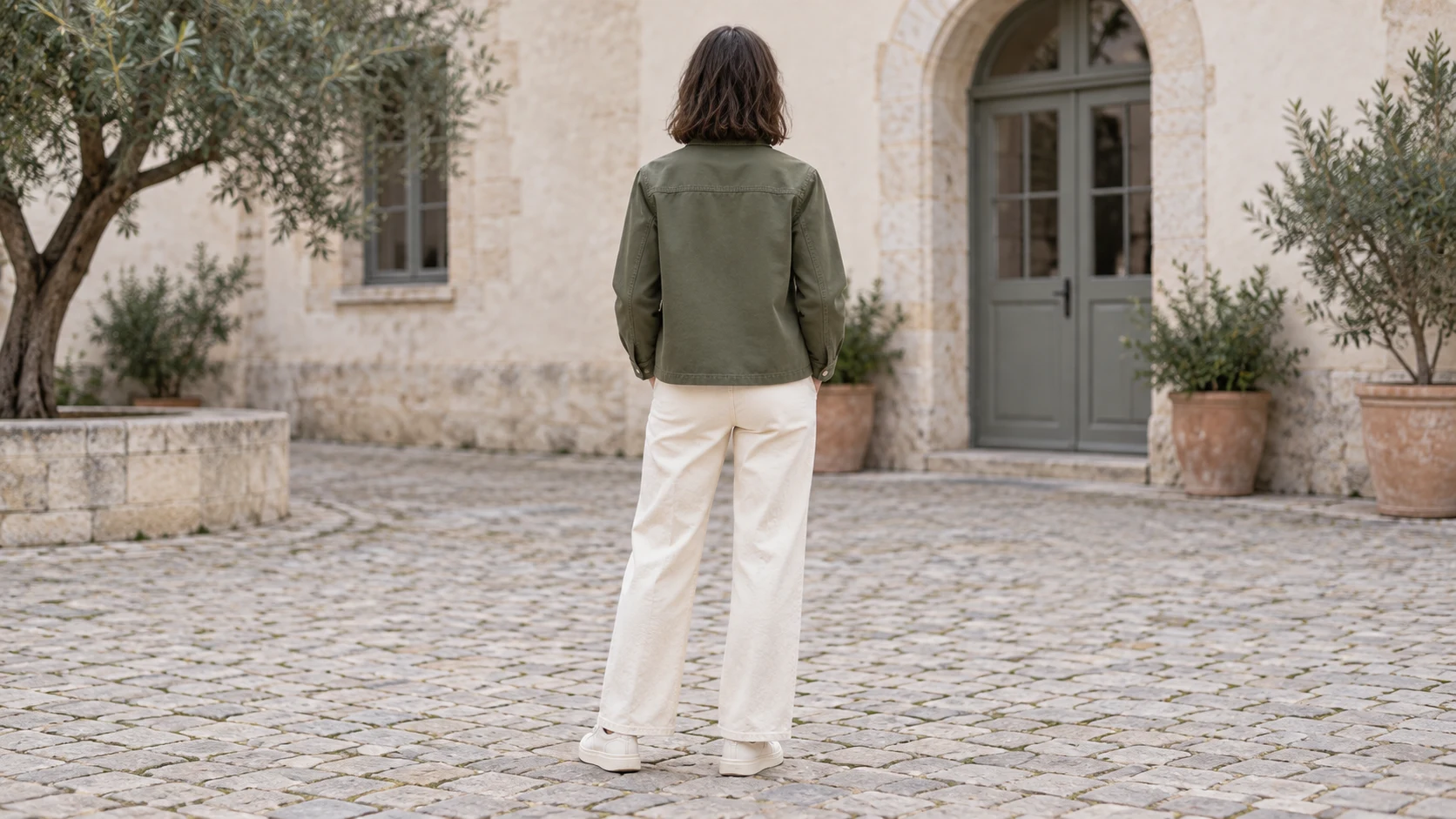
The corrected version shows a single silhouette from the back. The horizontal yoke and smooth back without extra pockets are visible. The first attempt unnecessarily combined front and back on one board; we clarified that we needed one frame.
Prompt to copy:
Photographic lookbook 16:9. Reference 1 shows the same jacket from front and back; reference 2 defines the woman's identity. Dress her in the jacket from the first reference plus plain cream trousers and light shoes. Preserve the olive color, collar, five silver buttons on the front closure, two lower patch pockets and one pocket on the left chest, horizontal yoke at the back. Do not add pockets or zippers. Full silhouette of the same woman turned with her back to the camera on the same light courtyard. Clear view of the smooth back of the jacket with horizontal yoke. Head neutral forward, face not visible. Soft overcast daylight, natural skin, no text, frames or artificial gloss. Generate exactly ONE photo of ONE woman from the back. Do not show the front, do not create a board, collage, diptych or split screen. The entire wide frame shows one continuous scene, model in the center.
3. Motion shot
Attachments for this prompt, in order: front and back of jacket, model portrait.
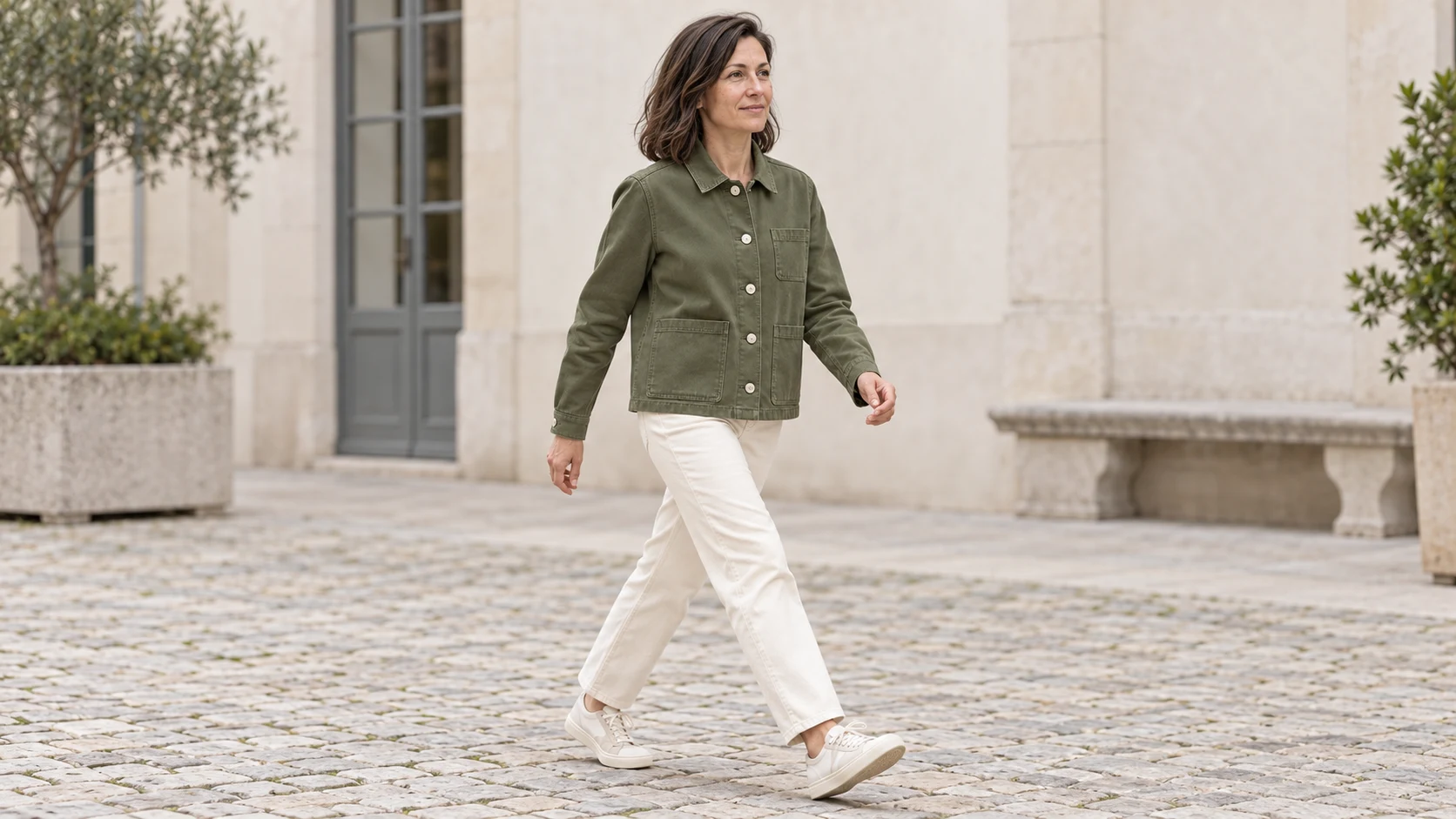
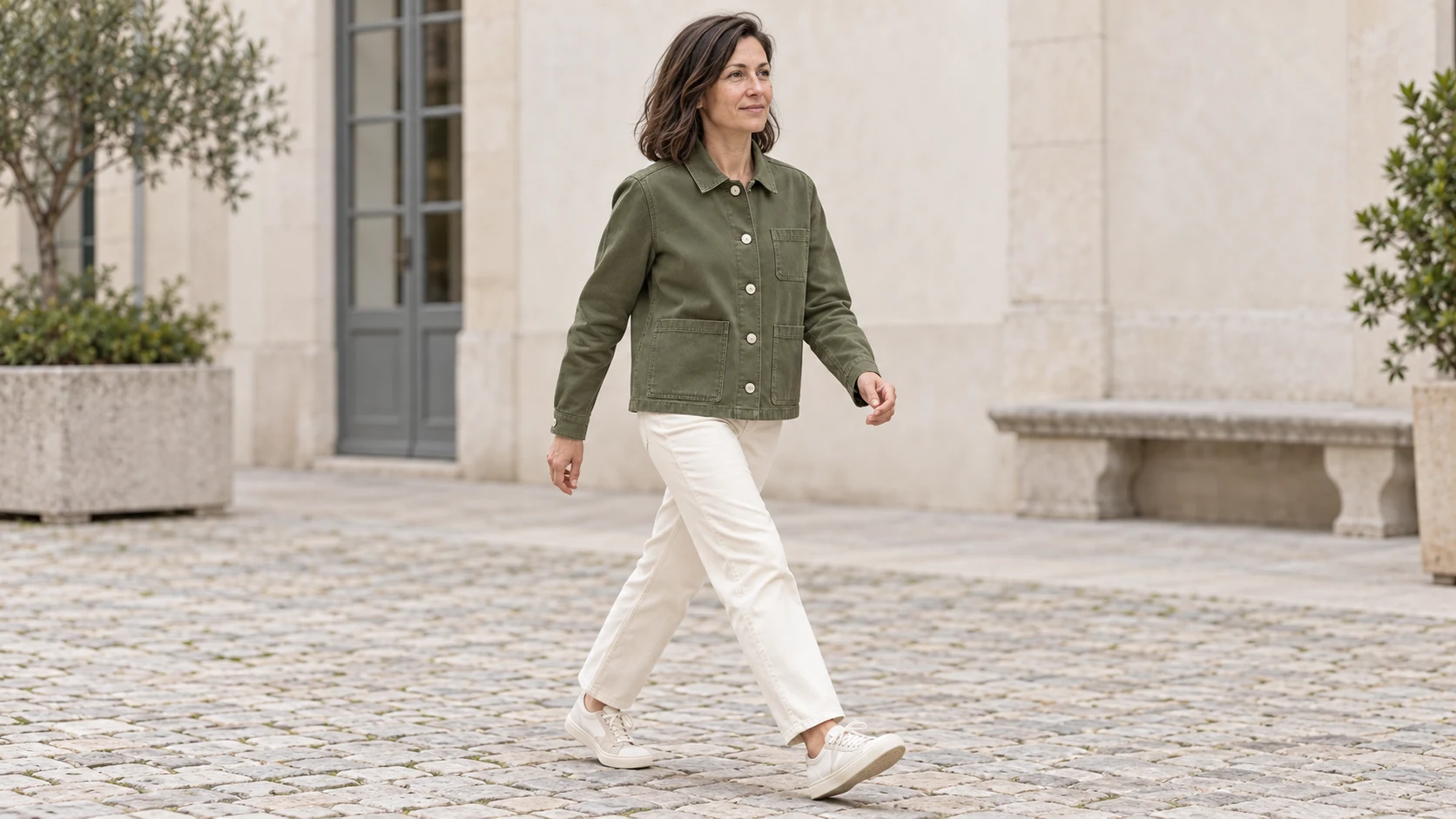
Motion changes the folds on the sleeves and bottom of the jacket. Five buttons are visible, and the trousers and shoes remain a calm background for the garment.
Prompt to copy:
Photographic lookbook 16:9. Reference 1 shows the same jacket from front and back; reference 2 defines the woman's identity. Dress her in the jacket from the first reference plus plain cream trousers and light shoes. Preserve the olive color, collar, five silver buttons on the front closure, two lower patch pockets and one pocket on the left chest, horizontal yoke at the back. Do not add pockets or zippers. Woman walking energetically across the light courtyard from left to right, three-quarter view from the front, looking in the direction of the walk with cheerful focus. Jacket naturally working at the elbows. Full silhouette, dynamic stride, no exaggerated model pose. Soft overcast daylight, natural skin, no text, frames or artificial gloss.
4. Pocket and cuff detail
Attachments for this prompt, in order: front and back of jacket, model portrait.
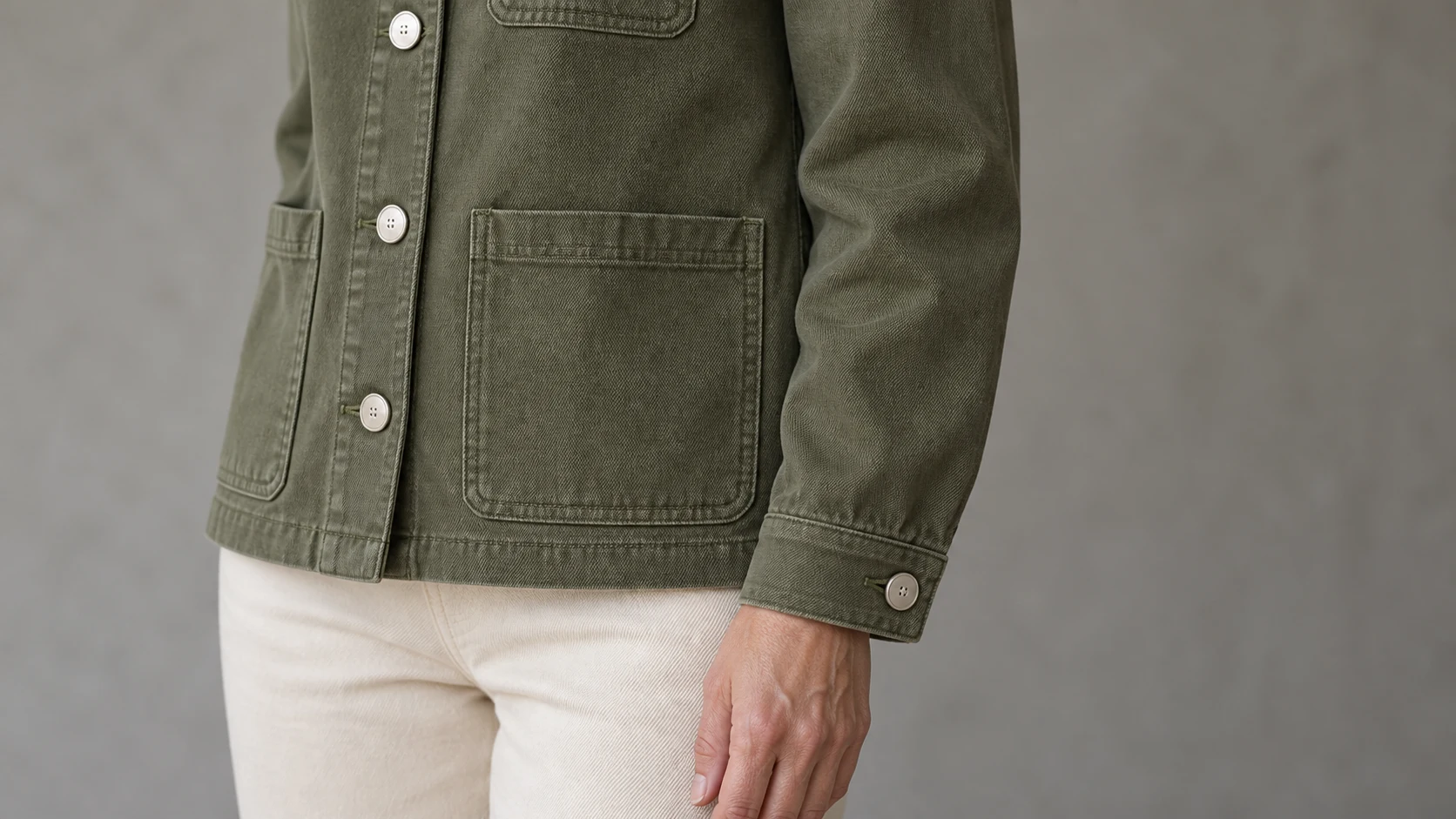
The detail shows the weave of the fabric and stitching, but the shot includes the side with the chest pocket - it does not literally fulfill the request for the right sleeve. This discrepancy is worth catching before using the photo as product documentation.
Prompt to copy:
Photographic lookbook 16:9. Reference 1 shows the same jacket from front and back; reference 2 defines the woman's identity. Dress her in the jacket from the first reference plus plain cream trousers and light shoes. Preserve the olive color, collar, five silver buttons on the front closure, two lower patch pockets and one pocket on the left chest, horizontal yoke at the back. Do not add pockets or zippers. Close shot of the woman's torso and right sleeve, focus on one lower patch pocket, seam and cuff. Arm casually lowered beside the pocket. Do not show face. Clear texture of olive cotton. Soft overcast daylight, natural skin, no text, frames or artificial gloss.
How we compare the whole series
We review the photos like a garment card: first we count pockets and buttons, then we check the collar, cuffs and length. Only later do we assess the attractiveness of the pose. Light and motion change the folds of the fabric, but they should not change the construction.
The detail is a separate test. A close-up can look convincing while showing a different type of stitching than the wide frame. For a sales publication we would compare such a fragment with the real garment.
Google · Your sourcesQuantslant higher in your Google - one clickAdd to preferred sources →When to return to the input image
If after several edits the jacket starts to change, we attach the front and back board again. We describe the correction specifically, e.g. “Restore one pocket on the left chest; do not change the model’s pose.”
We would refine the front and back first, then the motion shot. This gives a simple way to separate the problem of garment recognition from the problem of its arrangement on the body. An impressive walk should not mask an error in the basic view.
See also: Product in hand with AI: perfume, can and headphones. 3 prompts.

More on this from QUANTSLANT
 guides·Advertising Without Showing the Product: 5 AI Visual ConceptsHow do you show a benefit without photographing the product? We created 5 visual concepts for silence advertising, with prompts, examples and clarity tests.