Best AI to Summarize YouTube Videos: Gemini vs NotebookLM
Gemini is the best free AI for summarizing single YouTube videos. For courses and multi-video research with citations, use NotebookLM. Here is our full test.
👁 126 reads
For summarizing YouTube videos, Gemini is currently the best option - it is free, works simply by pasting a link and asking what you need, and adds timestamps upon request. If you want to study multiple videos simultaneously or query them later, the free NotebookLM is even better: it imports videos as sources and attaches exact transcript citations to every answer.
This is one of our quick answers from the Which AI for What - 50 Answers series. We verified this on October 8, 2026.
3 options: Free, best, and advanced
| Option | Tool | Pricing | When to choose |
|---|---|---|---|
| Free | Gemini | Free | Quick summary of a single video: paste the link and specify what you are looking for. |
| Best overall | NotebookLM | Free | Lectures, courses, and multiple videos on one topic. Query all sources at once and receive answers with citations. |
| For power users | Google AI Pro (Gemini + NotebookLM with higher limits) | Paid subscription | Heavy daily work across many long videos, larger notebook source limits, and a more capable model. |
Google pricing verified as of October 8, 2026. ChatGPT and Claude can also summarize videos effectively, but they generally require a pasted transcript. Gemini and NotebookLM pull captions directly from YouTube.
Our test results
We tested it in Polish: we sent Gemini 3.8 Flash via API a timestamped transcript of a 13-minute electric bike review along with four questions, including a trick question about the price of an extra battery that was never mentioned in the clip. The model produced a 6-point summary with accurate timestamps, confirmed all three facts correctly (82 km range under test conditions, the $2,250 price, and squeaking brakes starting at 10:05), and answered the trick question with “brak w filmie” (“not in the video”). The API test cost $0.008.
What to watch out for
- Gemini and NotebookLM read only the video captions, not the visual footage. Videos without spoken dialogue, visual-only tutorials, or uploads lacking captions will yield poor or empty summaries.
- NotebookLM only supports public videos that have subtitles or closed captions, and it cannot import videos uploaded less than 72 hours ago.
- Auto-generated captions frequently misspell names, brand names, and numbers. Always double-check important figures directly in the video using the provided timestamp.
What to do when the link does not work
- Under the YouTube video, expand the description box and click “Show transcript”.
- Copy the text along with the timestamps.
- Paste it into your AI chat along with the prompt below. This method works in Gemini, ChatGPT, and Claude.
Ready-to-use prompt template
Summarize this YouTube video: [link or pasted transcript]
Answer only on the basis of the video.
1. A summary in [5-8] points, each with a timestamp [mm:ss].
2. The most important numbers, prices and names in a table: what, value, timestamp.
3. Answer my questions: [question 1], [question 2].
4. If something is not in the video, write “not in the video” instead of guessing.
English translation:
Summarize this YouTube video: [link or pasted transcript]
Answer based solely on the video.
1. Summary in [5-8] bullet points, each with a timestamp [mm:ss].
2. Key numbers, prices, and names in a table: item, value, timestamp.
3. Answer my questions: [question 1], [question 2].
4. If something is not in the video, write "not in the video" instead of guessing.
Google · Your sourcesQuantslant higher in your Google - one clickAdd to preferred sources →
Frequently asked questions
Which AI summarizes YouTube videos for free?
Both Gemini and NotebookLM. In Gemini, simply paste the link into the chat; in NotebookLM, add the video as a source. Both tools are free with daily usage quotas.
Can AI summarize YouTube videos in other languages?
Yes, as long as the video has captions available, including auto-generated ones. You can generate a summary in your target language even from a foreign-language video by specifying the output language in your prompt.
Can ChatGPT summarize a YouTube video?
Yes, provided you paste in the video transcript. To summarize from a direct link, Gemini is the smoother option; for ChatGPT, copy the text using YouTube’s “Show transcript” button.
For more practical comparisons, browse our overview Which AI for What, or read our deep dive on NotebookLM. If your recording lacks subtitles, transcribe it first using our guide to AI audio transcription.

More on this from QUANTSLANT



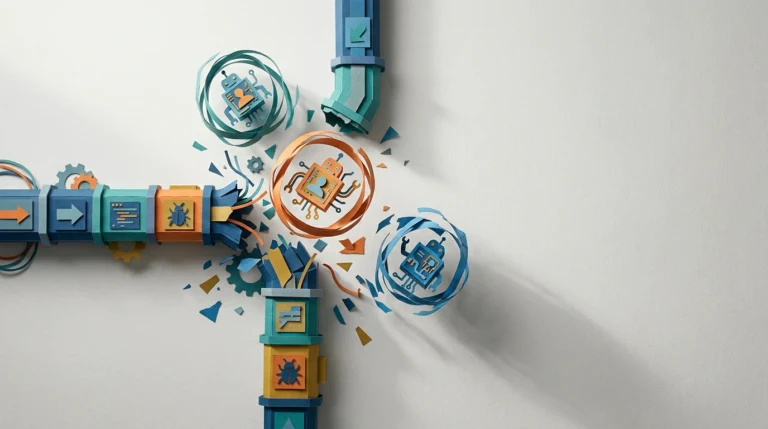 state of ai·Why Agentic AI Workloads Break Traditional Software TestingAgentic AI breaks three core enterprise testing assumptions: fast execution, cheap retries, and reproducible outputs. Here is why pilots hide the cracks.