Gemini Omni 1.2 Camera Movement: FPV Drones and 360 Spins
We tested camera movement in Gemini Omni 1.2 Flash against five rivals across FPV drone flights, 360-degree character orbits, and glass transitions.
👁 115 reads
Most video generation models share a frustrating habit: ask for complex camera movement, and they cut instead. Rather than smoothly orbiting a character, they deliver three separate angles; instead of flying through a room, they cut between shots where the furniture keeps shifting. Google claimed that Gemini Omni 1.2 Flash fixes this issue directly, offering continuous camera paths, FPV drone sweeps, steady dollies, orbits, and consistent subject scale with fewer unwanted cuts. I put those claims to the test across three complex scenes against five rival models on November 5, 2026.
Test 1: FPV drone flight, 15 seconds
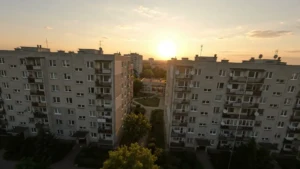
This was the most challenging prompt I gave the model. Translated from the original Polish test prompt: a drone takes off over residential high-rise blocks at sunset, dives between them, sweeps over a playground frame and bench, flies straight through the front door of a local cafeteria, glides along the counter, and settles on an older man eating soup. All in a single continuous take.
Omni pulled it off without a single cut. The transition from outdoor light to the indoor space is seamless, the room geometry remains coherent, and the seated man appears in the background before growing naturally in frame as the camera slows to a halt. The flight path matches the instructions precisely: diving between apartment blocks, skimming low over the pathway, ducking under metal bars, and passing straight through the entrance. The model improvised only one detail: the patron at the end unprompted spoke a greeting in Polish, saying “Good morning” ([Translation of the Polish original: “Good morning”]).
Generating this clip took 81 seconds and cost $1.04 via the API.
Test 2: Orbiting a character
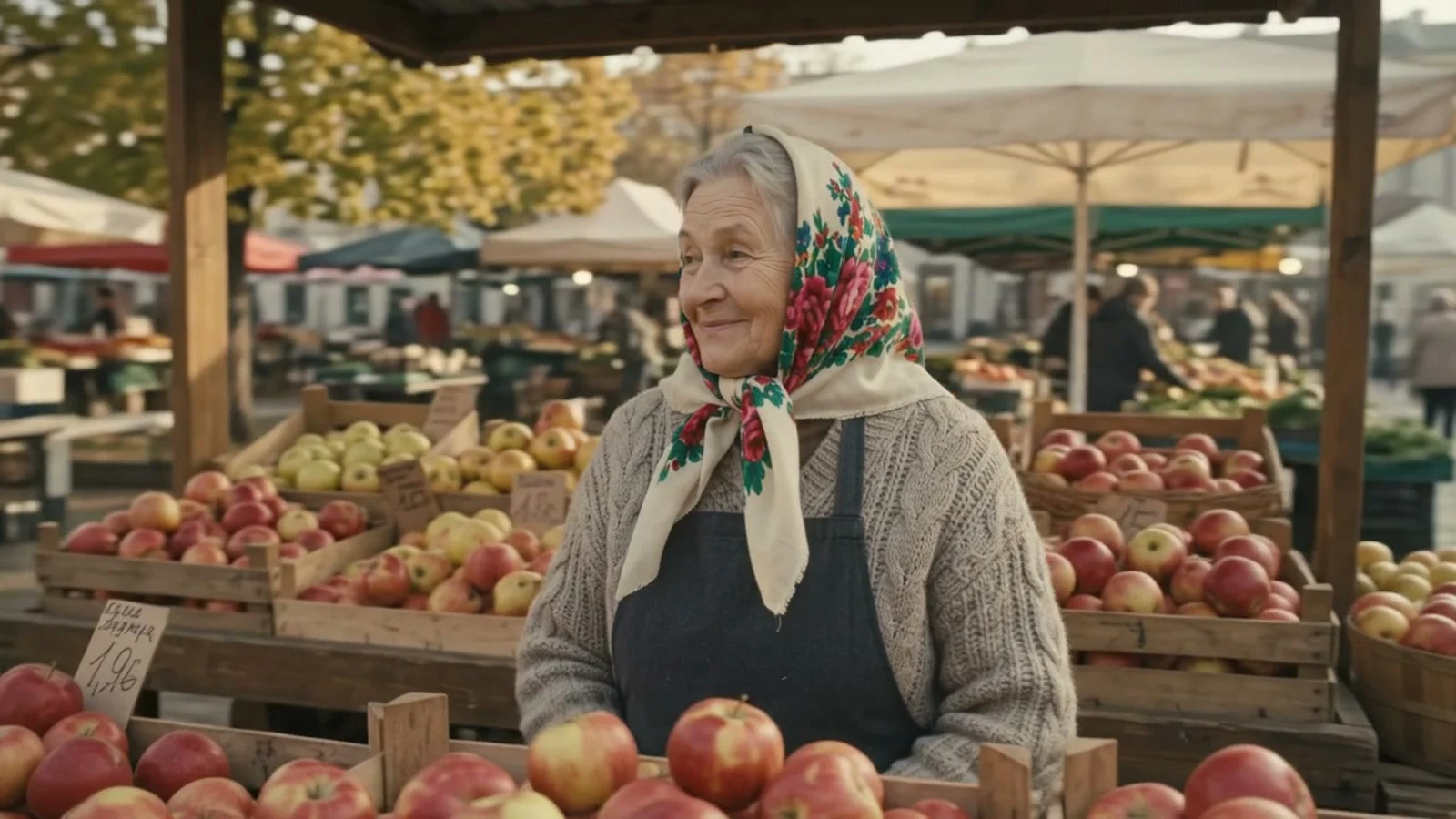
This is a classic commercial and music-video setup: the camera circles 360 degrees around a subject. The model must reconstruct what the person looks like from behind and return to the exact same facial features. The prompt (translated from the Polish test) requested a complete orbit around an apple vendor at an open-air market, maintaining consistent scale without cuts. Here is how six models handled the task across 6-second, 720p generations:
| Model | Camera behavior |
|---|---|
| Gemini Omni 1.2 Flash | Full orbit (front, profile, back, front) in a single continuous take |
| Gemini Omni 1.1 Flash | Orbit attempted, but jerky and unstable |
| Seedance 2.0 Fast | Slight push-in toward the face |
| Veo 3.1 Lite | Static camera |
| Wan 3.0 | Static camera |
| Kling 3.0 Standard | Multiple angles stitched together with cuts |
This benchmark showed the starkest gap between generators. When generating Polish dialogue, Veo and Wan matched or exceeded Omni’s realism. However, for deliberate, unbroken spatial movement, Omni 1.2 Flash operated in another league.
Test 3: Passing through glass
In an anime-styled sequence, the camera was prompted to glide from the outside of a tram car straight through steamed glass into the cabin. In traditional filmmaking, this requires either a practical hidden seam or specialized drone rigs. Omni moved cleanly through the window, keeping the character inside visually consistent before and after the crossing. It slipped up on only one negative constraint: a destination board with text appeared on the tram, despite explicit instructions to omit written lettering.
When the model cuts automatically
In a separate test showing three family members around a holiday dinner table, I did not specify a single continuous shot. The model responded by automatically cutting between speakers: grandmother, grandson, mother. The pacing felt cinematic and natural, matching conventional television editing. Google’s documentation notes that Omni will introduce cuts by default unless instructed otherwise. To prevent automatic edits, explicitly specify a “single continuous take” or “no cuts” in your prompt. In our orbit and fly-through tests, that simple directive proved entirely reliable.
How to prompt camera movement in Omni 1.2
- Name the exact maneuver: 360 orbit, push-in, dolly zoom, FPV drone dive, handheld tracking, or locked tripod.
- Specify trajectory: State starting point, waypoints, and the exact final framing.
- Enforce continuity: Add phrases like “single continuous take, no cuts” and “consistent character scale” when circling subjects.
- Budget enough duration: Multi-stage fly-throughs need 10 to 15 seconds to execute cleanly; shorter clips force the model to compress movement or drop waypoints.
- Audit negative constraints: Visual elements like signs or screen text may still generate even when instructed not to render letters.
For tested prompt templates, explore our guide to Gemini Omni 1.2 prompts, check the head-to-head evaluation in Omni 1.2 vs Seedance, Kling, Veo, and Wan, or read the full release overview in our Gemini Omni Flash hub.

More on this from QUANTSLANT



 news·GPT-6 Cyber: Specs, Benchmarks, Pricing and AccessOpenAI introduced GPT-6 Cyber, a specialized cybersecurity model capable of automated exploit development. Here is how it works, what it costs and who can get it.