n8n: AI Automation You Can Self-Host
n8n connects services into workflows where AI models are just another step, and it runs on your own server. How workflows work, five automations that pay off, and where to start.
👁 116 reads
n8n is a tool for building automations from blocks: you connect services into a workflow where an event in one place triggers actions in others. An invoice arrives by email, so you extract the data, save it to a spreadsheet, and send a notification. One thing sets it apart from similar tools, and it matters when working with AI: you can run it on your own server, so data doesn’t pass through someone else’s cloud.
How Workflows Are Built
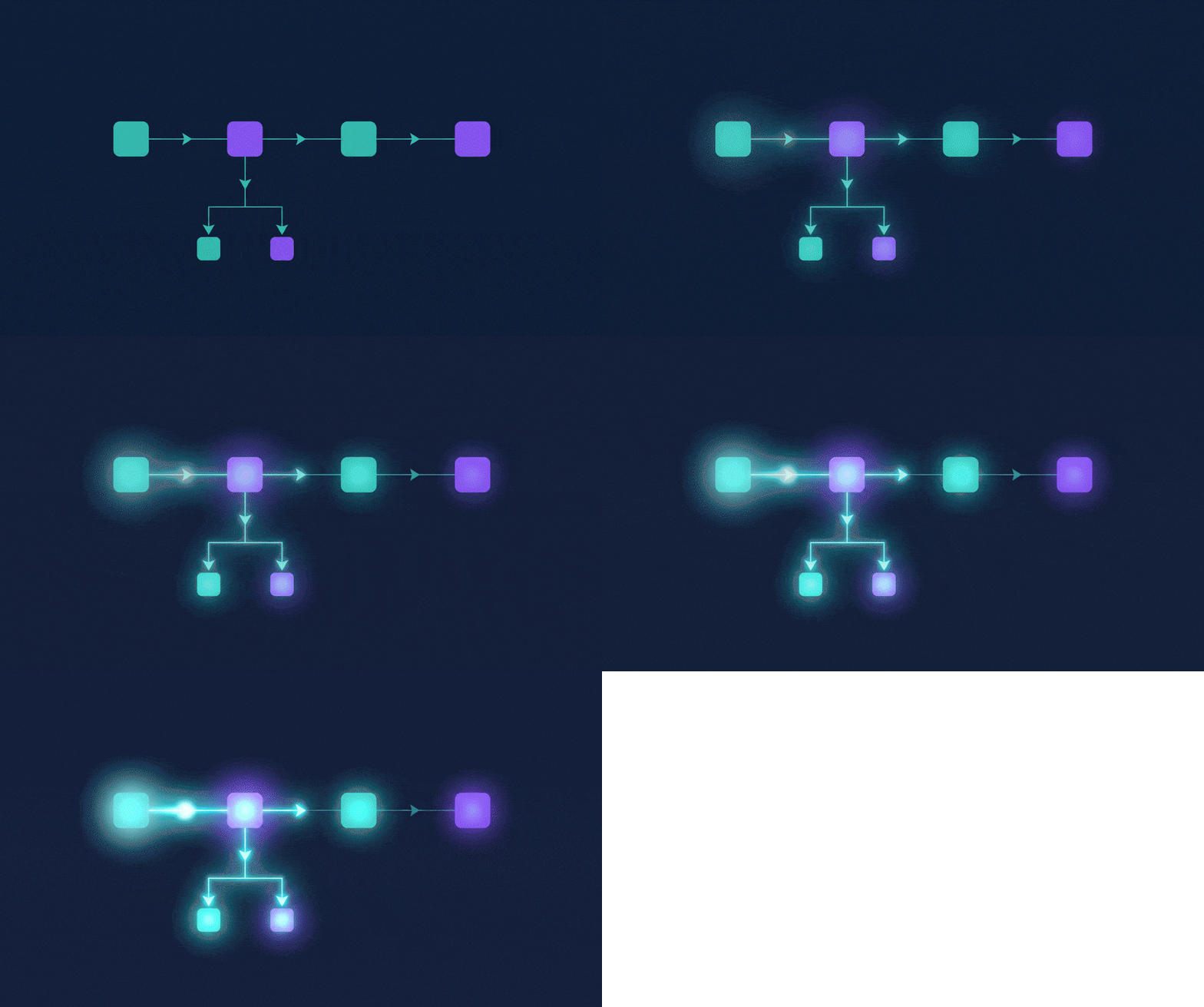
Every automation consists of nodes connected by arrows. The first node is a trigger: new email, form submission, scheduled time, spreadsheet change, external request. The rest are actions and conditions: fetch data, send to AI model, check condition, save, notify. You see the output of each node right next to it, so fixing errors means looking at where the data stopped looking right.
AI nodes are first-class citizens here, not an add-on. You can plug a model into the workflow as a step that classifies content, summarizes, extracts data, or decides which branch to follow. This is the simplest path to building something that works like an AI agent, without writing code from scratch.
Five Automations That Pay for Themselves Immediately
- Invoices from email to spreadsheet. Trigger on inbox, model extracts amount, date and vendor, row lands in spreadsheet.
- Sorting support tickets. Model reads customer message, assigns category and urgency, workflow routes it to the right person.
- Mention monitoring. Daily check of sources, model summarizes updates, one notification instead of ten.
- Content publishing. New post in database triggers preparation of teasers for different channels and schedules publication.
- Data report. Weekly pull of numbers, model describes them in plain language and sends by email.
Self-Hosted or Cloud
You can run n8n on your own server or use the cloud version. The difference isn’t just about price. With your own installation, data processed in workflows stays on your infrastructure, which for business documents, customer data, and everything covered by GDPR is often a requirement, not a preference. The cloud version is ready immediately and doesn’t require monitoring updates.
Practical note: even with your own installation, data sent to an AI model goes to its provider. If you want to keep everything on your own infrastructure, you need a locally-run model, for example from the open family described in the article about DeepSeek.
What n8n Is in Three Sentences
n8n is an automation program where you connect applications and AI models into a workflow from blocks, without writing code, though you can add code where a block is missing. It was created in Berlin in 2019 and is developed under a fair-code license: the code is open and you can run it yourself for free, but you can’t resell it as your own service. The name is pronounced “n-eight-n” (from “nodemation,” meaning automation with nodes).
How Much n8n Costs
The self-hosted version is free for internal use, with no limit on workflows and executions; you only pay for the server (a small VPS for $5-10 per month is enough for dozens of automations) and for AI model tokens you call. The cloud version n8n Cloud has plans starting at several dozen euros per month, charged per workflow execution, not per individual step like Zapier. This difference in billing means that for AI automations, where one workflow has a dozen steps, n8n comes out several times cheaper. Check current prices at n8n.io/pricing, as plans change more often than this article.
n8n, Zapier or Make
| n8n | Make | Zapier | |
|---|---|---|---|
| Self-hosted | yes, free | no | no |
| Billing | per workflow execution | per operation | per task (step) |
| Code inside | JavaScript and Python in Code node | limited | limited |
| AI agents | AI Agent node with memory and tools | AI modules | Zapier Agents |
| Entry barrier | higher: need to understand data (JSON) | medium | lowest |
How to Set Up n8n Yourself in Fifteen Minutes
On a computer with Docker, one command is enough to run n8n at localhost:5678 and save data in a persistent volume:
docker run -it --rm --name n8n -p 5678:5678 -v n8n_data:/home/node/.n8n docker.n8n.io/n8nio/n8nOn a server, we do the same with Docker Compose, a domain and HTTPS certificate, because without a public address webhooks from external services won’t work. After launching, you create an owner account, enter keys for services (Gmail, spreadsheets, AI model) in the Credentials section, and import a ready workflow from n8n’s template library, which has several thousand. For your first workflow, we recommend something simple: form on a website, AI model classifies submission, result goes to spreadsheet and Slack.
AI Agent in n8n: When It Makes Sense
The AI Agent node gets a model (ChatGPT, Claude, Gemini or local via Ollama), conversation memory, and a list of tools, which can be other nodes: search, database, calendar. The model decides which tool to use, and that’s the difference from a regular workflow, where steps are fixed in advance. When to choose an agent versus a regular workflow is described in the article about AI agents. Short version: if the task fits “if-then” rules, an agent is more expensive and less predictable.
Reader Questions
Is n8n free?
On your own server yes, without limits, for internal use. The cloud version and license are paid when you want to offer n8n to clients as a service.
Does n8n work in other languages?
The interface is in English, but data and commands to AI models can be in any language. Documentation and most tutorials are in English.
Do you need to know how to code?
Not for ready templates. For your own workflows, you need to understand what data looks like between steps (JSON format) and be able to read an error message. That’s an hour of learning, not a programming course.
Where to Start
Not by building a system, but with one task you do manually every week that can be described in one sentence: “when X, do Y.” Build it, run it, and watch for a week. Only then add conditions and more branches. The most common beginner mistake is designing a complex workflow right away, which is then hard to fix because you don’t know which of twenty nodes failed.
If you don’t want to set up anything yourself, you can also build simpler automations inside chat interfaces, which we cover in the guide to AI agents.
See also: Make (formerly Integromat) - the same work on a visual canvas, billed per operation.
See also: Gumloop: no-code AI agents · Railway: hosting for n8n and bots



More on this from QUANTSLANT


 ai tools·Lovable: Building Apps from Text Prompts - What Works & LimitsLovable generates working web apps from text descriptions. We look at what it builds well, where it fails, and what you need to know before relying on it.