Qwen-Image-2.1 Fashion Photography: Twelve Styles Tested
35mm film, medium format, Polaroid, 90s flash, high key and low key. One base prompt, only the technique changed - and twelve different photographs.
👁 116 reads
Fashion photography is about conventions: 35mm film looks different from medium format, and Polaroid looks different from a 1990s on-camera flash. We tested how many of these conventions Qwen-Image-2.1 truly distinguishes, versus how many it blends into one averaged look. Twelve approaches, one base description, only the photographic technique changed.
Verdict in One Paragraph
The model distinguishes photographic conventions, not just color filters. Polaroid got a white border and light leak in the corner, medium format - visible softbox in frame and smooth tonal transitions, 35mm film - grain and warm tone. These aren’t the same photos in three colors, but three different ways of photographing. All twelve were generated on the first try, without a single refusal, with correct hand and foot anatomy - and with full-body shots, that’s still the most common place where models fail.
How We Tested
One base description: adult woman in plain lingerie set, full-body or three-quarter frame, natural pose, department store campaign aesthetic. Plus one sentence about technique - and nothing else. Format 1792×2400, 25 steps, same seed for all twelve.
Analog Film
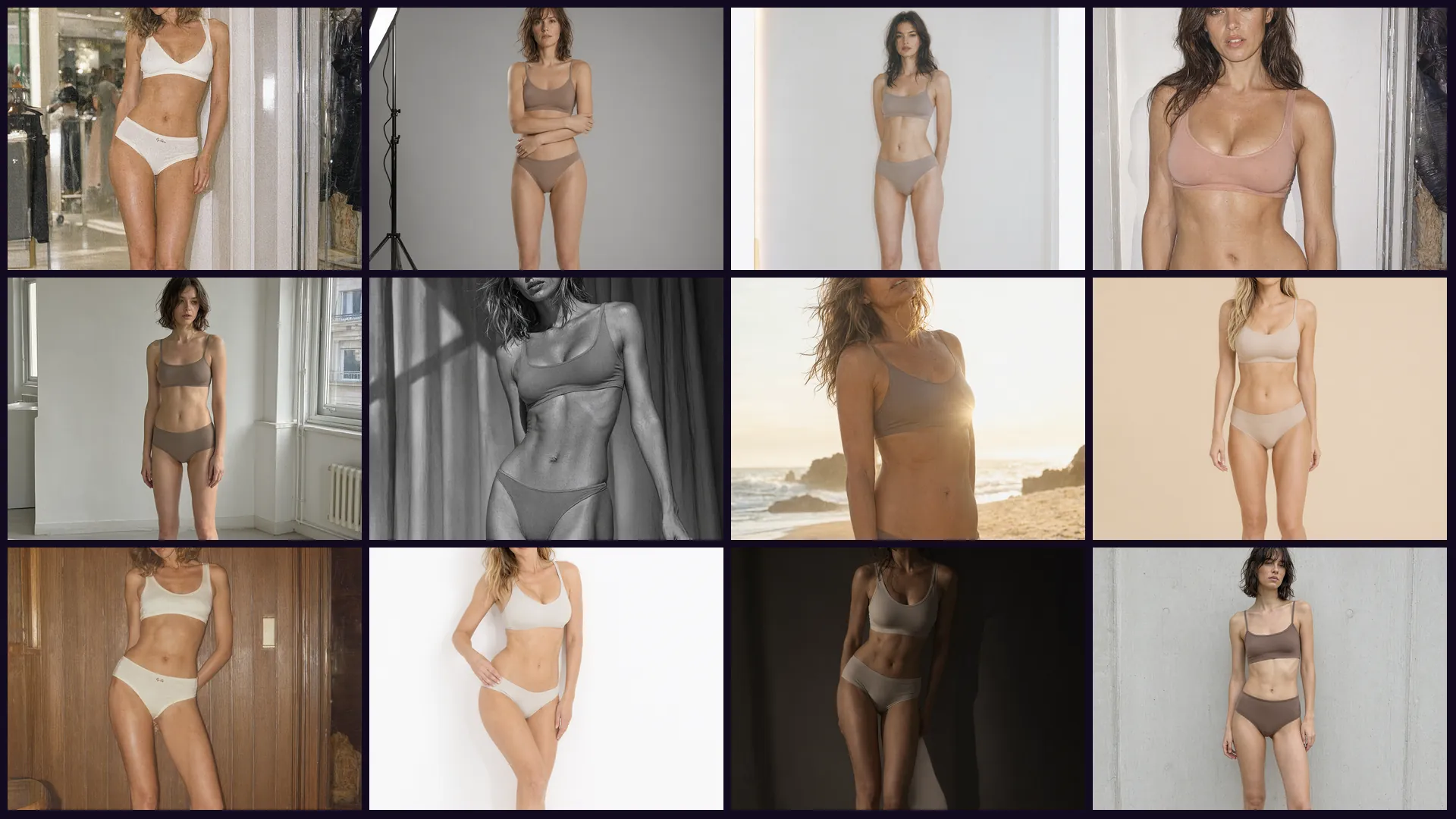
35mm film: visible grain, blown highlights, warm tone. The model added a department store interior that wasn’t in the prompt.
We asked for “35mm, visible grain, slightly blown highlights, warm tone, 1990s catalog.” We got exactly that - along with a department store interior in the background, which wasn’t in the prompt. The model inferred context from the convention.
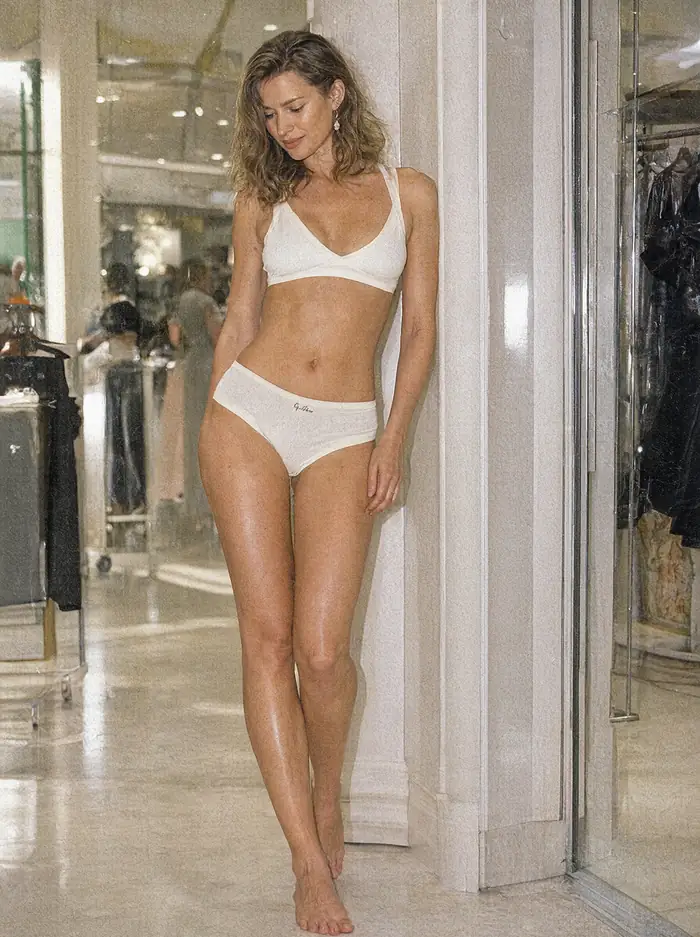
Polaroid: white square border, faded colors, soft focus and light leak at the left edge.
Polaroid is difficult because it’s not “old photo” - it’s a specific format with a white border, flattened contrast and characteristic light leak. The model reproduced all three features at once, including the border as part of the image, not a pasted frame.
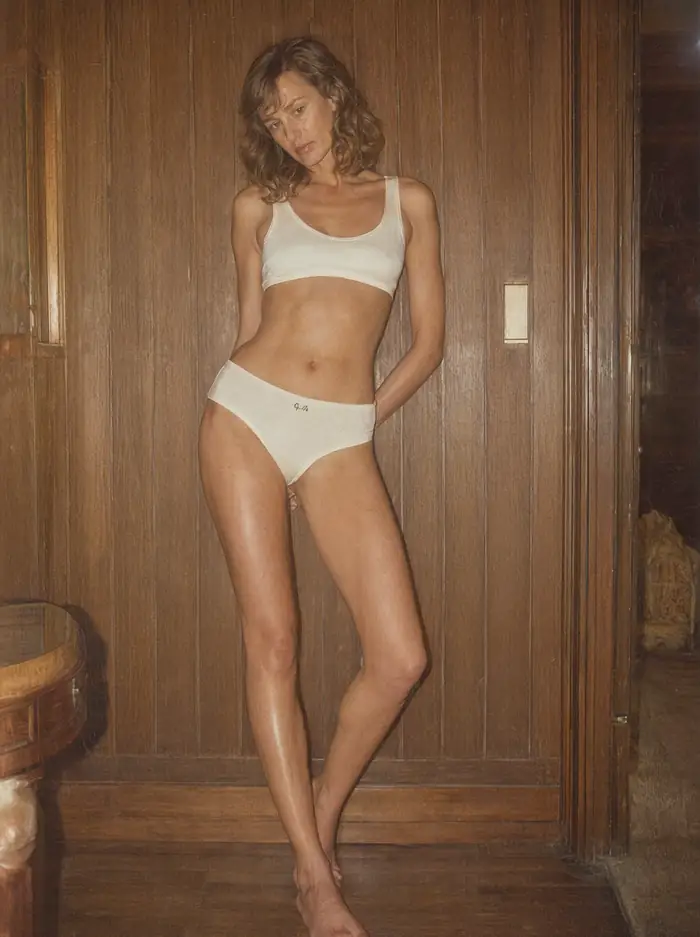
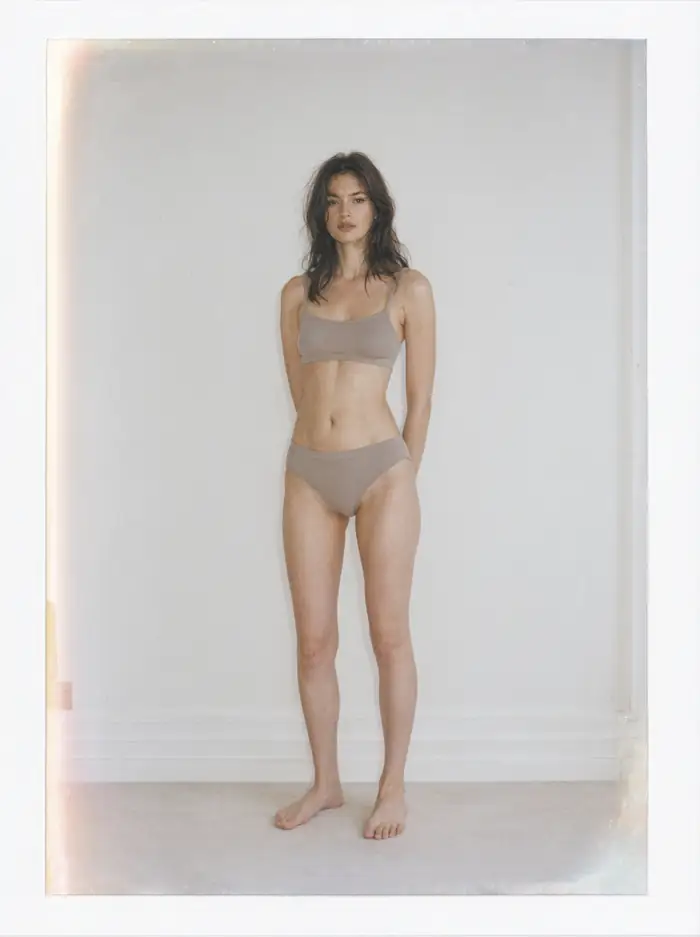
1970s: faded warm colors, glow around lights, wood paneling and soft incandescent light.
Studio
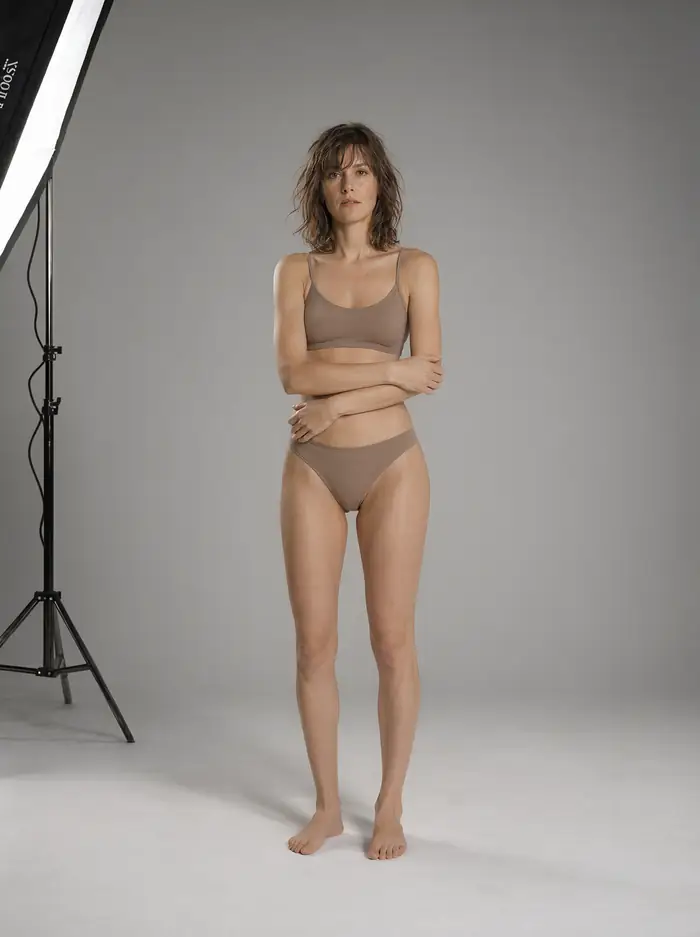
Medium format: softbox visible in frame, seamless gray background, very smooth tonal transitions and high detail.
Here the model did something we didn’t ask for, but that’s typical of behind-the-scenes shots: it left the stand with softbox in frame. A side effect of the convention, but it shows the model understands what a photo set looks like, not just what a finished photo looks like.
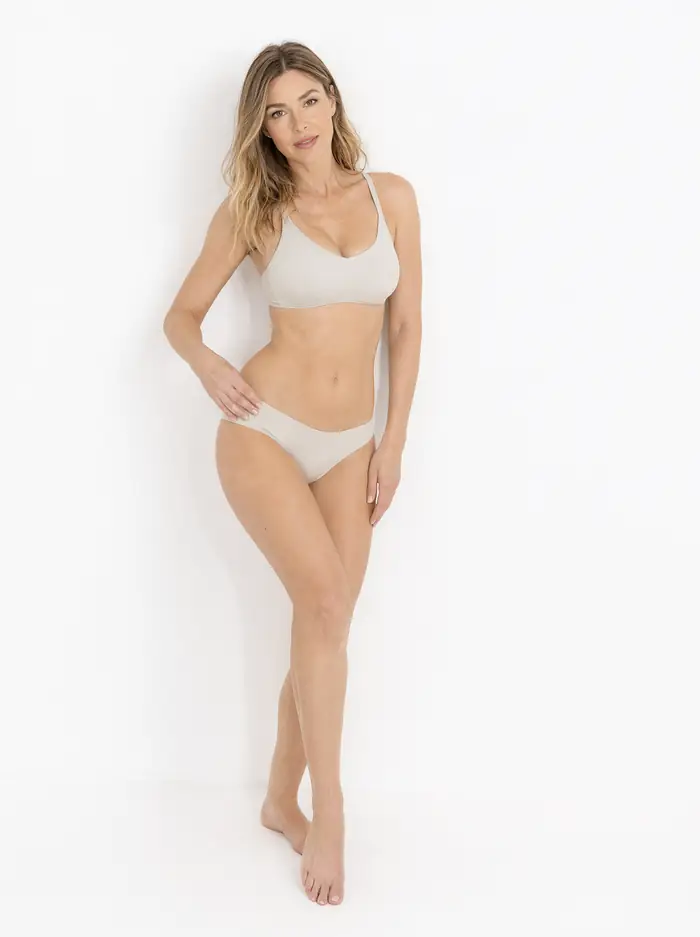
High key: clean white background, even bright light, almost no shadows. Modern catalog look.
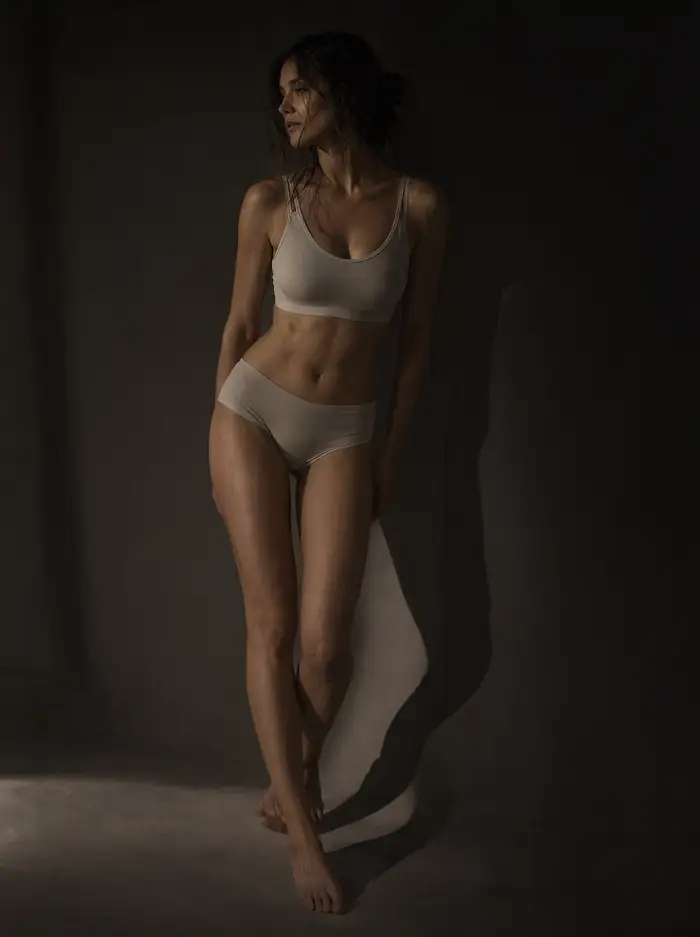
Low key: one narrow light from the side, most of the frame in darkness, strong chiaroscuro.
The high key and low key pair is the best test of whether a model understands light, not just color. The first photo has virtually no shadow, the second consists mainly of shadows - with an identical subject description.
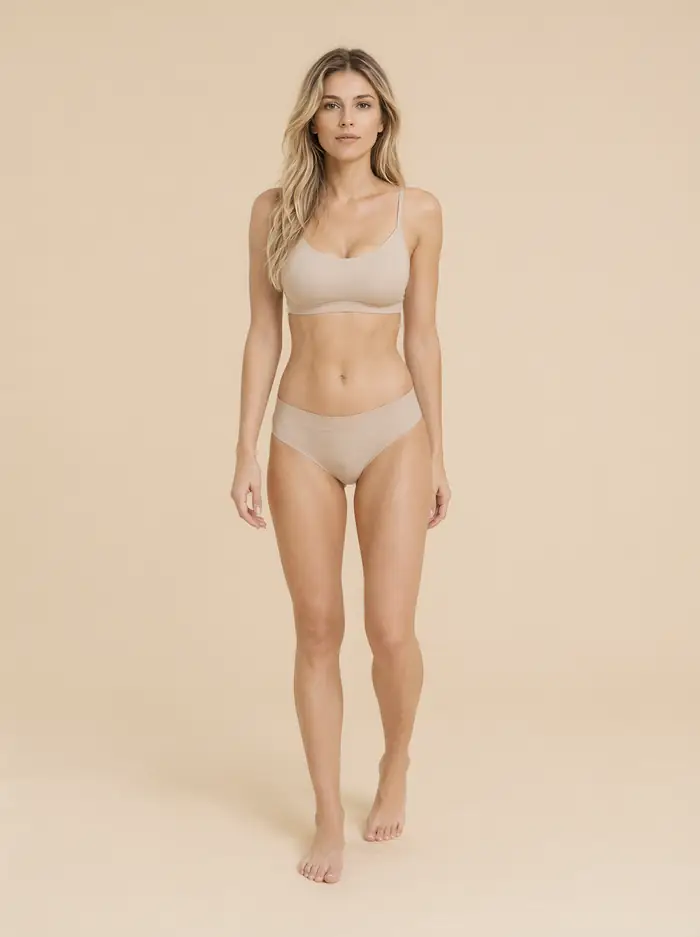
Minimalist studio: seamless beige background, soft even light, centered frame, zero props.
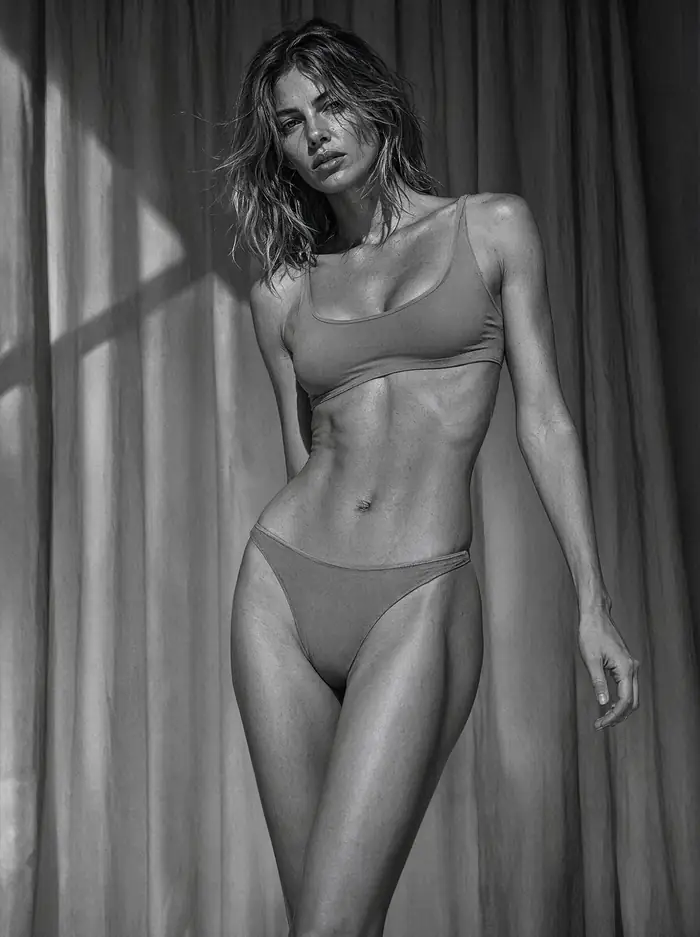
Black and white, high contrast: one hard light, deep blacks, sculptural shadows.
Available Light
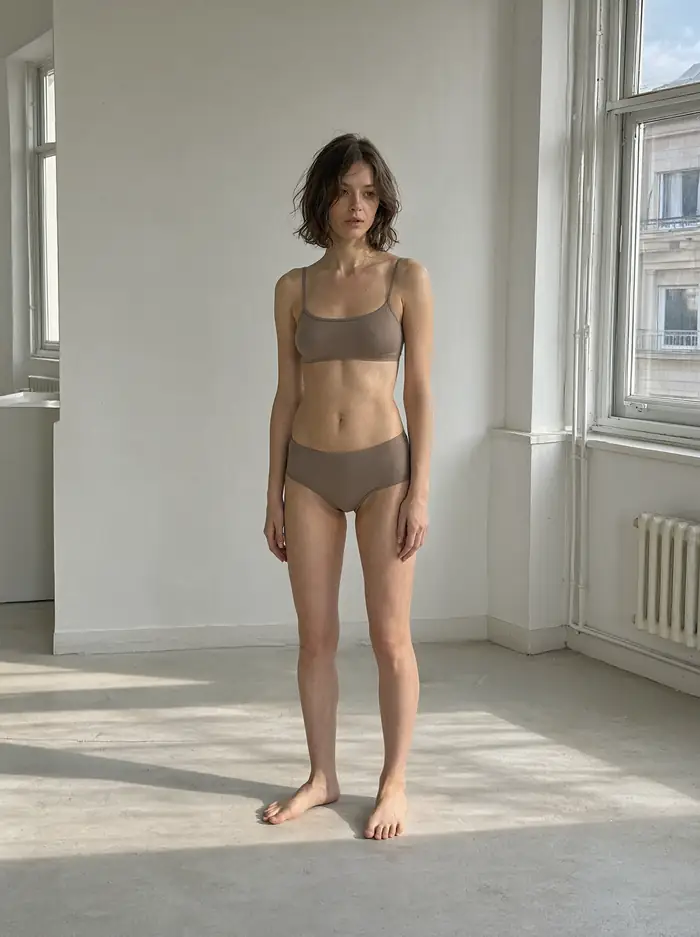
Window light in empty apartment: long shadows on the floor, muted daylight palette, documentary character.
This is our favorite from the entire set. We asked for “window light in empty apartment, long shadows on the floor, documentary character” - and the model abandoned the campaign look in favor of something closer to reportage.
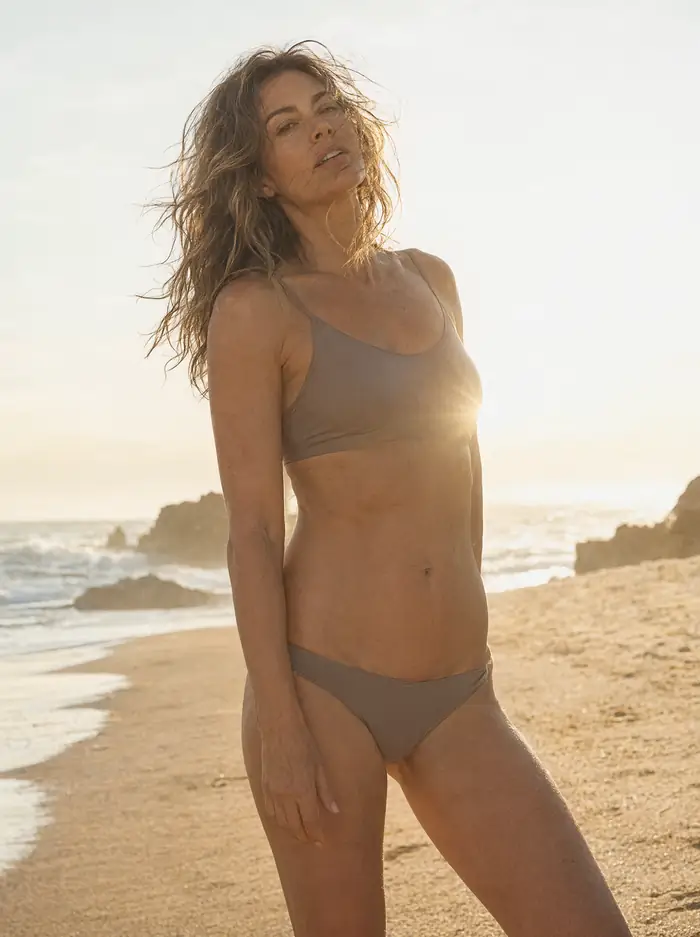
Beach backlit late afternoon: lens flare, wind in hair, warm golden tones.
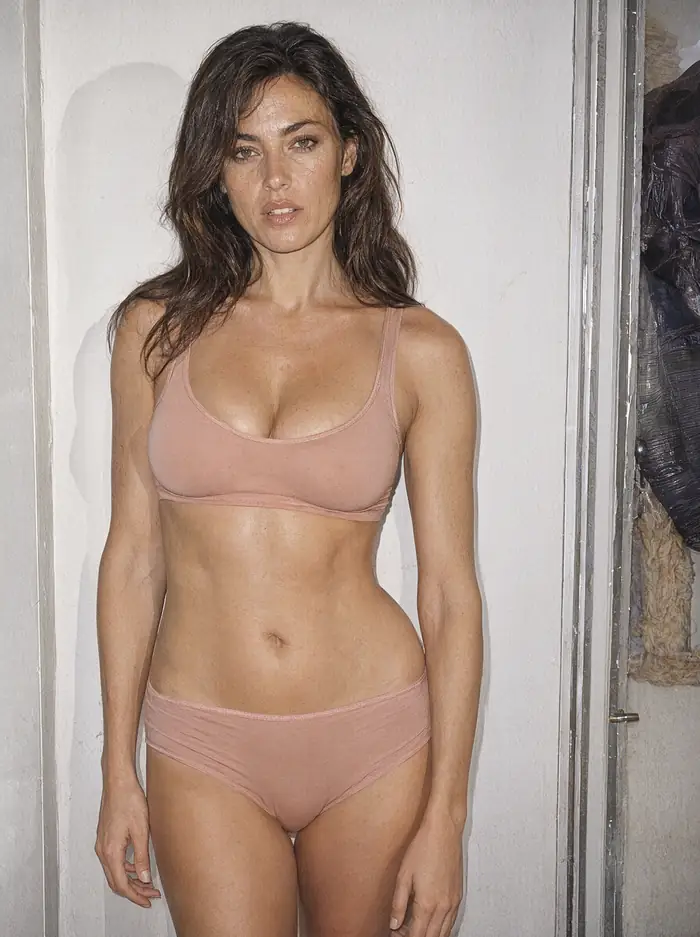
On-camera flash: hard shadow on wall, saturated colors, 1990s magazine energy.
On-camera flash is recognized by one thing: a hard shadow cast on the wall right behind the subject. The model placed this shadow in the right place and with the right edge sharpness.
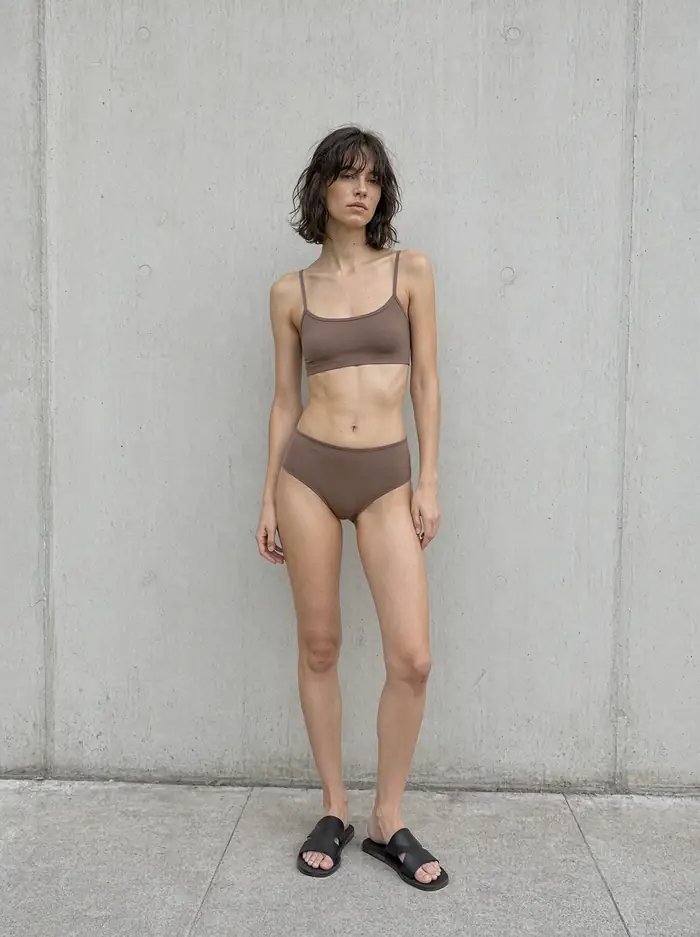
Lookbook: full figure against concrete wall, flat overcast daylight, shoes visible.
What We Learned From This Series
- Name the technique, not the mood. “Medium format, softbox from left” gives predictable results. “Nice studio photo” gives none.
- The model infers context from conventions. With 1990s film it added a store interior on its own, with medium format - a stand. If you don’t want this, you need to specify what shouldn’t be in frame.
- Anatomy holds up with full-body shots. Hands and feet came out correctly in all twelve, and that’s where older models failed most often.
- One seed, twelve results. The entire series was generated without retries. At 40-80 seconds per frame, that’s just over fifteen minutes for a complete lookbook set.
About Refusals, Because That’s the Most Common Question
None of the twelve prompts were rejected. This isn’t due to some workaround - we used official weights, without modifications. The reason is simpler: a locally run model has no layer checking the prompt or result, because that layer belongs to the cloud service, not to the weights file.
It’s worth remembering two things. First, the license prohibits commercial use without a separate agreement - and lookbook material is the definition of commercial use. Second, responsibility for what’s generated locally rests solely with you, because there’s no provider between you and the file.
Frequently Asked Questions
Does the model refuse lingerie photos?
Not in our test - twelve out of twelve prompts executed on the first try, on official weights without modifications.
Does it recognize specific photographic techniques?
Yes. Polaroid got a border and light leak, medium format smooth tonal transitions, and flash a hard shadow on the wall.
How long does such a series take?
40 to 80 seconds per frame in 1792×2400 format, depending on GPU load. Twelve photos take about fifteen minutes.
How should you formulate the prompt?
One sentence about the subject and styling, one about photographic technique. Technical names work better than adjectives describing mood.
Can I use such photos in a store?
Not without a separate commercial license from the model producer. The research license covers only research and evaluation.
Does anatomy come out correctly?
In this series yes, including hands and feet with full-body shots. That doesn’t mean always - this is the result of twelve attempts.
Sources and Date Verified
We generated all twelve photos ourselves on September 22, 2026 locally on RTX 4090, using Qwen-Image-2.1 in int8 variant through ComfyUI: 25 steps, euler, cfg 1.0, one seed for the entire series, one attempt per convention, without retouching and without selecting the best from several. We used official producer weights, without any modifications. Assessments of convention compliance are our interpretation - twelve attempts is the result of one test, not a measurement of the model’s capabilities.
More on this from QUANTSLANT


 ai tools·Claude Opus 5.5: Price, Benchmarks & TestsClaude Opus 5.5 launched Sept 22, 2026: $4/$20 per million tokens, 1M context, Fable 5.1 performance at 40% lower cost. Prices, benchmarks and real tests.