AI Photo Restoration: 3 Prompts and the Limits of Detail
Cleaning, reconstruction or colorization? We test 3 AI photo restoration approaches on a deliberately damaged portrait and show what each method preserves.
👁 116 reads
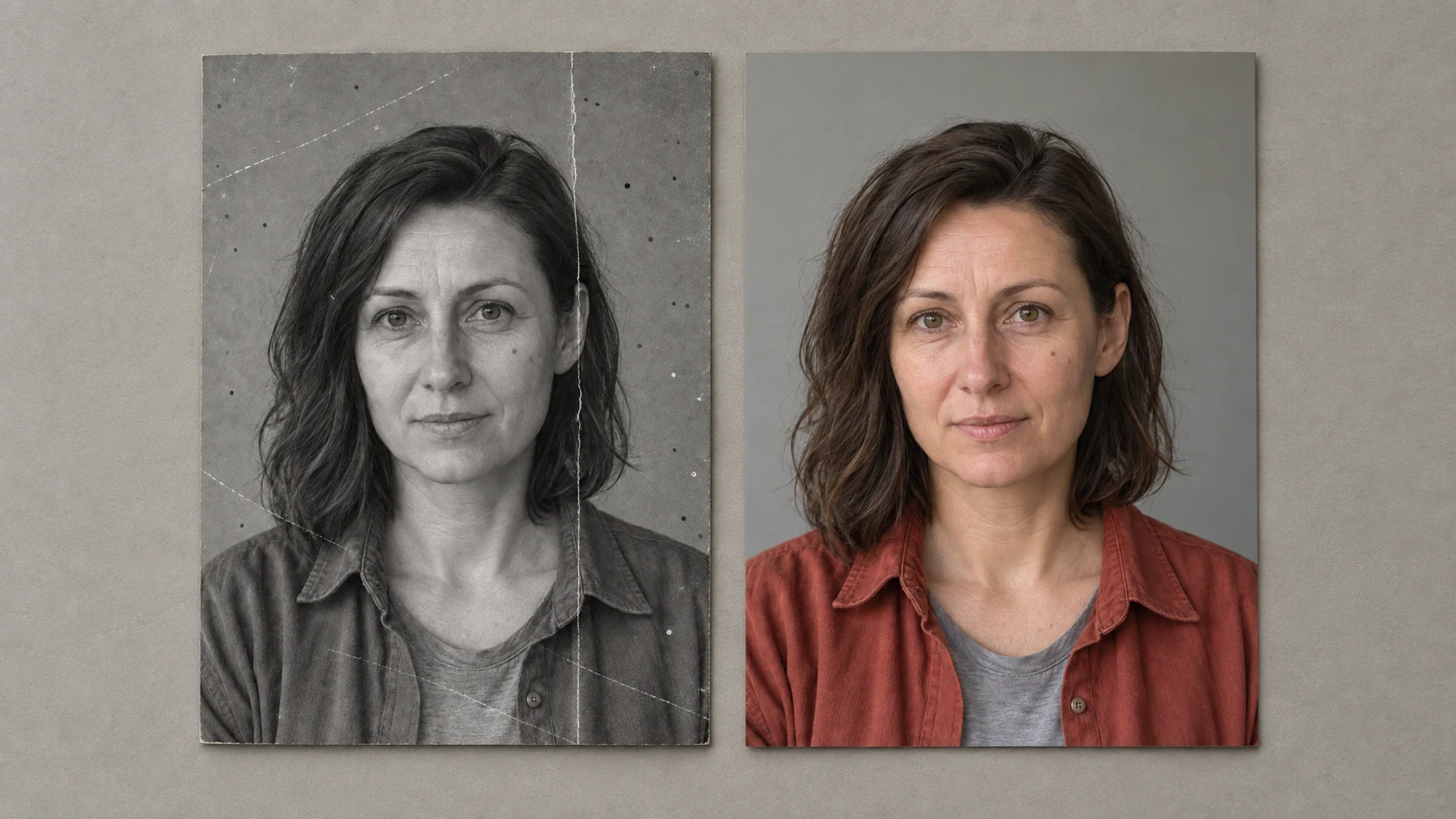
Cleaning a photo and reconstructing its history are two different tasks. AI can remove a scratch, but it can also redraw hair, change the texture of clothing, or suggest a color that cannot be verified from a black-and-white original.
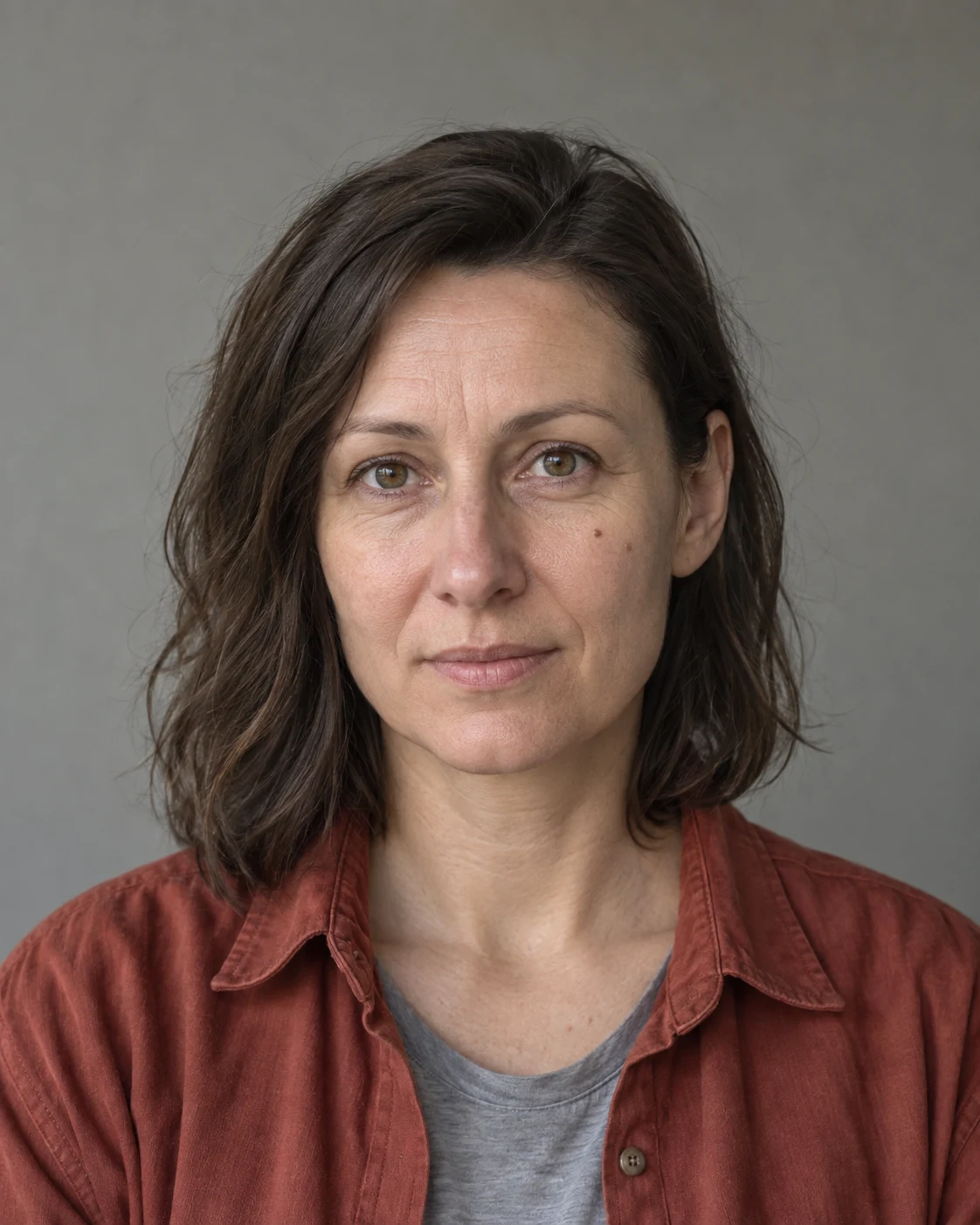
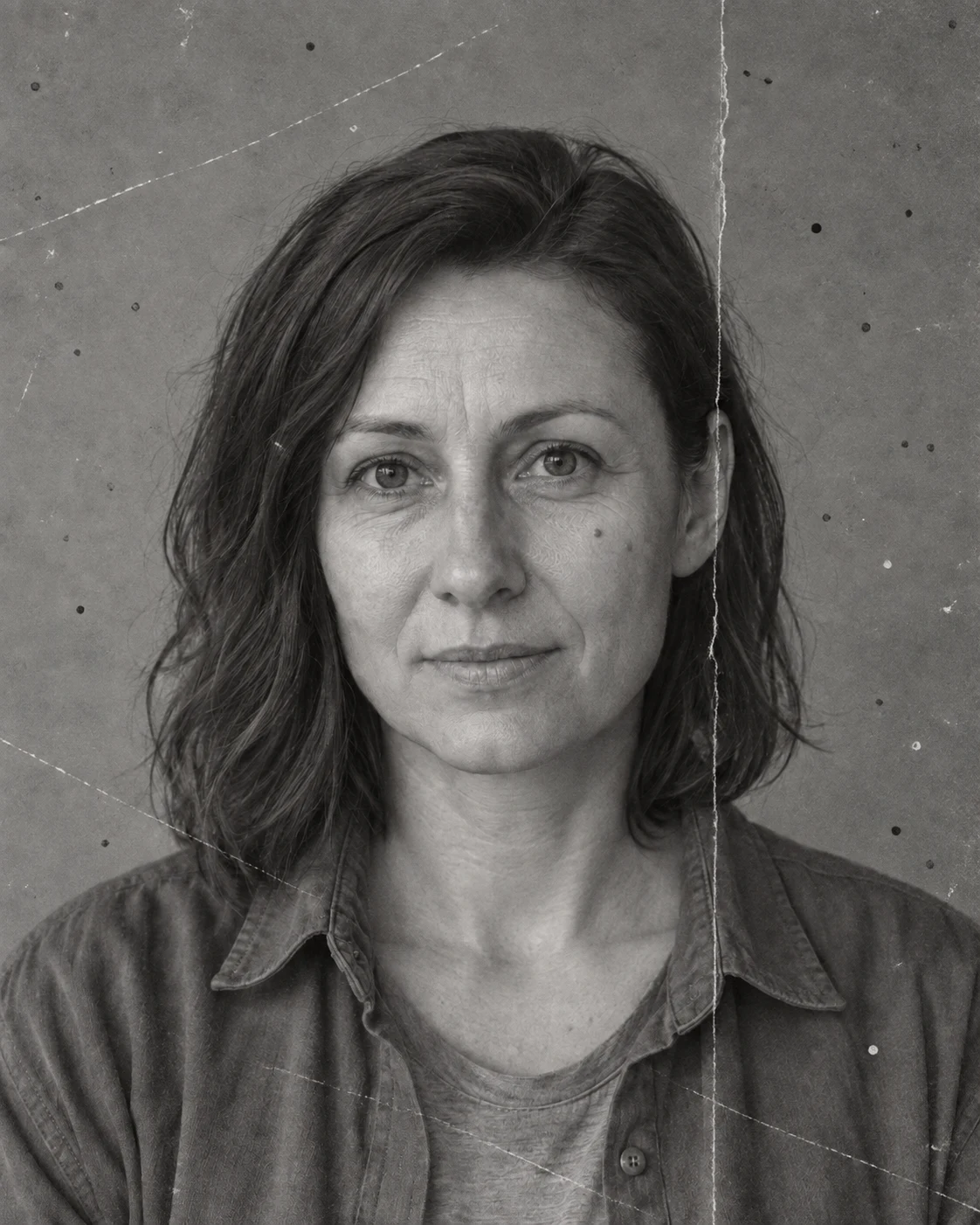
To have a reference point, we prepared a deliberately damaged copy of a fictional AI portrait. We know the clean source image and can compare three results against it: gentle cleaning, stronger reconstruction, and colorization. This is a controlled exercise, not a restoration of a family archive.
How We Prepared the Test
The copy received scratches, dust, lower contrast, and a crease mark. For the actual restoration tests, we only submitted the damaged image. We show the clean color portrait as a reference point for you; the generator did not use it during these three edits.
This setup lets us see where the result preserves features and where it invents them. A single test does not determine effectiveness across all old photos. A small scratch will behave differently than a large loss covering half a face.
Source Materials
1. Gentle Black and White Cleaning
Attachments for this prompt, in order: damaged portrait.
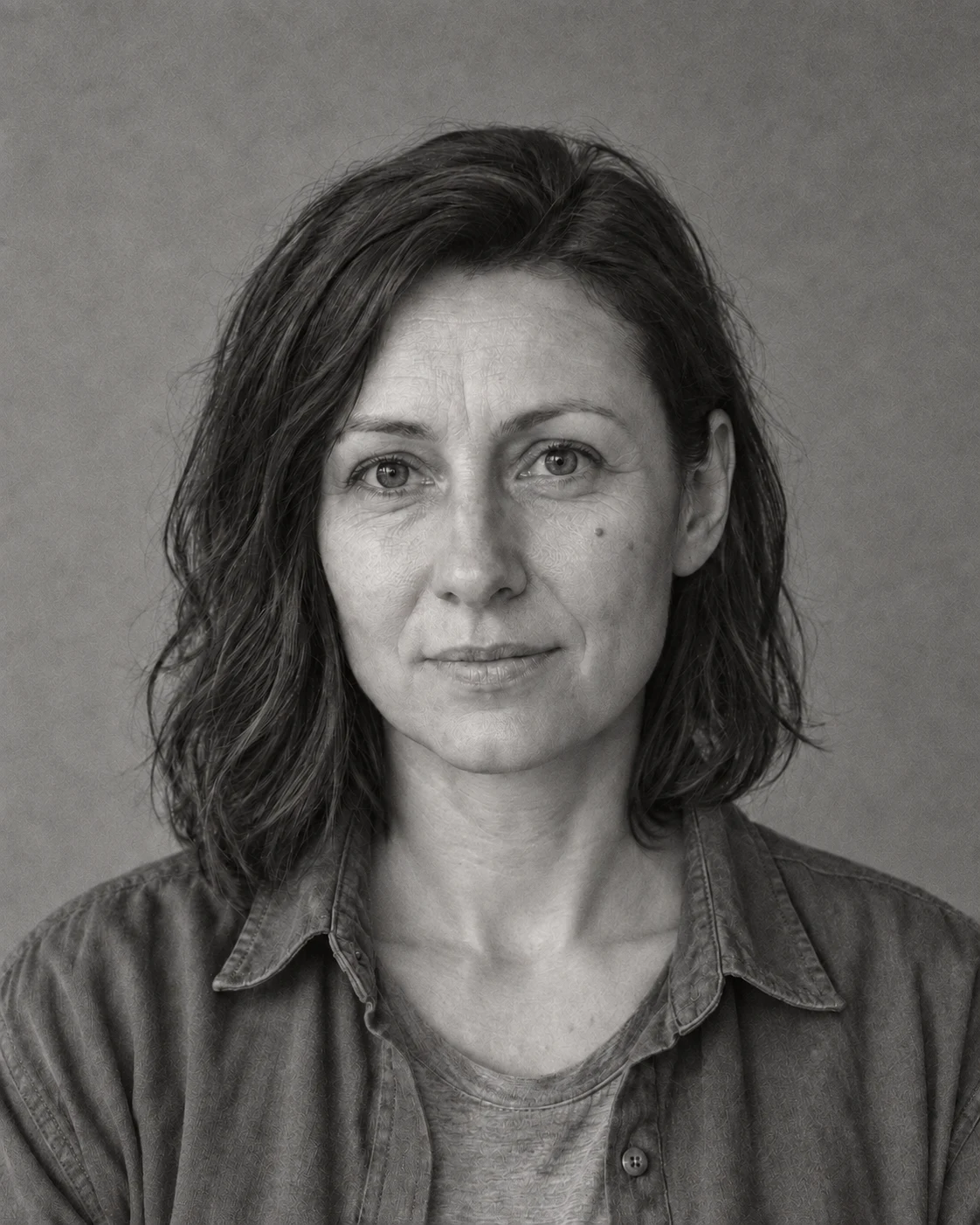
Scratches and dust have been removed, and wrinkles remain visible. The image retained moderate contrast instead of a sharp beauty effect.
Prompt to copy:
Restore the attached deliberately damaged portrait. Remove dust, thin scratches and the crease mark on the right. Keep black and white, original grain, natural wrinkles, hair irregularity and moderate contrast. Do not sharpen aggressively. Restore only local damage. Preserve recognizability of the same person, eye shape, nose, mouth, jawline, hairstyle, calm expression, face angle and framing. Do not smooth the face like in beauty photography. Vertical 4:5 format, no border or text.
2. Stronger Reconstruction
Attachments for this prompt, in order: damaged portrait.
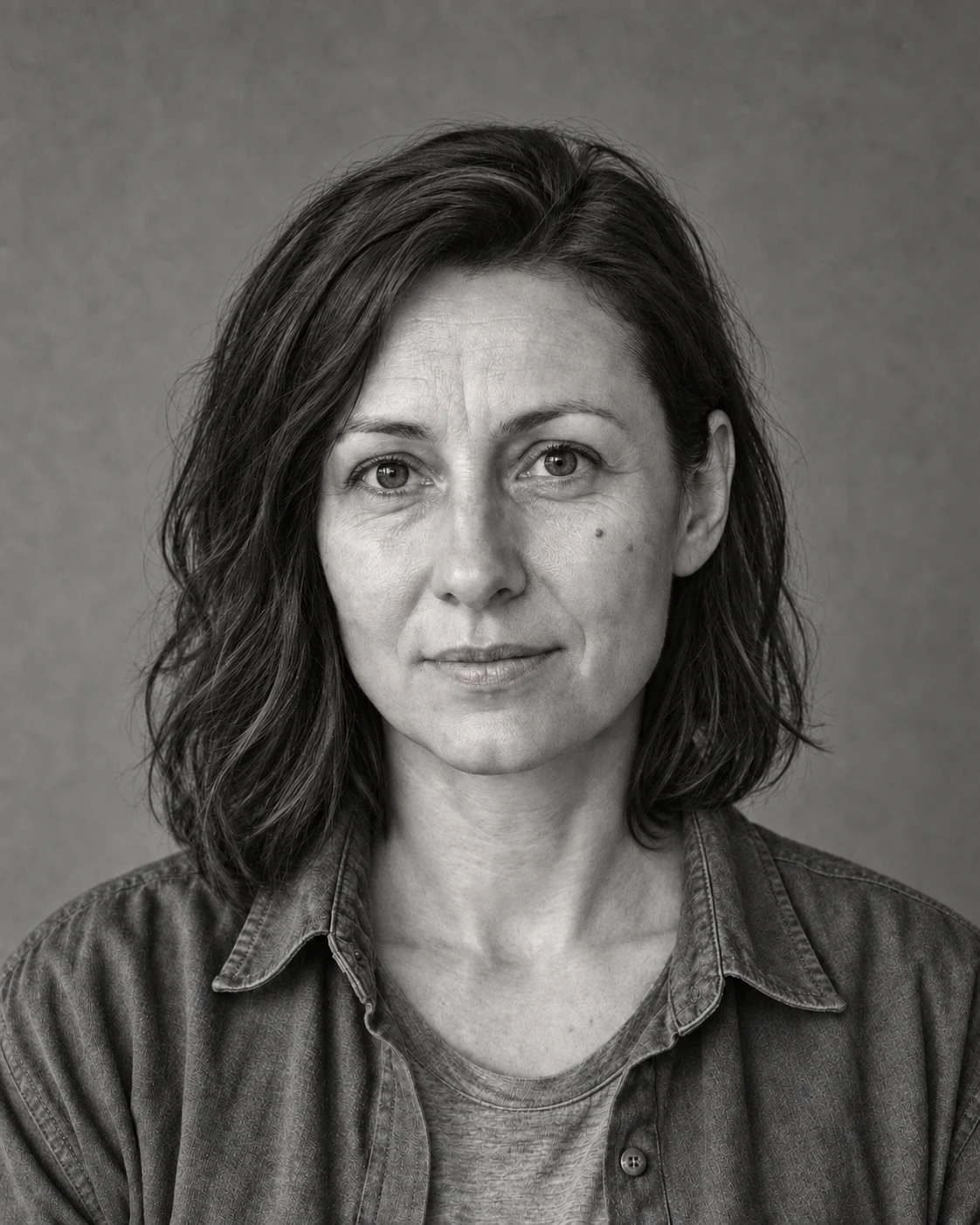
Contrast and local texture are stronger, especially on the clothing. Compared to gentle cleaning, the image looks sharper, but some micro-detail is clearly overdone.
Prompt to copy:
Restore the attached deliberately damaged portrait. Remove dust, scratches and crease, increase readability of face details, hair and fabric, moderately rebuild contrast. Keep black and white. Preserve age and wrinkles, do not beautify. Do not invent additional objects. Preserve recognizability of the same person, eye shape, nose, mouth, jawline, hairstyle, calm expression, face angle and framing. Do not smooth the face like in beauty photography. Vertical 4:5 format, no border or text.
3. Cleaning and Colorization Attempt
Attachments for this prompt, in order: damaged portrait.
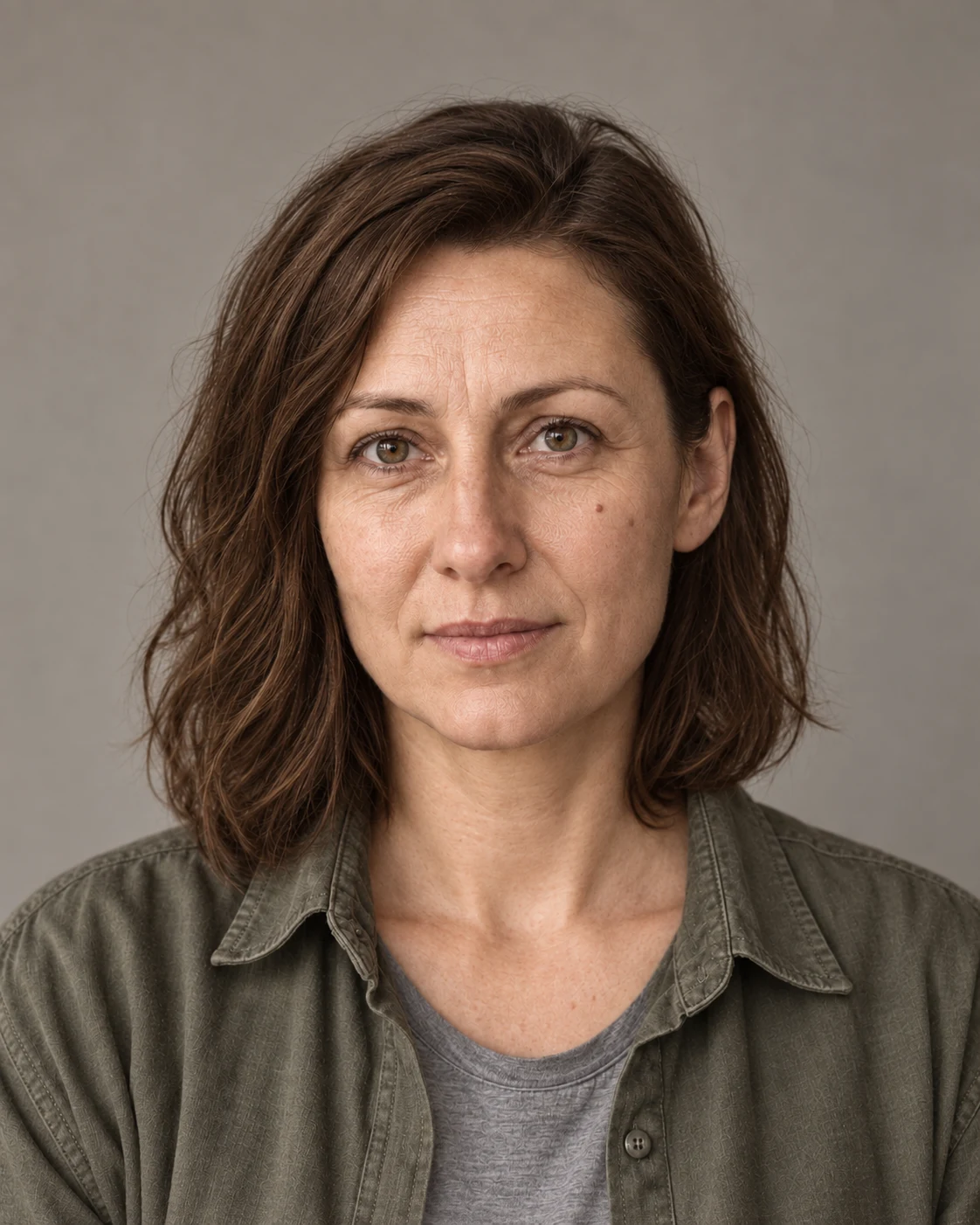
AI suggested an olive-gray shirt. In the clean source image it was rust-colored, so this test shows well that credible colorization does not have to reproduce the actual color.
Prompt to copy:
Restore the attached deliberately damaged portrait. Remove scratches, dust and crease, then perform realistic, restrained colorization. Brown hair, natural warm skin tones, muted clothing and neutral background. Colors should be calm, skin with visible texture and wrinkles. Do not change age. Preserve recognizability of the same person, eye shape, nose, mouth, jawline, hairstyle, calm expression, face angle and framing. Do not smooth the face like in beauty photography. Vertical 4:5 format, no border or text.
Face First, Sharpness Second
We look at the shape of the eyes, nose and mouth, the jawline, and natural wrinkles. A prettier or sharper portrait is not automatically more faithful. If the person is rejuvenated, we return to the instruction to preserve age and skin texture.
Hair and fabric weave require separate attention. The model can create convincing detail where information has been damaged. Such detail is visual reconstruction, not proof that the original looked exactly that way.
Google · Your sourcesQuantslant higher in your Google - one clickAdd to preferred sources →Colorization Is a Proposal
A black-and-white photo does not provide unambiguous shirt and background color. That is why we treat colorization as interpretation. In this exercise we can compare it to the clean portrait; with a real archive we would look for additional photographs or descriptions of clothing.
We would start with gentle cleaning and keep the untouched input file separately. We would apply stronger reconstruction only where it improves readability without changing identity. We would add color in a subsequent step to be able to evaluate both types of changes independently.
See also: The Same Photo, 6 Cameras: Prompts for AI Photographic Styles.
More on this from QUANTSLANT

 guides·AI for Writing Emails: Draft Without Added CommitmentsHow to use AI to draft and shorten emails while keeping control over facts, questions, and commitments. Ready-to-use prompts and vendor sources included.