NotebookLM: AI That Answers Only From Your Own Sources
NotebookLM answers questions using only the materials you upload, citing sources for every claim. Here's what it does, who it's for, and where it falls short.
👁 118 reads
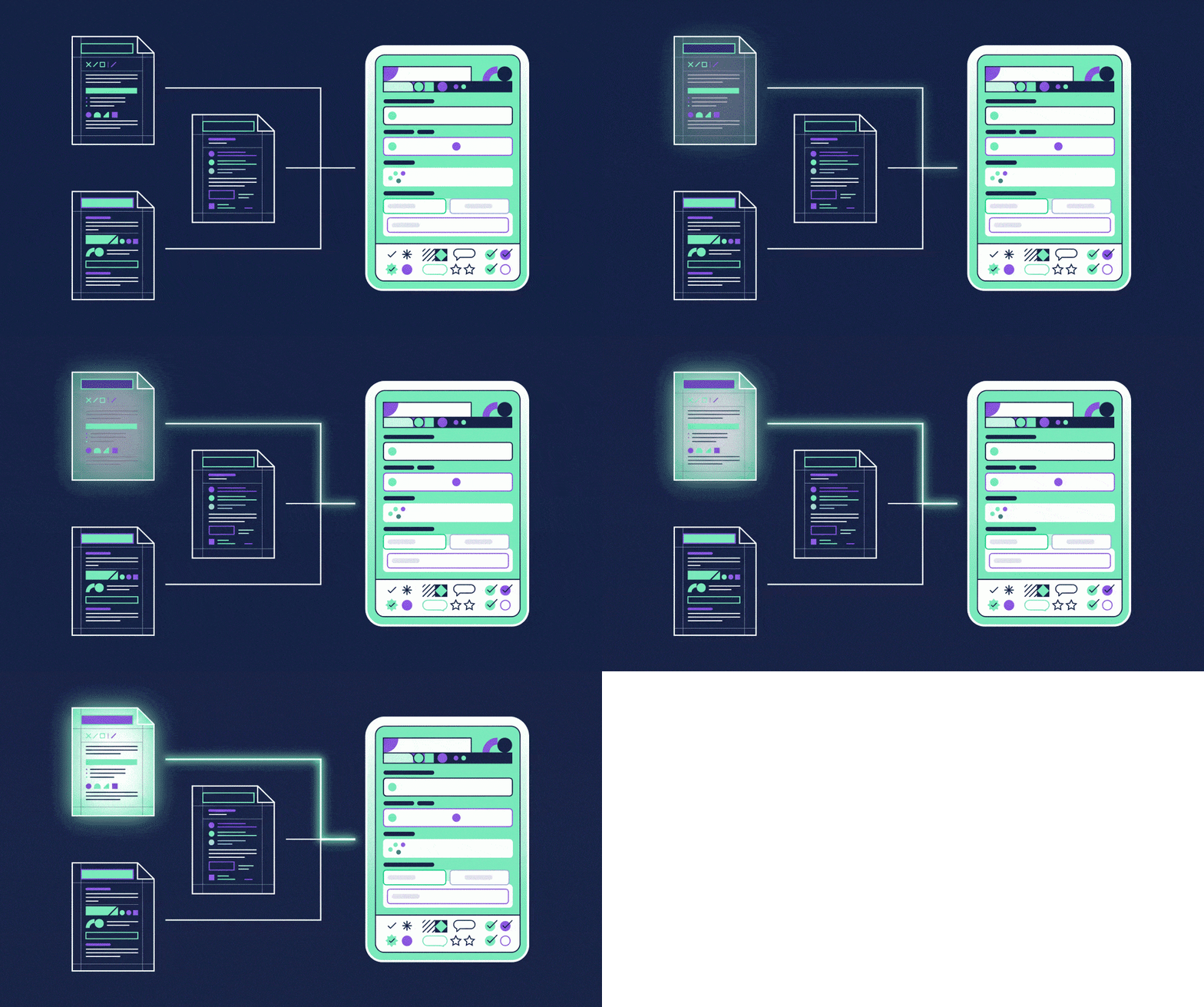
NotebookLM flips the usual way you work with AI. Instead of asking it about the world, you upload your own materials and ask about them. You add documents, notes, recordings, or web pages, and the tool answers exclusively from those sources, citing which one every statement comes from. It’s one of the few answers to the most serious criticism of chatbots - hallucination: if the model can only use what you gave it, there’s nothing to hallucinate from.
What NotebookLM Actually Does
- Answers with citations. Every claim links to a source fragment, so verification takes seconds, not fifteen minutes.
- Summarizes and organizes. It turns hundreds of pages into an outline, topic list, or study guide.
- Creates audio discussions. It generates a conversation between two hosts from your materials that you can listen to like a podcast. This is the most impressive feature and surprisingly useful for reviewing material.
- Builds connection maps between topics from your uploaded sources, helping you see the structure of a subject.
Who NotebookLM Is Really For
For learners. Lecture materials, textbooks, and articles in one place, with the ability to ask questions and check answers against sources. This is the use case where the tool has no real competition.
For people working with documentation. Contracts, regulations, specifications, reports. Anywhere an answer must be anchored in a specific paragraph, not in the model’s general knowledge.
For preparing for conversations. You upload everything you know about a topic or company and quiz yourself before a meeting.
Limitations Worth Knowing
The tool is only as good as your uploaded materials: if there’s an error in the sources, the answer will repeat it, just with a citation. It also has limits on the number and size of sources, so it won’t replace searching your company’s entire archive. And most important with sensitive documents: you’re uploading them to an external service, so before adding client contracts or personal data, you need to check whether that’s allowed.
If you need answers based on the internet with source citations, not your own files, the right tool is probably Perplexity. If you just want a conversation about a document, Claude is sufficient and handles long texts well. The entire family of Google models powers this tool, which I describe in the guide to Gemini.
NotebookLM Is Now Called Gemini Notebook
Since July 2026, Google has been using the name Gemini Notebook. It’s the same service: existing notebooks remain, the notebooklm.google address still works, and mainly the logo changed in the app. Google explains the change by saying notebooks will stop being a separate app and become a context layer in other Gemini-based services. In practice, as of September 2026, I still use Gemini Notebook as a standalone tool in the browser and on my phone. In this article I write “NotebookLM” because that’s what most people still search for.
What’s Free and What’s in Paid Plans
The free version is sufficient for learning and working on one project. You start paying when you need more than 50 sources in one notebook or generate a lot of audio and video summaries. I recorded the limits below on September 17, 2026, from Google’s plans page.
| Plan | Sources per notebook | Generation (audio, video, reports) | How to get it |
|---|---|---|---|
| Gemini Notebook (free) | 50 | standard limit | Google account, no card needed |
| in Google AI Plus package | 100 | 2x more | paid subscription; students free for one year until December 31, 2026 |
| in Google AI Pro package | 300 | 5x more, higher model access | paid subscription |
| in Google AI Ultra package | 600 | up to 50x more, priority access | Google’s most expensive package, for businesses and professionals |
If you’re a student, check the Gemini for students offer first: a year of the Plus package free includes higher Notebook limits as well. For businesses and schools there are separate versions in Google Workspace, with one important difference: public notebook sharing only works on individual accounts.
How to Start in Five Minutes
You go to notebooklm.google, log in with your Google account, and create a notebook. You add sources in four ways: file from disk (PDF, document, presentation, audio), web address, YouTube video, or pasted text. After a moment you see the source list on the left, the question window in the middle, and on the right a panel with what you can generate: audio overview, video overview, flashcards, study guide, report, and since 2026 also infographics and slides.
Three commands I give at the start of every notebook: “list five main claims from each source with page numbers,” “where do sources contradict each other,” and “prepare ten exam questions with answers and indicate where each comes from.” The last one turns the notebook into a review tool that you can’t create in a regular chat without the risk of fabricated answers.
Non-English Support: What Works and What Sounds Foreign
We tested it in Polish: Polish sources and questions in Polish work without settings, and Google announced official Polish language support in March 2026, which I described in the article NotebookLM with official Polish support. Audio summaries in Polish are understandable, but the hosts speak with slightly foreign intonation and can mangle proper names; with materials containing many names, I add a list of difficult words with pronunciation to the prompt. How to turn documents into such a “podcast” step by step is shown in a separate tutorial.
Google · Your sourcesQuantslant higher in your Google - one clickAdd to preferred sources →What NotebookLM Doesn’t Do and What to Choose Instead
It doesn’t search the internet for you, beyond the source discovery feature that suggests pages to add. It won’t replace searching a company archive, because the limit of 50 or 300 sources runs out faster than you’d think. Also don’t upload client contracts and personal data without checking your company’s policies: data from individual accounts isn’t used for training, but it’s still an external service. When you need answers from the internet with citations, Perplexity is better; when you want to discuss one long document, Claude is sufficient; when you’re interested in raw access to Google models with an API key, the right place is Google AI Studio.
Sources verified September 17, 2026: Gemini Notebook plans page (notebooklm.google/plans) along with questions about the name change, Google’s communication about Polish language support from March 2026.

More on this from QUANTSLANT



 ai tools·Claude Code: AI Agent That Edits Your Project AutonomouslyClaude Code reads your project, changes files, runs tests and fixes errors. How it works, four things that make the biggest difference, and real costs.