AI Photo With Your Younger Self: Prompts & Video Tutorial
Create a photo with your younger self using AI. We tested ChatGPT, Gemini, and video generators with 8 prompts in English and Polish.
👁 138 reads
The “photo with your younger self” AI trend lets you combine a current photo with one from years ago into a single frame where both versions of you hug or share coffee. You can create the image in ChatGPT or Gemini, and turn it into a short video with Seedance, Kling, or Higgsfield. We tested the complete workflow: two photos, two scenes, and a 5-second video. Below you’ll find 8 prompts in both Polish and English. For more current trends, see our AI photo trends roundup.
Quick Summary
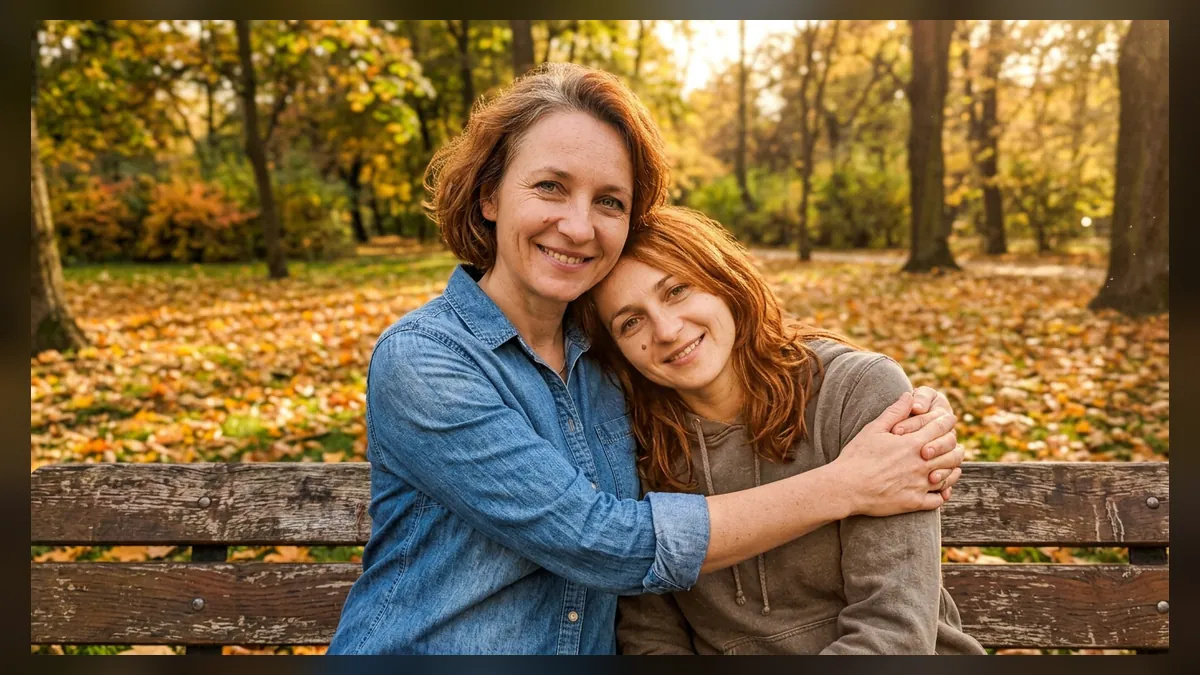
The park bench scene worked on the first try: both faces, the mole on the cheek, and clothing from both photos transferred into one frame. The request to give the younger version the colors of an old photo didn’t work - the model equalized the lighting for both figures. The video from this frame in Wan 3.0 cost me $0.425 for 5 seconds at 720p, and the image $0.068. You can make the photo for free in Gemini or ChatGPT. The effect works best with a real childhood photo, but only upload your own photos.
Where the Younger Self Trend Came From
The idea started without AI. In spring 2025, a format called “I met my younger self for coffee” circulated on TikTok, where people wrote what they would tell themselves from years ago over coffee - NME described it as one of that season’s viral trends. In late March 2025, Pika added a “Selfie With Your Younger Self” feature, and Tom’s Guide (March 29, 2025) tested it and called the effect both amazing and slightly unsettling.
In 2026, the trend returned in video form: TikTok tutorials circulate under “meeting your younger self trend” and #MeetYourYoungerSelf, where two photos become a clip in Seedance 2.0 or Kling 3.0. Tutorial creators repeat the same thing: the prompt isn’t hard, what’s hard is maintaining the same face at two different ages in one shot. In Poland, the phrase “młodszy ja“ (younger me) appeared in Google Trends in recent weeks, but with very low volume (as of October 3, 2026).
How to Create a Photo With Your Younger Self Step by Step
- Find an old photo: face visible from the front, good focus. Scan a print or photograph it with your phone in daylight, without reflections.
- Take or select a current photo in a similar frame (face forward, from the waist up).
- In ChatGPT or Gemini, add both photos in one message and specify which is “today” and which is “from the past” (prompt 1).
- If faces get mixed up, ask for a correction: “the younger person should have the face only from the second photo.”
- For video: upload the finished frame as the first frame to a video generator and describe the motion (prompt 5).
Our Test: Two Photos, Two Scenes, and Video
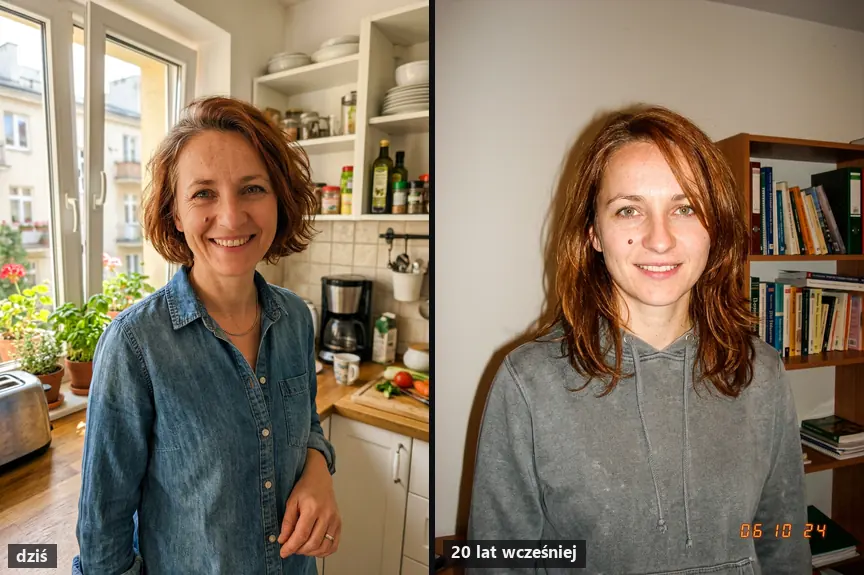
The woman in the examples is AI-generated and doesn’t exist, so there’s no real childhood photo. Therefore, we also generated her “older photo”: we asked Nano Banana 2 for the same person 20 years younger, as a student from 2006. You skip this step and upload a real photo from years ago. We made all images in Nano Banana 2 through OpenRouter, at $0.068 each.
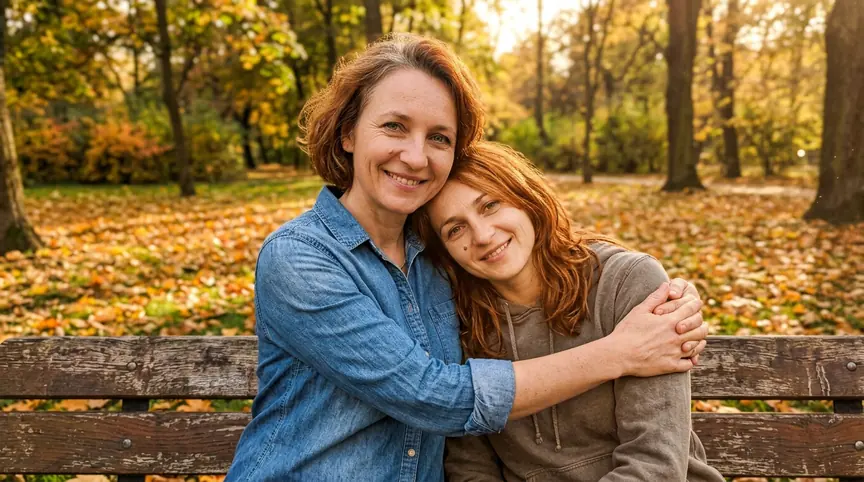
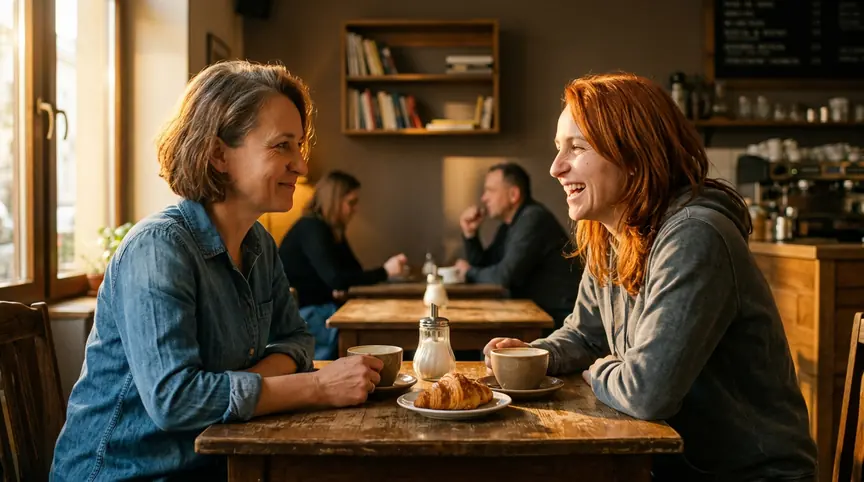
We then uploaded the bench frame to Wan 3.0 through OpenRouter as the first frame and described the motion in English (prompt 5). Generation took 2 minutes.
What we noticed:
- In both scenes, the model didn’t confuse the people: the older one has shorter hair and a denim shirt, the younger one has longer red hair and a gray sweatshirt, just like in the input photos.
- The request for “old photo colors” for the younger version didn’t work in either scene. If you want that contrast, it’s better to do it in an editor or ask for a separate correction.
- In the video, both faces stayed stable for the full 5 seconds, leaves fall, and the camera slowly pushes in. The hug is gentle, without strange merging of arms.
- On the “2006” photo, the model added a date in the corner on its own, but with the wrong year (“06 10 24”). With a real old photo, this problem doesn’t occur.
8 Prompts for Photo and Video With Your Younger Self
We tested prompts 1, 2, and 5 ourselves; the rest are built on the same pattern but we didn’t test them. Replace items in square brackets with your own details.
Prompt to copy (1, bench hug, tested - we tested it in Polish):
Combine the two people from the attached photos into one realistic photo: the woman from the first photo (today, about [40] years old) and her younger self from the second photo ([20] years old) sit side by side on a park bench in autumn and hug each other. Keep the faces, hairstyles and clothes from both photos. Soft afternoon light, no text and no date.
Translation: “Combine the two people from the attached photos into one realistic photo: the woman from the first photo (today, about [40] years old) and her younger version from the second photo ([20] years old) sit next to each other on a bench in a park in autumn and hug. Keep the faces, hairstyles, and clothing from both photos. Soft afternoon light, no text and no date.”
What it’s for: main version of the trend. What to watch for: if you’re male, change “woman” to “man” throughout the instruction. In the version we tested, there was also a sentence about old photo colors for the younger person - we removed it because it didn’t work.
Prompt to copy (2, coffee with younger self, tested - we tested it in Polish):
Create a realistic photo in which the woman from the first photo (today) sits at a café table across from her younger self from the second photo ([2006]). They are talking over two cups of coffee, the younger one is laughing, the older one looks at her tenderly. Keep both faces, [the mole on her cheek] and the clothes from both photos. Side-angle shot like a film still, warm light, no text.
Translation: “Make a realistic photo where the woman from the first photo (today) sits at a cafe table opposite her younger version from the second photo ([2006]). They talk over two cups of coffee, the younger one laughs, the older one looks at her with tenderness. Keep both faces, [mole on cheek], and clothing from both photos. Side shot like from a film, warm light, no text.”
What it’s for: “I met my younger self for coffee” version.
Prompt to copy (3, from childhood, black and white - in Polish):
Combine the person from the first photo (adult, today) with their childhood self from the second photo into one black-and-white photo: the adult is crouching and holding the child's hand in a courtyard in front of an apartment block from the '90s. Keep both faces from the originals. Film grain, soft light, no text.
Translation: “Combine the person from the first photo (adult, today) with their childhood version from the second photo into one black-and-white photo: the adult crouches and holds the child’s hand in a courtyard in front of a 1990s apartment block. Keep both faces from the originals. Grain, soft light, no text.”
What it’s for: most emotional version of the trend. What to watch for: only use your own childhood photos.
Prompt to copy (4, two eras in one frame - in Polish):
Create one photo split vertically in half with no visible line: on the left, the person from the second photo in the setting of the year [1998] (wall unit, CRT TV); on the right, the same person today from the first photo in a modern apartment. Keep both faces.
Translation: “Make one photo split vertically in half without a visible line: on the left, the person from the second photo in [1998] setting (wall unit, CRT TV), on the right the same person today from the first photo in a contemporary apartment. Keep both faces.”
Prompt to copy (5, EN, video from frame, tested):
The older woman gently hugs her younger self tighter and they both laugh softly, the younger one rests her head on the older one's shoulder, a few autumn leaves fall around the bench, slow gentle camera push-in, warm afternoon light, realistic.
What it’s for: second step, in a video generator with the image as the first frame.
Prompt to copy (6, EN, photo):
Combine the two people from the attached photos into one realistic photo: the adult from the first photo (today) and their younger self from the second photo sit side by side on a park bench in autumn and hug. Keep both faces, hairstyles and outfits exactly as in the originals. Soft afternoon light, no text, no date stamp.
Prompt to copy (7, EN, video from two reference photos):
Cinematic shot: the adult from reference image 1 walks into a sunlit 1990s kitchen and sees their child self from reference image 2 sitting at the table. They look at each other, the adult kneels down and they hug. Keep both faces consistent for the whole shot. Slow dolly-in, warm light, 8 seconds.
What it’s for: tools that accept multiple reference images (Seedance 2.0, Kling 3.0).
Prompt to copy (8, EN, coffee conversation):
A realistic cafe scene: the person from photo 1 (today) sits across a small table from their younger self from photo 2. They talk over two cups of coffee, the younger one laughs, the older one looks at them warmly. Keep both faces and outfits. Side angle like a film still, warm light, no text.
Which Tools to Use and Whether They’re Free
| Tool | What You Can Make | Free | Paid |
|---|---|---|---|
| ChatGPT (Images 2.5) | photo from two photos | yes, 2-3 images daily according to users | subscription plans vary by region |
| Gemini (Nano Banana 2) | photo from two photos | yes, daily limit | Google AI Pro subscription varies by region |
| Higgsfield | photo and video (Nano Banana 2, Kling 3.0, Seedance) | no | from $15/month; Plus $49, Ultra $129 |
| Kling 3.0 | video from image or multiple images | daily credits with watermark | subscription in app, per-second in API |
| Wan 3.0 via API | video from first frame | no | $0.425 for 5s at 720p in our test |
| Pika | ready-made “Selfie With Your Younger Self” feature from 2025 | yes, with longer queue | subscription |
Gemini’s help page (as of October 3, 2026) confirms that Nano Banana 2 works without a plan, but doesn’t specify the number of images. More about video tools is in our articles on Seedance, Kling AI, Pika, and Higgsfield, and we show how to animate a single photo in our article about Wan 3.0.
What to Watch Out For
- Poor old photo: a blurry face produces someone else’s face in the result. Scan a print or photograph it in daylight.
- One photo with two people instead of two separate photos: the model gets confused about who is who.
- Other people’s photos: the trend is about you. Only recreate deceased relatives and other people’s children within the family and with consent.
- Privacy: childhood photos are data that stays with the provider. What’s better kept to yourself is described in our article on what you can paste into AI.
Frequently Asked Questions
How do you make a photo with your younger self for free?
Upload an old and current photo in one message to free ChatGPT or Gemini and paste prompt 1. You can make a video for free in Kling using daily credits, with a watermark.
How do you make a video with your younger self?
First make a photo with both versions, then upload it to a video generator as the first frame and describe the motion (prompt 5). Some tools, like Seedance 2.0, accept two reference photos directly (prompt 7).
Why doesn’t the younger version look like me?
Usually because of a low-quality old photo or one from the side. Choose a photo with your face forward and state explicitly that the younger person should have the face only from the second photo.
Can AI make me younger without an old photo?
Yes, as in our test, but it’s guesswork: the model invents how you might have looked. With an old photo, the effect is more authentic.
Sources and Verification Date
- NME: “I met my younger self for coffee” trend
- Tom’s Guide: Pika feature test (March 29, 2025)
- TikTok: meeting your younger self trend
- Higgsfield: plans (September 21, 2026)
- Google Help: Gemini limits
- Google Trends (Poland
- 12 months). Test: Nano Banana 2 and Wan 3.0 through OpenRouter
- October 3
- 2026. Verified October 3
- 2026
 AI Action Figure from Photo: Step-by-Step Guide + PromptsGuides
 AI Photo Booth: How to Create a Strip from One Photo + PromptsGuides
 AI Movie Poster from Photo: Step-by-Step + 9 PromptsGuides
The link to Higgsfield is a partner link: if you buy through it, QUANTSLANT earns a commission and you pay the same price. It has no influence on the content, including where the coverage is critical.
More on this from QUANTSLANT


 guides·AI Movie Poster from Photo: Step-by-Step + 9 PromptsTurn yourself into a movie character with AI: A24-style drama, horror, rom-com and Polish poster school. 9 prompts tested with Nano Banana 2.