AI Study Plan for Exams: NotebookLM, ChatGPT and Anki
Build an AI-assisted study plan with NotebookLM, ChatGPT, Gemini and Anki, using quizzes and spaced repetition to prepare for exams.
👁 115 reads
For exam prep, a combination of three approaches works best: NotebookLM (now Gemini Notebook) for quizzes and flashcards based on your lecture materials, ChatGPT or Gemini in study mode to explain difficult topics, and spaced repetition with Anki or Quizlet. Use AI to quiz you and schedule reviews, not just to summarise material you might soon forget.
This article is part of our AI in education series. Information is current as of October 12, 2026. The plan below assumes you have about 3-4 weeks until your first exam, but you can shorten it.
Why reading AI summaries alone doesn’t work
This plan draws on two research findings:
- Retrieval practice beats rereading. Roediger and Karpicke (2006) found that after a week, the group that read a text four times remembered 40%, while the group that read it once and tried to recall it three times remembered 61%.
- Spaced practice beats cramming. A review by Cepeda and colleagues (2006) covered 317 experiments and found the same pattern: spreading study over several sessions leads to better memory than one long session before an exam.
- Unrestricted AI can hinder learning. In a study by Bastani et al. (PNAS, 2025), high school students using standard GPT-4 for maths exercises performed 48% better on the exercises, but scored 17% lower than the control group on an exam without AI. A “tutor” version that gave hints instead of solving problems did not cause this harm.
The takeaway: AI should make you retrieve information and space out your reviews, not do the work for you.
How to make an AI study plan for exams
- List your exams and study materials. Include dates, format (multiple choice, written or oral), syllabus, slides and required reading. Without a syllabus, AI does not know what is on the exam.
- Build a schedule with AI. Enter your exam dates and the number of hours you can study each day, then ask for a plan with reviews after 1, 3, 7 and 14 days. See our guide to making a study plan with AI for a ready-to-use template.
- Create a NotebookLM notebook for each subject and upload your lecture materials and PDFs. Our guide to using NotebookLM to study explains how.
- First pass: focus on understanding. For each lecture, read the slides yourself first, then ask ChatGPT in study mode or Gemini about anything you do not understand. Study mode guides you with questions, so you have to work towards the answer yourself.
- Make flashcards one lecture at a time and move them to Anki or Quizlet, which schedule reviews for you. See our guide to making flashcards with AI.
- Take a quiz every day before new material. Spend 10-15 minutes answering questions on previous days’ material before moving on to a new topic.
- Take a practice exam one week before the real one. Ask AI to create a timed test in the same format as your exam, such as 30 multiple-choice questions or 3 open-ended questions. Complete it without looking at your notes.
- Review your mistakes. Paste in your answers and ask AI to assess them against your study materials and list topics to review. Use that list to guide your final days of study.
- The day before: review flashcards and sleep. Do not add new material.
Which AI study tool should you use?
| Task | Tool | Cost | Notes |
|---|---|---|---|
| Quizzes and flashcards from your lecture materials | NotebookLM (Gemini Notebook) | Free plan available | Answers using your uploaded sources and provides citations |
| Explaining difficult topics | ChatGPT study mode | Available on every plan | Does not work in Temporary Chat or Projects |
| Working with files in Google Drive | Gemini | Free plan available | |
| Spaced repetition on a computer | Anki | Free | Schedules reviews automatically |
| Spaced repetition on your phone | Quizlet | Free version available | AI features are in the paid version |
| Lectures from YouTube and recordings | NotebookLM, Gemini | Free plan available | See our guide to summarising YouTube videos |
How to use AI for oral, multiple-choice and written exams
- Multiple-choice exam: ask for questions with distractors that are similar to the correct answer, and for an explanation of why the incorrect options are wrong.
- Written exam with open-ended questions: write your answer yourself under timed conditions, then ask AI to assess it against the syllabus criteria and identify anything missing.
- Oral exam: use NotebookLM’s notebook voice conversation or voice mode in a chat. Ask it to follow up with questions like an examiner would.
- Calculation problems: ask AI to check your working step by step, not solve the problem for you. Verify every numerical result with a calculator or spreadsheet.
Common pitfalls
- Summaries instead of studying. Reading a summary can make you feel as if you know the material. A test shows whether you really do.
- Questions outside your course material. A general-purpose chatbot may ask about topics that do not match your lectures. Create quizzes in NotebookLM or from your uploaded slides instead.
- Incorrect answers. A model can confidently give you a wrong definition. If you are unsure, check your textbook. Read more in our article on AI hallucinations.
- Using AI during an exam. Using a chatbot during an exam without the instructor’s permission may count as academic misconduct. Check your institution’s rules and the consequences. Our article on AI detection in written work covers rules for written assignments.
Copy-and-paste study plan prompt
The prompt below is an English adaptation of the original Polish prompt; it is not a separately tested English prompt.
Help me plan my exam study schedule.
Exams: [subject 1 - date - exam format], [subject 2 - date - format], [subject 3 - date - format].
I have [number] hours a day to study. Days off: [days].
Study material for each subject: [number of lectures / chapters].
Create a day-by-day plan in a table with these columns: date, subject, new material, review.
Rules:
- Review each topic after 1, 3, 7 and 14 days, if there is time before the exam.
- Start every study session with a 10-15 minute quiz on material from previous days.
- Schedule a practice exam in the right format 5-7 days before each exam.
- The final day before an exam should be review only, with no new material.
At the end, say whether the plan is realistic. If it is not, suggest what to shorten.
Frequently asked questions
How can I study for an exam quickly with AI?
Upload your materials to NotebookLM, create a quiz and focus on what you do not know. When time is short, retrieval practice is more useful than reading summaries.
Can AI create a quiz from my lectures?
Yes. NotebookLM generates quizzes and flashcards from uploaded materials, while ChatGPT and Gemini can create tests from slides you paste in. Ask for a format that matches your exam.
Which AI study tools are free?
NotebookLM has a free plan, ChatGPT study mode is available on every plan, and Anki is free on desktop. You can use them to build a study workflow without paying for a subscription.
How far in advance should I start studying for an exam?
Start early enough to fit in several spaced reviews. With a 1-, 3-, 7- and 14-day schedule, allow about 2-3 weeks per subject. A review of 317 experiments found that spaced study leads to better memory than one long session.
Can AI replace lecture notes?
No. AI works best with your notes and slides, because then its questions match what your instructor expects you to know.
Google · Your sourcesQuantslant higher in your Google - one clickAdd to preferred sources →Sources
- Roediger, Karpicke: Test-enhanced learning (Psychological Science, 2006)
- Cepeda et al.: Distributed practice in verbal recall tasks (Psychological Bulletin, 2006)
- Bastani et al.: Generative AI without guardrails can harm learning (PNAS, June 25, 2025)
- ChatGPT study mode FAQ (OpenAI Help Center)
- New study tools in Gemini Notebook (Google, September 15, 2026)
See also

More on this from QUANTSLANT


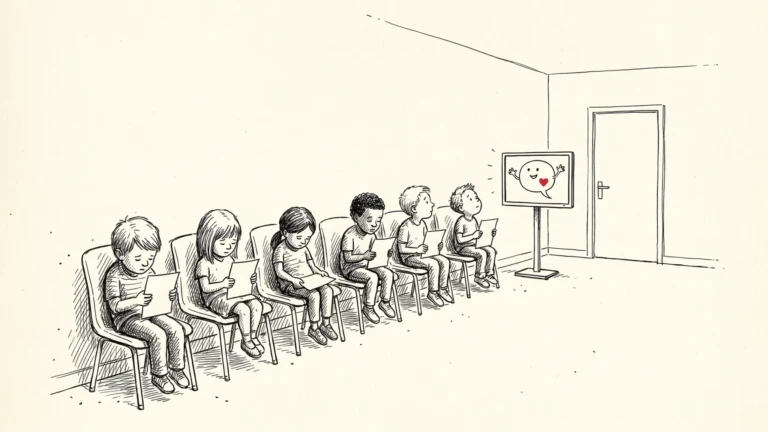 magazine·Children and Chatbots: Meta’s Messenger Bot Is Always ThereMillions of children use messaging apps with built-in AI. The question is not just what chatbots say, but who has time to listen.