Krea AI Review: Krea 2 Model, Realtime & Pricing (2026)
Krea AI offers its own Krea 2 model, realtime generation, upscaling to 22K, and access to 40+ video models. Free plan includes 100 daily units with commercial license.
👁 115 reads
Krea AI is an image and video studio with its own Krea 2 model, live generation while you draw, and upscaling to 22K. Alongside its own model, it offers dozens of third-party models, from Nano Banana and ChatGPT Image to Veo, Kling, and Sora. The free plan includes 100 daily units and a commercial license, while paid plans start at $9 USD per month. In our test, Krea 2 Large wrote all Polish text on a storefront sign perfectly, but left a bottle label completely blank.
Status as of October 3, 2026
- Own model: Krea 2 (launched May 12, 2026) in Large, Medium, and Medium Turbo versions. Open weights K2 Raw and K2 Turbo (13 billion parameters) since June 23, 2026.
- Artificial Analysis ranking: Krea 2 Large 1026 Elo (23rd place out of 166 models), Medium Turbo 1022, Medium 1012.
- Plans: Free (100 daily units), Basic $9 USD, Pro $35 USD, Max $105 USD, Business $200 USD monthly. Up to 40% cheaper annually.
- API: Krea 2 Medium $0.03 USD, Large $0.06 USD per image. Also available through OpenRouter and Replicate.
- Commercial license in all plans, including free.
What is Krea AI
Krea started as a tool that showed an image changing in real time as you drew shapes on a canvas. Later came upscaling (Enhancer), video, and training custom styles. In 2025, the company released its own Krea 1 model, and together with Black Forest Labs, the open FLUX.1 Krea [dev] (July 31, 2025), which remains popular among people generating images on their own computers.
The breakthrough came on May 12, 2026: Krea 2 is the first foundation model the company built from scratch, rather than on someone else’s base. In June, Krea released its weights (K2 Raw and K2 Turbo, DiT architecture with Qwen3-VL text encoder), so you can run it locally, similar to Stable Diffusion or Qwen-Image.
How to get started step by step
- Go to krea.ai and create an account. The Free plan requires no card and immediately gives you 100 daily compute units.
- Choose Image, and in the model list select Krea 2. Medium is enough for first attempts, Large gives more detail.
- Enter a description. Krea 2 understands Polish well, but for short, technical descriptions, English can be more precise.
- Add up to 4 style reference images or a moodboard and adjust the sliders: style intensity, complexity, and motion.
- Upscale the finished image in Enhancer (free up to 2K, in paid plans up to 22K) or refine it in Edit.
Models in Krea
| Model | Type | Key features |
|---|---|---|
| Krea 2 Large | image, proprietary | best Krea model, 1026 Elo, $0.06 USD in API |
| Krea 2 Medium / Medium Turbo | image, proprietary | cheaper and faster, 1012 and 1022 Elo, $0.03 USD in API |
| Krea 1 | image, proprietary (2025) | 6 credits per image in app, 820 Elo |
| FLUX.1 Krea [dev] | image, open (with BFL) | 12 billion parameters, can run locally |
| Krea Realtime 14B | video, open | video generated in real time (since October 2025) |
| Partner models - image | FLUX, Nano Banana, ChatGPT Image, Seedream, Qwen, Imagen, Ideogram | for Krea units |
| Partner models - video | over 40, including Veo 3.1, Sora 2, Kling 3.0, Runway Gen-4.5, Seedance 2.5, Wan | only selected ones in Basic plan |
Key features
- Realtime - images and video change live as you draw, move shapes, or type. Since January 2026, there’s also Realtime Edit for live corrections.
- Enhancer - upscaling and adding detail, up to 22K in paid plans.
- Edit - refine selected areas, change lighting (relight), colorize, and remove objects.
- Styles and training - train your own style (LoRA), since May 21, 2026 also for Krea 2. Free plan allows up to 50 training images, Max up to 2000.
- Moodboards and style references - Krea 2’s main advantage: several reference images instead of a long style description.
- Nodes and Krea Agent - workflows with blocks (e.g., image, then video, then upscaling) and an agent that assembles them from a description.
- 3D - generate 3D meshes from images.
How much does Krea AI cost
| Plan | Monthly | Annual billing (per month) | Units | Key features |
|---|---|---|---|---|
| Free | $0 USD | - | 100 daily | commercial license, 1 task at a time, no parallel video, Enhancer to 2K |
| Basic | $9 USD | $5 USD | 5,000 monthly | selected video models |
| Pro | $35 USD | $21 USD | 20,000 | all video models, 8 images and 4 videos at once |
| Max | $105 USD | $63 USD | 60,000 | LoRA training up to 2000 images |
| Business | $200 USD | $160 USD | 80,000 | up to 50 people, SSO, units roll over to next month |
In individual plans, unused units expire at the end of the period, and purchased packages are valid for 90 days. The API is billed separately from a prepaid balance in dollars (minimum $5 USD): Krea 2 Medium costs $0.030 USD per image ($0.035 with style reference, $0.040 with moodboard), Large $0.060 USD ($0.065 and $0.070). Failed tasks are not counted.
Polish language support
The Krea interface is in English. Krea 2 understands Polish descriptions well: in our test, a prompt in Polish gave the same quality as in English, and Polish text on a storefront sign came out error-free in both versions. The weak point is text I requested in the middle of a longer description - on an oil bottle, the label remained blank. For product graphics with text, I check the result and if needed, choose a partner model like ChatGPT Image in Krea.
Our test: Krea 2 Large on 4 prompts
On October 3, 2026, we ran the same four prompts through OpenRouter in Krea 2 Large, GPT Image 2.5 Sunburst, FLUX 3, and Recraft V4.1. One attempt per model, no cherry-picking. An image from Krea 2 Large cost $0.06 USD and took an average of 37 seconds, the longest of the four models.
Storefront sign with Polish text
Prompt (we tested it in Polish):
Photo of a small service shop window in an old tenement building in Warsaw’s Praga district, early evening after rain. Above the door, a wooden sign with hand-painted text “ZŁOTA RĄCZKA“ (Golden Hand), below it smaller text “dorabianie kluczy, naprawa żaluzji“ (key duplication, blind repair). On the door glass, a white sticker with text “Wejście od podwórza“ (Entrance from courtyard). Warm light from inside, wet sidewalk, realistic photo.
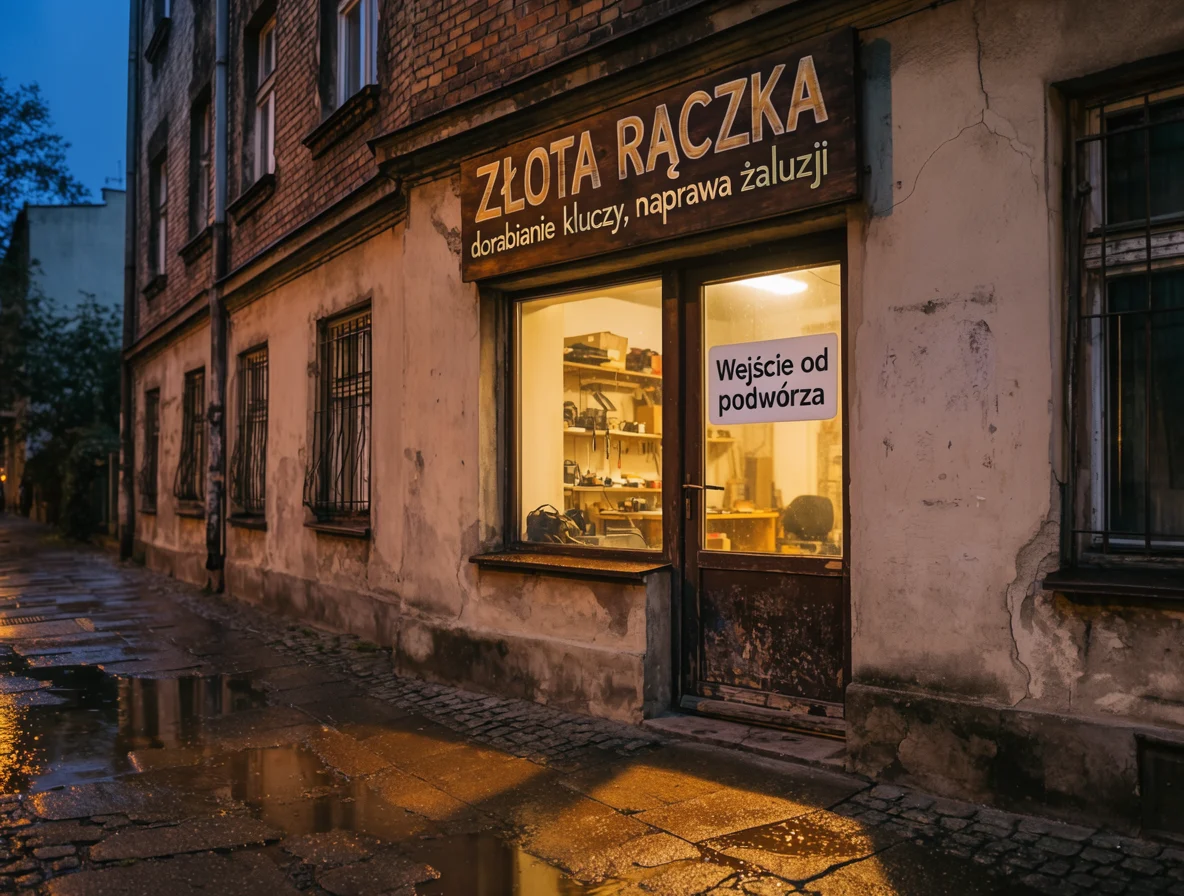
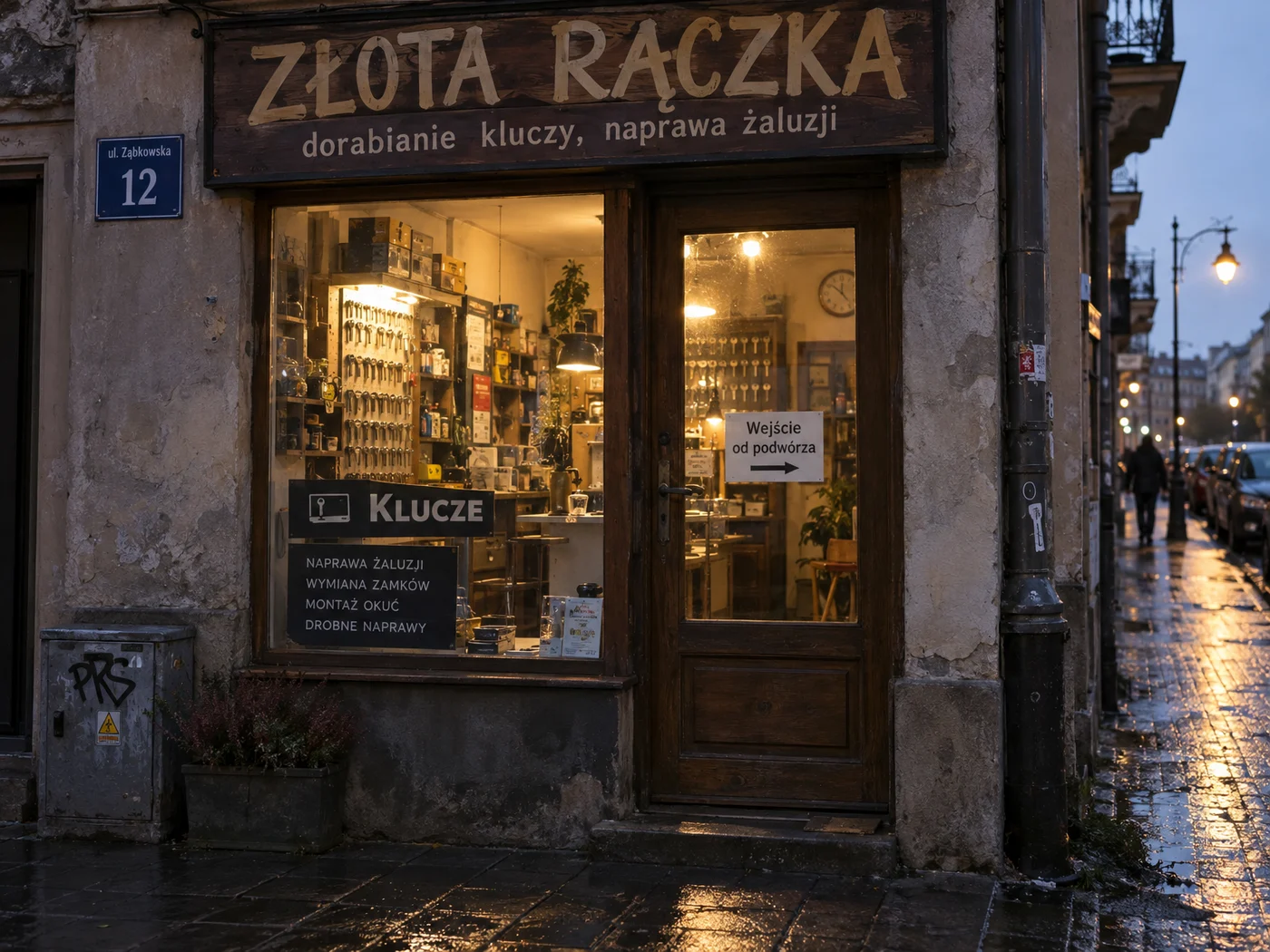
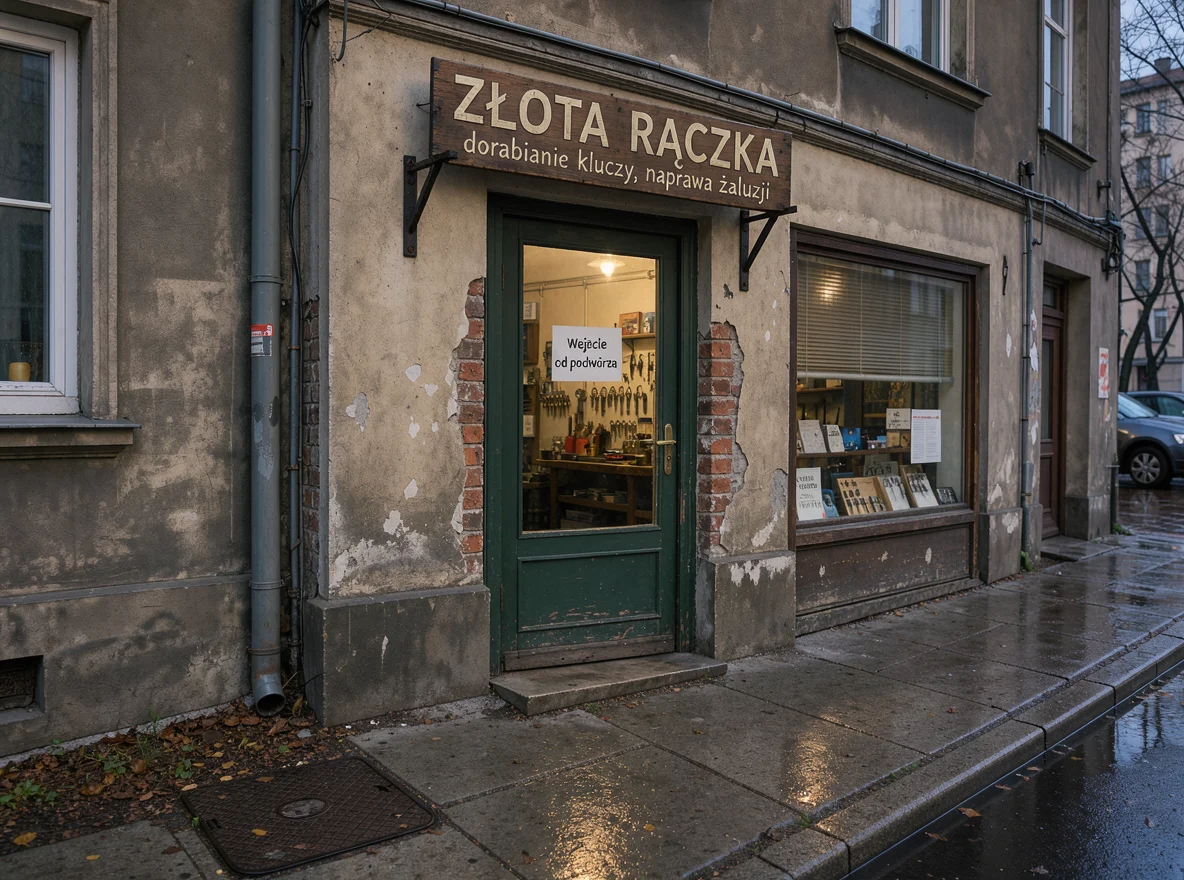
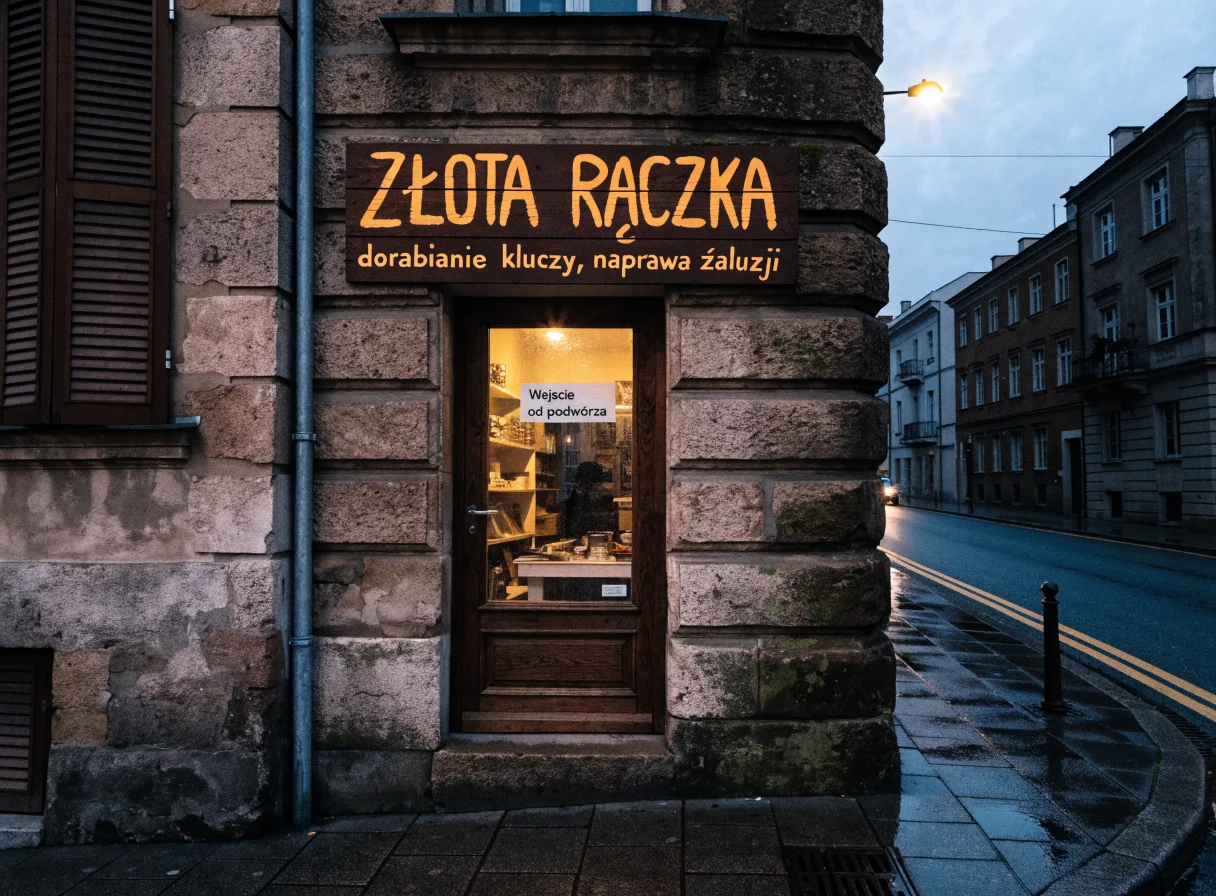
Krea 2 and GPT Image were the only ones to write all three texts without error. This is a strong result, as FLUX 3 and Recraft made letter mistakes on the same prompt.
Documentary portrait
Prompt (we tested it in Polish):
Documentary portrait of an elderly woman selling apples at a market in a small town in Podkarpacie. October, overcast daylight. Handheld framing, 35mm lens, slight grain like on film. Natural wrinkles and weathered hands, woman looking beside the lens. No beautification and no skin retouching, looks like a newspaper photo.
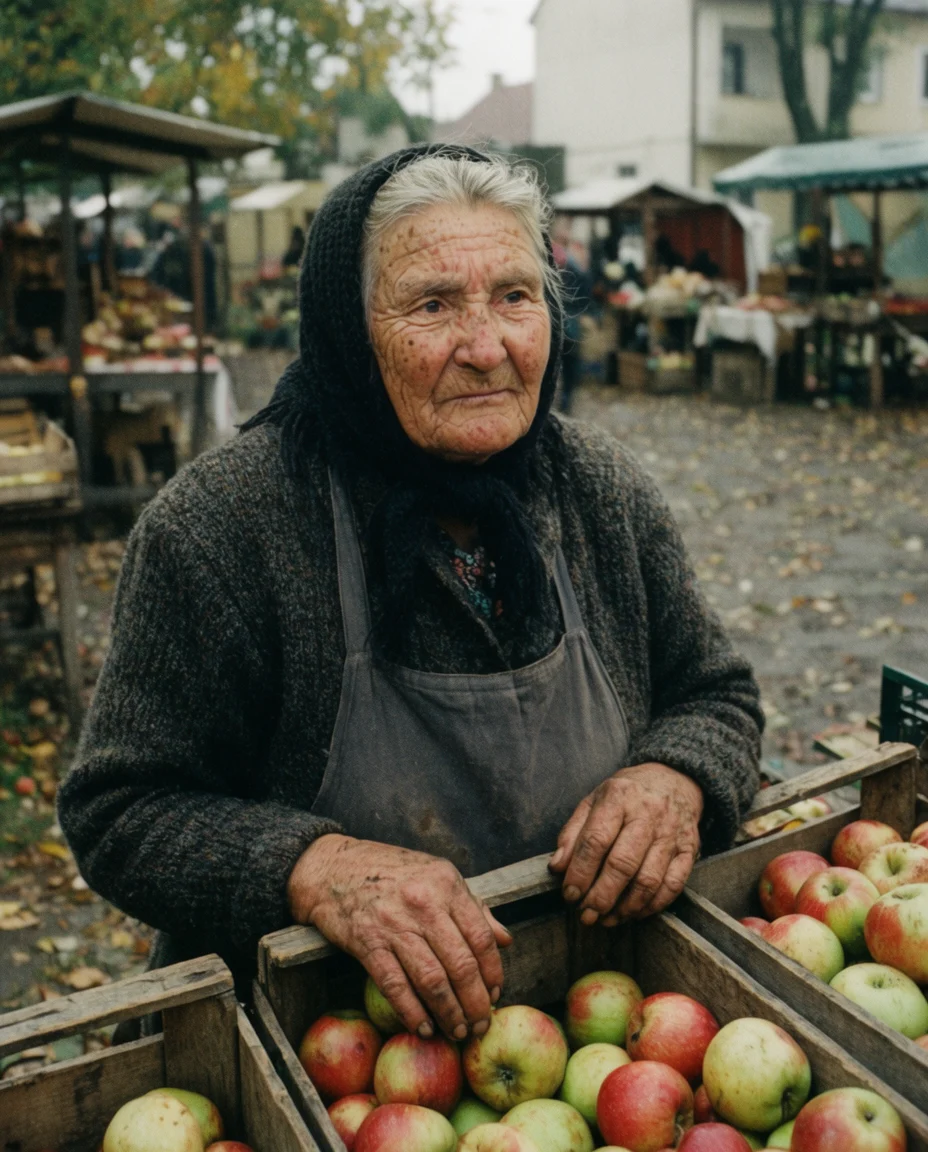
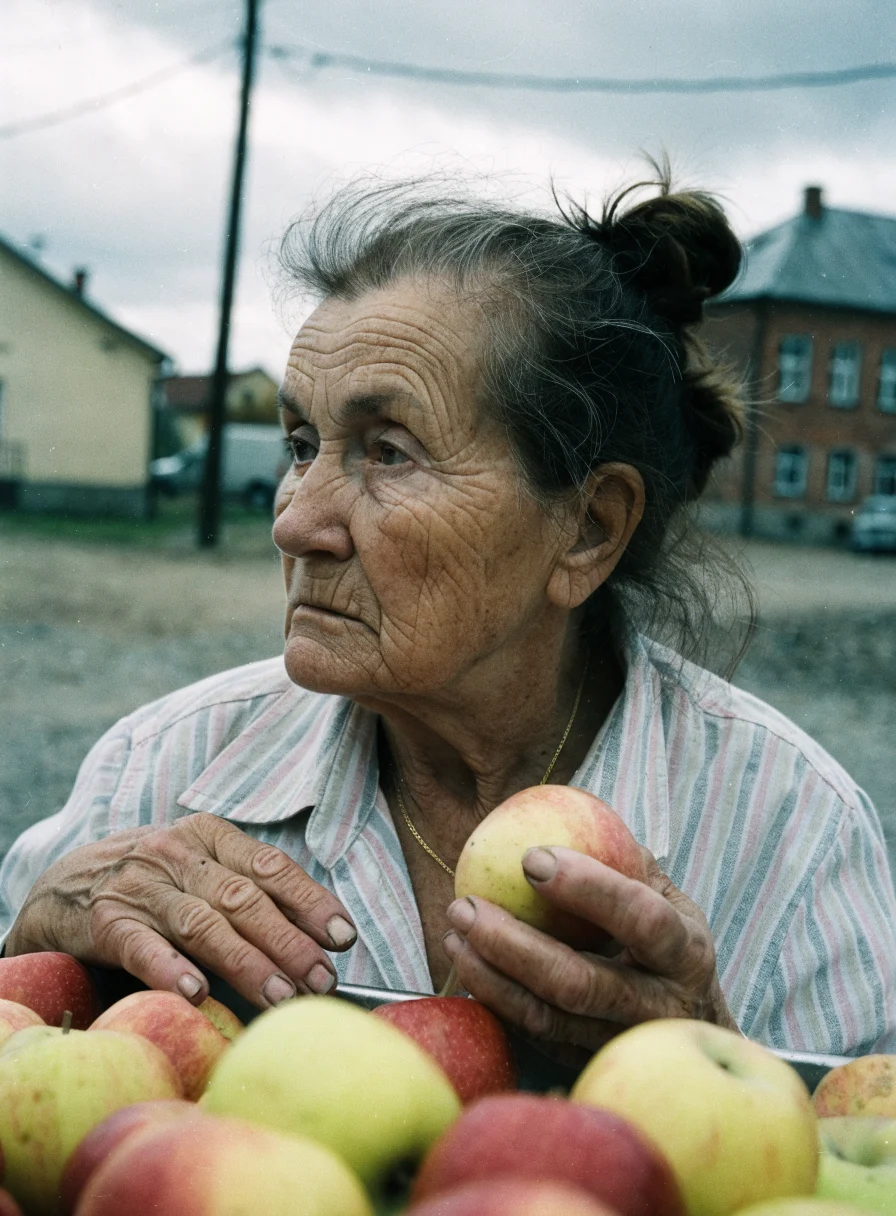
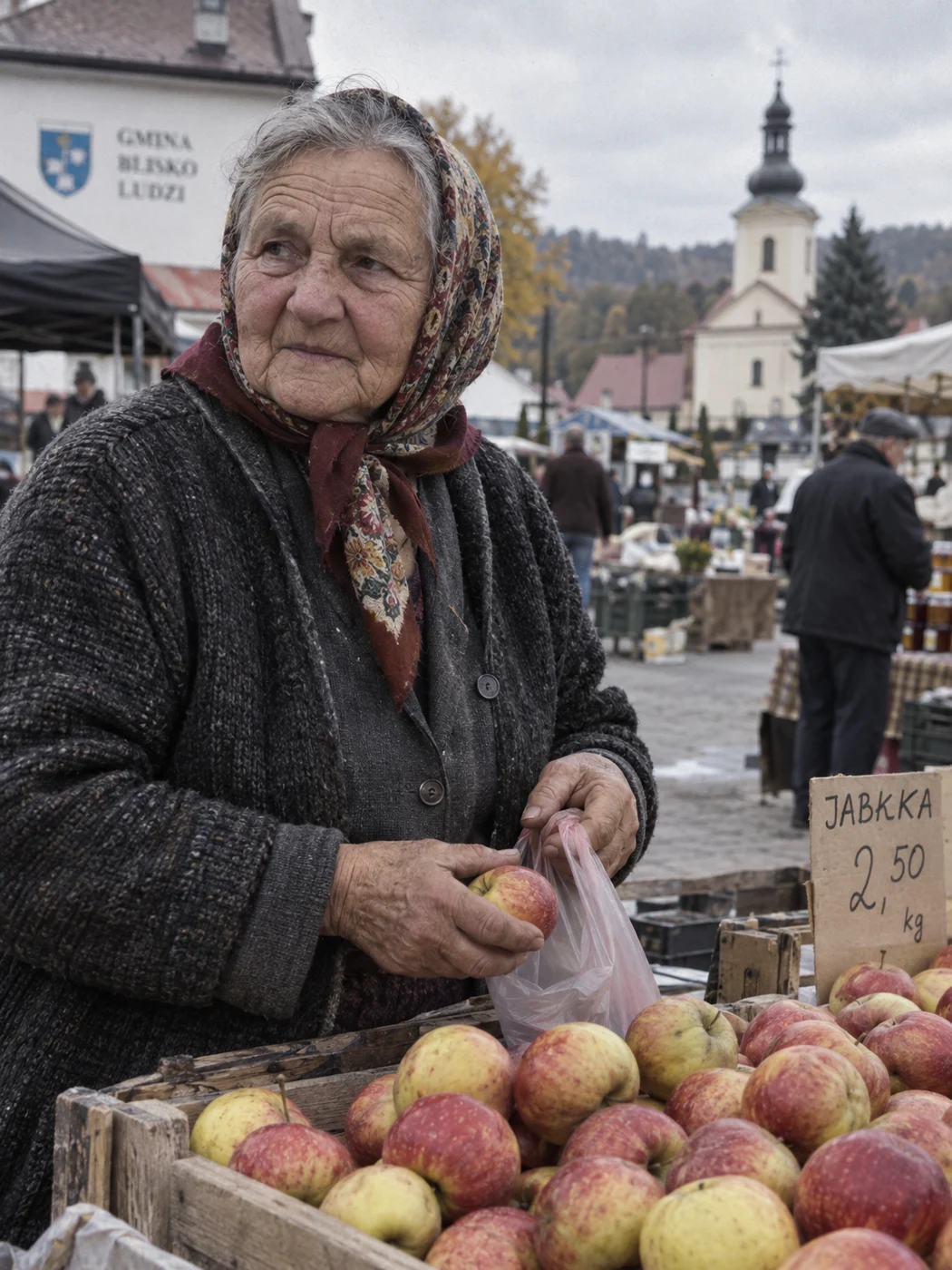
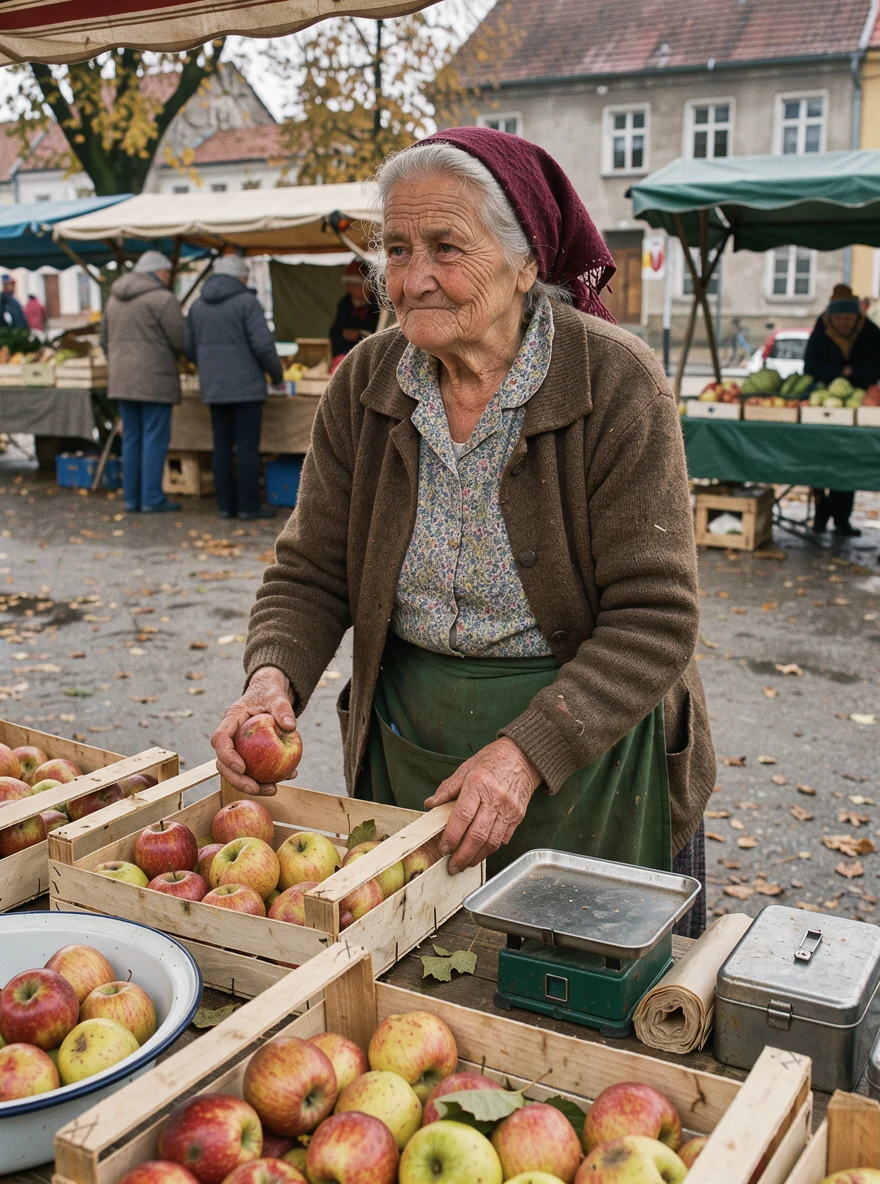
Krea gave the most cinematic color and good, weathered hands, but the woman looks almost at the lens, though we asked for a gaze beside it. The most documentary result came from Recraft.
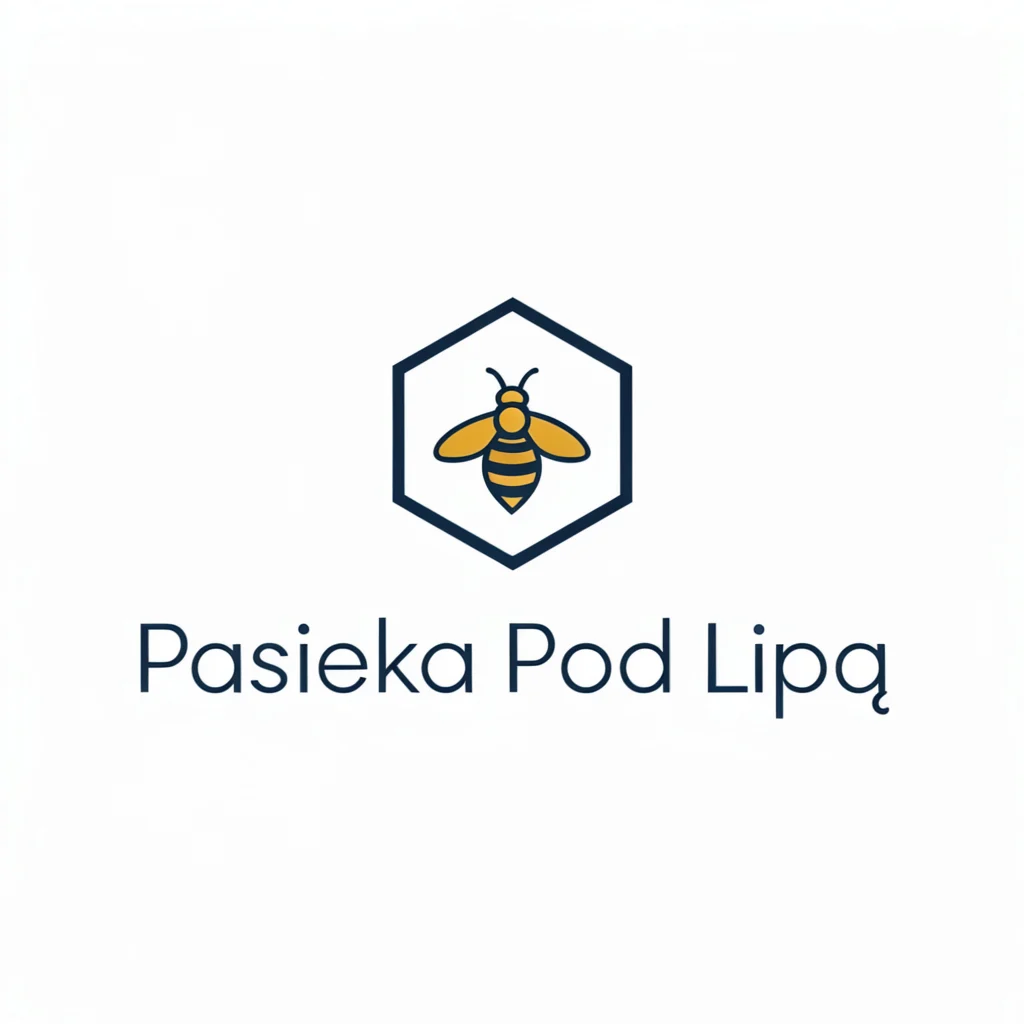
Logo and packshot
Prompt (we tested it in Polish):
Flat vector logo for family apiary “Pasieka Pod Lipą“ (Apiary Under the Linden): simple bee icon inscribed in a honeycomb hexagon, below the icon text “Pasieka Pod Lipą“. Two colors: dark navy and honey yellow, white background, no gradients and no shadows, ready for printing on jar label.

Prompt (we tested it in Polish):
Product packshot photo: 250ml bottle of dark brown glass with cream label with text “Olej lniany” (Linseed oil) and smaller “tłoczony na zimno“ (cold-pressed). Uniform light gray background, soft studio light from above and left, delicate shadow under bottle, entire product sharp, vertical framing.
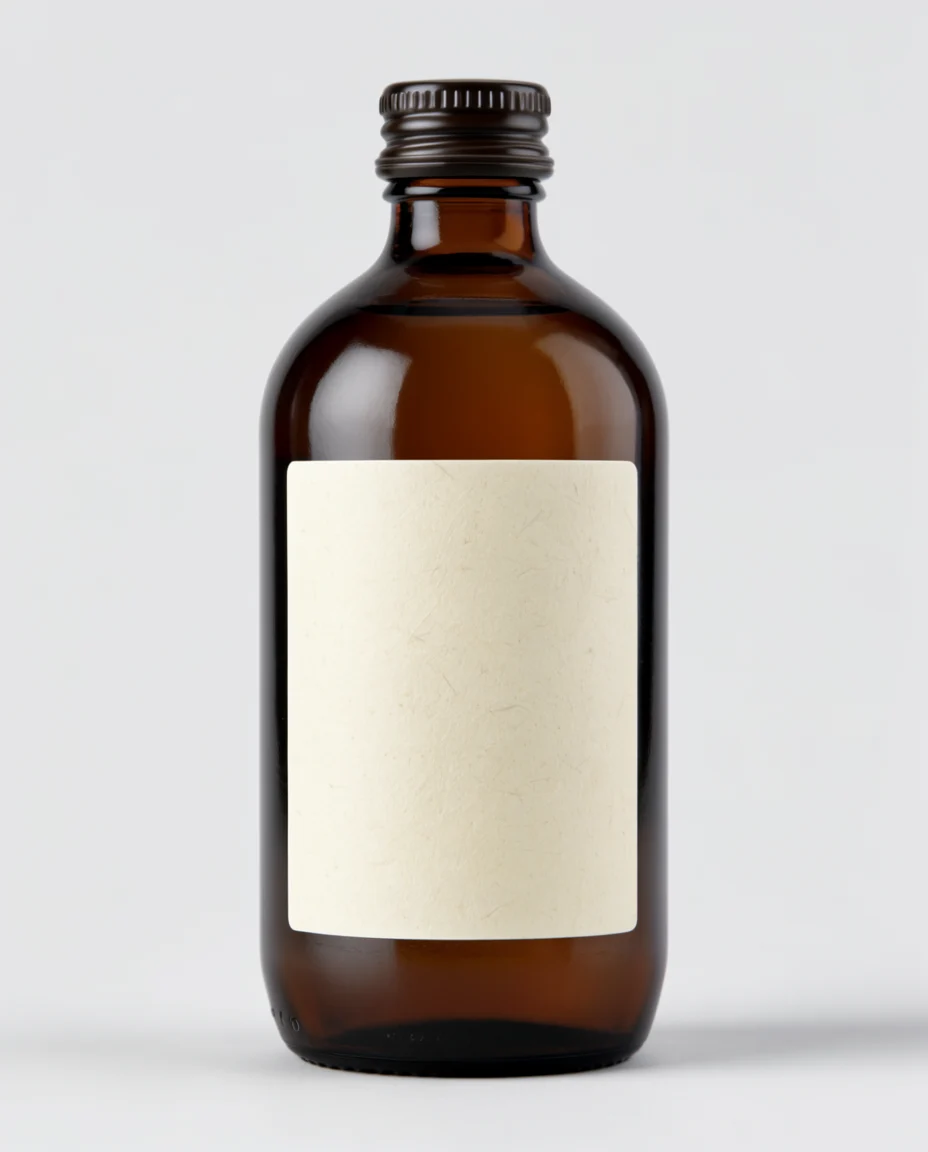

Here Krea performed worst. The logo has correct text, but the icon is small and thin, and the background is grayish instead of white. On the oil bottle, the label is blank - the model skipped both texts I requested. For product graphics with text, GPT Image or FLUX 3 is better.
| Model | Sign PL | Sign EN | Portrait | Logo | Packshot | Average | Polish text |
|---|---|---|---|---|---|---|---|
| GPT Image 2.5 Sunburst | 10 | 10 | 8.5 | 9 | 9.5 | 9.4 | 8/8 |
| FLUX 3 | 7.5 | 9 | 8 | 8.5 | 8.5 | 8.3 | 7/8 |
| Krea 2 Large | 9 | 9 | 8 | 7 | 4 | 7.4 | 7/8 |
| Recraft V4.1 | 5 | 7 | 9 | 8.5 | 7 | 7.3 | 4/8 |
All test images with scores are in the GPT Image guide. A direct comparison of Krea 2 with Ideogram, which you often ask about, is detailed in the article Krea 2 vs Ideogram 4.5.
Krea vs competitors
| Tool | Own model (AA Elo) | Cheapest plan | Free tier | Best for |
|---|---|---|---|---|
| Krea | Krea 2 Large (1026) | $9 USD | 100 daily units, commercial license | style from references, realtime, video from many models |
| Leonardo | Lucid Origin (913) | $12 USD | 150 daily tokens, public images | character series, Blueprints |
| Ideogram | Ideogram 4.5 (1013) | $20 USD (Plus) | weekly credits, public images | editing without breaking photo, typography |
| Midjourney | v7 Alpha (878), V8.2 not rated | see guide | none | aesthetics |
| ChatGPT (GPT Image) | GPT Image 2.5 (1197) | see guide | yes, with limit | Polish text, editing |
Who is Krea for
- For designers and art directors who work with moodboards and want to maintain one style across a series.
- For video creators - one subscription gives access to over 40 video models.
- For people who want to run the model themselves - Krea 2 and FLUX.1 Krea weights are open.
- Not for someone who mainly makes graphics with lots of text - GPT Image is more reliable here, and for vector logos Recraft.
Frequently asked questions
Is Krea AI free?
Yes. The Free plan gives you 100 daily compute units, all image models from the list, Enhancer to 2K, and a commercial license. The limitation is one task at a time.
How much does Krea AI cost?
Basic $9 USD, Pro $35 USD, Max $105 USD, and Business $200 USD monthly. With annual billing, Basic costs $5 USD and Pro $21 USD per month.
What is Krea 2?
The first image model that Krea built from scratch, released May 12, 2026. It has Large, Medium, and Medium Turbo versions, 1K images, and style control through references, moodboards, and sliders.
Does Krea AI work in Polish?
The interface is in English, but Polish descriptions work. In our test, Krea 2 wrote Polish text on a storefront sign flawlessly, both from a prompt in Polish and in English.
Can images from Krea be used commercially?
Yes, commercial license is included in all plans, including free.
Krea or Midjourney?
Krea has a free plan, API, open weights, and dozens of models to choose from. Midjourney has one model with recognizable aesthetics, no free plan, and no API. In the Artificial Analysis ranking, Krea 2 Large ranks higher than the rated Midjourney versions.
Can Krea 2 be run locally?
Yes. Krea released K2 Raw and K2 Turbo weights (13 billion parameters) on Hugging Face. Earlier, in July 2025, together with Black Forest Labs, it released the open FLUX.1 Krea [dev].
Google · Your sourcesQuantslant higher in your Google - one clickAdd to preferred sources →Sources and verification date
We verified the data on October 3, 2026, and performed the test the same day through OpenRouter.

More on this from QUANTSLANT
 benchmarks·How to Fool Deep RL Agents Without Knowing Their ArchitectureResearchers show that image-classification attacks fail against RL agents, but trajectory-level perturbations transfer across different algorithms.