Open WebUI with Ollama: Local ChatGPT Install and Test
Open WebUI provides a clean browser interface that replicates ChatGPT while running models entirely offline via Ollama. Here is how to install it on Windows without Docker and what performance to expect.
👁 116 reads
Open WebUI is a browser chat interface that looks and works like ChatGPT, but it communicates with models hosted directly on your computer, even without an internet connection. Under the hood, it pairs with Ollama to handle the heavy lifting while adding chat history, model switching, document querying, multi-user accounts, and custom settings. To see how it fits into the broader ecosystem of self-hosted tools, check out my complete guide to local AI models for text, image, and video. On 17 October 2026, I updated Open WebUI to version 0.12.3 with a single command - avoiding Docker entirely - and benchmarked chat interactions alongside document retrieval on my RTX 4090 rig.
As of 17 October 2026
- Latest release: Open WebUI 0.12.3 from 16 October 2026 (the 0.12 series debuted on 10 October).
- Requires Python 3.11 or 3.12 (it does not run on Python 3.13). I manage the environment via
uv, which provisions the required version automatically. - Licensing: Governed by the “Open WebUI License” (BSD-3 terms paired with branding clauses that prohibit removing the Open WebUI name and logo without permission, allowed only under 50 monthly active users or via commercial agreement). It is free to use, including for businesses.
- Disk footprint: 1.8 GB without models. The running server consumes around 800 MB of system RAM.
What Is Open WebUI and Open WebUI Ollama Integration?
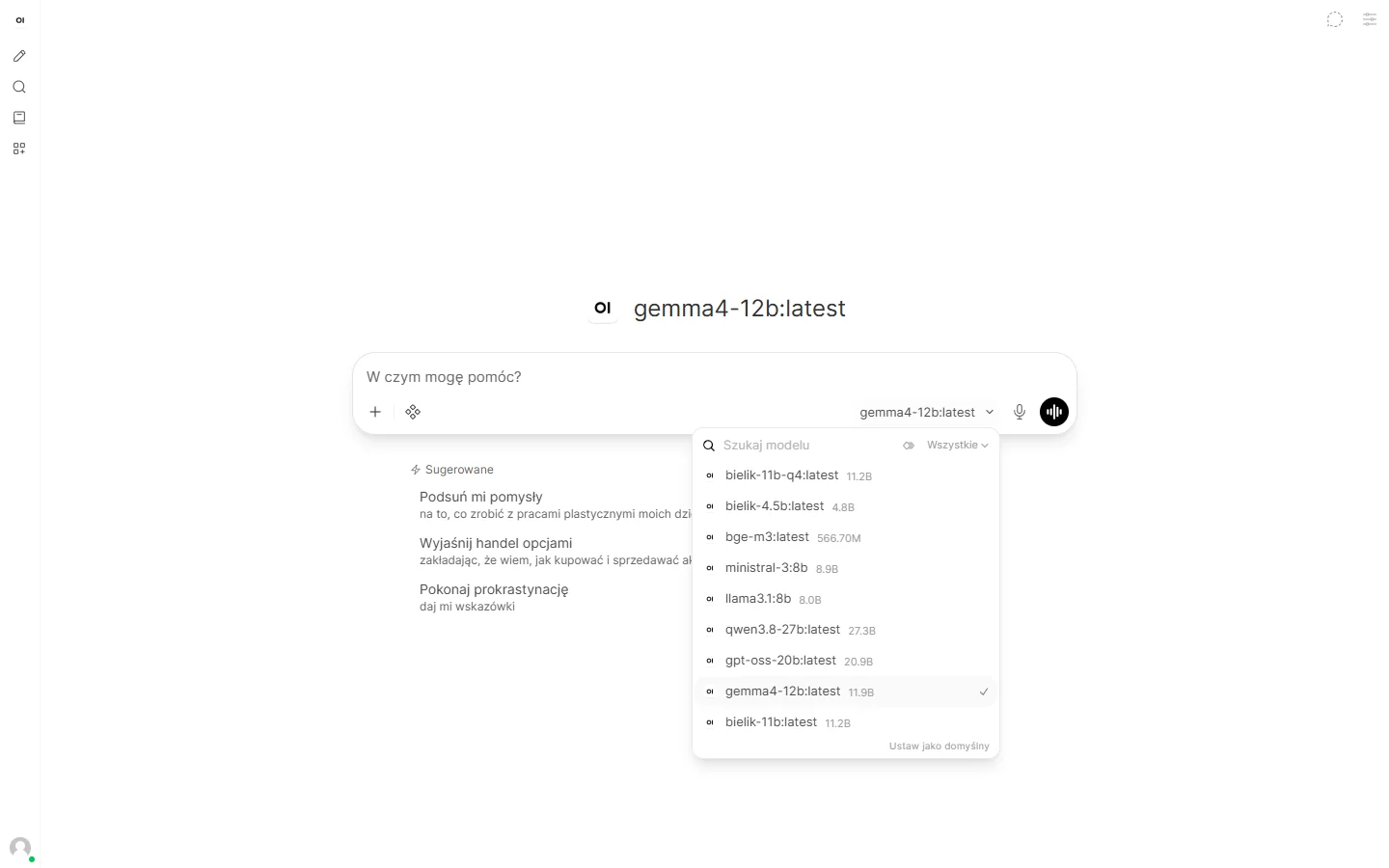
Open WebUI functions as an independent web server frontend. You launch it locally and access it in your web browser at http://localhost:8080. The application itself does not perform model inference. Instead, it forwards your prompts to an inference backend such as Ollama or any OpenAI-compatible API (including LM Studio or llama.cpp) and streams back the generated tokens. Compared to running raw Ollama in a terminal, it provides several key features:
- Complete conversation histories, nested folders, full-text search, and chat export options.
- Direct model switching and side-by-side prompt comparisons across two models simultaneously.
- Native file uploads and vector knowledge bases for chatting with your documents (RAG).
- Multi-user role management and access permissions for shared home or office hardware.
- Automatic interface language localization matching your browser environment.
Step-by-Step Installation on Windows (No Docker)
While Docker is often recommended in official documentation, you can install Open WebUI natively on Windows using Astral’s uv Python manager. This avoids container overhead and simplifies hardware passthrough.
- Install Ollama and fetch your model: If you have not configured Ollama yet, consult my guide on Ollama install, commands, and best models. For my benchmarks, I loaded Gemma 4 12B (Q4_0 QAT file, 7.0 GB).
- Install uv: Run the following in your terminal:
winget install astral-sh.uv - Install Open WebUI via uv: Install it as an isolated tool locked to Python 3.11:
uv tool install --python 3.11 open-webuiOn my system, the initial installation on 3 October completed in 59 seconds. Upgrading from 0.11.4 to 0.12.3 via
uv tool upgrade open-webuitook 1 minute and 55 seconds. - Launch the server: For a single-user environment without login friction, configure the environment variables and boot the service:
$env:WEBUI_AUTH = "False"
$env:DATA_DIR = "$HOME\open-webui-dane"
open-webui serve --host 127.0.0.1 --port 8080
Setting
WEBUI_AUTH=Falsedisables the login screen,DATA_DIRsets the local storage directory for conversation history and settings, and--host 127.0.0.1restricts connections strictly to your local machine. - Refresh shell paths if needed: If PowerShell fails to locate the executable, run
uv tool update-shellonce and open a new terminal window. - Wait for the initial build: With a blank data directory, the initial launch took 81 seconds on my test bench, while subsequent clean starts took 31 seconds.
- Open your browser: Navigate to
http://localhost:8080. If Ollama is running in the background, your installed models appear in the model selection dropdown immediately.
If you require multi-user access across your local network, omit the WEBUI_AUTH=False parameter (the application will prompt you to create a local administrator account on first load) and launch the server using --host 0.0.0.0.
Testing Local ChatGPT with Gemma 4 12B
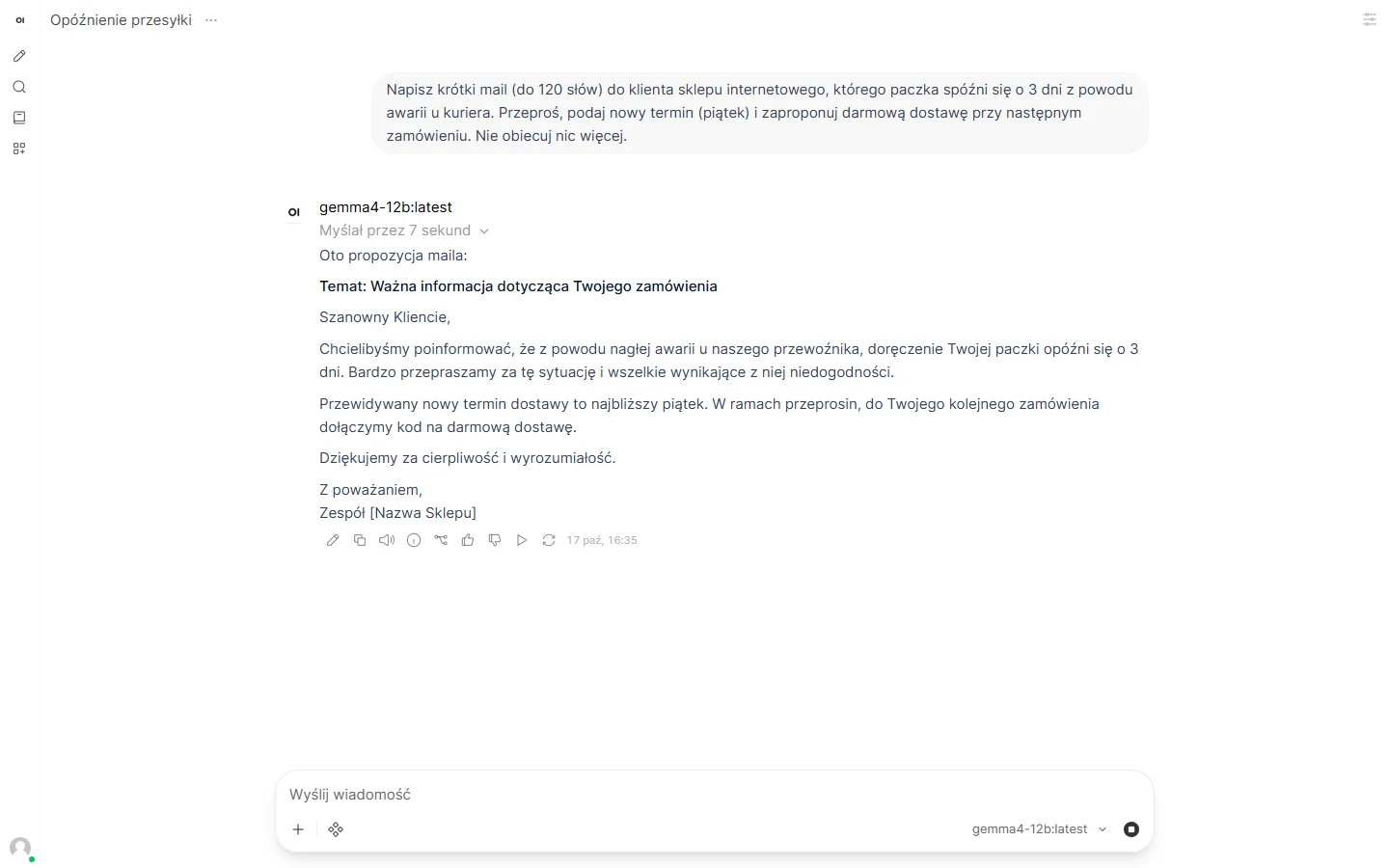
To evaluate inference overhead compared to terminal execution, I connected Open WebUI to Ollama 0.40.5 on an Intel Core i9-14900KF system with an RTX 4090 24 GB running Windows 11. I tested a standard prompt: drafting a polite customer support email regarding a delayed shipment with three specific constraints. Gemma 4 12B paused to think for 7 seconds, then produced a flawless response containing all requested details: an apology, a revised delivery date for Friday, and free shipping on the customer’s next order.
| Metric (17.10.2026) | Open WebUI | Ollama Terminal |
|---|---|---|
| First response time (disk load) | 36.8 s | - |
| Model load portion | 19.9 s | - |
| Subsequent response time | 17.4 s | 12.4 s |
| Generation speed | 80-85 tok/s | 91.3 tok/s |
| Prompt tokens processed | 5694 | 95 |
| Peak GPU VRAM usage | 9.7 GB | - |
Because my models are stored on an external USB drive, the initial load from disk accounted for nearly 20 seconds. Prior to loading, my GPU had 1.4 GB allocated to the operating system, meaning the active model and context occupied roughly 8.4 GB of VRAM.
The standout difference lies in the prompt token count: 95 tokens in bare Ollama versus 5694 tokens in Open WebUI. Starting in version 0.12, the interface injects full tool descriptions (memory, internal notes, chat search, and file retrieval capabilities) into the system prompt for every interaction. On a high-end 24 GB card, this 5600-token overhead merely adds a brief delay and reduces generation speed by roughly 10%. On an 8 GB graphics card, however, this additional context can easily push memory usage over the edge into system RAM spillover. These built-in system tools can be toggled off inside the model settings menu.
Document Retrieval: Chat with a PDF Test
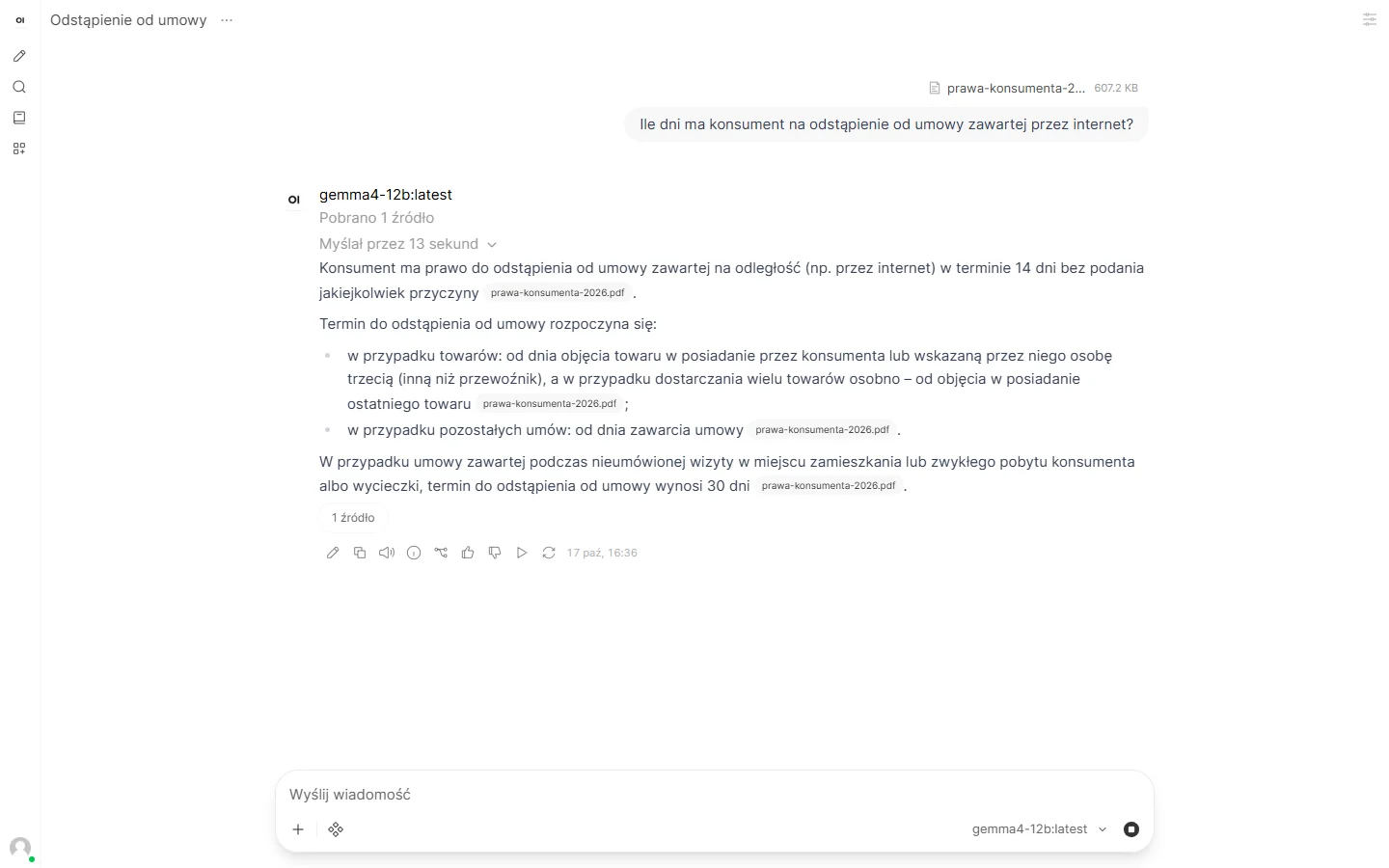
Open WebUI includes an integrated Retrieval-Augmented Generation (RAG) pipeline. It splits uploaded files into chunks, converts them into embeddings, and injects the most relevant excerpts into the context window whenever you ask a question. Out of the box, it relies on the English-centric all-MiniLM-L6-v2 embedding model. For multi-language accuracy, I switched the embedding engine to Ollama’s bge-m3 model (1.2 GB download).
To configure this, pull the model via ollama pull bge-m3, open Open WebUI settings, navigate to the Admin Settings panel under Documents, change the embedding engine to Ollama, and enter bge-m3:latest as the target model. Existing documents must be re-indexed after modifying embedding settings.
For testing, I uploaded a statutory consumer rights document (a 607 KB PDF). Indexing completed in 6.6 seconds. I then submitted 10 factual questions based strictly on the text, matching an evaluation I previously ran against a custom Python RAG pipeline.
| Setup | Factual Accuracy | Notes |
|---|---|---|
| Open WebUI 0.12.3 + bge-m3 | 8 / 10 | Standard chunking; missed 2 specific thresholds |
| Custom RAG script (03.10.2026) | 9 / 10 | Document split cleanly by legal article sections |
| Gemma 4 12B without document | 5 / 10 | Baseline general knowledge test |
In the two instances where Open WebUI failed to supply the answer (a return deadline and a 50-unit monetary threshold), the model accurately stated that the requested details were not present in the retrieved chunks rather than hallucinating. Response generation took between 12 and 39 seconds per query (the initial run required 76 seconds to load both the embedding model and LLM weights). Running Gemma 4 12B alongside bge-m3 pushed peak VRAM usage to 10.8 GB.
Automated Startup Script for Windows
To simplify recurring launches, this PowerShell script validates whether Ollama is active, pulls necessary prerequisites (such as uv, Open WebUI, and bge-m3) if missing, applies single-user privacy flags, and launches the server. When I verified this on 17 October 2026 using Windows PowerShell with an empty data folder, the server initialization finished in 31 seconds. Launch it via powershell -ExecutionPolicy Bypass -File .\open-webui-start.ps1 and stop it at any time with Ctrl+C.
# open-webui-start.ps1 - installs (if needed) and launches Open WebUI with Ollama on Windows 10/11.
# Usage: powershell -ExecutionPolicy Bypass -File .\open-webui-start.ps1
param(
    [string]$Folder = "$HOME\open-webui-dane",
    [int]$Port = 8080,
    [switch]$BezPrzegladarki
)
$ErrorActionPreference = 'Stop'

function Test-Url($u) {
    try { Invoke-RestMethod -Uri $u -TimeoutSec 3 | Out-Null; return $true } catch { return $false }
}

# 1. Ollama must be installed and running
if (-not (Get-Command ollama -ErrorAction SilentlyContinue)) {
    Write-Host 'Missing Ollama. Install it via: winget install Ollama.Ollama' -ForegroundColor Red
    exit 1
}
if (-not (Test-Url 'http://127.0.0.1:11434/api/version')) {
    Write-Host 'Ollama is not responding. Start Ollama and try again.' -ForegroundColor Red
    exit 1
}

# 2. uv manages Python automatically
if (-not (Get-Command uv -ErrorAction SilentlyContinue)) {
    Write-Host 'Installing uv...'
    winget install --id astral-sh.uv -e
    $env:Path = [Environment]::GetEnvironmentVariable('Path', 'User') + ';' + [Environment]::GetEnvironmentVariable('Path', 'Machine')
}

# 3. Open WebUI standalone tool
$exe = Join-Path $HOME '.local\bin\open-webui.exe'
if (-not (Test-Path $exe)) {
    Write-Host 'Installing Open WebUI (approx 1.8 GB)...'
    uv tool install --python 3.11 open-webui
}

# 4. Pull document embedding model
$modele = @((Invoke-RestMethod -Uri 'http://127.0.0.1:11434/api/tags').models | ForEach-Object { $_.name })
if ($modele -notcontains 'bge-m3:latest') {
    Write-Host 'Downloading bge-m3 (1.2 GB)...'
    ollama pull bge-m3
}

# 5. Environment configuration: single user, offline-first, no analytics
New-Item -ItemType Directory -Force -Path $Folder | Out-Null
$env:DATA_DIR = $Folder
$env:WEBUI_AUTH = 'False'
$env:OLLAMA_BASE_URL = 'http://127.0.0.1:11434'
$env:ENABLE_OPENAI_API = 'False'
$env:RAG_EMBEDDING_ENGINE = 'ollama'
$env:RAG_EMBEDDING_MODEL = 'bge-m3:latest'
$env:ANONYMIZED_TELEMETRY = 'false'
$env:DO_NOT_TRACK = 'true'
$env:SCARF_NO_ANALYTICS = 'true'
$env:PYTHONIOENCODING = 'utf-8'

# 6. Launch server
Write-Host "Starting Open WebUI on http://localhost:$Port..."
$p = Start-Process -FilePath $exe -ArgumentList @('serve', '--host', '127.0.0.1', '--port', "$Port") -NoNewWindow -PassThru
Comparing Open WebUI vs LM Studio vs Jan
Choosing an offline interface depends primarily on whether you need multi-client access or a standalone desktop window.
| Feature | Open WebUI | LM Studio | Jan |
|---|---|---|---|
| Application Form | Browser Web App | Desktop GUI | Desktop GUI |
| Inference Backend | Ollama or any API | Proprietary internal | Internal llama.cpp |
| Multi-User / Network | Yes | No | No |
| Setup Complexity | Terminal command | Installer executable | Installer executable |
| Software License | Open WebUI License | Free, closed-source | Apache 2.0 |
- Open WebUI: Best if you want a complete ChatGPT replica with chat tagging, RAG pipelines, and multi-user access across a local network from a central machine.
- LM Studio: Best if you prefer a self-contained window application with integrated model downloading and hardware offloading sliders.
- Jan: Best for users wanting an open-source, desktop-native wrapper that does not require command-line setup.
Troubleshooting Common Problems
- Python 3.13 is not supported: Install via
uv tool install --python 3.11 open-webui. Theuvutility will isolate the 3.11 runtime without modifying your global environment. - Empty model dropdown: Ollama is either not running or bound to another port. Verify via
ollama listand set theOLLAMA_BASE_URLvariable to point to your running endpoint. - Port 8080 collision: If another local service uses the default port, append
--port 8081to your startup flags. - Lower token output speeds: The injected 0.12 system tools expand prompt tokens dramatically. In addition, post-processing routines (auto-generating chat titles, tags, and suggested followup prompts) can consume inference cycles. These tasks can be deactivated in the admin interface under Interface.
Frequently Asked Questions
Is Open WebUI free to use commercially?
Yes, Open WebUI is free for individual and commercial deployments. A commercial enterprise license is only required if you intend to rebrand the interface by removing the Open WebUI logo and name for user groups exceeding 50 monthly active users.
Can Open WebUI function entirely as a ChatGPT offline replacement?
Yes, running Open WebUI with Ollama operates entirely offline once installed. Prompts never leave your computer, and you can explicitly add the OFFLINE_MODE=True environment variable to halt update checks and remote resource loading.
How do I connect Open WebUI to Ollama?
When running on the same computer, no configuration is required; Open WebUI detects Ollama at http://127.0.0.1:11434 automatically. For instances running on separate local network nodes, specify the target IP in the OLLAMA_BASE_URL environment variable.
Is Docker mandatory to install Open WebUI?
No, Docker is completely optional. Installing through the uv package manager creates an isolated native environment on Windows without virtualization overhead.
Can I route external cloud APIs through Open WebUI?
Yes, you can configure standard OpenAI-compatible API base URLs and API keys inside the connection settings. While this lets you query cloud endpoints, those requests will communicate over the internet and incur token billing.
How do I update Open WebUI installed via uv?
Simply run uv tool upgrade open-webui in your terminal. Your chat history, embeddings, and user profiles stored in your designated DATA_DIR folder remain untouched across updates.
Sources and Review Date
- Open WebUI GitHub Releases (v0.12.0 on 10.10.2026, v0.12.3 on 16.10.2026).
- Open WebUI License Agreement and repository license terms.
- Open WebUI Quick Start Documentation.
- open-webui on PyPI.
- Hardware benchmarks and local verification: Windows 11, RTX 4090 24 GB, Ollama 0.40.5, Open WebUI 0.12.3, 17 October 2026.
Checked on 17 October 2026.


More on this from QUANTSLANT

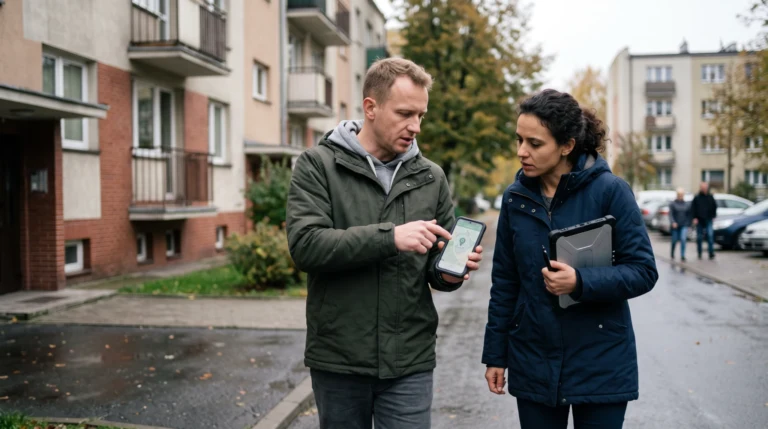 state of ai·Raven AI Can Locate Your Home From One PhotoRaven can reportedly identify a building from a single indoor photo. Here’s what that means for privacy, law enforcement and your safety.