1980s AI Photos: Complete Prompt & 10 Examples That Work
Why most attempts look like cyberpunk and what to change in your prompt. Complete text to copy and ten camera-film combinations that deliver the era.
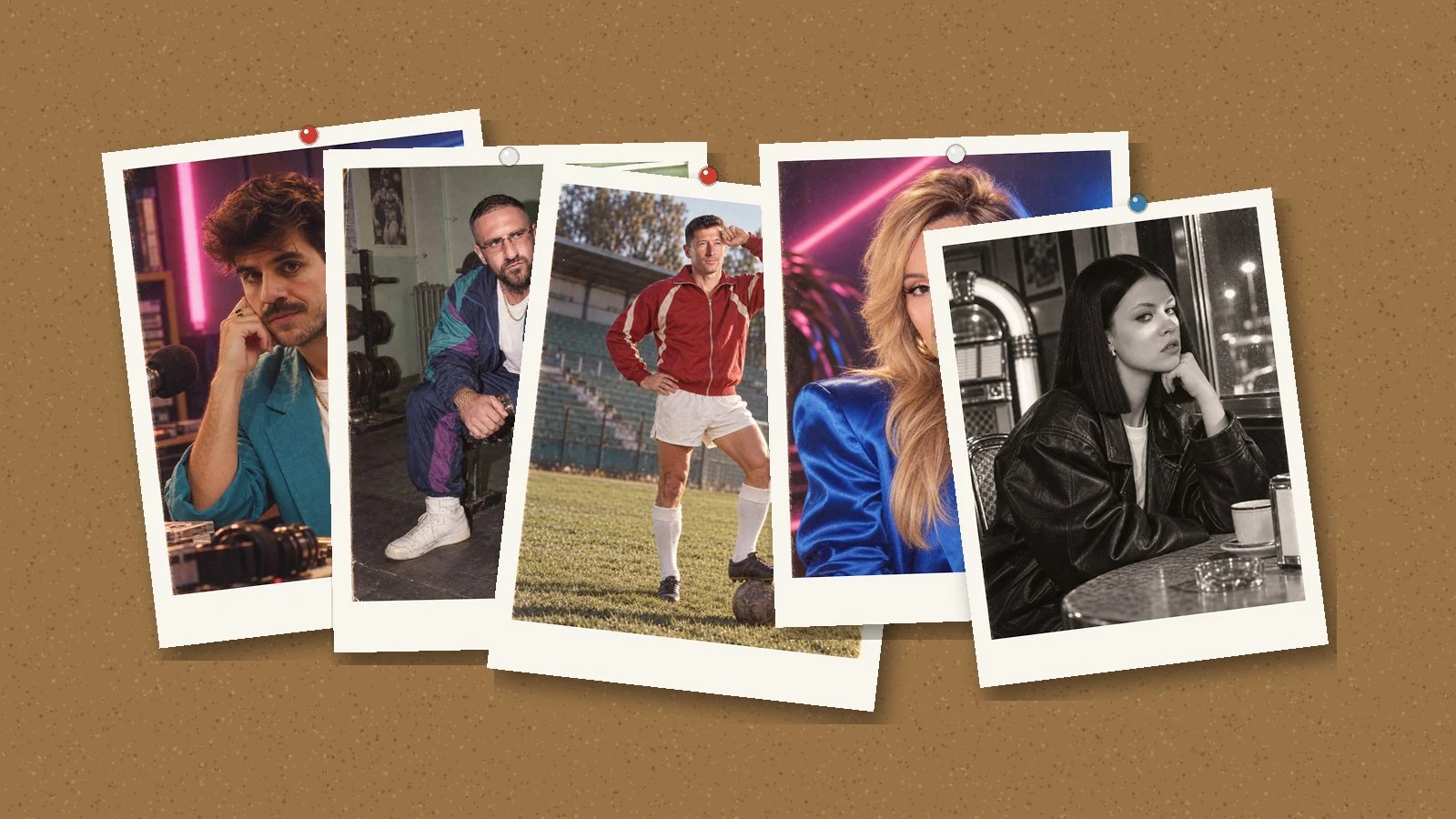
👁 119 reads
AI-generated photos “transported to the 1980s” are flooding Instagram right now, and most of them look equally bad: purple fog, glowing strips, faces like cream commercials. That’s not the 1980s - that’s cyberpunk. The difference comes down to a few sentences in your prompt, and below we show you exactly which ones, across ten frames made this way.
We’ve collected all guides on photo transformations (90s, prompts, mobile tools) on the AI photo trends page.
The basics - what photos to prepare and how to upload them - we covered in the guide to transforming photos in AI. Here we focus on what’s specific to this era.
Why You Get Cyberpunk Instead of the 1980s
Because the word “neon” means something different to the generator. By default it adds LED strips, fog and gradients - the aesthetic of future-set films from the 2000s. In the real 1980s, colored light came from fluorescent tubes, tungsten bulbs and camera flash, and the color came from film stock, not post-production.
The fix is simple: don’t write about “neon glow,” write about a specific lamp standing in the frame. “Magenta fluorescent tube behind the left shoulder and blue one on the wall” works; “neon vibe” doesn’t.
Complete Prompt
Ready to copy in full. First upload two face photos, then one reference photo for period styling, and only then paste this text.
Create ONE original fictional photorealistic 1980s portrait of the person
from my reference photos. Exact vertical 4:5 standalone photo at highest
available resolution.

INPUT ROLES: the first TWO photos are IDENTITY references only: preserve
this person's current adult facial likeness, body build and distinctive
features. The LAST photo is a STYLE reference only: borrow the authentic
decade, the analog print feeling and the practical colorful light, never
copy that person's face or exact composition.

This is a present-day person imaginatively transported to the 1980s, NOT a
historical claim and NOT a photo of them as a child.

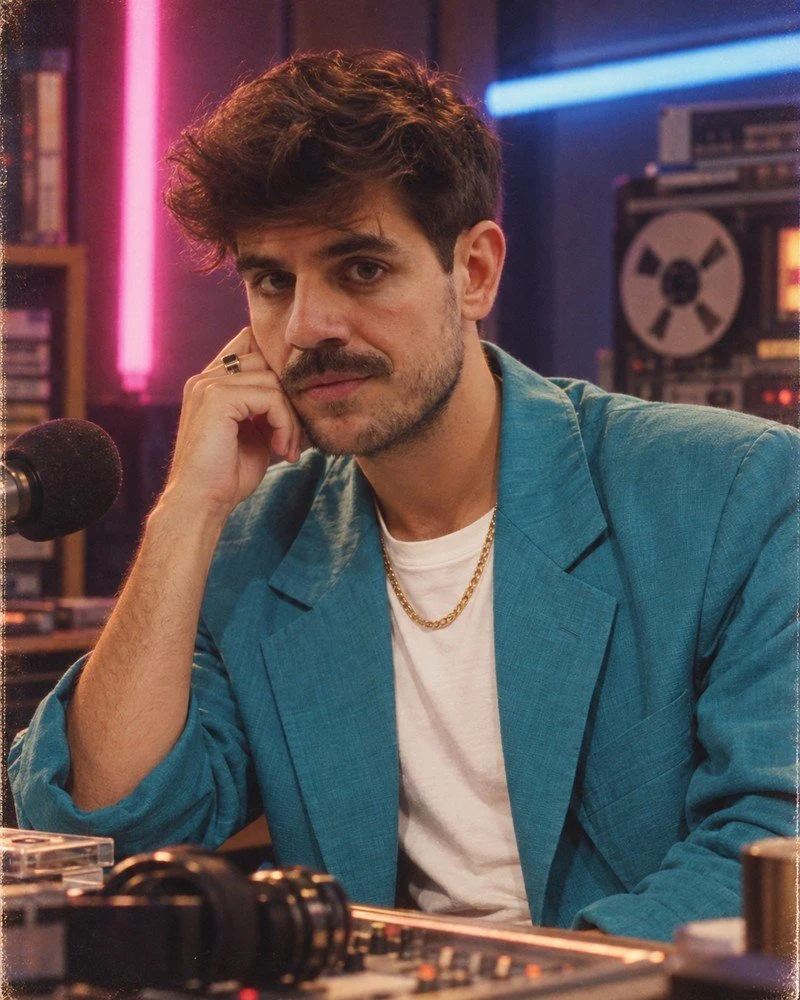
PERSON AND SCENE: 1986 promotional portrait in a small late-night radio
studio. Waist-up. Loose turquoise blazer over a white crewneck, thin gold
chain, hair swept into a modest 80s quiff. A real magenta fluorescent tube
behind the left shoulder and a blue tube on the wall, a bulky tape deck
blurred on the right. Warm soft tungsten key light on the face so the skin
keeps its natural color, subtle film halation only around the lamps.
Caught just after a dry joke: a slight asymmetric closed-mouth smile,
looking at the photographer. Three quarter shoulders, relaxed sitting
posture. All clothing opaque.

Intended visual medium: Nikon F3 / 85mm / Kodak Ektachrome.

Keep the true current identity despite the period hairstyle and clothing.
New composition, lifelike caught expression, ordinary skin texture and
pores, small asymmetries, slightly imperfect exposure and framing. Correct
hands and contact shadows. The picture must feel like a scanned real 1980s
photograph.

Do not confuse retro with futuristic cyberpunk: no modern LED strips, no
neon fog, no computer-generated gradients, no HDR, no excessive clarity, no
porcelain faces, no generic model features. No text, captions, dates,
numbers, logos, watermarks, borders, collage or split-screen. No readable
writing on any prop. Never invent tattoos; where covered, leave covered.
One single photograph.
You swap two things: the scene description after PERSON AND SCENE and the Intended visual medium line. The rest are safeguards and should stay.
Ten Frames and What Worked in Each
All images are AI-generated. Camera names describe the intended aesthetic, not equipment that was actually used. None of these frames ever existed.
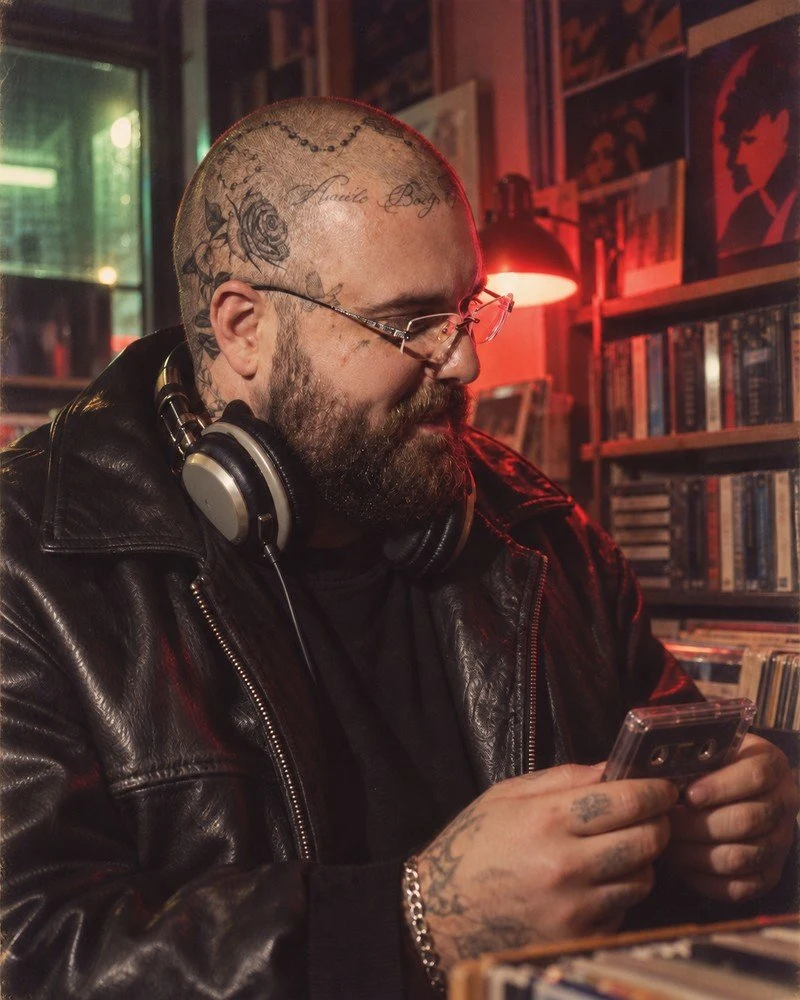
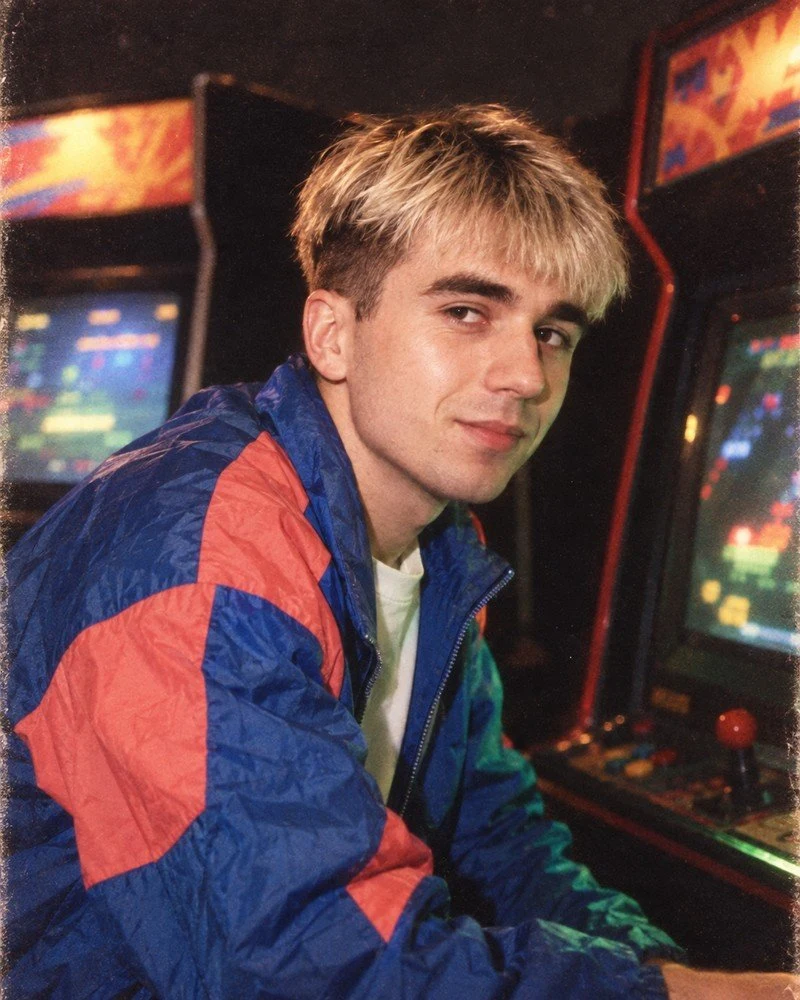
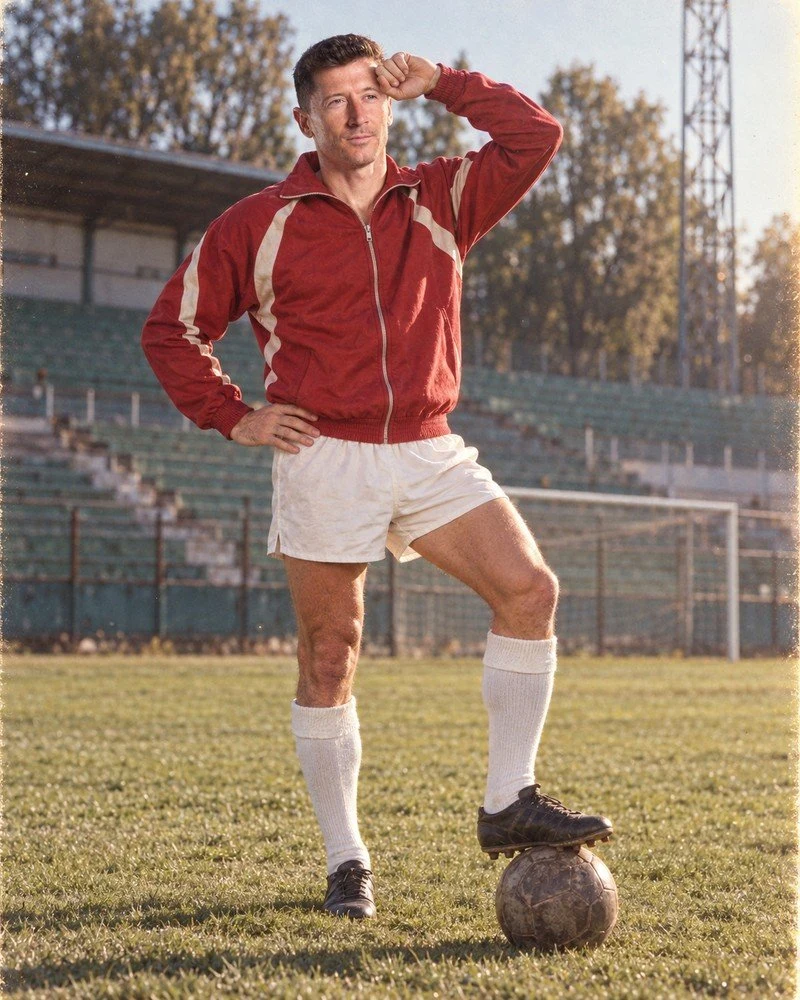
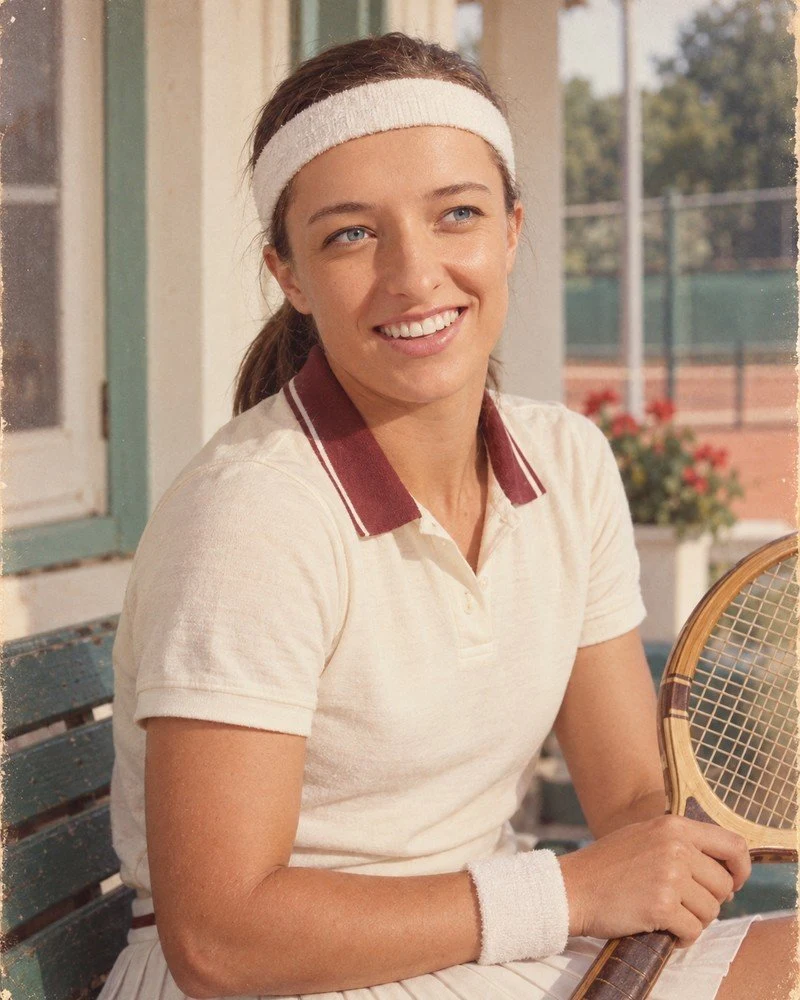
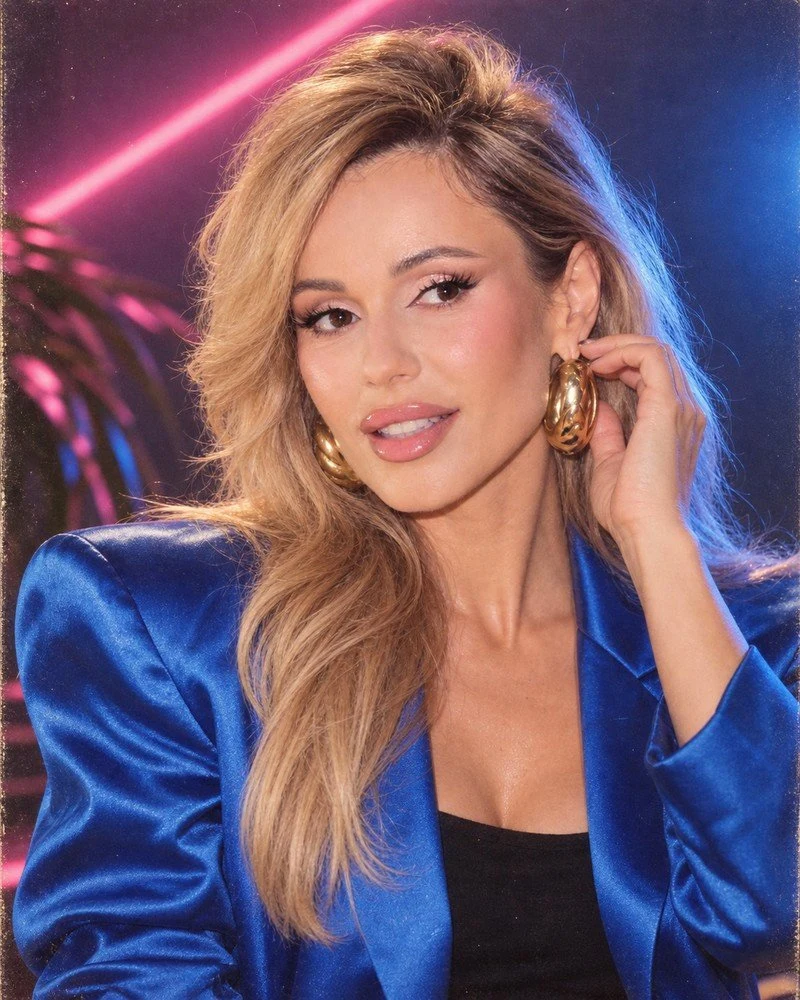
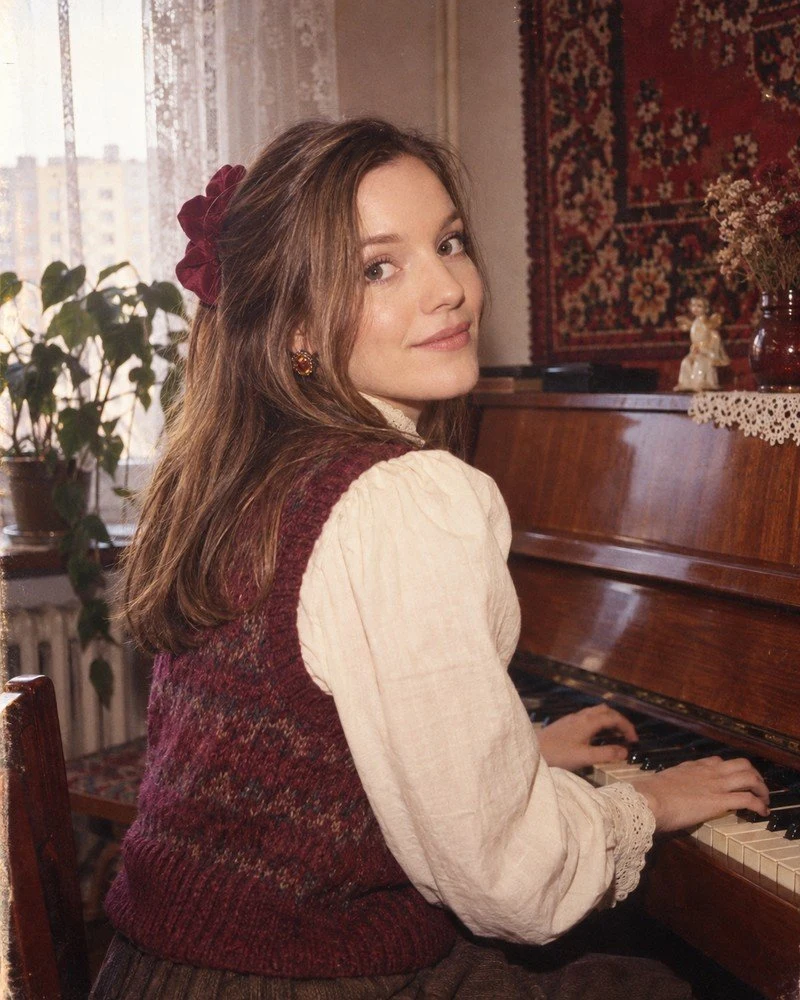
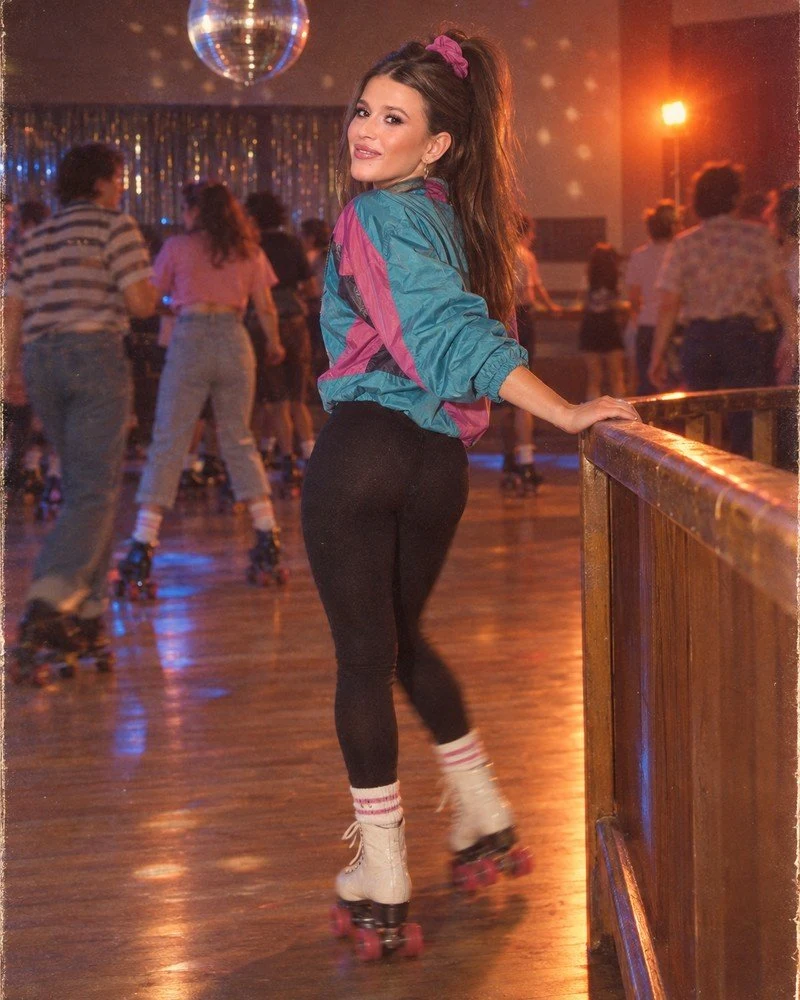
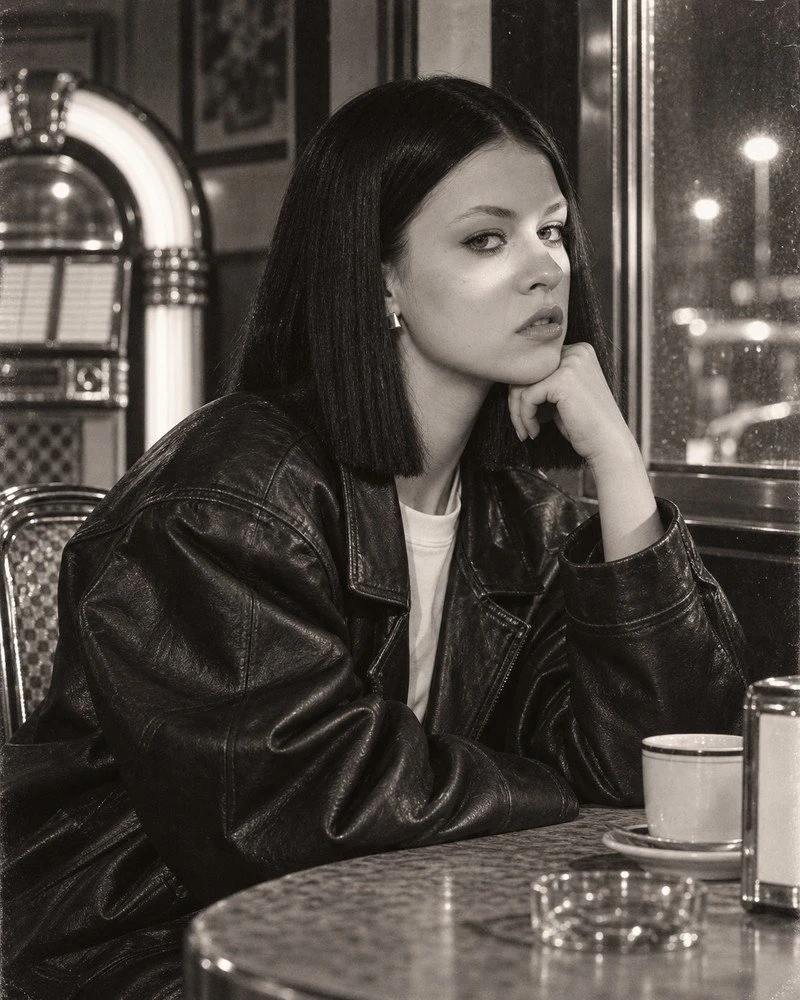
Ten Camera and Film Combinations
The simplest way to change the character of the photo without touching the rest of the prompt. Film name carries information about color and grain, so one line replaces a paragraph of description.
| Effect you want | Enter in “Intended visual medium” |
|---|---|
| Neon indoor portrait | Nikon F3 / 85mm / Kodak Ektachrome |
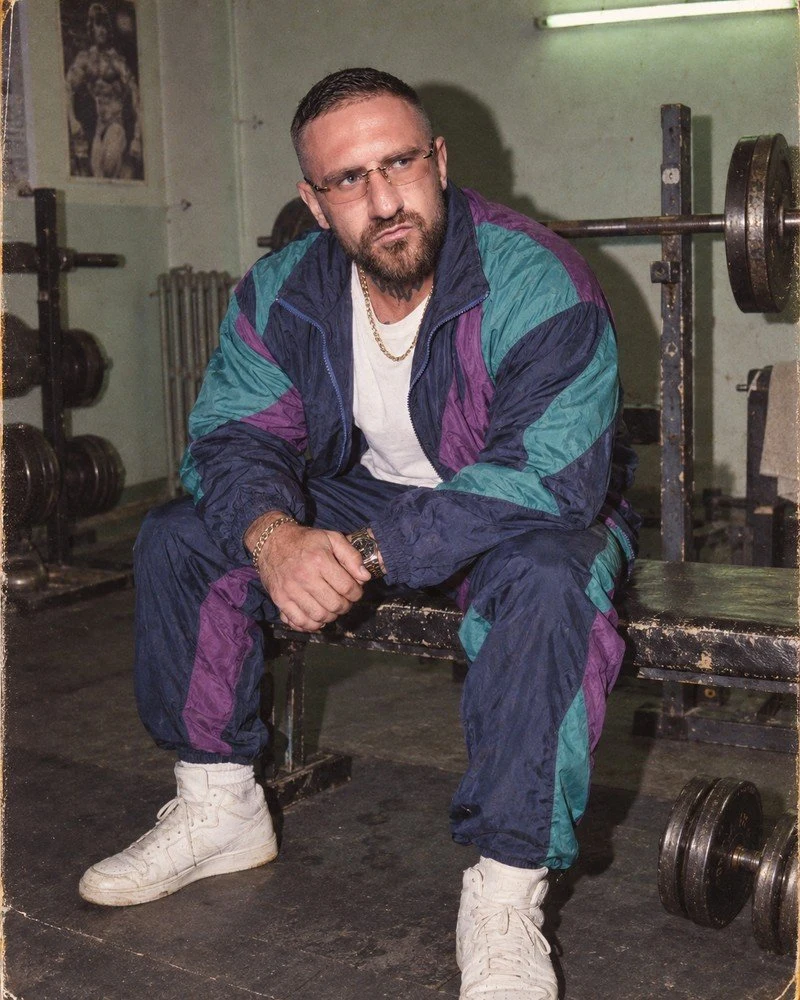
| Raw flash, housing estate vibe | Canon T90 / 35mm / Fujicolor 400 |
| Saturated reds, music vibe | Minolta 7000 / 50mm / Agfachrome 200 |
| Dark night scene, visible grain | Olympus OM-2n / 50mm / Kodak VR 1000 |
| Full sun, vivid colors | Pentax LX / 135mm / Kodak Kodachrome 64 |
| Pastel, calm colors | Mamiya RB67 / 127mm / Kodak Vericolor III |
| Studio gloss, star portrait | Hasselblad 500 C/M / 150mm / Ektachrome 100 |
| Home print from compact | Yashica T2 / 35mm / Fujicolor HR 200 |
| Party, movement, flash | Fujica GW690 / 90mm / Kodak Gold 400 |
| Black and white with grain | Rolleiflex 6008 / 80mm / Ilford HP5 |
1980s Couples and Family Photos: Multiple People in One Frame
For a group portrait, we first establish who should remain in the photo and where they stand. Only then do we describe clothing and lighting. The frames below are AI illustrations, not archival photographs or measurements of prompt effectiveness.
Group Photo as Positioning Map
The best reference for positioning is a group photo: it shows the order of people, relative scale, poses and distances. In the prompt we explain that left and right sides mean the sides of the image as seen by the viewer. If we add face close-ups, we describe which person each belongs to. We don’t assume that attachment order alone is enough.
Close-ups serve to show features, while the group frame preserves the arrangement. We don’t use a photo of a stranger’s family as an undescribed style reference, because we don’t want to transfer their people to our scene. With separate portraits we don’t draw conclusions about height from head size in frame. When we don’t know standing figure proportions, we choose a simple seated pose instead of inventing height differences.
Ready Prompt for Couples
After uploading a group photo, we paste the prompt. Preserving two specific people is more important than adding dramatic gestures.
Based on the attached group photo, create a fictional photograph of a couple styled for the 1980s. Keep both people and their current age. Left and right sides mean the sides of the image as seen by the viewer.

The person on the left stays on the left, and the person on the right stays on the right. Do not mix features, hairstyles, glasses or facial hair. Keep the height difference and body proportions visible in the original. Do not make faces younger or more beautiful.

Keep the head positions and expressions from the reference. Position the couple close together, but without new embraces and intertwined hands. Each hand must belong to the correct person. If hands are not visible in the original, do not add complicated gestures.

Change clothing to simple sweaters and the setting to an ordinary room with a curtain. Home photograph with direct flash, natural skin, moderate contrast and subtle print texture. No neon fog, rejuvenation, text or date stamps. Preserving identity is more important than styling.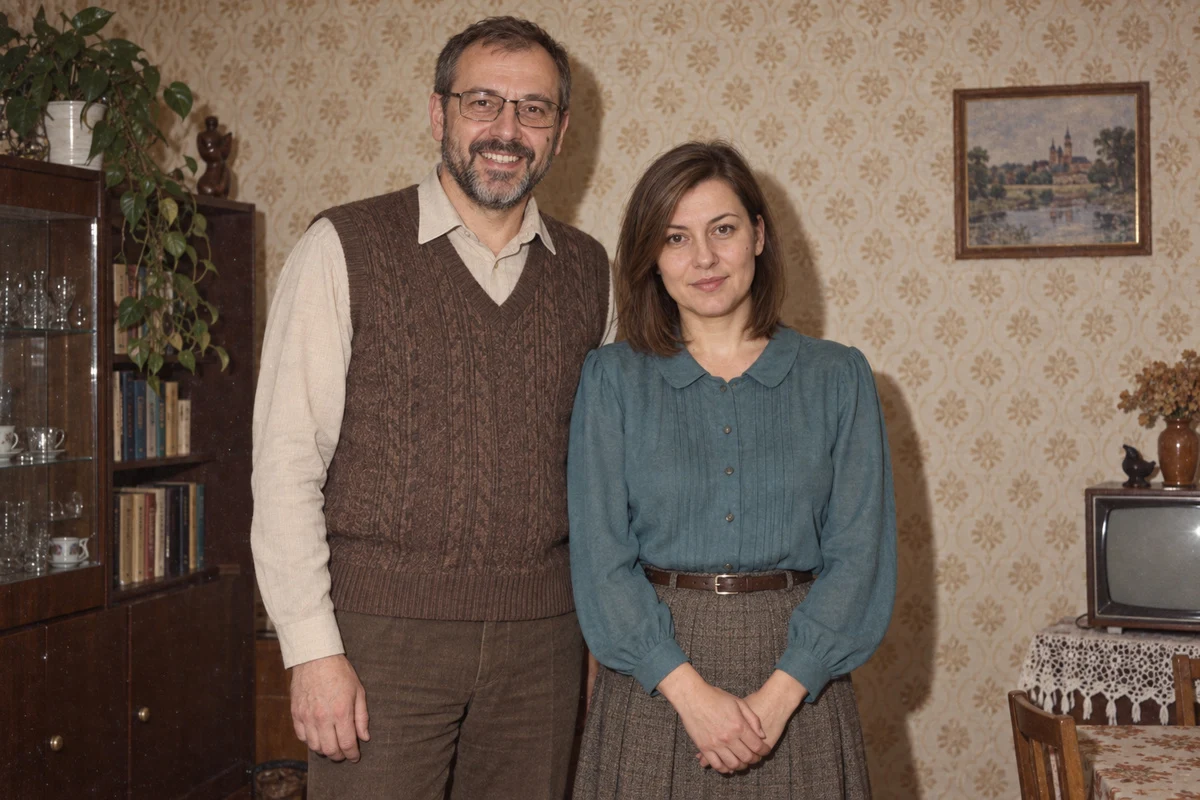
Age, Height and Order of People
Simply stating “parents with children” doesn’t replace information visible in the original. We preserve age, height differences, sitting and standing positions, and who is in front of whom. We don’t compare head heights without considering pose and distance from camera.
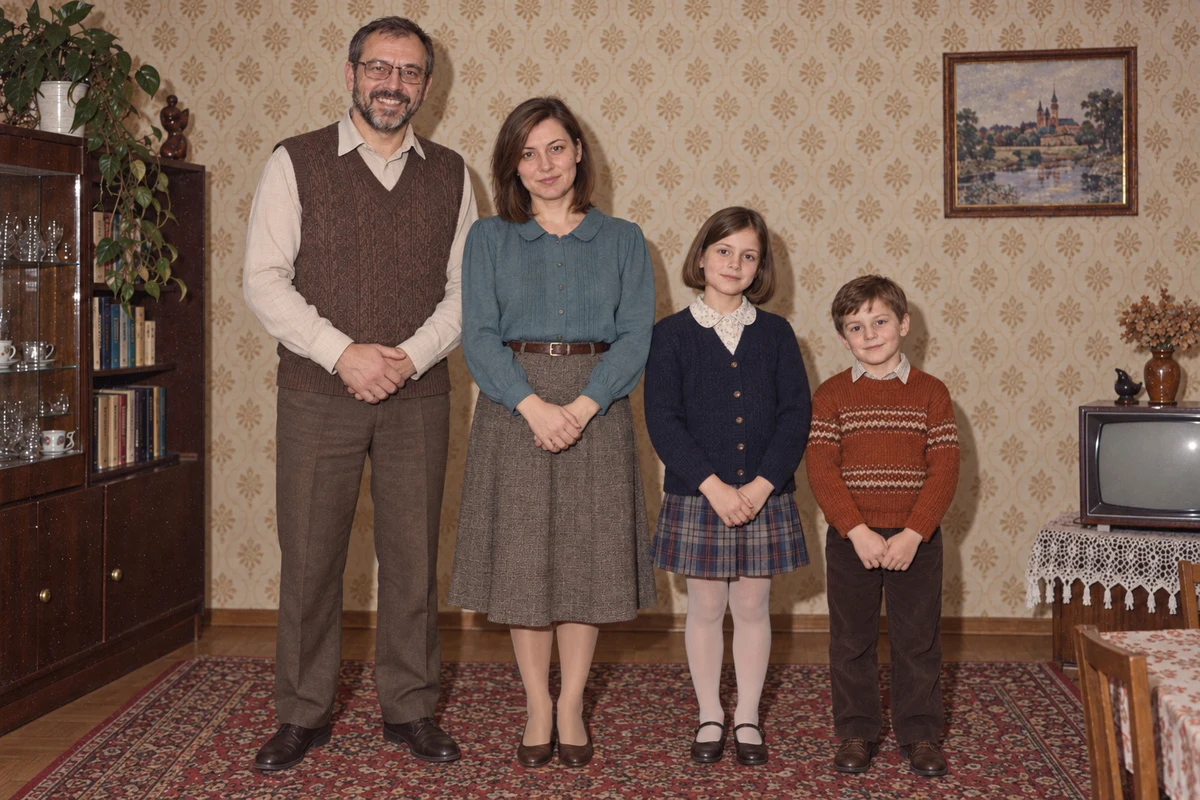
Ready Prompt for Family or Larger Group
For a larger group we add the exact number of people visible in the attached photo and their order. The same template works for several adults: we then remove the sentence about children, keeping the identity and positioning rules.
Transform the attached family photo into a fictional photograph styled for the 1980s. Keep exactly the people present in the original. Do not add relatives and do not remove anyone.

Keep the order from left to right, sitting and standing positions, relative scale of figures and distances between people. Do not change ages. Children must keep proportions, features and expressions from the source, without adult makeup, changed dentition and elongated figures.

Each person keeps their own face, hairstyle, glasses, facial hair and visible distinguishing marks. Do not transfer features between family members. Keep the hand arrangement from the original, without new embraces and gestures.

Change only clothing to ordinary sweaters and shirts and simplify the background to a home room. Apply the look of a color print with direct flash. No sepia, artificial damage, neon or text. If a facial detail is unclear, do not replace it with an invented detail.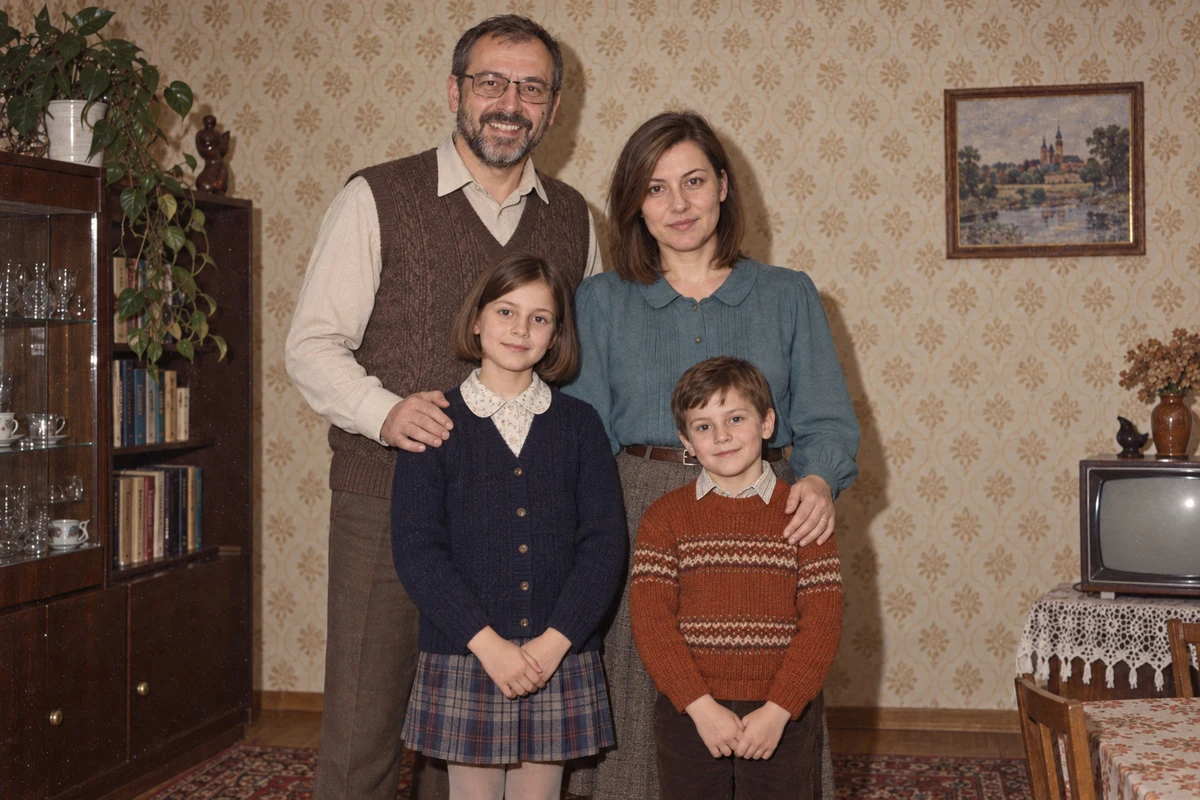
What We Check When There Are Multiple Faces
- Transferred features: did glasses, hairstyle or facial hair end up on a different person?
- Likeness of each face: did different people receive the same features, and was anyone added or removed?
- Age and proportions: did children keep their appearance from the source, without adult makeup, invented teeth and elongated figures?
- Hands and contact between people: who does each hand belong to, where does each arm end, and does the gesture match the original?
A small, blurred or obscured face doesn’t give us grounds to evaluate fine details. We don’t call invented features reconstruction. We look at each face separately, then the whole frame, to catch changes in scale and relationships between people.
Correcting One Person, Checking the Whole Family
When one face needs correction, we return to the original as the source of identity. We don’t allow previously generated features to become the new template.
Return to the original family photo as the source of identity. Compare the order of people and their visible features with the last result. Correct only facial inconsistencies, without changing background, clothing, pose or expressions of other people. Do not use generated features as a new reference.After correction we again compare everyone with the source photo. If fixing one person changed the others, we return to a previously saved variant. The prompt doesn’t guarantee identity preservation; you have to check the result yourself.
Six Things That Ruin the Era
1. Neon understood as LED. Described above and this is mistake number one.
2. “1980s” instead of a specific year. Give a year: 1984 looks different from 1989. A specific date narrows the model’s choices and the result is more coherent.
3. Too clean an image. Sharpness everywhere and perfect exposure are signs of a modern camera.
4. Porcelain skin. Without requesting ordinary texture and pores you’ll get a face from a cosmetics ad.
5. Text on props. The model writes gibberish on signs, arcade machines and cassette covers.
6. Invented logos. The model recreates sports brands from those years from memory and usually gets them wrong. Safer to ask for clothing without brand marks.
Female and Male Versions of the Same Prompt
The most common question after the first attempt is whether you need to write the prompt from scratch for women and men. You don’t. You swap only the paragraph after PERSON AND SCENE, and everything below - the safeguards regarding face and age - stays unchanged. Below are two blocks ready to paste in that one place.
Female version, built on the colorful glamour frame. Note the words opaque non-sheer: without them satin can come out semi-transparent.
PERSON AND SCENE: 1988 colour glamour portrait in a home living room. Waist-up. Structured blazer with shoulder pads over an opaque non-sheer satin blouse, large gold earrings, voluminous blow-dried hair. One warm tungsten lamp just off camera to the left, plain painted wall behind. Direct on-camera flash as fill. No neon tubes, no fog, no brand logos.
Male version, built on the raw sports flash frame. Sleeves deliberately cover arms, because with exposed arms the model draws tattoos that aren’t in the source photo.
PERSON AND SCENE: 1987 amateur snapshot in a school sports hall. Waist-up. Colour-block tracksuit jacket zipped to the chest, sleeves fully covering both arms, short side-parted hair, thin moustache. Direct on-camera flash straight into the face, hard shadow on the wall behind. Plain unbranded clothing, no neon.
If after swapping the face stops resembling the person in the photo, the problem almost never lies in this paragraph, but in the order of uploading files. Face photos go first, style reference last.
For Instagram
The 4:5 format is already in the prompt, because it’s the tallest frame that fits in the feed. Don’t have the model write text - add it in the app, because letters generated in frame come out crooked and immediately reveal what you made the photo with.
If there’s a recognizable person in the frame who isn’t you, write in the description that the image is generated. At this quality no one will guess on their own. Other conventions, from Polaroid to old family prints, we covered in the general guide.
Google · Your sourcesQuantslant higher in your Google - one clickAdd to preferred sources →Reader Questions
How do you transform a photo to 1980s style in AI?
Upload two face photos as identity references and one photo of period styling reference, then use the ready prompt described in the article. Key is avoiding words like “neon vibe” - instead describe specific lamps in frame, e.g. “magenta fluorescent tube behind the left shoulder.” The final effect also depends on the camera and film line, e.g. Nikon F3 with Kodak Ektachrome gives a warm studio portrait, while Olympus OM-2n with Kodak VR 1000 gives a grainy night scene.
Why does a 1980s style photo come out like cyberpunk?
The AI generator by default interprets the word “neon” as LED strips, fog and gradients associated with 2000s science-fiction films. The real 1980s meant light from fluorescent tubes, tungsten bulbs and camera flash, and the characteristic color came from the type of film stock, not post-production. The solution is to describe a specific light source standing in frame instead of writing about “vibe” or “atmosphere.”
How do you preserve a person’s face when changing a photo to retro style in AI?
In the generator prompt you must clearly separate the roles of input photos: the first two are identity reference only - face, body and distinctive features - and the last photo is only a period style template. You should also add an instruction for the model to keep the person’s current appearance despite changing hairstyle and clothing to period ones. Without this distinction the generator may swap facial features for generic ones.
How do you describe a 1980s photo scene so AI generates it well?
Describe specific elements: location (e.g. radio studio, arcade hall), clothing without logos, light sources as physical objects in frame, and facial expression. Give camera and analog film names - it’s one line that changes the character of the entire image. Add prohibitions: no readable text on props, no invented tattoos, no semi-transparent fabrics. The more specific the description, the less the generator improvises.
More on this from QUANTSLANT

 guides·Home Ethernet Switch Guide: Speed, Ports & PoE ExplainedEngadget's practical guide to choosing an Ethernet switch: how many ports you really need, when to upgrade speed, and whether managed or PoE features are worth it.