MAGI-2 Examples: 8 Prompts, Demos, and Timelines
Explore what MAGI-2 Preview can do: 3 official Sand.ai demo clips, 3 structured repository prompts with timeline controls, and reusable templates.
👁 124 reads
What MAGI-2 Preview can actually achieve is currently visible from only two sources: three official demo clips from Sand.ai and the prompt templates published in their GitHub repository. I have gathered 8 examples: 3 manufacturer videos, 3 official repository prompts, and 2 templates for your own experiments. For model architecture, leaderboard rankings, and hardware requirements, see the full guide to MAGI-2 Preview.
Verdict at a Glance (October 11, 2026)
- Manufacturer clips: 3 videos from sand.ai, published without prompts. The files are 4K and run for 5-6 seconds, meaning they are edited promotional cuts rather than raw 10-second outputs from the model.
- Official prompts: 3 in the repository (anime, claymation, and a coffee shop with a JSON timeline). The creator has not released official rendered video clips for these prompts.
- My own clips: None yet. MAGI-2 lacks a public API with commercial pricing, and local deployment requires 8 GPUs with 80 GB VRAM each.
- Most interesting feature: Timeline-based prompting, where each second can define specific actions, synchronized audio, and dialogue cues.
| No. | Example | Source | Video available? |
|---|---|---|---|
| 1 | Character acting and singing | sand.ai, manufacturer material | Yes, no prompt provided |
| 2 | Audio-visual synchronization | sand.ai, manufacturer material | Yes, no prompt provided |
| 3 | Camera cinematography | sand.ai, manufacturer material | Yes, no prompt provided |
| 4 | Anime: Forest path to the ocean | Repository, sample_000.txt | No |
| 5 | Claymation: Searching for a ball | Repository, sample_001.txt | No |
| 6 | Cafe scene with JSON timeline | Repository, sample_enhanced_t2v.json | No |
| 7 | Minimal prompt from README | README | No |
| 8 | Custom timeline template | Template based on official syntax | No |
Sand.ai Official Demo Videos
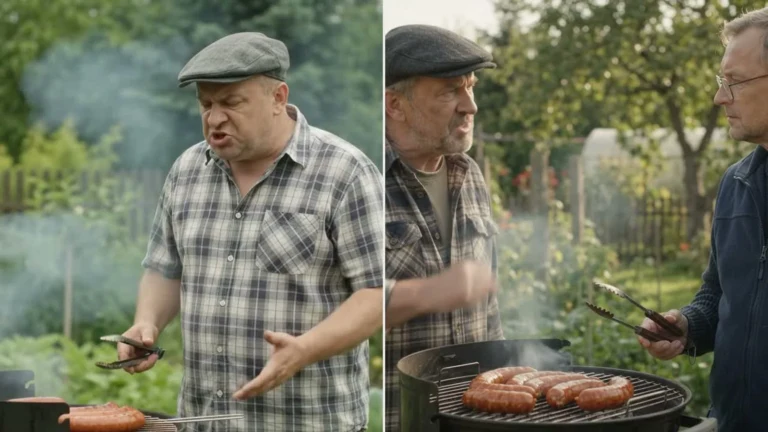
On the main sand.ai homepage, under the “Features MAGI-2 Preview” section, there are three showcase videos. Checking them on October 11 revealed that all three URLs return HTTP 200, the files date back to August 28, 2026, and they are formatted at 3840 x 2160 pixels, 30 fps, with full audio tracks. According to the README, the base model generates only 10-second clips in 1080p, while these promotional files run for 5-6 seconds in 4K, indicating post-generation cropping and upscaling. The underlying prompts were not shared.
1. Character Acting: Dialogue, Singing, and Emotion
Use case: Scenes featuring a talking or singing subject, music videos, or narrative shorts with digital actors.
Prompt: Not disclosed by the manufacturer. The section description states: “Precisely generates dialogue, singing, and emotional shifts” with matching lip synchronization.
Takeaway: This is a curated marketing showcase, making it difficult to extrapolate average generation consistency. In Artificial Analysis blind evaluations, MAGI-2 sits in 10th place for image-to-video-competing alongside Grok Imagine 1.5 rather than leading the pack.
2. Audio-Visual Synchronization
Use case: Foley and environmental sound effects synchronized directly with visual actions.
Prompt: Not disclosed. Section copy: “Visuals and audio are generated jointly by a single model”.
Takeaway: MAGI-2 does not splice audio using an auxiliary model after the fact. Text, imagery, and audio are processed natively through the same transformer pipeline, allowing prompts to specify audio events down to tenths of a second (see Example 6).
3. Camera Cinematography
Use case: Directed camera movement including push-ins, subject tracking, and orbiting shots.
Prompt: Not disclosed. Official copy notes that the model interprets shot composition, framing, and camera movement, including “zooming in, tracking, and orbiting”.
Takeaway: In the official repository prompt samples, camera movement is articulated per timeline segment: motion type (such as push-in), direction, and pace. This provides far more granular control than a generic instruction like “slowly zoom in”.
Official Repository Prompts
The assets/demo_samples.json file configures 5 test generations: two prompts executed as image-to-video (using supplied reference frames), the same two as text-to-video, and one structured JSON prompt. The README also references a file called sample_002.txt, but it returned a 404 error on October 11. All prompts are written in English and are extensive (ranging from 9,000 to 11,000 characters). Key excerpts are detailed below. The repository is released under the Apache-2.0 license.
4. Anime: Walking from the Forest to the Ocean
Use case: A short 2D narrative anime sequence featuring one cut and pure ambient audio.
core_caption: A 10-second continuous animated sequence following a young girl
from a dark, mist-filled forest to a sudden, bright clearing overlooking
a vast ocean...
audio_design: Completely ambient and naturalistic. [...] No dialogue
or background music.

shot_timeline1  time_range_seconds: 0.0 | 8.0   (forest, moving toward ocean)
shot_timeline2  time_range_seconds: 8.0 | 10.0  (close-up of face, breath)
audio_event_timeline: footsteps 0-5 s, wind 3-8 s, branches 5-6.5 s,
waves 4-10 s, breath 8-9.5 s, seagulls 8.5-10 s
Summary: A 10-second animation where a girl walks out of a dark forest onto a brightly lit coastal cliff overlooking the sea, driven by foley (footsteps, breeze, ocean waves) without background music.
Rendered output: No official video has been published. The repository provides only the starter frame sample_000.jpeg (view full prompt on GitHub).
Takeaway: The prompt separates characters and settings into a reference_bank, followed by shot timelines and discrete audio events. It also includes negative constraints: no flash-to-white transitions, no modern objects, and no sudden shifts into 3D rendering. This reflects the expanded format produced by the automated prompt-enhancement step recommended in the README.
5. Claymation: Searching for a Red Ball
Use case: Stop-motion clay animation paired with music and foley, incorporating five distinct camera cuts across a 10-second span.
core_caption: A 10-second stop-motion style 3D clay animation where a small
clay figure searches a cozy room for a lost red ball...
audio_design: Cheerful, warm ukulele and xylophone background music,
layered with animated Foley [...] No dialogue.
Summary: A clay figure searches a cozy room for a lost ball, discovers a blue button first, and eventually finds the red ball, set to upbeat ukulele and xylophone music.
Bar widths represent shot durations (full width = 10 s), based on the time_range_seconds parameters in sample_001.txt.
Rendered output: No official video rendered; only the reference frame sample_001.jpeg is provided.
Takeaway: Five cuts within a 10-second clip is ambitious for generative video. The prompt also specifies rigid stop-motion movement characteristics and requires maintaining consistent ball volume in the character’s hands. Whether the model can reliably preserve these constraints without warping remains unverified without an actual render.
6. Rainy Cafe: JSON Timeline with Dialogue
Use case: A scene featuring an actor performing an action followed by a single line of dialogue under a continuous push-in shot, suitable for commercials or narrative filmmaking.
This is the only official prompt formatted as structured JSON. It contains a global_layer (defining style, lighting, character details, a 50mm lens, and a 16:9 aspect ratio) and a dynamic_layer split into timeline blocks. Here is an abbreviated excerpt:
{
  "global_layer": {
    "context": "A single continuous take inside a small corner cafe on a rainy afternoon.",
    "video_metadata": { "duration": 10.0, "aspect_ratio": "16:9" },
    "camera_cinematography": { "lens_focal_length": "50mm" }
  },
  "dynamic_layer": {
    "timeline_segments": [
      { "segment_basic_info": { "timestamp_range": "00:00.0-00:05.0",
          "camera_delta": { "camera_movement": { "type": "push-in" } } },
        "audio": { "special_audio_events": [
          { "timestamp": "00:02.4",
            "sound_description": "a short soft ceramic tap..." } ] } },
      { "segment_basic_info": { "timestamp_range": "00:05.0-00:10.0" },
        "audio": { "dialogue_lines": [
          { "timestamp": "00:05.6-00:07.4",
            "speaker": "<subject 1>",
            "text": "Careful, it's still very hot." } ] } }
    ]
  }
}
Summary: A barista places a ceramic cup onto a saucer-producing a soft tap at 2.4 seconds-and delivers the line “Careful, it’s still very hot” between 5.6 and 7.4 seconds.
Rendered output: No official video has been released (view raw JSON on GitHub).
Takeaway: The unedited prompt file spans roughly 9,500 characters, detailing micro-elements down to the specific ring on the barista’s right hand. The dialogue field explicitly sets "language": "English"; the repository makes no reference to multilingual capabilities.
Prompt Templates for Your Own Tests
7. Minimal Command from the Official README
Use case: Verifying local environment setup and pipeline execution.
torchrun --nproc_per_node=8 inference/pipeline/entry.py \
    --prompt "a red fox in snow" --output output/
Rendered output: None. Takeaway: The README explicitly warns that short, unstructured prompts underuse the model’s capabilities, as it was trained primarily on dense, structured descriptions. This is why the inference pipeline includes an optional preprocessing step to expand prompts via an external language model.
8. Custom Timeline Template: Product Commercial
Use case: A 10-second product spot featuring a hero shot, synchronized sound effects, and a voiceover tagline. I created this template following the schema from Example 6. Please note: I have not executed this prompt locally-it serves as a syntactical starting point rather than a tested output.
{
  "global_layer": {
    "context": "A single continuous product shot on a dark kitchen counter at night.",
    "video_metadata": { "duration": 10.0, "aspect_ratio": "16:9" },
    "camera_cinematography": { "overall_camera_style": "slow orbit around the product",
                               "lens_focal_length": "85mm" }
  },
  "dynamic_layer": {
    "timeline_segments": [
      { "segment_basic_info": { "timestamp_range": "00:00.0-00:04.0",
          "segment_description": "A hand presses the button of a steel coffee grinder." },
        "audio": { "special_audio_events": [
          { "timestamp": "00:01.2", "sound_description": "a sharp mechanical click" } ] } },
      { "segment_basic_info": { "timestamp_range": "00:04.0-00:10.0",
          "segment_description": "Ground coffee falls into a glass jar as the camera orbits." },
        "audio": { "dialogue_lines": [
          { "timestamp": "00:07.0-00:09.0", "speaker": "<narrator>",
            "text": "Fresh every morning." } ] } }
    ]
  }
}
Summary: A hand activates an electric coffee grinder (mechanical click at 1.2 s), grounds pour into a glass container as the camera completes an orbit, and a narrator delivers the line “Fresh every morning”.
Key structuring rules derived from the repository:
- Segments must seamlessly span exactly 10 seconds, as this is the only supported output length.
- Every audio cue needs a distinct timestamp and descriptive sound prompt.
- Spoken dialogue requires dedicated timestamp and speaker tags rather than being embedded inside general scene descriptions.
- Baseline visual styling, lighting, and subjects belong in the
global_layer, whiledynamic_layersegments describe only sequential changes.
Why Are There No Independent Test Clips?
When evaluating generative models, I normally benchmark identical scenes in our Video Arena. MAGI-2 currently makes that impossible:
- API availability: Artificial Analysis lists commercial pricing as “Coming soon”. As of October 11, 2026, the model is not hosted on fal.ai, Replicate, WaveSpeedAI, or OpenRouter.
- Hardware demands: Model weights total approximately 307 GB, and the README specifies a minimum of 8 NVIDIA Hopper GPUs. A local RTX 4090 offers 24 GB of VRAM.
- Cloud deployment costs: Estimates from mushroom.cv project generation times of 15-30 minutes per clip, costing roughly $25-$42 per generation on AWS. That budget covers dozens of generations on frontier models via managed APIs.
Once a cost-effective API or a distilled version becomes available, I will publish generation results for examples 4 through 8. If you are looking for an open-weights model capable of running on accessible hardware, see Wan 2.2 and our comparison of open video models. For rendered video tests from the same leaderboard cycle, review HappyHorse 1.1 and HiDream-O1-Video.
Frequently Asked Questions
Were the videos on Sand.ai generated using MAGI-2?
According to the developer, the three clips in the “Features MAGI-2 Preview” section were produced by MAGI-2. However, the videos featured under “Creative Partners” further down the page do not disclose which underlying tool was used (Sand.ai also operates the VidMuse platform), so they cannot be verified as MAGI-2 generations.
How should you format prompts for MAGI-2?
MAGI-2 expects structured, highly detailed inputs: a high-level summary, character/environment definitions, timestamped scene cuts, and dedicated audio cues. The canonical templates can be found in the repository’s assets/ directory.
Can MAGI-2 generate synchronized dialogue?
Yes. The cafe sample demonstrates dialogue generation linked to precise timestamps. The prompt schema specifies English, and no other languages are currently documented.
What is the supported video length in MAGI-2?
Clips are fixed at 10 seconds. According to the README, this is currently the only duration supported by the model architecture.
Sources and Verification Dates
- sand.ai - Three feature showcase videos, HTTP response verification, and media metadata (Verified October 11, 2026)
- GitHub: SandAI-org/MAGI-2-preview - README, demo_samples.json, sample_000.txt, sample_001.txt, sample_enhanced_t2v.json (Verified October 11, 2026)
- Artificial Analysis: Image to Video Leaderboard (Retrieved October 11, 2026)
- mushroom.cv - Inference time and infrastructure cost estimates (August 7, 2026)