SeedVR2 7B fp8: Upscaling 480p Video to 1080p
I tested SeedVR2 7B fp8 on a 20-second AI clip. Upscaling from 832x480 to 1872x1080 took 1,034 seconds on an RTX 4090.
👁 122 reads
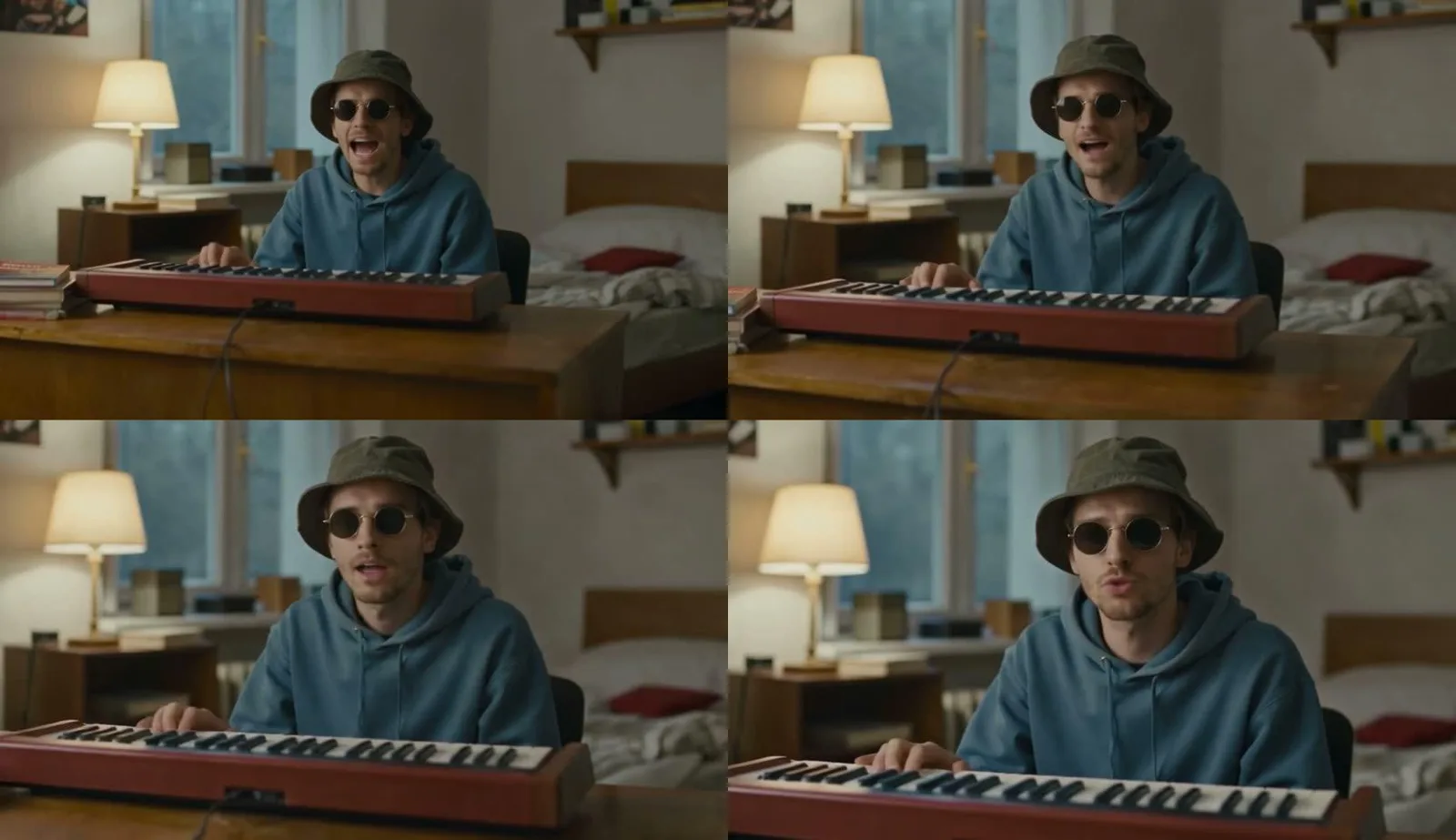
I tested SeedVR2 as the finishing step on an AI-generated clip after correcting its lip-sync. The 7B fp8 model upscaled the video from 832×480 to 1872×1080, and processing the 20-second clip took 1,034 seconds. The before-and-after comparison makes the changes around the face, glasses and clothing easiest to see. It can be useful for finishing a selected shot, but it will not fix every generation error.
At a glance
SeedVR2 made details in the video clearer after InfiniteTalk V2V. The output was 1,080 pixels high, with the input’s aspect ratio preserved. This local processing step added no API fee, though it did use electricity; I did not measure the energy cost. I do not attribute any lip-sync improvement to the upscaler: the score of 0.366 came from the earlier lip correction, and the report after upscaling refers to that same score.
Where the 480p clip came from
The starting point was a segment from the song “Kiedy po swojemu gram” (“When I Play My Own Way”), which was also used to compare lip-sync models. The video was first generated with Seedance 2.5 via API. I then processed it with the local InfiniteTalk V2V workflow. That step improved the match between mouth movements and vocals, but output the video at 832×480. The song and lip-sync test used Polish.
There was a specific reason for this order. Seedance produced an appealing-looking starting point, but scored 0.153 on the synchronization measurement. After InfiniteTalk V2V, the score rose to 0.366. Only then did I work on resolution. Upscaling a shot I had not yet approved could have meant spending time adding detail to a clip that still needed further processing.
I chose a finished segment to polish, rather than processing every raw generation. I would use the same approach on a longer edit: first assess the scene, expression and fit with the music, then spend more time on image processing. An upscaler cannot determine whether a shot suits the song.
SeedVR2 7B fp8 test results
| Test detail | Recorded result |
|---|---|
| Model variant | SeedVR2 7B fp8 |
| Input | 832×480, after InfiniteTalk V2V |
| Output | 1872×1080 |
| Clip length | 20 seconds |
| Additional upscaling time | 1,034 seconds |
| Local processing cost | Electricity; amount not measured |
I treat the processing time as the result of this particular run on my own RTX 4090, not as a guaranteed performance figure for any video. Changing the clip length, dimensions, memory management or processing settings could affect the task. The report does not include a series of runs that would let me quantify those effects.
The term “1080p” also needs some context here. In this case, it refers to the image height; the actual output was 1872×1080. I have not substituted a more conventional width or claimed that the frame was cropped. When placing the clip in an editing project, I would check that it fits the canvas without stretching the subject.
Before-and-after comparison: what you can see

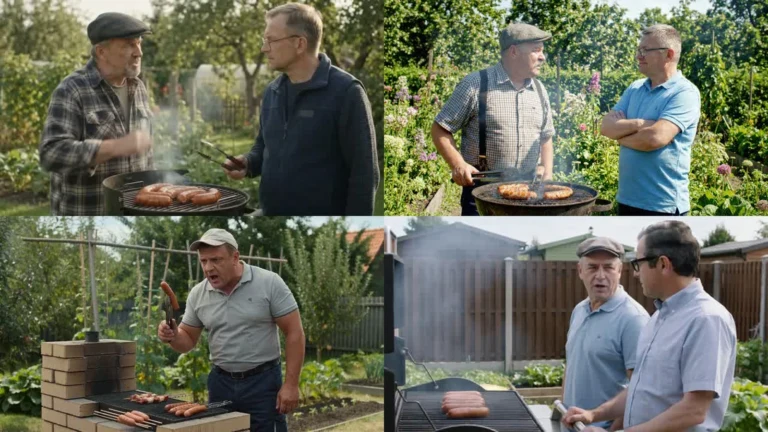
The left side of the comparison looks softer. The edges of the glasses and hat, and the area around the mouth, have less distinct transitions. On the right, the frames, facial hair and hoodie texture are easier to make out. The difference is especially noticeable when I focus on the face rather than judging only the scene’s overall colours.
I do not describe this as recovering real detail from original footage. The material was generated, and SeedVR2 reconstructs details. A sharper texture can look convincing without faithfully recording something that existed before generation. For faces, I therefore check character consistency, mouth shape and the appearance of the glasses.
A still comparison is enough to show detail clarity in a selected frame, but it cannot confirm stability in motion by itself. It does not show that the whole clip is free of flicker or that every frame is identical. That distinction helps avoid judging a video solely by an appealing screenshot.
How I set up SeedVR2 upscaling in ComfyUI
The tool family I used integrates with ComfyUI-SeedVR2_VideoUpscaler. The workflow described here uses SeedVR2LoadDiTModel, SeedVR2LoadVAEModel and SeedVR2VideoUpscaler. It also lists SeedVR2TorchCompileSettings as optional. I do not treat that last component as an extra model-weights file to download.
In practice, I connect the approved input to the appropriate model and VAE loaders, then set the target image height. My test notes record this call to a local helper: python klip.py upscale <klip.mp4> 1080. This is the interface of the script used in the test, not a universal command that becomes available simply by installing the extension.
I am not adding a full preset as if I had tested it; the report does not include one. It confirms the 7B fp8 variant, resolution, processing time and place in the workflow. An earlier tool listing also describes files for the 3B variant. I am not conflating those checkpoint sizes with the model used for the measurement.
Memory and settings: guidance versus test results
The SeedVR2 documentation describes CPU offload, block swapping and VAE tiling as ways to reduce pressure on GPU memory. I consider these options when planning a workflow, but cannot assign them a specific time saving. The test does not compare settings or measure peak VRAM and RAM usage.
If I run into a memory shortage, I start by separating processing stages and limiting how many models are loaded at once. Then I check block-swapping settings, batch size and target image dimensions. These are troubleshooting suggestions from the documentation, not problems that occurred in the run described here. I am not presenting them as fixes I carried out.
For longer material, I would split the work into approved shots. Having enough free VRAM does not prove that the whole task will fit in system memory. At the same time, I would not reduce the batch size without checking the effect on temporal consistency. Saving memory is useful only if the result is still suitable for editing.
What upscaling did not improve in this test
I do not have a separate measurement showing that SeedVR2 improved synchronization. The results table for this stage refers back to the earlier score. The conclusion is therefore limited: InfiniteTalk V2V improved lip-sync, while SeedVR2 increased resolution and changed image detail. I do not combine those results into a promise that the workflow will automatically fix singing.
I also do not attribute a frame-rate change to the upscaler. Frame interpolation is a separate task, described in the documentation in relation to RIFE. It was not part of this SeedVR2 measurement. Similarly, sharper images do not automatically fix hands, an incorrectly rendered instrument or unconvincing movement. I assess those issues before choosing a clip to finish.
Cost and licensing considerations
The upscaling step used local hardware, and my cost notes list electricity. I did not measure energy use, so I cannot give a price per clip. Seedance, used earlier in the workflow, was paid, so “local upscaling” does not mean the finished video was produced without costs at earlier stages.
The source comparison lists the SeedVR2 integration repository and the official SeedVR project as licensed under Apache-2.0. I checked this separately from the test results. When choosing additional model weights and extensions, I check the terms for each component. Rights to the code do not replace rights to the image and music being processed.
Frequently asked questions
Did SeedVR2 turn this clip into 1080p video?
Yes. The output measured 1872×1080. I give the full dimensions because the target quality label alone does not describe the aspect ratio. When exporting, I would check that the clip fits the project without stretching the face.
Is the 7B fp8 variant better than 3B?
I did not compare the two directly on this material. The report documents using 7B fp8. I cannot infer a quality or speed ranking just from the larger model’s name.
Is it enough to assess a single frame?
No. I checked detail in a still frame, but you need to watch the clip in motion and listen to it before approving the whole shot. In particular, a clearer image can make an earlier mouth-related error more noticeable.
When would I use SeedVR2 again?
After approving the scene and playback, if low resolution limits the clip’s usefulness in an edit. This test supports using it as a finishing step, but does not justify upscaling every generated version without first selecting the shots.
The test clip was created with Seedance and processed with local lip-sync in ComfyUI. I cover other models you can run on your own graphics card in my local AI guide.
Sources and date checked
- Results, processing time and image comparison: my test on an RTX 4090, 21 October 2026
- SeedVR - official project and licence
- SeedVR2 upscaler workflow for ComfyUI
Checked on 21 October 2026.