InfiniteTalk in ComfyUI on RTX 4090: Setup and Tests
I tested InfiniteTalk in ComfyUI on an RTX 4090 using a Polish song. Here are the setup, measured results and fixes for common errors.
👁 114 reads
I tested InfiniteTalk in ComfyUI on an RTX 4090 with a clip from a Polish song. The local video was 20 seconds long, and processing took 1,284 seconds - more than 21 minutes. Along the way, I ran into issues with transformers, torchaudio and LoRA merging. Here I describe the working setup and the files needed to reproduce it, keeping the test record separate from suggested memory settings.
At a glance
I used WanVideoWrapper, the Wan 2.1 I2V 14B fp8 base model, InfiniteTalk and lightx2v with 6 steps. At 832×480 and 25 fps, the result had a lip-sync correlation of 0.471 for the first 15 seconds. The main environment fixes involved hidden_states in wav2vec, matching torchaudio with torch, and setting merge_loras=False. This setup worked on this GPU, but that does not guarantee the same processing time in another environment.
What you need to install in ComfyUI
I used InfiniteTalk through ComfyUI-WanVideoWrapper. This extension combines video model loading with the InfiniteTalk module and audio representations. The setup described here is based on Wan 2.1 I2V, so I would not swap in a newer Wan family at random. A shared developer name does not mean that all weights and nodes are compatible.
To set it up, place the wrapper repository in the custom_nodes directory of your ComfyUI installation. Install the dependencies from its requirements.txt using the interpreter assigned to that same ComfyUI installation. Avoid installing packages with a random system-wide pip: a library can be present on your computer and still be invisible to the application.
After installing the extension and restarting ComfyUI, load the example InfiniteTalk workflow. Check for missing nodes before downloading more checkpoints. The documentation example uses a different weights variant, so for fp8 you need to choose the loader and files deliberately. Renaming a checkpoint does not convert it.
fp8 models and file sizes
The table below lists the setup described in the tool documentation. The sizes come from saved Hugging Face metadata, not from measurements of GPU load. GB are decimal. These values are not a measure of VRAM requirements: offloading, buffers and node execution order all affect memory use during a run.
| Role | File | Size |
|---|---|---|
| Video base model | Wan2_1-I2V-14B-480p_fp8_e4m3fn_scaled_KJ.safetensors |
16.643 GB |
| InfiniteTalk module | Wan2_1-InfiniteTalk-Single_fp8_e4m3fn_scaled_KJ.safetensors |
2.714 GB |
| Text encoder | umt5-xxl-enc-fp8_e4m3fn.safetensors |
6.731 GB |
| VAE | Wan2_1_VAE_bf16.safetensors |
0.254 GB |
| Audio encoder | wav2vec2-chinese-base_fp16.safetensors |
0.190 GB |
| CLIP Vision | clip_vision_h.safetensors |
1.264 GB |
Put the base model and InfiniteTalk module in models\diffusion_models, the text encoder in models\text_encoders, the VAE in models\vae, and CLIP Vision in models\clip_vision. Place wav2vec according to the audio loader. Do not put it in the text encoder directory simply because both components process input data.
In the workflow, check for WanVideoModelLoader, MultiTalkModelLoader, Wav2VecModelLoader, MultiTalkWav2VecEmbeds, WanVideoImageToVideoMultiTalk, WanVideoSampler and WanVideoVAELoader. A full checkpoint from the native InfiniteTalk path is not automatically a replacement for the smaller module loaded by MultiTalkModelLoader. Check the format differences before running the graph.
Lightx2v, vocals and RTX 4090 processing time
In the recorded test, I used lightx2v with 6 steps. I am not presenting that number as a universal setting for the unmodified Wan base model. Shortened sampling should be considered together with the appropriate add-on and configuration. The report does not include the full filename of the LoRA used, so I cannot list a specific checkpoint as a confirmed part of the setup.
For comparison, I selected the section from 14.5 to 34.5 seconds of the song “Kiedy po swojemu gram” (a Polish-language song). When preparing the input, I made sure the image and vocals started at the same point, then combined the final clip with the original mix. Isolated vocals help guide facial expressions; they should not accidentally replace the full song in the finished video.
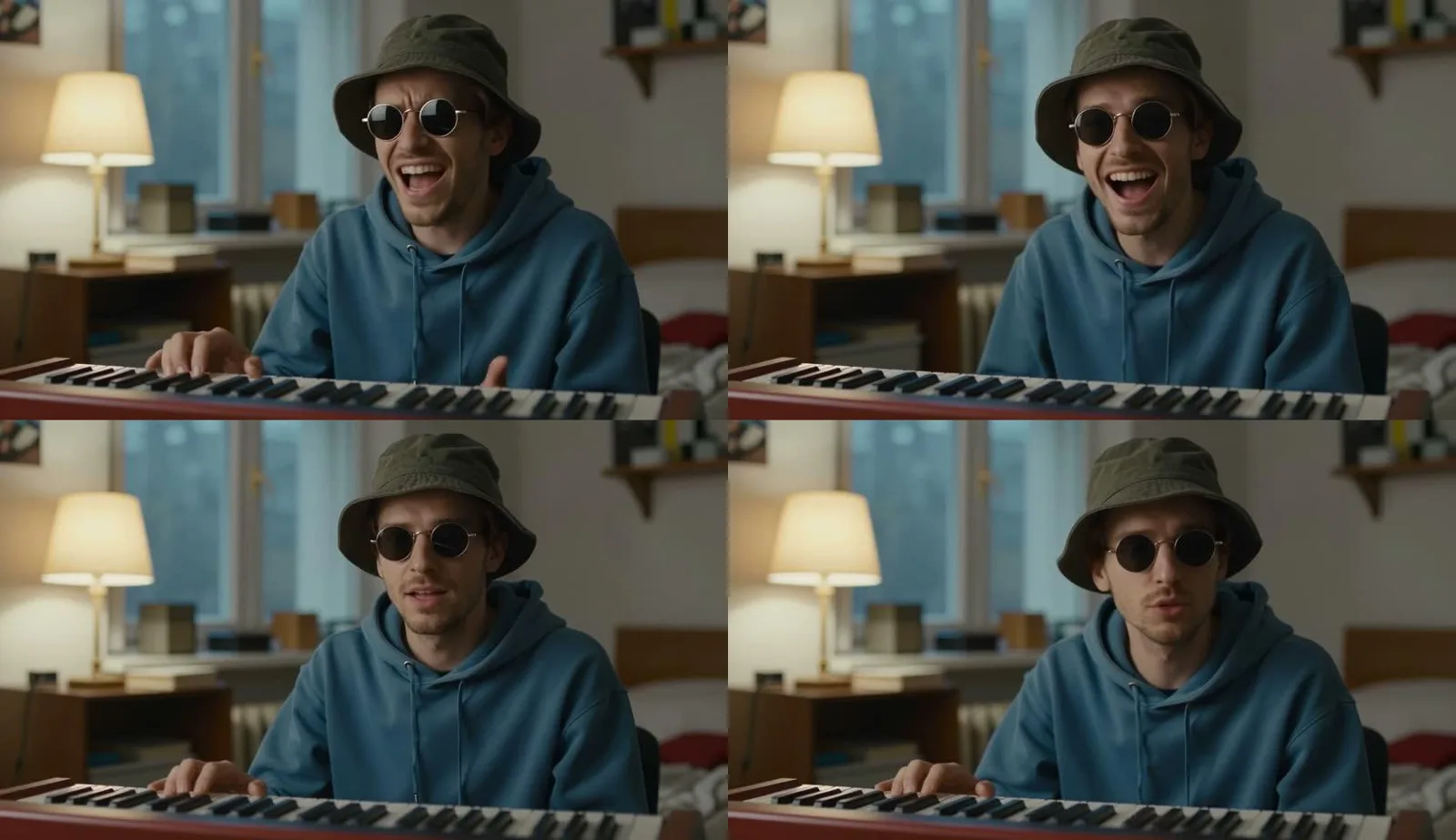
The 1,284-second runtime was for a 20-second clip. The correlation between mouth opening and vocal loudness was 0.471 over the first 15 seconds shared by both measurements, and 0.424 over the full section. Face detection was 100%. This was measured with MediaPipe on vocals separated using demucs; it is not an assessment of how accurately the model handled every Polish phoneme.
The tool documentation suggests text encoder offloading, block swapping and separate VAE decoding. I treat these as memory-management tips because the report does not record a complete preset or peak VRAM usage. A confirmed run on an RTX 4090 does not mean that any video length, resolution or graph will fit just as easily.
Transformers 5.x: the hidden_states patch
The wrapper needed a fix for handling wav2vec’s hidden_states with transformers 5.17. The test notes preserve the name of the original-file copy: nodes.py.orig-2110. This is a useful diagnostic clue if your environment loads the models but stops during audio processing. The issue involved library compatibility, not the Polish lyrics.
The notes do not include the patch diff. I therefore cannot provide a made-up code snippet or line numbers to change. Reproducing this setup requires a record of the patch or a compatible version of the wrapper and transformers. “Update everything” does not describe the fix I confirmed in the test.
Torchaudio, merge_loras and running on Windows
The working setup used torchaudio nightly 2.11 with torch 2.14 cu132. These versions document the test environment; they are not an unconditional upgrade recommendation for every installation. If audio imports fail, compare the interpreter, torch release and corresponding torchaudio package before changing model weights.
The other obstacle was LoRA merging. Merging caused an access violation on Windows, so I used merge_loras=False. This distinction matters: I disabled merging, not the LoRA itself. Removing the add-on while keeping short sampling would change the configuration behind the results described here.
I ran ComfyUI with PYTHONUTF8=1. To reproduce the environment, set this variable before starting the process. I also record package versions and keep the working workflow, because later dependency changes can make it harder to tell whether a problem comes from audio, model loading or sampler execution.
V2V: improving the mouth in an existing clip
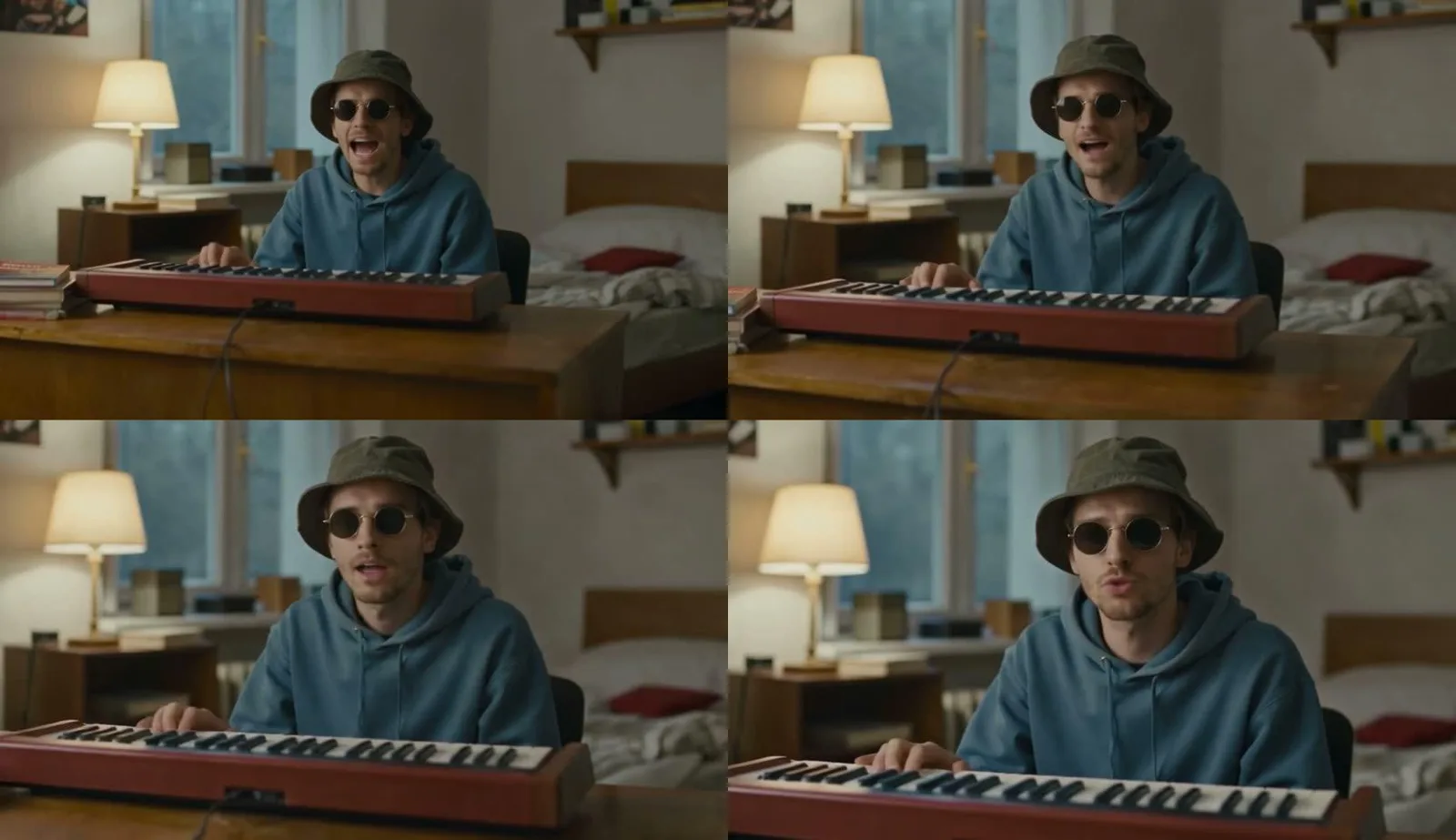
I also tested V2V on footage from Seedance 2.5. With 2 of 4 steps and audio_scale set to 1.5, the process took an additional 656 seconds. Correlation increased from 0.153 to 0.366, and face detection was 77%. The output was 832×480. This is a separate configuration, so I do not mix its settings with the baseline lightx2v test.
InfiniteTalk V2V can change facial expressions and movement, not just the mouth area. After processing, I also compare the character’s identity and performance. A better synchronization score is not enough if I lose elements of the image that made me choose the original clip. Keeping the input version makes this comparison easier.
Licences for the components
The source documentation lists Apache-2.0 licences for InfiniteTalk, WanVideoWrapper and the Wan 2.1 base model. The TencentGameMate encoder and the specified Kijai conversion declare MIT, while ComfyUI is listed as GPL-3.0. Check the terms separately for code, weights and extensions. The wrapper’s licence does not automatically cover every model it loads.
The LightX2V repository is listed as Apache-2.0, but without the full name of the LoRA used, I cannot identify the specific file. The additional vocal separator also needs to be checked separately. I do not apply restrictions from the Hunyuan family to the wav2vec encoder merely because of the Tencent name.
Frequently asked questions
Does InfiniteTalk work with a Polish song?
I got a usable result in the test described here. I tested one specific singing clip, so I would not extend that finding to every voice, tempo or articulation.
Does the 21-minute figure include installation?
No. The recorded 1,284 seconds covers processing the clip. The report does not separately measure downloading weights, preparing the environment or diagnosing errors.
Can I copy the transformers patch?
The shared notes do not include its code. They identify the area that needed fixing and the backup of the original file. Reproducing the fix faithfully requires the correct diff, not a random file replacement.
If you are just getting started, see ComfyUI: how to install it on Windows and Wan 2.2 running locally. For a broader look at running models on your own GPU, see the local AI guide.
Sources and test date
- Measurements and errors: my RTX 4090 test, 21 October 2026
- InfiniteTalk repository and licence
- Kijai fp8 weights on Hugging Face
- The wrapper workflow linked above
The data reflects the state recorded during the test.
Tested on 21 October 2026.

More on this from QUANTSLANT

 guides·How to Make Interactive SVG Infographics with Freepik AICreate editable, interactive SVG infographics with Freepik AI. Follow this guide from your first prompt to exporting and using the finished file.