Gemini Omni 1.2 Flash Prompting Guide: 7 Rules and 9 Prompts
Learn the 7 core prompting rules for Google DeepMind's Gemini Omni 1.2 Flash video model, plus 9 ready-to-use prompts with verified test results.
👁 116 reads
Gemini Omni 1.2 Flash accepts natural language prompts and does not require complex syntax at first glance. However, after generating 24 clips on launch day, a few specific habits make a huge difference: adding a single phrase to prevent sudden cuts, putting spoken dialogue in quotation marks, and matching prompt duration to line length. Here are the core rules from Google’s documentation, my practical observations, and nine tested prompts you can copy.
Seven Prompting Rules That Work
- Explicitly request a single shot. Google notes directly that the model can insert cuts on its own. The phrase “a single continuous shot, no cuts” is the most reliable way to keep the camera moving smoothly from start to finish. Without it, a scene with three people defaulted to cuts between speakers; with it, the camera circled the subject seamlessly.
- Direct camera movement like a cinematographer. State where it begins, what it passes, and where it stops. An instruction like “drone dives between apartment blocks, flies over a playground, enters through an open door” delivered 15 seconds of smooth, coherent flight.
- Enclose dialogue in quotes, specifying the speaker and language. For example: “The first man, wearing a flat cap, speaks in Polish with annoyance: …”. If you do not state the language explicitly, the model may default to English.
- Pace duration to the script. Allow roughly two seconds for a short sentence. In a 6-second clip, two lines of dialogue did not fit, and the model cut off mid-sentence.
- Include exclusions directly in your prompt text. Omni does not feature a dedicated negative prompt box. You write “no text or signs”, “no dialogue”, or “no extra sound effects”. This works reliably in most cases, though volleyball jersey numbers still appeared despite asking for no numbers.
- Structure time within the scene. Google recommends phrasing such as “after 3 seconds…” or using time markers like
[0-5s]. This helps significantly in 10-15 second clips featuring sequential actions. - Specify your audio explicitly. Background music is not always generated automatically. Prompts specifying “quiet acoustic music”, “heavy hip-hop beat”, or “sizzling grill sounds” delivered exactly what was requested.
What to Avoid
- Children in the frame. A prompt featuring kids playing soccer was rejected by safety filters. Switching the subjects to retirees passed immediately.
- News studio anchors. Two consecutive generation requests were blocked without detailed explanations. A teacher in a classroom setting passed without issues.
- Real trademarks and brand logos. Commercial logos frequently hit copyright and trademark filters. Mentioning supermarket brand names casually in dialogue passed, but requesting storefront logos directly is unreliable.
- Outdated token tags. Google’s documentation advises against using tags like
<FIRST_FRAME>. Describe image continuity using natural prose instead: “the same scene and people as in the reference image”.
Nine Ready-to-Use Prompts
Each prompt below generated a clean 720p clip during testing. Clip duration is noted in parentheses. Note: Our original tests were run using Polish prompts and dialogue; faithful English adaptations are shown below, along with the original Polish spoken lines where relevant.
1. Single-Take FPV Drone Flight (15 s)
[Translated from Polish test prompt]
One continuous FPV drone shot, no cuts: starts high above a prefabricated concrete apartment estate at sunset, drone dives between the residential blocks, flies low over a carpet beating rack and a bench with two retirees, flies through an open door into a cafeteria, glides over the counter with dumplings, and stops beside an elderly gentleman eating soup, who looks up at the camera. Natural environmental sounds: wind, distant estate chatter, clinking plates. No text or signs.
2. Subject Orbit Shot (6 s)
[Translated from Polish test prompt]
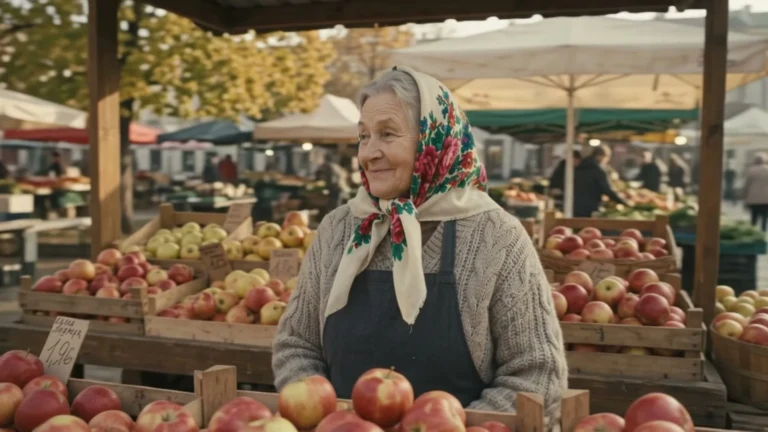
Camera performs a smooth full 360-degree orbit around an elderly woman selling apples at an outdoor market stall in Kraków on an October morning. The woman smiles and adjusts her headscarf. Constant subject scale, no cuts. Market ambient chatter in the background. No text.
3. Two-Person Dialogue (8 s; cuts off at 6 s)
[Translated from Polish test prompt]
Two neighbors in their fifties by a grill in an allotment garden. The first, wearing a flat cap, says in Polish with annoyance: "I told you the sausage was supposed to be from Biedronka, not Lidl!" (Translation of the Polish original: "I told you the sausage was supposed to be from Biedronka, not Lidl!"). The second, wearing glasses, replies calmly in Polish: "Eat it and stop complaining." (Translation of the Polish original: "You will eat it and you won't complain."). Clear lip movement, natural voices, sizzling grill audio.
4. Three People at a Dinner Table (10 s)
[Translated from Polish test prompt]
Christmas Eve dinner in an apartment, dining table with beetroot soup and dumplings, Christmas tree in the background. Three people talking in Polish, each with a distinct voice. Grandmother: "Who ate the last dumpling?" (Translation of the Polish original: "Who ate the last little dumpling?"). Teenage grandson, with a full mouth: "Not me, I swear!" (Translation of the Polish original: "Not me, I swear!"). Mother laughs: "You have a dumpling crumb on your chin." (Masz uszko na brodzie.). Precise lip sync for each speaker, camera shifts focus to each person as they talk.
5. Speaking Directly to Camera (8 s)
[Translated from Polish test prompt]
History teacher, a woman around 40 years old wearing a sweater and glasses, standing by a chalkboard in a classroom with no students in frame. She looks into the camera and speaks clearly in Polish: "Grunwald, year fourteen ten. Write that down, because there is a quiz on Friday." (Translation of the Polish original: "Grunwald, the year one thousand four hundred and ten. Write this down, because there is a pop quiz on Friday."). Precise lip movement, natural vocal inflection, one continuous shot with a subtle camera push-in.
6. Commercial Product Shot (8 s)
[Translated from Polish test prompt]
Commercial product shot: a glass jar of homemade pickled cucumbers with dill and garlic on a wooden table in a rustic kitchen, morning light streaming from a window. Camera slowly circles the jar, an elderly woman's hand twists open the lid, steam and brine droplets captured in slow motion, a pickle is lifted out with a fork. Warm colors, shallow depth of field, soft acoustic music. No labels or text overlays.
7. Feature Anime Style (8 s)
[Translated from Polish test prompt]
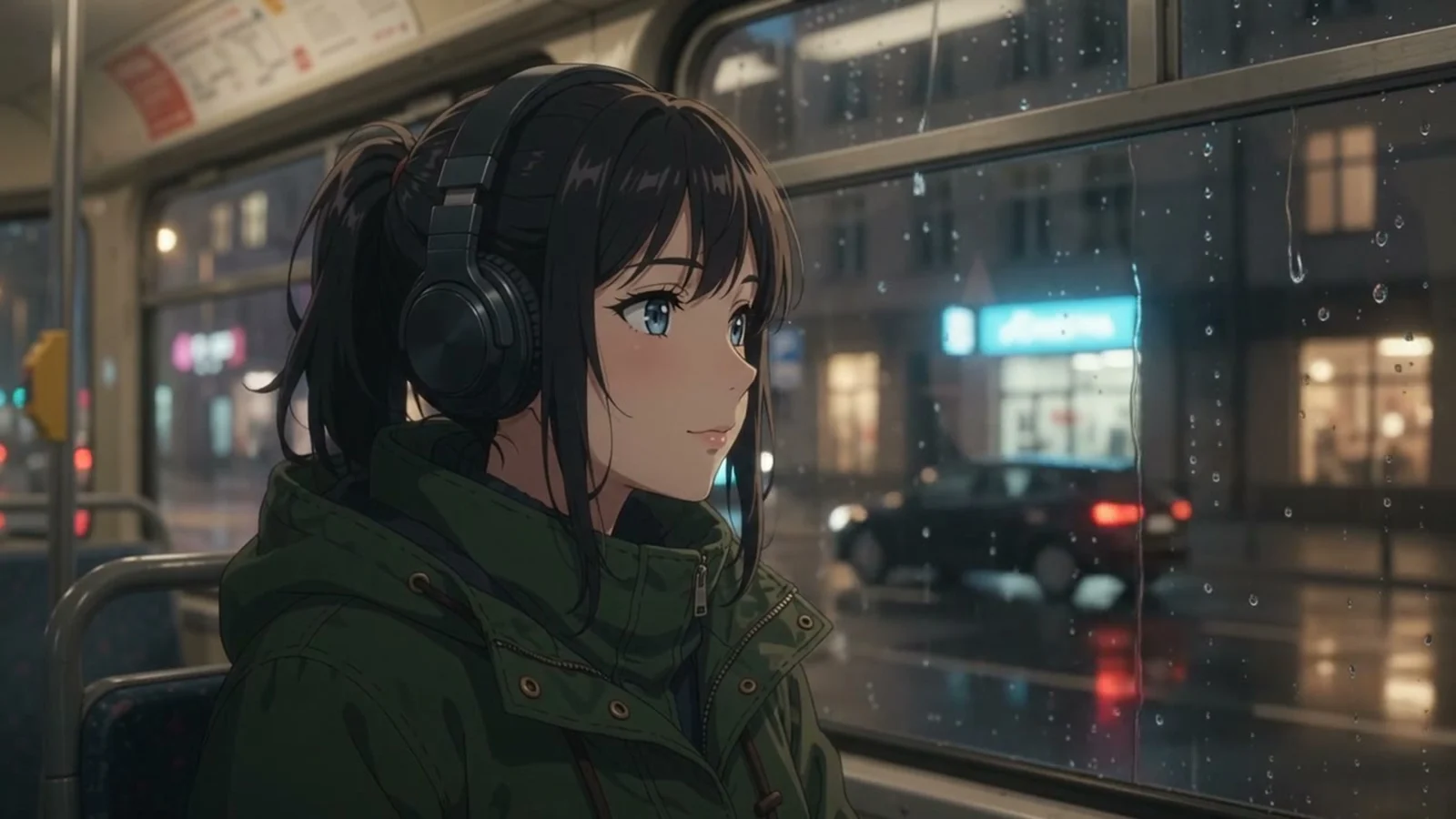
Anime style resembling theatrical hand-drawn animation: a night tram moves through the city in the rain, inside a high school girl wearing headphones looks through a misted window at city lights, reflections of neon signs without letters on wet asphalt. Camera pushes from outside the tram through the glass to the interior. Gentle rain sound and rhythmic wheel clatter.
8. Vertical Social Clip (8 s, 9:16)
[Translated from Polish test prompt]
Vertical video reel: a young dancer in baggy pants and a hoodie dances hip-hop on an urban rooftop at sunset, handheld camera circles dynamically around her, wind blowing through her hair, ending with her pausing and looking into the lens. Heavy hip-hop beat, no text overlays.
9. Sports Action (6 s, with caveats)
[Translated from Polish test prompt]
Indoor volleyball match, team wearing red and white jerseys without numbers or logos. A player leaps up for an attack, powerful spike, the ball deflects off a block and hits the floor, crowd erupts in cheers. Dynamic sideline camera angle, sound of the ball impact and cheering arena spectators.
The motion was captured cleanly, but the model ignored the instruction to omit jersey numbers.
Google · Your sourcesQuantslant higher in your Google - one clickAdd to preferred sources →Recommended Starting Settings
- Drafts: 360p, 5-8 seconds, fixed seed. This keeps generation costs low while dialing in movement.
- Delivery: 720p. More than sufficient for most web and social publishing workflows.
- 1080p and 4K: Treat these as upscaling steps. Adjusting the base resolution setting on third-party API platforms typically generates an entirely new clip rather than upscaling an existing output; generate your approved cut first, then upscale it separately.
For full API tier breakdowns, see Gemini Omni 1.2 pricing, review our real-world evaluations in our 24-clip test report, or explore the complete overview in our Gemini Omni Flash guide.

More on this from QUANTSLANT



 benchmarks·Gemini Omni 1.2 Camera Movement: FPV Drones and 360 SpinsWe tested camera movement in Gemini Omni 1.2 Flash against five rivals across FPV drone flights, 360-degree character orbits, and glass transitions.