FLUX 3 Bounding Box Test vs 5 Models
FLUX 3 Image placed all 16 objects in their assigned boxes (IoU 0.890). We tested JSON bounding boxes against Seedream 5 Pro, GPT Image 2.5, and three others.
👁 143 reads
FLUX 3 Image places objects exactly where you tell it to, clearly better than the competition. Across four scenes with four objects each, the average overlap between assigned and actual bounding boxes (IoU) was 0.890, and all 16 objects landed in their correct positions. Seedream 5 Pro came second (0.788, 15 out of 16), followed by GPT Image 2.5 (0.536), Nano Banana Pro (0.479), Ideogram 4.5 (0.370), and Qwen Image 3 (0.346). The catch: FLUX needed 60 to 247 seconds per 1K image, and the scenes come out correct but rather stiff.
The most interesting new feature in FLUX 3 Image is the JSON format command, where each object gets an identifier, a short description, and a bounding box on a 0-1000 grid. Black Forest Labs claims the model is trained on this layout and sticks to the coordinates. We tested whether this is true and whether other models could do the same when we described the layout in plain words.
This feature matters when working for clients: an ad mockup with a product in a specific spot, space for a logo, a frame designed for text on a banner. Until now, with image generators, you handled these things by rolling the dice on a dozen versions or fixing them in Photoshop.
How We Tested
- Date: October 1, 2026, the day FLUX 3 Image launched.
- Access: all models via fal.ai API, resolution around 1 Mpx, 3:2 aspect ratio.
- Single attempt: one image per scene and model, no rerolling or cherry-picking better versions.
- Same layout: FLUX 3 received the official JSON format with bounding boxes. Other models got the same layout described in words as percentages of width and height, since they don’t have a bounding box format.
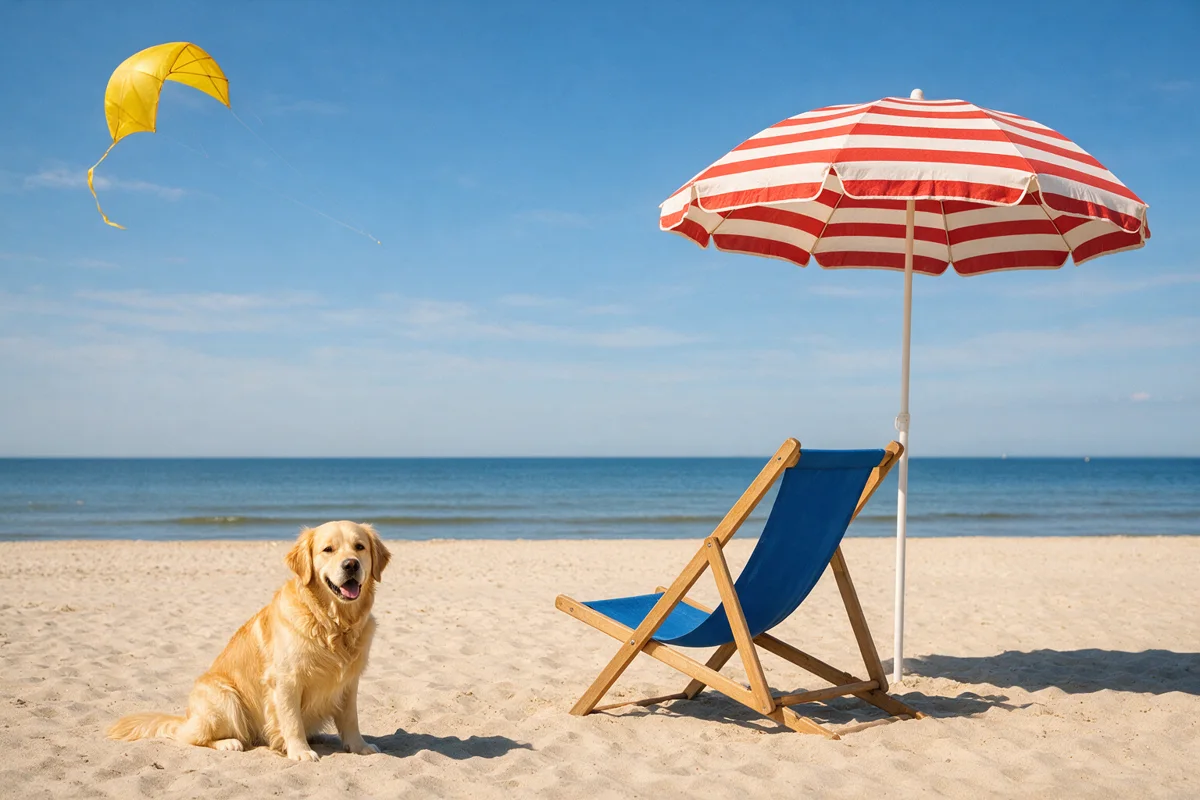
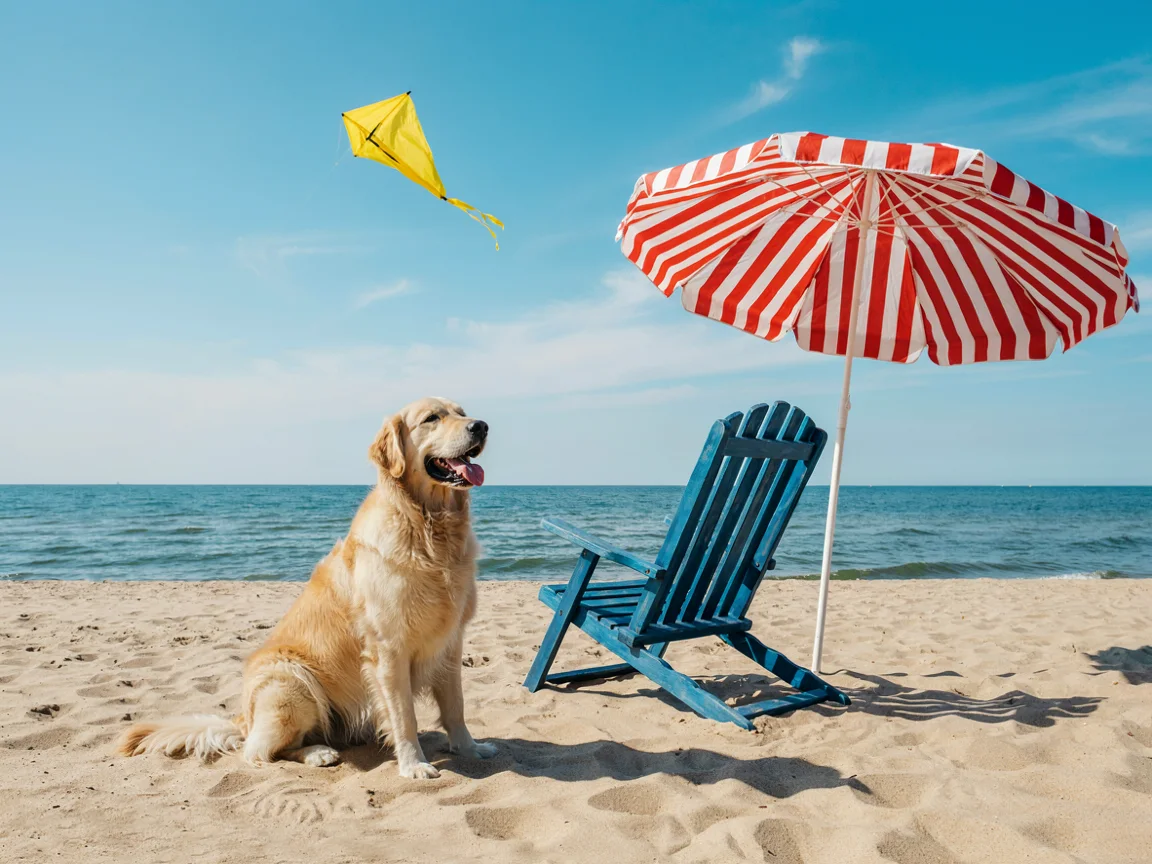
- Four scenes: desk, beach, kitchen, and mineral water ad, each with four objects.
- Measurement: Gemini 3.8 Flash vision model marked where each object actually appeared on each image, and we calculated IoU against the assigned box.
- Exception: Ideogram 4.5 via fal.ai rejected the 1536 × 1024 size (“Unsupported text-to-image size”), so it got the nearest preset 4:3 format (1152 × 864 px). Boxes are calculated on a 0-1000 grid, meaning relative to image sides, so results are comparable.
What Is IoU
IoU (intersection over union) tells you how much two rectangles overlap. You take the area of the intersection and divide by the area both rectangles occupy together.
- 1.0 - the object sits perfectly in the assigned box and has exactly its size.
- 0.5 and above - the object is in the right place, at most a bit too large, too small, or shifted. We accept this threshold as a “hit.”
- 0 - the object is somewhere else entirely or missing.
Example: if we told it to place a mug in the lower-left corner and the model placed it in that corner but half the size, IoU will be around 0.5. If it placed it in the center of the table, IoU drops to zero.
Bounding Box Command for FLUX 3
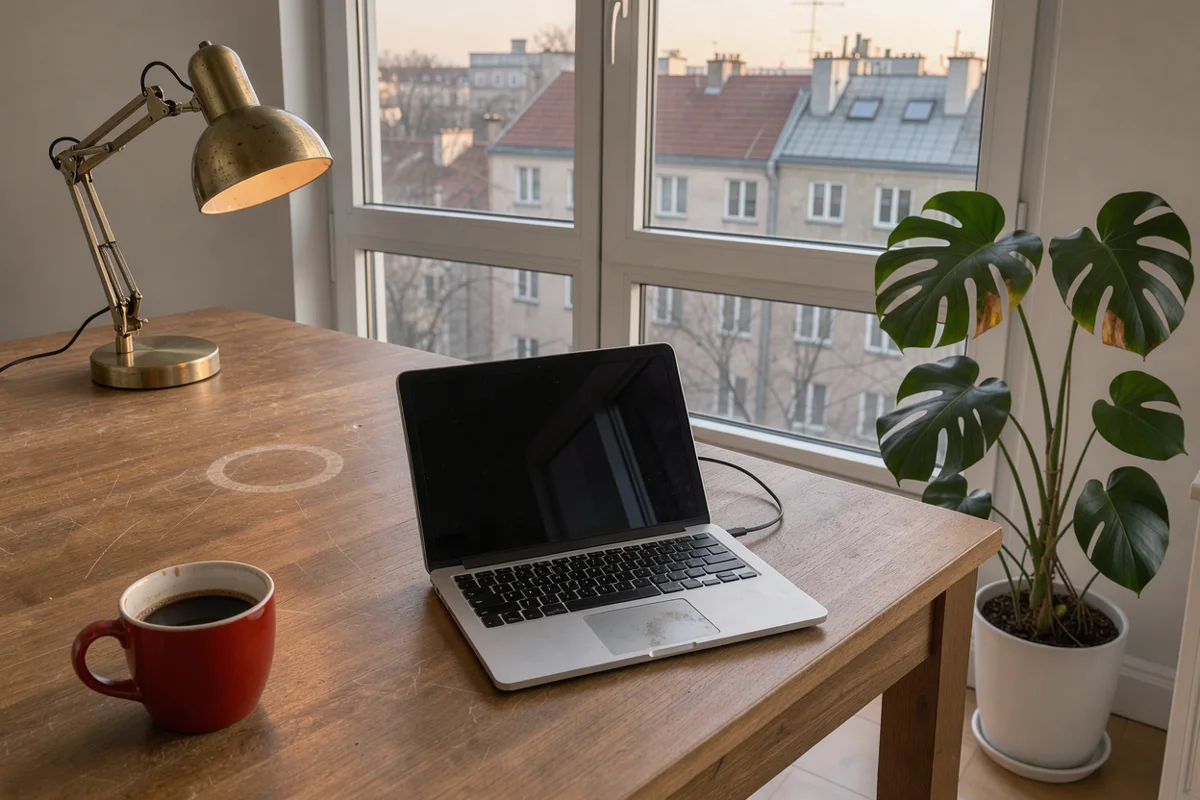
This is what the “desk” scene looked like in the prompt field on fal.ai. The coordinate order is [y_min, x_min, y_max, x_max], and the grid is always 0-1000 regardless of image aspect ratio:
{"caption": "Editorial photo of a wooden desk by a window in a Warsaw apartment, soft morning light.",
 "elements": [
  {"id": "lampa", "bbox": [60, 40, 480, 280], "desc": "a brass desk lamp"},
  {"id": "roslina", "bbox": [250, 720, 950, 980], "desc": "a tall monstera plant in a white pot"},
  {"id": "laptop", "bbox": [430, 330, 860, 690], "desc": "an open silver laptop"},
  {"id": "kubek", "bbox": [700, 60, 920, 240], "desc": "a red coffee mug"}]}
The other models received the same scene in words:
Editorial photo of a wooden desk by a window in a Warsaw apartment, soft morning light. Exact layout (percent of image width and height, measured from the top-left corner): a brass desk lamp occupies the area from 4% to 28% of the width and from 6% to 48% of the height. a tall monstera plant in a white pot occupies the area from 72% to 98% of the width and from 25% to 95% of the height. an open silver laptop occupies the area from 33% to 69% of the width and from 43% to 86% of the height. a red coffee mug occupies the area from 6% to 24% of the width and from 70% to 92% of the height. Follow the layout precisely.Results
| Model | Desk | Beach | Kitchen | Ad | Average IoU | Hits (IoU > 0.5) |
|---|---|---|---|---|---|---|
| FLUX 3 Image (JSON) | 0.938 | 0.822 | 0.862 | 0.941 | 0.890 | 16/16 |
| Seedream 5 Pro | 0.887 | 0.672 | 0.781 | 0.814 | 0.788 | 15/16 |
| GPT Image 2.5 Sunburst | 0.561 | 0.592 | 0.272 | 0.717 | 0.536 | 11/16 |
| Nano Banana Pro | 0.347 | 0.531 | 0.334 | 0.706 | 0.479 | 7/16 |
| Ideogram 4.5 (4:3) | 0.367 | 0.399 | 0.182 | 0.531 | 0.370 | 7/16 |
| Qwen Image 3 | 0.314 | 0.389 | 0.255 | 0.428 | 0.346 | 6/16 |
FLUX 3: Boxes Held Almost Pixel-Perfect
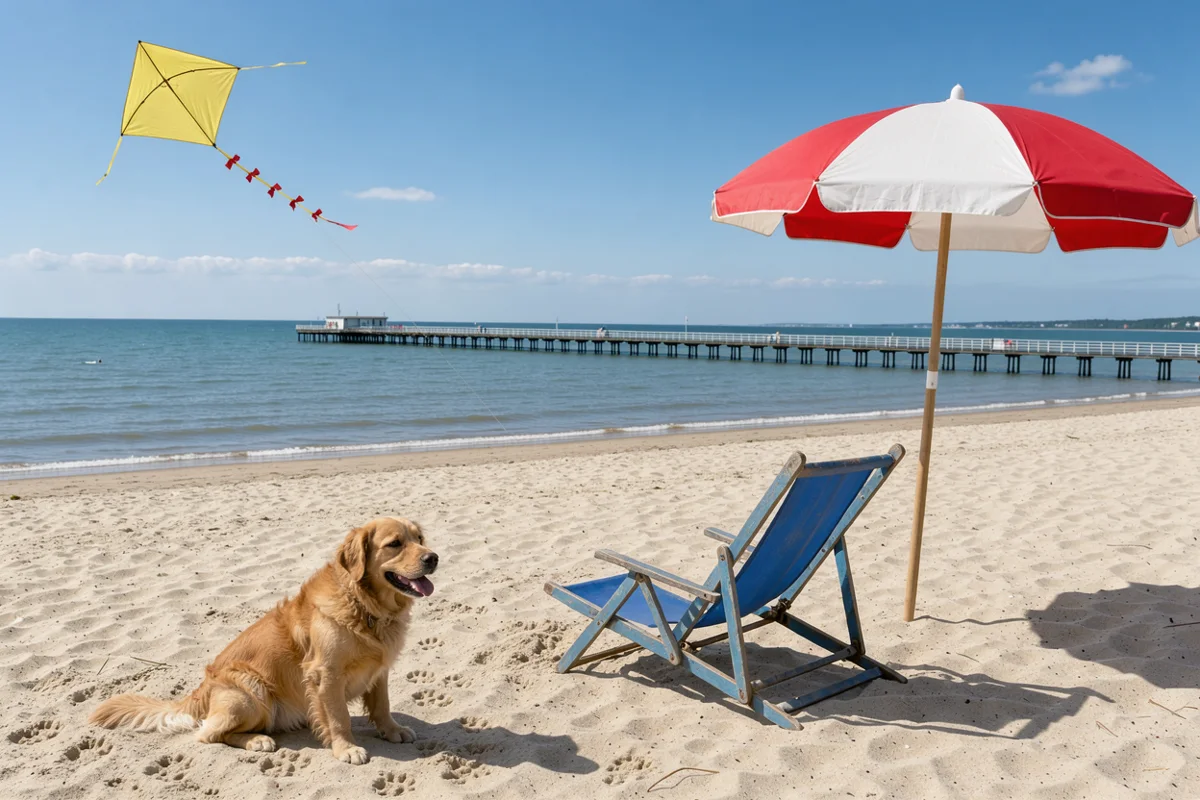
The white dashed rectangles are the boxes we assigned. On the desk, the laptop has IoU 0.988, lamp 0.944, mug 0.933. The weakest object in the entire FLUX 3 test is the beach umbrella (0.629): the model made it larger than we specified, and the umbrella extends beyond the bottom edge of the box.
 lampplantlaptopmug
 umbrelladoglounge chairkite
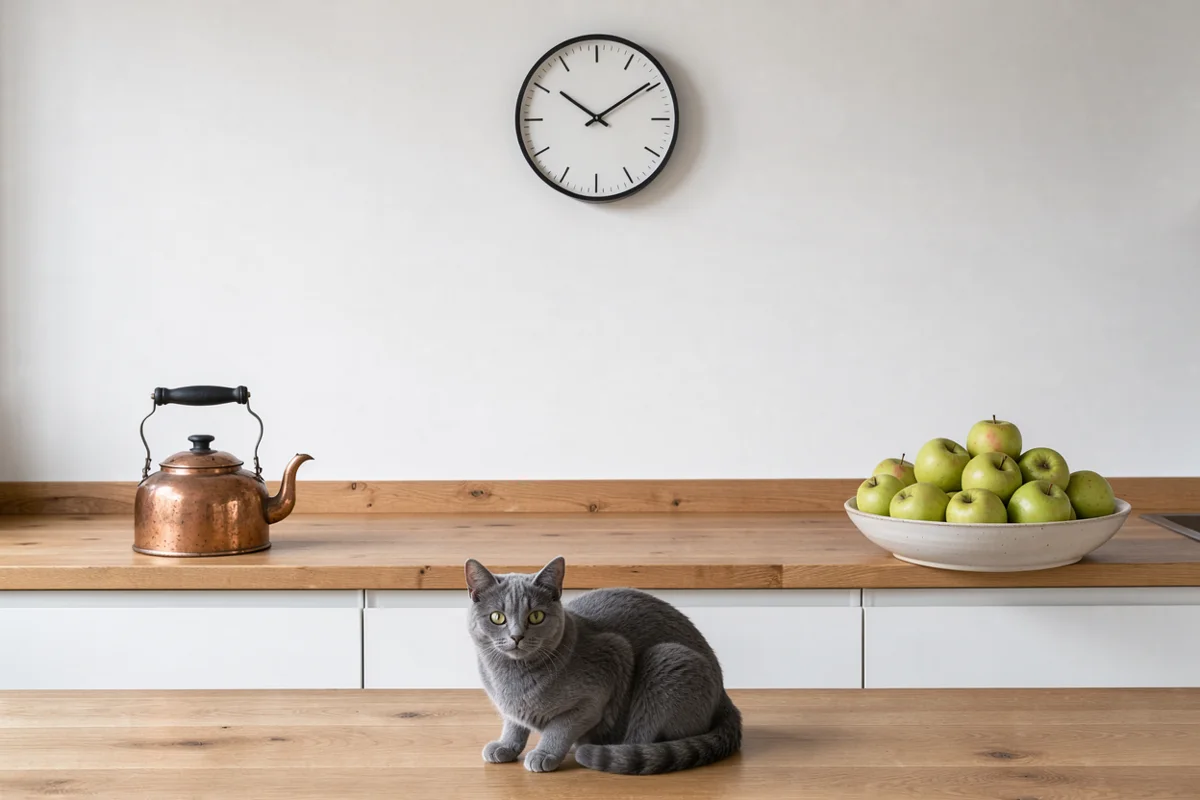
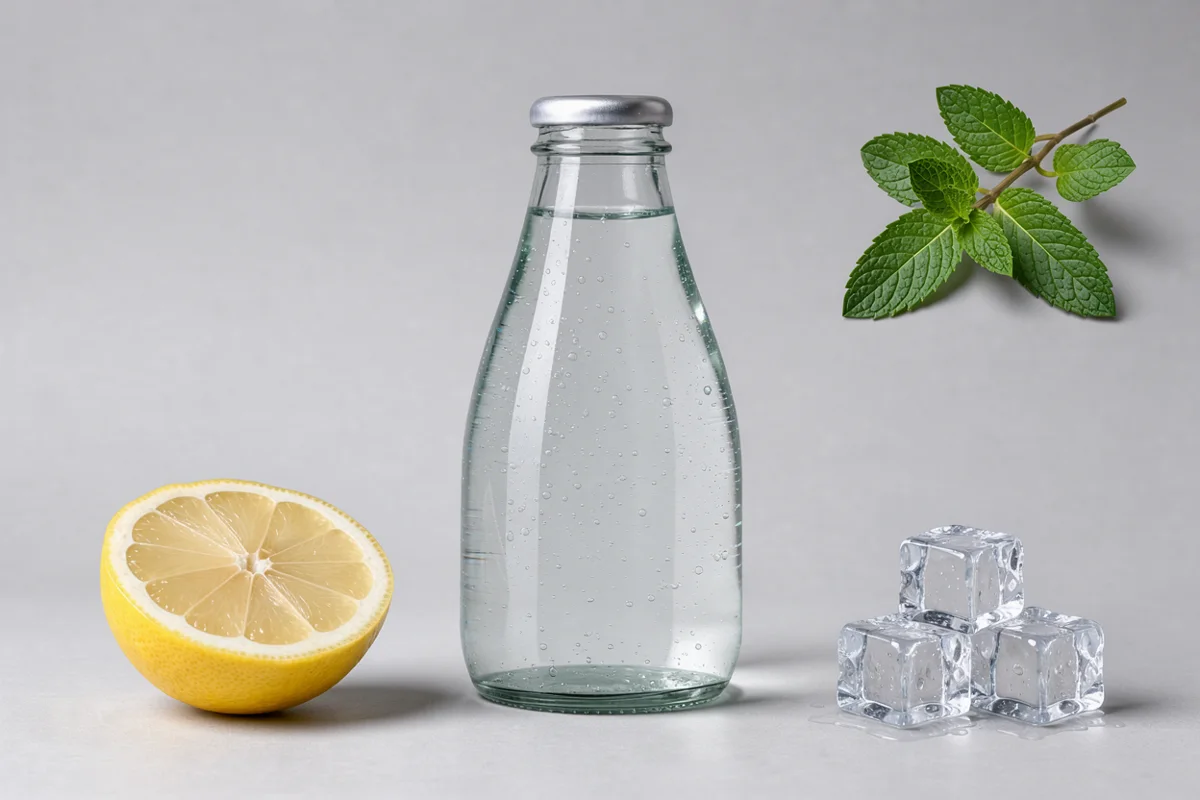
To be fair, we should mention what you can see with the naked eye. The FLUX 3 kitchen looks like a stage set: empty wall, clock, kettle, and bowl arranged at even intervals, cat sitting in front of the cabinets almost like it was pasted in. The model holds the boxes, but the scene loses the naturalness that GPT Image 2.5 or Seedream 5 Pro versions don’t lack. For an ad on a solid background, that’s an advantage; for an interior photo, less so.
Seedream 5 Pro: Second and Close
Seedream 5 Pro doesn’t have a bounding box format, yet it understood percentages very well. It only missed on the kite (IoU 0.467): made it narrower than we specified. On the desk it achieved 0.887, almost like FLUX.
 umbrelladoglounge chairkite
Nano Banana Pro Drew a Ruler
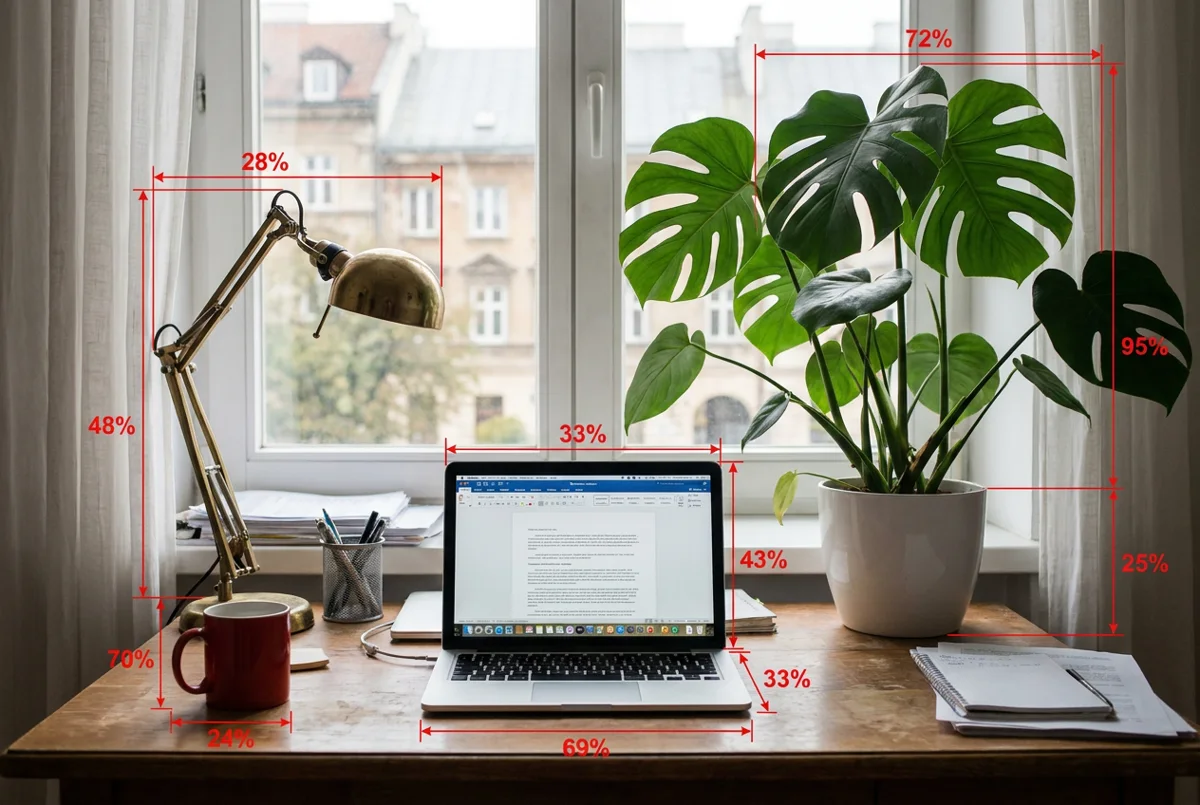
The strangest result of the test. In three out of four scenes, Nano Banana Pro treated the layout description as an order for a technical drawing and drew red arrows with percentages (“28%”, “72%”, “95%”) into the photo, and in the kitchen, red rectangles around the objects. On top of that, the objects still don’t stand where they should: the desk lamp has IoU 0.189.
 lampplantlaptopmug
Practical takeaway: if you use Nano Banana Pro, don’t put percentage numbers in your prompt. Descriptions like “lamp in the upper-left corner” work better, and precise layout needs to be forced with a sketch or reference image.
GPT Image 2.5, Ideogram 4.5, and Qwen Image 3
These three models held the general direction (“something on the left, something on the right”), but not the scale or height. The kitchen caused the most trouble: GPT Image 2.5, Ideogram 4.5, and Qwen Image 3 placed the kettle and apples on the counter higher and farther than we specified, so those objects have IoU equal to or close to zero. On the beach, Ideogram placed the kite in a completely different spot (IoU 0.008), and Qwen Image 3 in the ad moved the mint from the upper-right corner to the bottom, under the lemon and ice cubes.
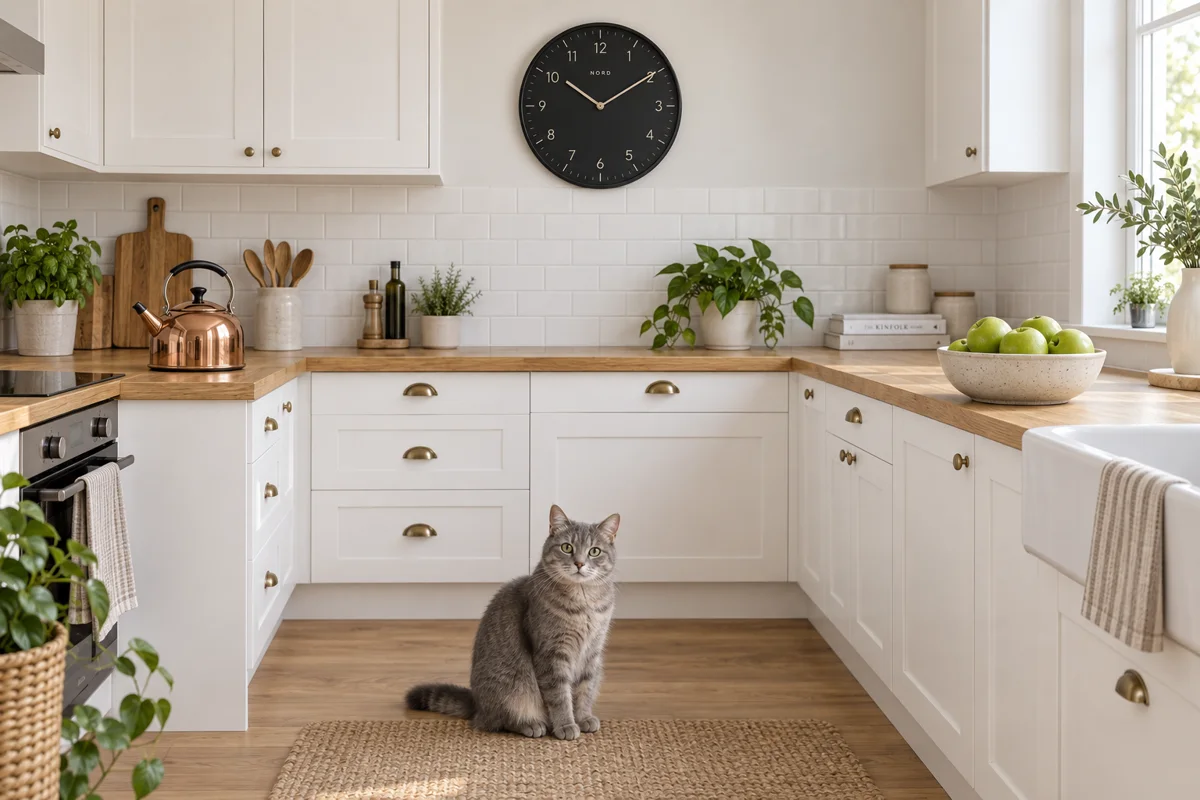
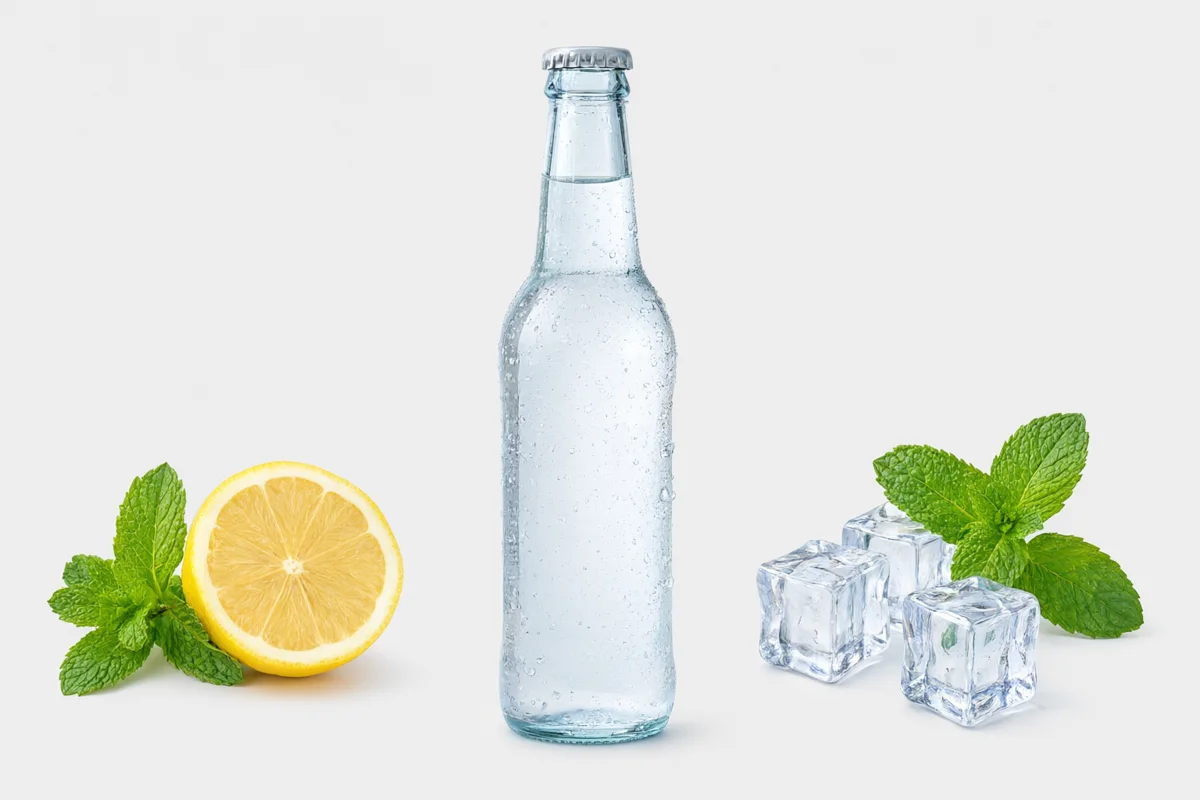

GPT Image 2.5 compensates with atmosphere: on the desk it added a city landmark outside the window on its own. It’s the most beautiful image in this scene, but the layout is only approximate.
Time and Cost
- FLUX 3 Image: 60 to 247 seconds per 1K image, price on fal.ai $0.024 per 1K image until October 8, then $0.048.
- Nano Banana Pro: around 22 seconds, $0.15.
- GPT Image 2.5 Sunburst: 29-37 seconds, $0.041 (1536 × 1024, high). One query (kitchen) returned an error on the first try, succeeded on retry.
- Seedream 5 Pro: 37-75 seconds, $0.0675.
- Ideogram 4.5: 11-15 seconds, $0.22 (quality high).
- Qwen Image 3: 14-79 seconds, $0.04 (1K).
At the promotional price, FLUX 3 is the cheapest and most accurate, but the slowest. With hundreds of mockups a day, those minutes will start to hurt.
How to Write Bounding Box Commands
- Think in a 0-1000 grid. Upper-left corner is [0, 0], lower-right [1000, 1000], regardless of whether the image is 16:9 or 9:16. Don’t convert to pixels.
- Watch the y, x order. The format is [y_min, x_min, y_max, x_max], so top first, then left edge. Swapping the order is the most common mistake: the object lands mirrored diagonally.
- Give short identifiers. “lamp_1”, “mug”, “logo” - they make it easier to edit a specific object later.
- Keep the desc description short. One object, a few words: “a red coffee mug”. Style and lighting don’t belong in desc.
- Put overall style in caption. Lighting, lens, type of photo, and mood describe once, in the caption field.
- Write scene context in caption. If the cat should sit on the floor and the kettle stand on the counter, it helps if caption mentions the floor and counter. In our test, FLUX 3 placed the cat on a wooden surface in front of cabinets that looks like a second counter.
We collected ready-to-copy layouts in eight graphics with JSON prompts.
Other FLUX 3 Tests
- FLUX 3 Image - launch, pricing, and new features
- FLUX 3 under the microscope: 4K vs 6 models
- 5 changes with one command: FLUX 3 vs 6 models
- 4K wallpapers with FLUX 3
- Interior visualizations in FLUX 3
- Ads and product shots in FLUX 3
- AI image generator ranking
- GPT Image 2.5 and Ideogram - separate hubs with tests
FAQ
How do you specify bounding boxes in FLUX 3 Image?
In the prompt field you enter JSON with a caption field (description of the entire scene) and an elements list. Each element has an id, bbox in [y_min, x_min, y_max, x_max] format on a 0-1000 grid, and a short desc description. On fal.ai this works in the regular text-to-image endpoint.
Do other models understand bounding boxes?
They don’t have that format, but some of them understand descriptions in percentages. Seedream 5 Pro achieved average IoU 0.788, close to FLUX 3. Nano Banana Pro, Ideogram 4.5, and Qwen Image 3 held layout poorly, and Nano Banana Pro drew arrows with percentages into the image.
What does IoU 0.890 mean?
That FLUX 3 objects overlapped with assigned boxes on average by 89%. In practice, every object stood in the right place and had a similar size, at most slightly larger or shifted by a few percent of the frame.
Do bounding boxes work in 4K?
The 0-1000 grid is independent of resolution, so the same JSON will work in 1K, 2K, and 4K. We did this test in 1K because at 4K one FLUX 3 image took over six minutes (details in the microscope test).
More on this from QUANTSLANT

 benchmarks·FLUX 3 Image: 5 Edits in One Prompt vs 6 Other ModelsAll seven models made five changes from one prompt, but only FLUX 3 Image left the rest of the photo untouched. SSIM 0.995 vs Grok's 0.708.