Hotel Lobby AI: How to Make the TikTok Trend and What It Costs
Step-by-step guide to creating the viral Hotel Lobby AI trend: templates, motion transfer tools, costs for 15 seconds, and prompts you can copy.
👁 118 reads
Hotel Lobby AI is a viral TikTok trend where two people, animals, or characters “rap” in an orange studio, mimicking the movements from Quavo and Takeoff’s 2022 COLORS performance. You can create it two ways: with a ready-made template (two photos, one click) or by transferring motion from a clip to your own characters in Higgsfield Genjutsu or Kling. I’ve gathered prices and limits from the sources listed below, and generated a sample clip with a fictional person in a regular hotel lobby. Below you’ll find the steps, costs, and prompts you can copy.
Quick Summary
Fastest option: Summrs AI template, which according to the site gives you 50 free credits to start, with templates costing from 10 credits. The best control over who stands on the left and who on the right comes from Higgsfield Genjutsu (according to Higgsfield, 15 seconds in 720p costs 104 credits, about $5.20) and Kling Motion Control (according to the API pricing, $0.126 per second in 720p). This is my opinion. CapCut templates are free, but they only swap faces in a pre-made clip. Only upload your own photos or photos of people who have consented, and mark the video as AI.
Where the Hotel Lobby Trend Came From
The source is Quavo and Takeoff’s (as Unc & Phew) performance of “Hotel Lobby” on A COLORS SHOW from June 2022: two people in a matte orange room, one microphone hanging between them, trading verses. According to Ai Miracle (September 27, 2026), the COLORS channel reshared this performance in April 2025, October 2025, and June 2026, the sound has been used in over 428,000 TikTok videos, and the wave of AI remakes was triggered in early September 2026 by a video of two cats recreating the performance. Takeoff died in November 2022, making this one of the duo’s last recordings together. XXL reports that on September 23, Quavo himself reshared the original performance on X.
How This Effect Works
A template swaps the face and silhouette in a pre-made recording, so the movement and background are always the same. Motion transfer takes only the movement from a clip and builds the characters from scratch using your photos. The third approach, which I tested myself, is animating a single frame from a description: no choreography, but no borrowed footage either.
Method 1: Ready-Made Template (Summrs, CapCut, LightX)
- Open the Hotel Lobby template in Summrs AI and click “Start Creating”.
- Create an account. Summrs gives you 50 free credits to start without requiring a card.
- Upload two separate photos, one person per photo, facing the camera, ideally full body.
- Choose the standard or longer version and generate a vertical 9:16 clip.
- Download the video and add the “Hotel Lobby” sound from TikTok’s library.
According to Summrs pricing, after you use up your credits you can buy 50 credits for $5 or a subscription of 300 credits for $15 per month. Competing service Starrd charges according to XXL about $5 for one 15-second clip. In CapCut, templates from TikTok are free, but according to Video AI Hub’s tutorial, it’s just face-swapping in a fixed recording, so the movements don’t match your character. To learn how to remove the logo watermark, see the article CapCut without watermark.
Method 2: Motion Transfer in Higgsfield Genjutsu
Genjutsu preserves the movement, camera work, and tempo from the clip, and builds everything else from scratch. The source clip can be 4 to 30 seconds long, and you can add up to 30 reference images to one generation (according to Higgsfield’s blog). Steps according to Video AI Hub’s tutorial:
- Select Genjutsu and Motion Transfer mode.
- Upload a source clip you have rights to, such as your own recording where you and a friend recreate the performance.
- Add images: character sheet, face close-up, full body, and a frame showing both characters together.
- In the prompt, assign each character to a side of the frame (left, right) using the @image and @video tags shown in the interface.
- Check the cost displayed before generating and run it.
Higgsfield lists for 15 seconds: 40 credits in 480p ($2), 104 credits in 720p ($5.20), and 144 credits in 1080p ($7.20). Blotato’s comparison from August 19, 2026 lists a Starter plan at $19 with 270 credits and no permanent free plan, only a one-time 40 credits for $3. More about the platform itself is in the article Higgsfield.
Method 3: Kling Motion Control, Viggle, Hailuo
Kling Motion Control works similarly: motion from a reference clip, appearance from a photo. Kling’s official API pricing lists $0.126 per second in 720p, so 15 seconds costs $1.89. For the app, eesel’s comparison lists 66 free daily credits with a watermark and a Standard plan at $10 with 660 credits. Details are in the article Kling AI. According to Ai Miracle, with two people, motion tools can only “catch” the larger one in the frame.
According to Viggle’s pricing, the free plan gives 5 videos daily with a watermark, and Pro costs $7.99 per month for 80 credits, without watermark. Hailuo and Wan don’t copy motion from a clip, they animate a single frame from a description. According to Hailuo’s site, the Standard plan costs $14.99 per month, on sale for $7.99, for 1000 credits.
| Tool | How It Works | Cost for 15s | Free Option |
|---|---|---|---|
| Summrs AI | template, photos as input | from 10 credits; 50 credits = $5 | 50 credits to start |
| Starrd | template | about $5 | no |
| CapCut | template, face swap | $0 | yes, motion doesn’t match character |
| Higgsfield Genjutsu | motion transfer | 104 credits in 720p ($5.20) | no permanent free plan |
| Kling Motion Control | motion transfer | $1.89 in API (720p) | 66 daily credits, watermark |
| Viggle | motion transfer | in plan credits | 5 videos daily, watermark |
My Test: Custom Hotel Lobby Scene
I didn’t want to paste anyone’s face into someone else’s footage, so I made a version without the COLORS clip. The person in the examples is AI-generated. In Nano Banana 2, I generated a “phone-style” photo, then moved that character into a hotel lobby with a hanging microphone and a cat. Each image cost about $0.07 through OpenRouter.
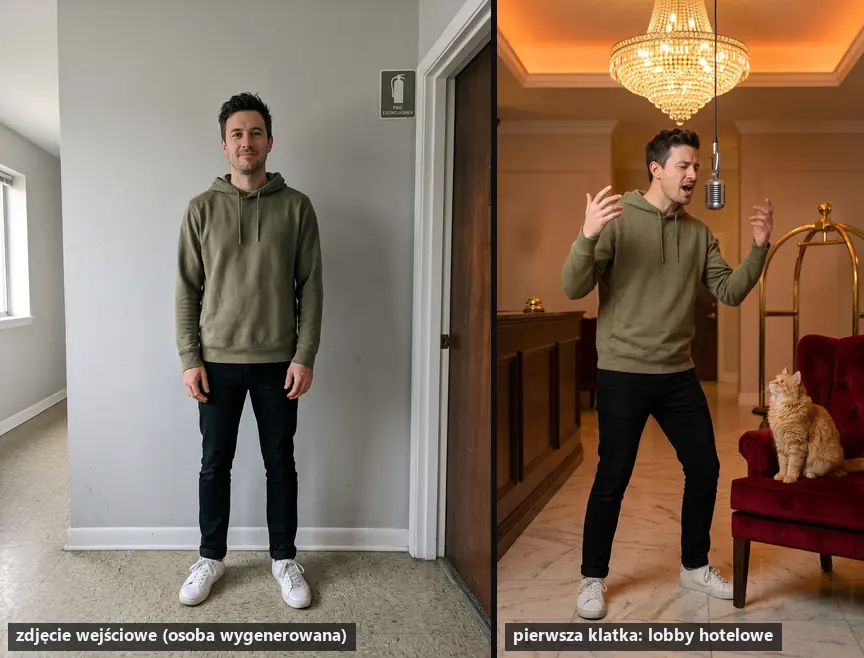
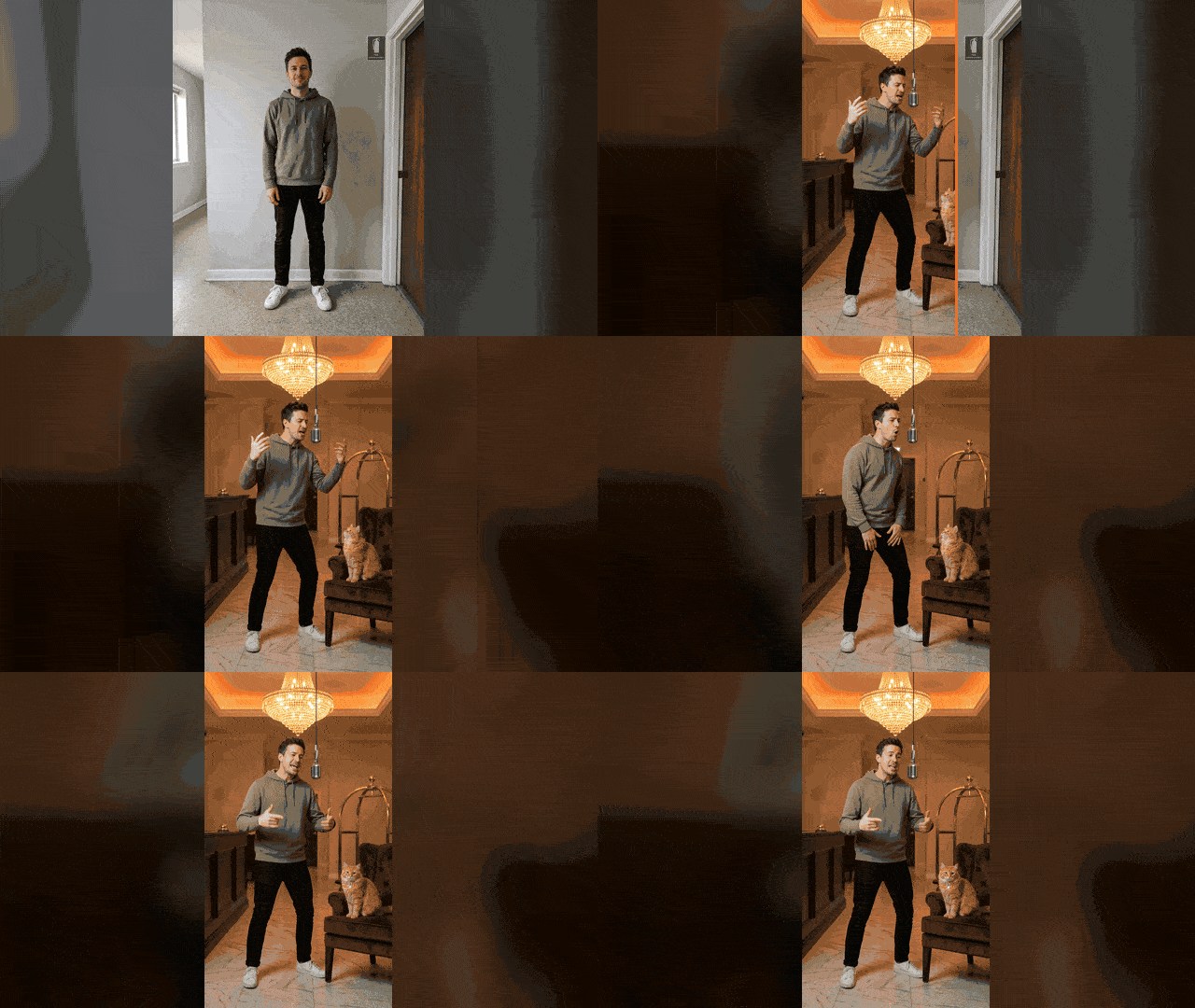
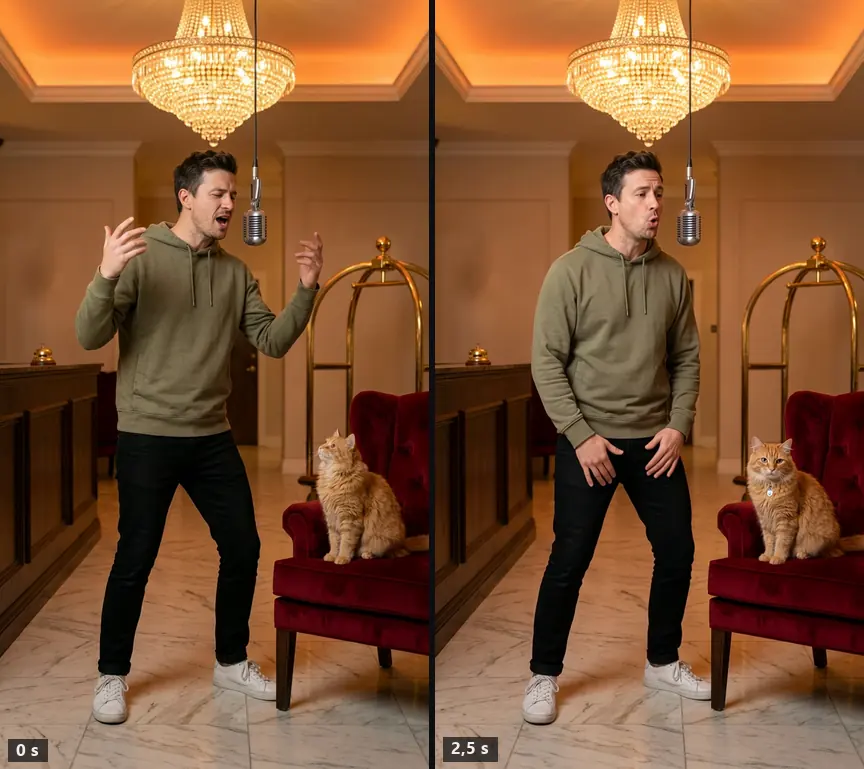
I animated this frame in Wan 3.0: 5 seconds, 720p, vertical 9:16. Generation took 160 seconds and cost $0.425. The face, hoodie, and cat stay consistent with the starting frame throughout the clip, hands don’t blur. The model didn’t recreate the choreography because it had no source clip: the character nods and gestures, but it’s not the movement from the performance. I generated the clip without sound, since on TikTok you add the track from the library anyway.
Prompts You Can Copy
Paste the first two into Gemini (Nano Banana) or ChatGPT along with your photo. The result is a starting frame, which you then animate in Kling, Hailuo, or Wan.
Prompt to copy:
Use the person from the attached photo. Keep their face, hairstyle, body shape, and clothing exactly as shown. Move them to an elegant hotel lobby: marble floor, reception desk with bell, brass luggage cart, large chandelier, warm orange lighting. The person stands in the center, visible from head to toe, in a rapper's pose with one hand raised, rapping into a single vintage microphone hanging from the ceiling at head height. Vertical 9:16 frame, static camera, realistic photo, no text or logos.
What it’s for: starting frame in solo version. What to watch for: if the face changes, add “do not change facial features or eye shape” and upload a front-facing photo.
Prompt to copy:
Use the person from the first photo and the animal from the second photo. Keep their appearance unchanged. Place them side by side in an orange, empty studio with one microphone hanging between them. The person stands on the left, the animal sits on the right on a tall stool and looks at the microphone. Vertical 9:16 frame, full body, even lighting, realistic photo, no text.
What it’s for: human and animal duo, like in the cat video. What to watch for: upload two separate photos, because in group photos the model confuses characters.
Prompt to copy (motion, in English, as I entered it in Wan 3.0):
The person raps energetically into the hanging microphone, bobbing the head to a hip-hop beat, expressive hand gestures in rhythm, shifting weight from foot to foot. Static camera on a tripod, realistic, keep the face identical to the first frame, no text.
What it’s for: frame animation in Kling, Hailuo, Wan (image-to-video mode). What to watch for: 5 seconds is enough; longer clips more often lose the face.
Prompt to copy (Genjutsu, character assignment):
Replace the person on the left in @video with the character from @image1, and the person on the right with the character from @image2. Keep the motion, tempo, framing, and lighting from the clip. Faces exactly as in the photos, without changing features. Leave the background unchanged.
What it’s for: Motion Transfer in Higgsfield. What to watch for: tags must match the file labels in the interface, and the source clip should be yours.
Likeness Rights, Music, and AI Labeling
Publishing someone’s likeness requires that person’s consent, and this applies to friends too. Inserting politicians into this performance is popular, but the legal risk falls on the video’s creator. This is my opinion. Choose the “Hotel Lobby” track from TikTok’s sound library; uploading it with the video to YouTube may trigger a Content ID claim. TikTok has required labeling realistic AI-generated content since September 19, 2023. More about editing photos is in the guide how to edit a photo with AI.
Frequently Asked Questions
Can You Make Hotel Lobby AI for Free?
Yes. Summrs gives 50 credits to start, CapCut has free templates, Kling offers 66 daily credits, and Viggle gives 5 videos daily. Free versions of Kling and Viggle add a watermark.
What App Should You Use for the Hotel Lobby Trend?
On mobile, the simplest is CapCut or Summrs in a browser. If you want the motion to match your character, choose Higgsfield Genjutsu or Kling Motion Control.
Can You Use a Friend’s Photo?
Only with their consent. Publishing someone’s likeness without permission violates their rights, even in a humorous video.
Why Does the Face in the Video Look Different?
Most often the photo was taken from the side, too small, or a group shot. Upload a sharp front-facing photo and shorten the clip to 5-10 seconds.
Sources and Verification Date
All Higgsfield guides: pricing, free plan, Soul, MCP, Genjutsu and more in one place - Higgsfield AI guide 2026
 AI Photo Trends: TikTok Trends & Prompts (2026)Guides
 How to Get 1 Million TikTok Views: 2026 Algorithm GuideGuides
 How to Report a Deepfake on TikTok: Video, Account & Voice CloneGuides
The link to Higgsfield is a partner link: if you buy through it, QUANTSLANT earns a commission and you pay the same price. It has no influence on the content, including where the coverage is critical.
More on this from QUANTSLANT


 ai tools·ElevenLabs Review: Models, Pricing & How to StartElevenLabs offers AI voice generation, voice cloning, dubbing and transcription. We tested Eleven v4 in English: 18 of 18 checkpoints correct.