FLUX 3 4K Test: Real Resolution vs 6 AI Image Models
FLUX 3 Image delivers true 4K with 16.8 Mpx of real detail. We tested it against six models to measure effective resolution, text accuracy, and speed.
👁 143 reads
FLUX 3 Image is the only model among seven we tested that delivers 4K that’s actually 4K: 5456 × 3072 px with a full 16.8 Mpx of real detail. Nano Banana Pro and Nano Banana 2 also output files around 16.9 Mpx, but our measurement shows they carry as much detail as a 4.2 Mpx image. Resolution isn’t everything, though: FLUX 3 got 6 out of 8 text labels right, while GPT Image 2.5, Grok Imagine 2, and Seedream 5 Pro wrote all eight without error. And 4K in FLUX 3 took 392 seconds - ten times longer than the competition.
Black Forest Labs markets FLUX 3 Image with the tagline “native 4K.” We see that same claim on half the image generators today, so instead of counting pixels in the file header, we checked how much real information those pixels contain. We gave seven models the same detailed scene, had each generate it at the highest resolution it offers, and examined the result at 100% scale.
We chose a deliberately challenging scene: Main Market Square in Kraków at dusk, six shop signs, a newspaper kiosk with a headline, and a tram with a route number. Small text, cobblestones, pigeons, and architectural detail quickly reveal whether a model draws details or just upscales a smaller image.
How We Tested
- Date: October 1, 2026, FLUX 3 Image launch day.
- Access: all models through fal.ai API, each at the highest available resolution for 16:9 aspect ratio.
- Single attempt: one image per model, no rolling multiple versions and no cherry-picking the best.
- Same prompt: identical English instruction for all, with no prompt expansion on the model side.
- Text: eight texts to render. We counted them twice - automatically (OCR with Gemini 3.8 Flash on tiles at native resolution) and manually, examining each sign at full zoom.
- Detail: “effective resolution” measured by a downscaling and upscaling test (explained below).
The prompt every model received (we tested in Polish, but the prompt was in English):
Wide street photograph of the Main Market Square in Kraków at dusk, warm street lamps, many people walking. Small shop signs along the tenement facades, each clearly readable: "APTEKA", "KWIATY", "ZEGARMISTRZ", "LODY NATURALNE", "ANTYKWARIAT", "KANTOR". A newspaper kiosk in the foreground with a headline on the front page: "MIASTO BEZ KORKÓW?". A tram with route number "8" in the background. Cobblestones, pigeons, fine architectural detail.Settings on fal.ai:
- FLUX 3 Image: resolution 4k, aspect_ratio 16:9.
- Nano Banana Pro and Nano Banana 2: resolution 4K, aspect_ratio 16:9.
- GPT Image 2.5 Sunburst: 3840 × 2160, quality high (the largest size it accepts).
- Seedream 5 Pro: we requested 4096 × 2304, but got 2728 × 1536 because the model has a 2048 × 2048 px surface limit.
- Grok Imagine 2: resolution 2k, which is the maximum.
- Ideogram 4.5: landscape_16_9, quality high. API returned 1280 × 720 px.
What Effective Resolution Means
A 5504 × 3072 px file doesn’t have to contain 16.9 Mpx of detail. A model can generate a smaller image and upscale it to “4K” with simple enlargement. The pixel count grows, but no new information appears: you get the same thing, just blurrier when zoomed in.
We checked this with a simple method. From the center of each image, we cut a fragment, downscaled it (to 85%, 70%, 50%, and further), then upscaled it back to the original size. We then compared the result to the original using SSIM, a metric that tells how similar two images are (1 means identical).
- If after downscaling by half and upscaling again the image barely changes (SSIM at least 0.97), then half the pixels in each dimension were empty, and the real detail fits in a file four times smaller.
- If even slight downscaling to 85% damages the image, then every pixel carries information and the resolution is genuine.
Effective resolution is the number of megapixels after the largest downscaling that still passes the 0.97 threshold. It’s an approximation, not a normalized lab measurement, but it separates models that draw detail from those that upscale it.
Results: Pixels, Detail, Text
| Model | File Size | Mpx | Effective | Text (manual) | Text (OCR) | Time | Price on fal.ai |
|---|---|---|---|---|---|---|---|
| FLUX 3 Image | 5456 × 3072 | 16.8 | 16.8 Mpx | 6/8 | 5/8 | 392 s | 1K = $0.024, 4K more (see below) |
| Nano Banana Pro | 5504 × 3072 | 16.9 | 4.2 Mpx | 7/8 | 7/8 | 38 s | $0.30 (4K) |
| Nano Banana 2 | 5504 × 3072 | 16.9 | 4.2 Mpx | 6/8 | 3/8 | 34 s | $0.16 (4K) |
| GPT Image 2.5 Sunburst | 3840 × 2160 | 8.3 | 4.1 Mpx | 8/8 | 5/8 | 45 s | $0.10 (high) |
| Grok Imagine 2 | 2816 × 1584 | 4.5 | 3.3 Mpx | 8/8 | 6/8 | 86 s | $0.06-0.08 (2K) |
| Seedream 5 Pro | 2728 × 1536 | 4.2 | 2.1 Mpx | 8/8 | 5/8 | 63 s | $0.135 |
| Ideogram 4.5 | 1280 × 720 | 0.9 | 0.7 Mpx | 4/8 | 4/8 | 19 s | $0.22 (high) |
The difference is substantial. FLUX 3 failed the threshold at 85% downscaling, meaning each of its 16.8 Mpx carries information. Both Nano Banana versions survived 50% downscaling without loss, so their “4K” is in practice an image around 2750 × 1540 px stretched double. GPT Image 2.5 has an 8.3 Mpx file with 4.1 Mpx of detail. Grok Imagine 2 uses its 4.5 Mpx best among competitors (3.3 Mpx effective).
100% Crops: Center Frame
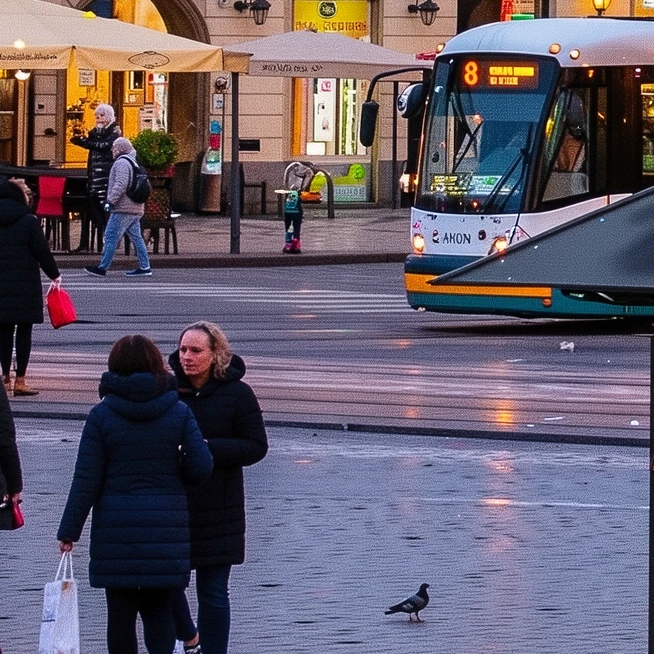
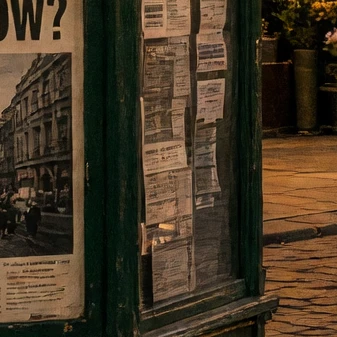
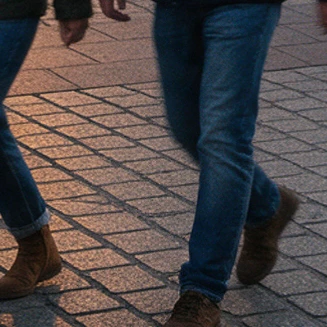
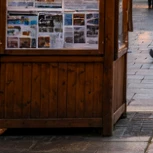
Each crop is 12% of frame width, in native pixels. That’s why a crop from a larger image has more pixels and looks sharper on the page if the model actually drew detail, or softer if it just upscaled the image.
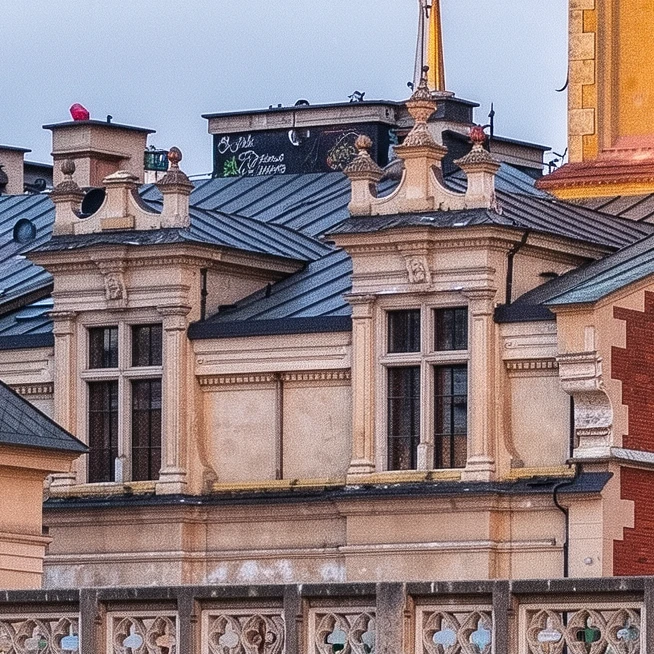
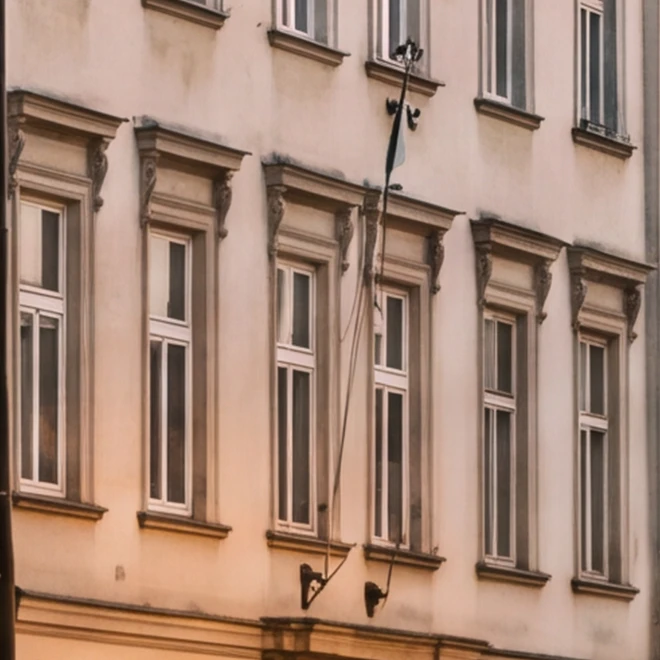
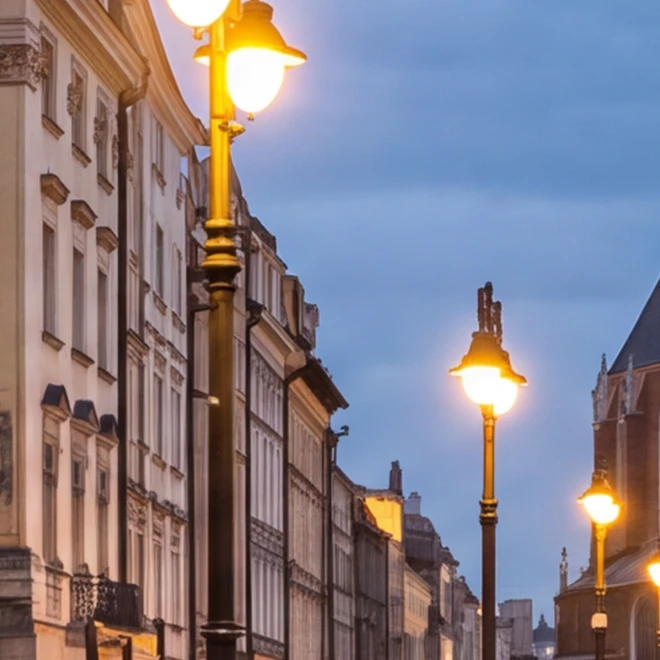
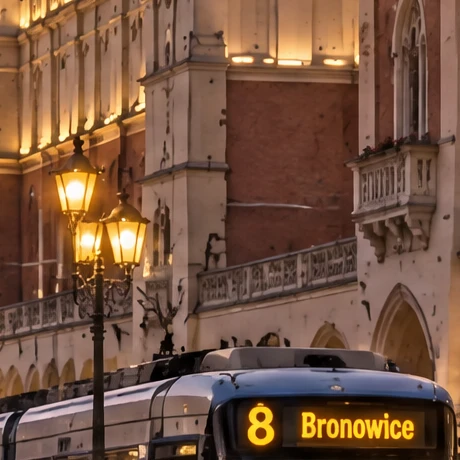
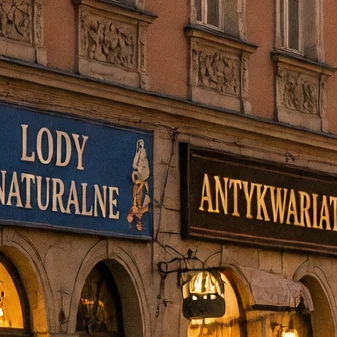
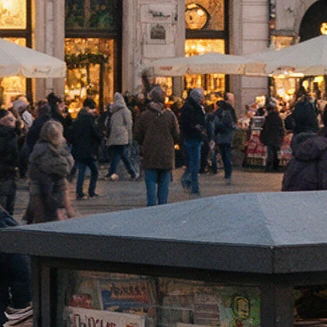
In the FLUX 3 crop you can see individual roof tiles, cornices, and attic decorations. At Nano Banana Pro the facade at the same scale looks softly retouched: window edges are clean, but there’s almost no plaster texture. The Ideogram crop is 153 px and turns into blobs when zoomed.
100% Crops: Bottom Frame



Text: Resolution Isn’t the Same as Accurate Text
Here FLUX 3 doesn’t win. We checked eight texts from the prompt: six shop signs, a newspaper headline, and a tram number.
What exactly went wrong:
- FLUX 3 Image (6/8): signs APTEKA (pharmacy), KWIATY (flowers), LODY NATURALNE (natural ice cream), ANTYKWARIAT (antique shop), and KANTOR (currency exchange) are clean and sharp, tram has “8”. The ZEGARMISTRZ (watchmaker) sign was obscured by a street lamp, showing only “GARMISTRZ”. The biggest problem is the kiosk: the model covered it with dozens of newspapers with headline variations (“MATST BEZ KORKÓW?”, “NAZ KORKÓW”, “BEZ KORKÓW?”), but none has the complete, correct “MIASTO BEZ KORKÓW?” (City Without Traffic Jams?).
- Nano Banana Pro (7/8): all signs and tram correct, but the headline lost a diacritic: “KORKOW?” instead of “KORKÓW?” (“without traffic jams?”).
- Nano Banana 2 (6/8): instead of KANTOR it wrote something like “KAAYVWAL”, and the tram has no number.
- GPT Image 2.5, Grok Imagine 2, Seedream 5 Pro (8/8): complete set. GPT added a sign “8 Bronowice”, a “PRASA” (press) sign, and newspaper titles on its own, all without typos.
- Ideogram 4.5 (4/8): at 1280 × 720 px the APTEKA and KWIATY signs turned into green neon without readable letters, and the newspaper headline is illegible.
Why did automatic OCR give different numbers? Gemini split text into lines (“LODY” and “NATURALNE” separately, “MIASTO” and “BEZ KORKÓW?” separately), and tiles sometimes cut a sign in half, so our script comparing whole phrases didn’t count correct text. This hit Nano Banana 2 hardest (OCR 3/8, manual 6/8) and GPT Image 2.5 (5/8 vs 8/8). That’s why we show both numbers in the table, but base conclusions on manual assessment.
Conclusion: resolution and text accuracy are two different skills. Nano Banana Pro has four times less real detail than FLUX 3, yet wrote one more text correctly. Grok Imagine 2 with a 4.5 Mpx file wrote everything. If you’re making a poster with a large headline, FLUX 3’s 4K won’t help if the headline comes out wrong.
4K Is Slow and Not Always Cheap
FLUX 3 in 4k mode generated the image in 392 seconds - over six and a half minutes. Nano Banana Pro delivered its file in 38 seconds, Ideogram in 19. Fal.ai itself warns in the parameter description that 4k “may take several minutes.” For mass production this is a serious limitation: a hundred images means over ten hours of waiting with a single thread.
Pricing is confusing. The producer and launch announcements mention $0.024 USD per image in a promotion until October 8 and $0.048 USD after. The model page on fal.ai clarifies, however, that the price “depends on resolution” and that $0.024 USD applies to a 1K (1 Mpx) image, with the cheapest option starting at $0.0205 USD. Fal.ai’s public API pricing lists $0.024 USD per megapixel. Calculating linearly, one 4K image (16.8 Mpx) would cost around $0.40 USD during the promotion and around $0.80 USD after October 8. Fal.ai doesn’t state the 4K price directly, so before a larger batch check the billing in your panel after the first image.
For comparison, Nano Banana Pro in 4K costs $0.30 USD on fal.ai, Nano Banana 2 in 4K $0.16 USD, and GPT Image 2.5 at 3840 × 2160 in high quality $0.10 USD.
Which Model for What
- Print, large screens, post-crop: FLUX 3 Image. Only it delivers detail that survives cutting a fragment and enlarging. Useful for wallpapers (see 12 4K wallpapers from FLUX 3) and print visualizations.
- Graphics with lots of text: GPT Image 2.5, Grok Imagine 2, or Seedream 5 Pro. In this test they made zero text errors.
- Fast “4K” for web: Nano Banana Pro. The file is upscaled, but you won’t see that on a phone screen, and you get it in under 40 seconds.
- Not for large formats: Ideogram 4.5 through fal.ai in 16:9 only outputs 1280 × 720 px.
Other FLUX 3 Tests
- FLUX 3 Image - launch, pricing and features
- Frame composition: FLUX 3 vs 5 models
- 5 changes in one prompt: FLUX 3 vs 6 models
- Interior visualizations in FLUX 3
- Ads and product shots in FLUX 3
- Frame layouts in FLUX 3: JSON structures
- AI image generator ranking
- GPT Image 2.5 and Ideogram - separate test hubs
FAQ
Does FLUX 3 Image really generate in 4K?
Yes. In 4k mode we got a 5456 × 3072 px file and our downscaling test showed that the entire resolution carries detail. This distinguishes it from Nano Banana Pro and Nano Banana 2, whose 4K files have as much detail as a 4.2 Mpx image.
How long does 4K image generation take in FLUX 3?
In our test, 392 seconds on fal.ai. Competing models at their highest resolution delivered images in 19-86 seconds.
Which model writes text on images best?
In this test GPT Image 2.5 Sunburst, Grok Imagine 2, and Seedream 5 Pro wrote all 8 texts correctly, including diacritics. Nano Banana Pro lost a diacritic in one word, FLUX 3 failed on the newspaper headline. This is one attempt per model, so treat it as guidance, not a permanent ranking.
How much does a 4K image from FLUX 3 cost on fal.ai?
Fal.ai lists $0.024 USD per 1K image in a promotion until October 8 and $0.048 USD after, with price increasing by resolution. The API pricing calculates $0.024 USD per megapixel, which for 4K would give around $0.40 USD during promotion. You’ll see the exact amount in your billing panel.
More on this from QUANTSLANT

 news·FLUX 3 Image: Native 4K, Bounding Boxes & Multi-EditBlack Forest Labs released FLUX 3 Image on October 1, 2026: native 4K up to 5456×3072px, bounding box composition, and multi-area editing without touching the rest.