GPT Image 2.5: OpenAI Image Models, Pricing & Test (2026)
GPT Image 2.5 Sunburst and Flare are OpenAI's latest image models, available in ChatGPT (including Free) and API. We tested them on Polish text rendering.
👁 121 reads
GPT Image is OpenAI’s family of models for creating and editing images. The latest version, GPT Image 2.5 in two variants - Sunburst and Flare - has been available in ChatGPT (including the free plan) and in the API since September 8, 2026, and holds the top two spots in the Artificial Analysis ranking. In our test of four prompts, it was the only model that made zero mistakes in the requested text rendering (we tested it in Polish).
Status as of October 3, 2026
- Latest model: GPT Image 2.5 (September 8, 2026), in API as
gpt-image-2.5-sunburstandgpt-image-2.5-flare, in ChatGPT as ChatGPT Images 2.5. - Artificial Analysis ranking: Sunburst 1197 Elo (1st place), Flare 1191 (2nd), GPT Image 2 1172 (3rd). Also holds the top two spots in image editing.
- API pricing: 30 USD per million output image tokens. In practice, from around 0.01 USD (“medium” quality) to 0.13 USD (“max” quality) per 16:9 image.
- In ChatGPT: available in all plans, from Free to Pro. “Images with thinking” mode only in Plus, Pro, and Business.
- Deprecations: DALL-E 2 and 3 removed from API on May 12, 2026; gpt-image-1 being deprecated October 23, 2026; GPT Image 1.5 and 1 Mini - December 1, 2026.
What is GPT Image
GPT Image is the name under which OpenAI sells its image generation models in the API. In ChatGPT, the same technology is called ChatGPT Images, and the version number is shared: GPT Image 2.5 in the API is ChatGPT Images 2.5 in the chat. The model understands plain descriptions, can accept reference images, edits specified parts of an image, and writes readable text, including characters with diacritics.
The history is short but dense:
- March 25, 2025 - image generation built into GPT-4o replaces DALL-E 3 in ChatGPT.
- April 23, 2025 - gpt-image-1 arrives in the API.
- October 6, 2025 - gpt-image-1-mini, 80% cheaper.
- December 16, 2025 - GPT Image 1.5 and a new Images tab in ChatGPT.
- April 21, 2026 - GPT Image 2 (ChatGPT Images 2.0) with “thinking” before drawing and images up to 2K.
- September 8, 2026 - GPT Image 2.5 in two variants: Sunburst and Flare.
We described what changed with each release in our articles ChatGPT Images 2.0, ChatGPT Images 2.5, and Images 2.5 vs 2.0.
How to get started: images in ChatGPT step by step
- Log in at chatgpt.com or in the app. A free account works, but has lower, undisclosed limits.
- Write in a regular chat what you want to create, e.g., “Create a festival poster, September 14, text ‘Festival on the Square'”. You can also open Images in the sidebar and start from a ready-made template: poster, logo, icon, product photo.
- Specify proportions (“portrait 4:5”, “landscape 16:9”) and text that should appear in the image, in quotation marks.
- Edit parts: in the editor, select an area with the Select tool and describe the change. The rest of the image stays unchanged. You can also add a comment directly on the image or sketch a layout through @Sketch.
- Download the file. Each image has C2PA metadata and an invisible SynthID watermark, so platforms can recognize it was created with AI.
We wrote a full guide with copy-paste prompts and common mistakes in our tutorial how to generate images in ChatGPT. Ready-made prompt sets are in the articles 30 prompts for ChatGPT Images and 15 prompts for a campaign, and we described sketching in the article about Sketch in ChatGPT.
Models and versions: Sunburst, Flare and older ones
OpenAI describes Flare as the fastest model for everyday work, and Sunburst as the most powerful, designed for precise editing. Both have the same pricing and the same parameters:
- six quality levels: low, medium, high, xhigh, max, and auto,
- transparent background (PNG and WebP),
- custom sizes in multiples of 16 pixels, aspect ratios from 1:3 to 3:1, longer side up to 3840 px (above 2560 x 1440 OpenAI marks this as experimental),
- editing with mask and up to 16 reference images (this number is reported by fal.ai and OpenRouter; we didn’t find it in OpenAI’s documentation).
| Model | Release | Elo in Artificial Analysis | API status |
|---|---|---|---|
| GPT Image 2.5 Sunburst | Sep 8, 2026 | 1197 (1st place) | current |
| GPT Image 2.5 Flare | Sep 8, 2026 | 1191 (2nd) | current |
| GPT Image 2 | Apr 21, 2026 | 1172 (3rd) | available, no deprecation date |
| GPT Image 1.5 | Dec 16, 2025 | 1107 (8th) | deprecation Dec 1, 2026 |
| GPT Image 1 | Apr 23, 2025 | 1011 | deprecation Oct 23, 2026 |
| GPT Image 1 Mini | Oct 6, 2025 | 917 | deprecation Dec 1, 2026 |
| DALL-E 3 | 2023 | - | deprecated May 12, 2026 |
In our earlier test, Sunburst and Flare produced nearly identical frames, and Flare rendered them 1.5-2 times faster. Details and timings are in the articles GPT Image 2.5: Sunburst and Flare test and Sunburst or Flare. OpenAI doesn’t disclose which variant ChatGPT uses.
How much does GPT Image cost
In ChatGPT
Images are available in every plan, but OpenAI doesn’t publish daily limits. We can’t provide subscription prices as they vary by market.
| Plan | Images |
|---|---|
| Free | ChatGPT Images 2.5 with low, undisclosed limit and slower generation |
| Go | according to Go plan announcement, 10 times more images than Free |
| Plus | higher limits and “Images with thinking” mode |
| Pro 200 | unlimited image creation (with abuse protection) |
The full pricing with Pro 100 and Pro 500 plans is in the article ChatGPT pricing 2026, and we described how to check limits on your account in the guide ChatGPT limits.
In API
| Item (per million tokens) | GPT Image 2.5 and 2 | GPT Image 1.5 | GPT Image 1 |
|---|---|---|---|
| Text input | 5 USD | - | - |
| Image input | 8 USD | - | 10 USD |
| Image output | 30 USD (15 USD in Batch mode) | 32 USD | 40 USD |
Tokens don’t tell you much, so we calculated actual image costs. For a 16:9 image, we paid 0.0086 USD in “medium” quality, 0.033 USD in “high”, and 0.13 USD in “max”. In the test below, in 4:3 and 3:4 format (1536 x 1152 px) in “high” quality, an image cost an average of 0.050 USD. “Medium” quality is perfectly sufficient for drafts, and text rendering works just as well in it.
Text rendering: prompts and labels
ChatGPT understands prompts in multiple languages without translation, and GPT Image from version 2 onwards writes text with diacritics virtually flawlessly. OpenAI in its announcements praised better text in Asian languages and Hindi; they said nothing about other languages, so we rely on our own tests (conducted in Polish):
- in a test of 13 text labels, GPT Image 2.5 got 13/13 (Polish text: Ideogram 4.5 vs 8 models),
- a sign with Polish characters came out correctly in all six attempts, even in the cheapest “medium” quality,
- in the test below, 8 out of 8 requested text labels without error.
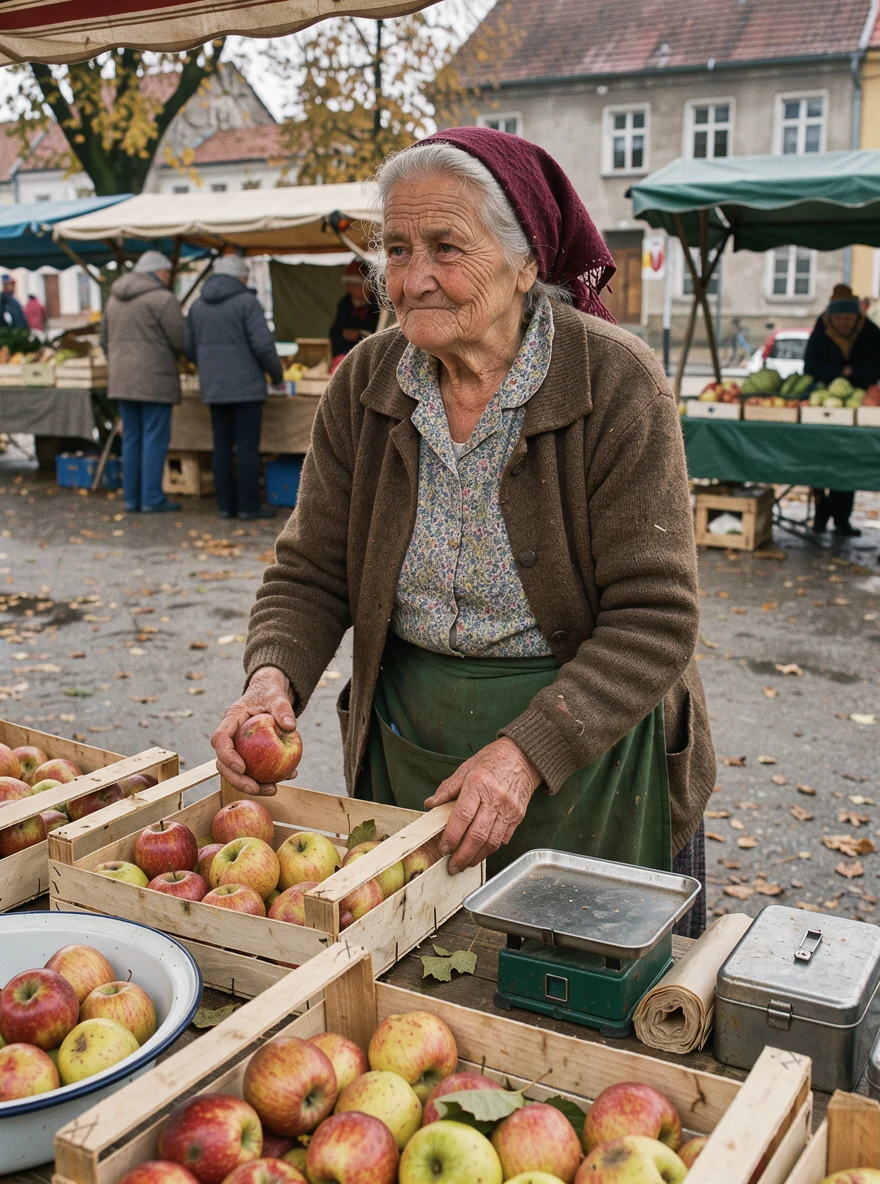
One caveat: the model likes to add text we didn’t ask for, and it can make mistakes in those. In a market portrait, it drew a card with a misspelled word. That’s why we add “no other text in the image” to prompts. All methods for accurate text rendering are collected in the article GPT Image text rendering: how to get correct labels.
Our test: 4 prompts in 4 models
On October 3, 2026, we ran the same four prompts through GPT Image 2.5 Sunburst (“high” quality), Recraft V4.1, Krea 2 Large, and FLUX 3 for reference. We wrote the prompts in Polish, as a reader would. We also repeated the sign prompt in English to separate understanding of Polish from actual letter rendering. Each model got one attempt, without cherry-picking better versions. Leonardo, Freepik (Magnific), and Firefly don’t have public APIs in the services we use, so they’re not in this test.
Total test cost: 0.93 USD through OpenRouter, 21 images. Ratings on a 1-10 scale are our opinion after viewing each frame at full size.
1. Store sign
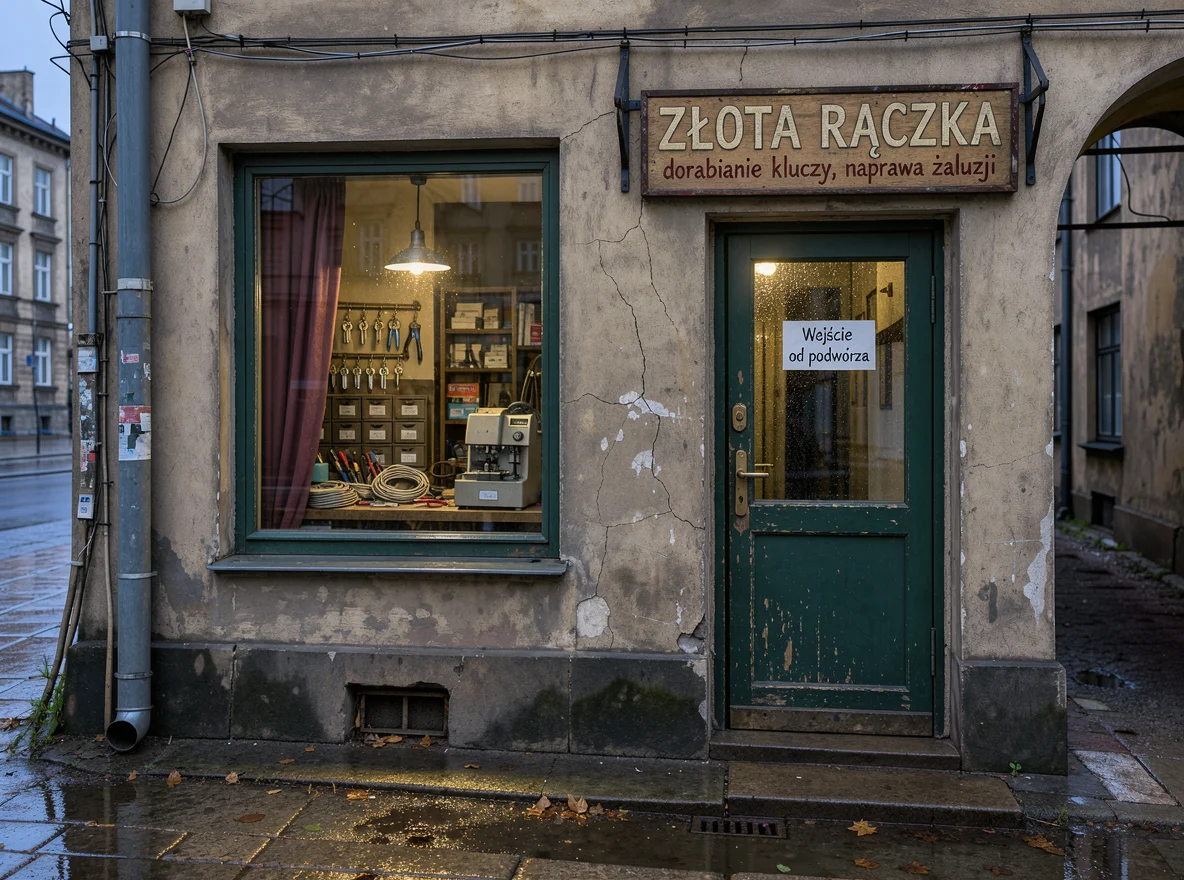
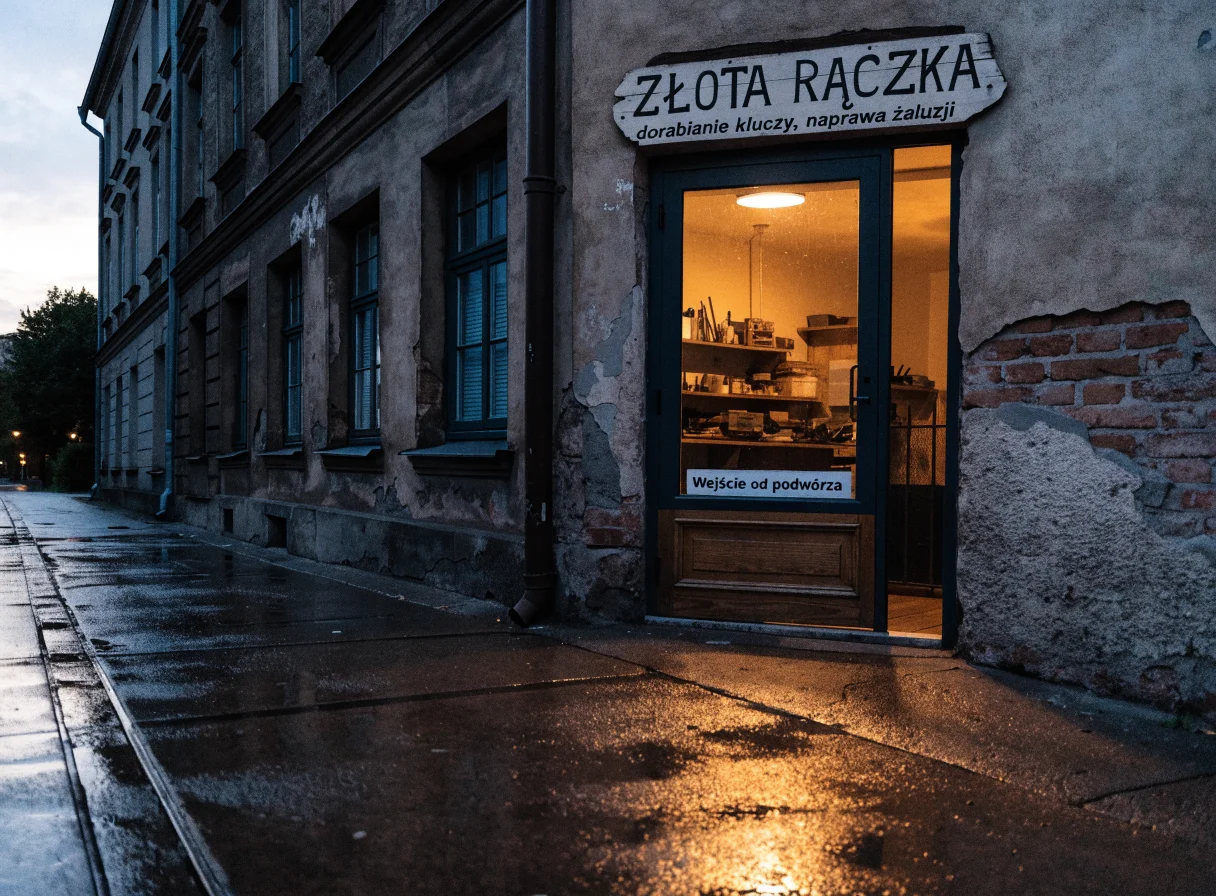
Prompt (we tested it in Polish):
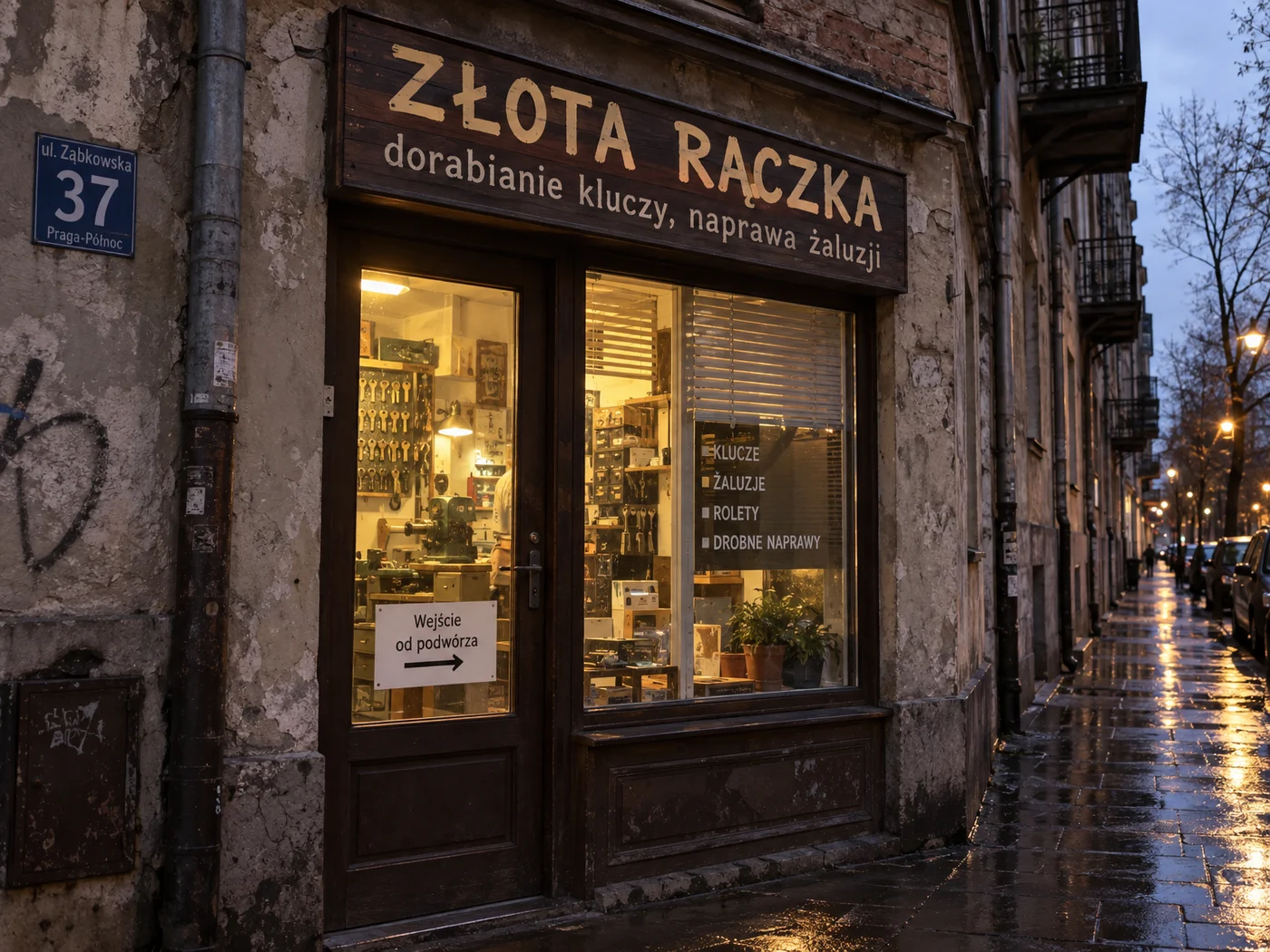
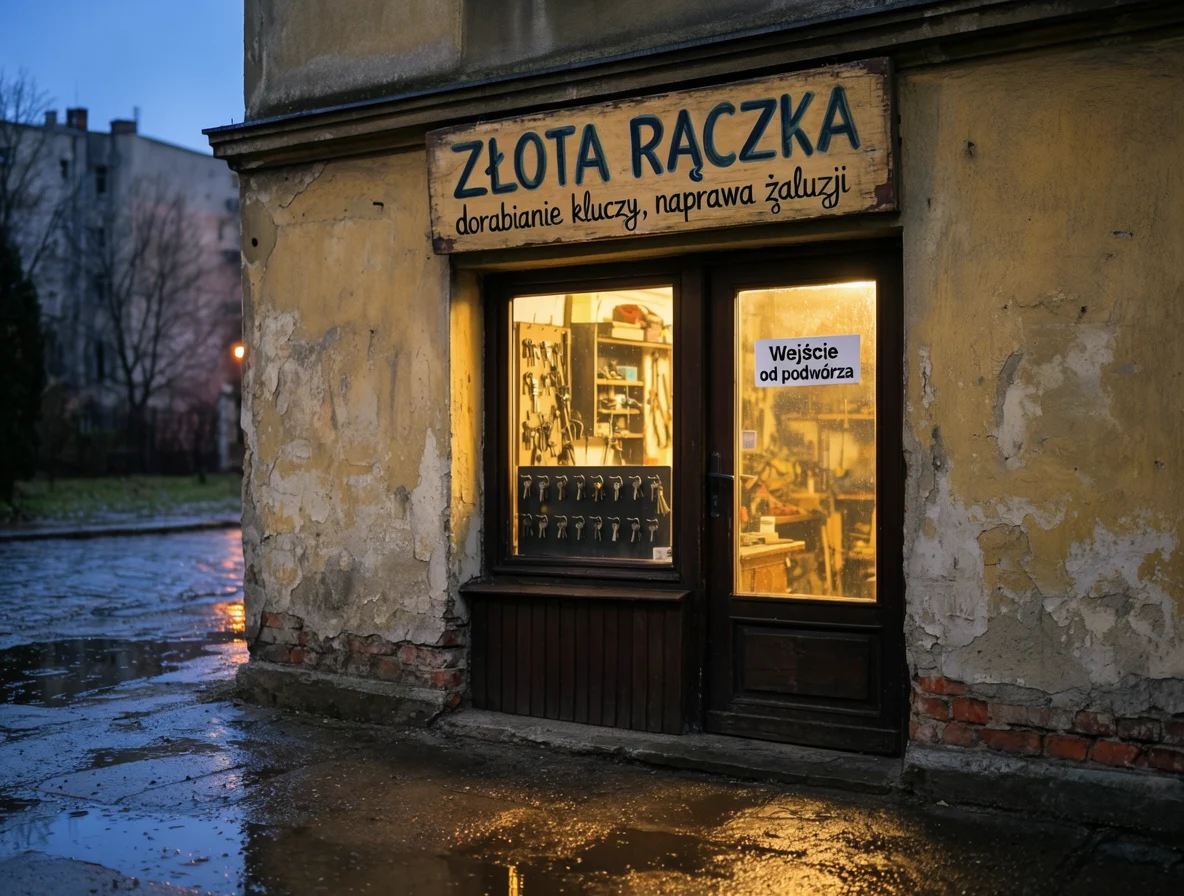
Photo of a small service shop window in an old tenement building, early evening after rain. Above the door a wooden sign with hand-painted text “ZŁOTA RĄCZKA“ (Golden Hands), below it smaller text “dorabianie kluczy, naprawa żaluzji“ (key duplication, blind repair). On the door glass a white sticker with text “Wejście od podwórza“ (Entrance from courtyard). Warm light from inside, wet sidewalk, realistic photo.
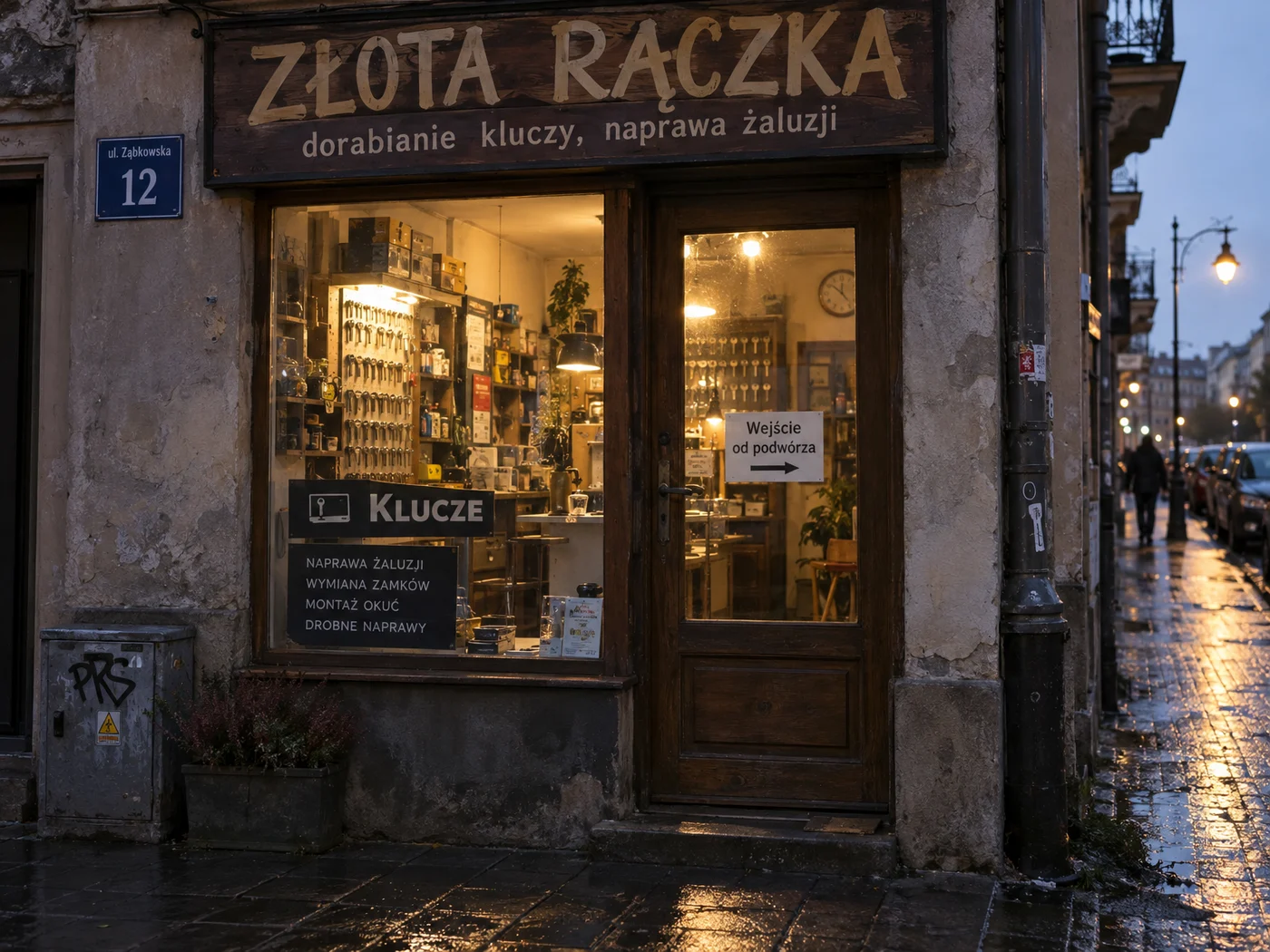
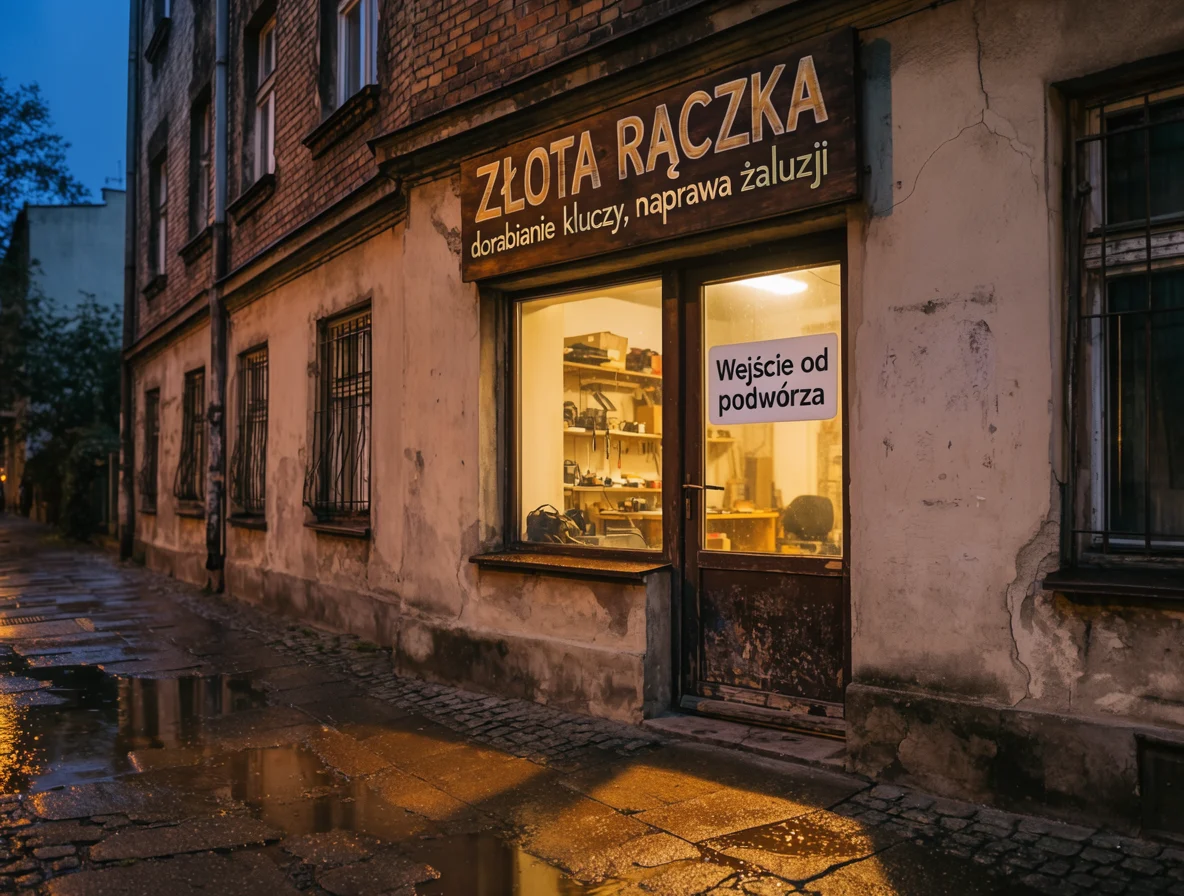
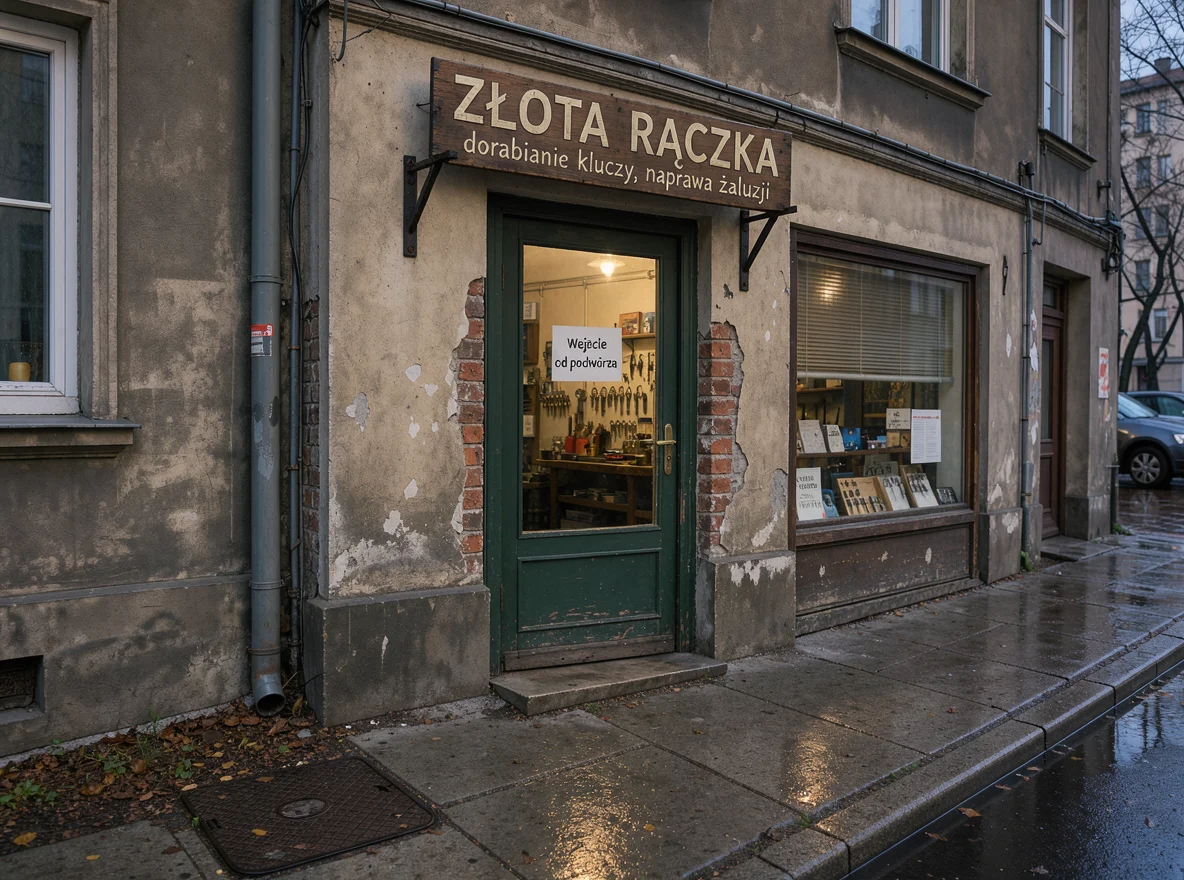
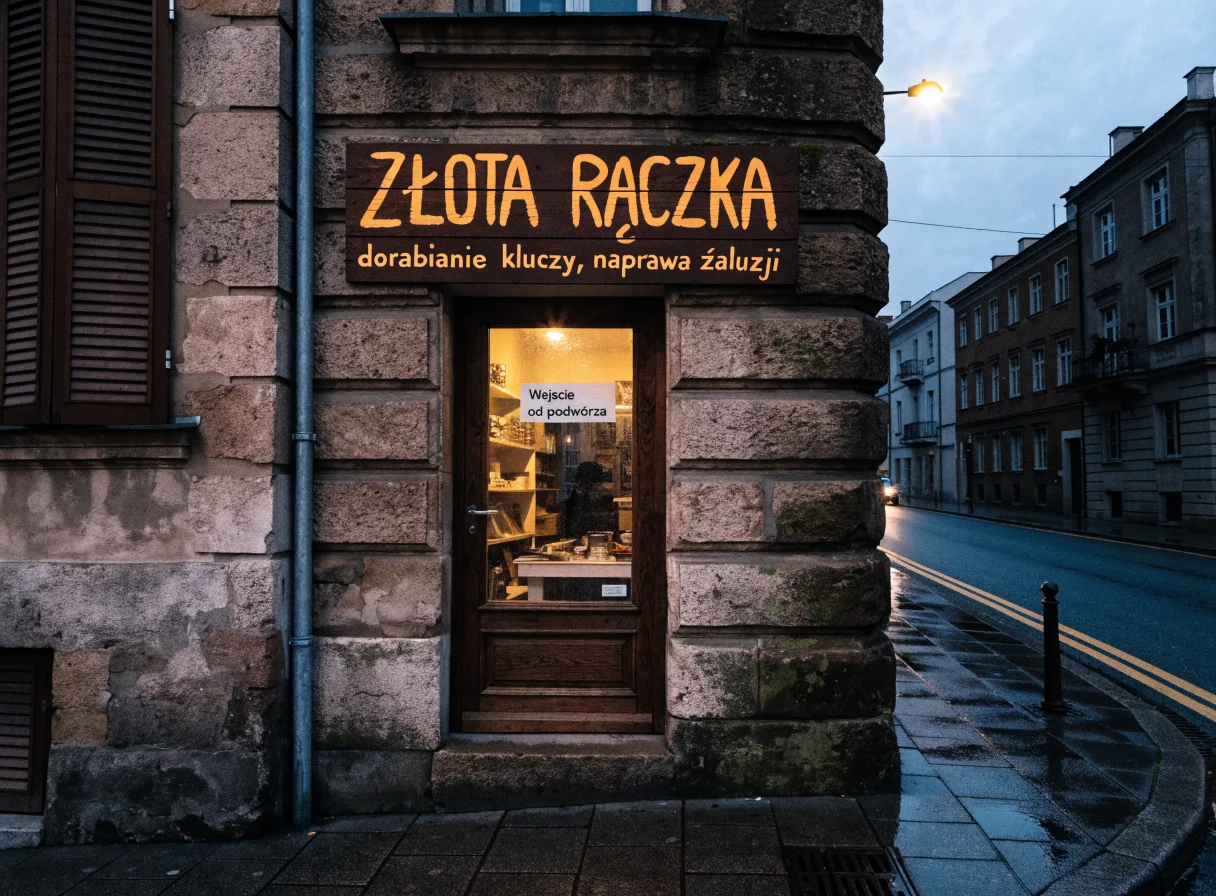
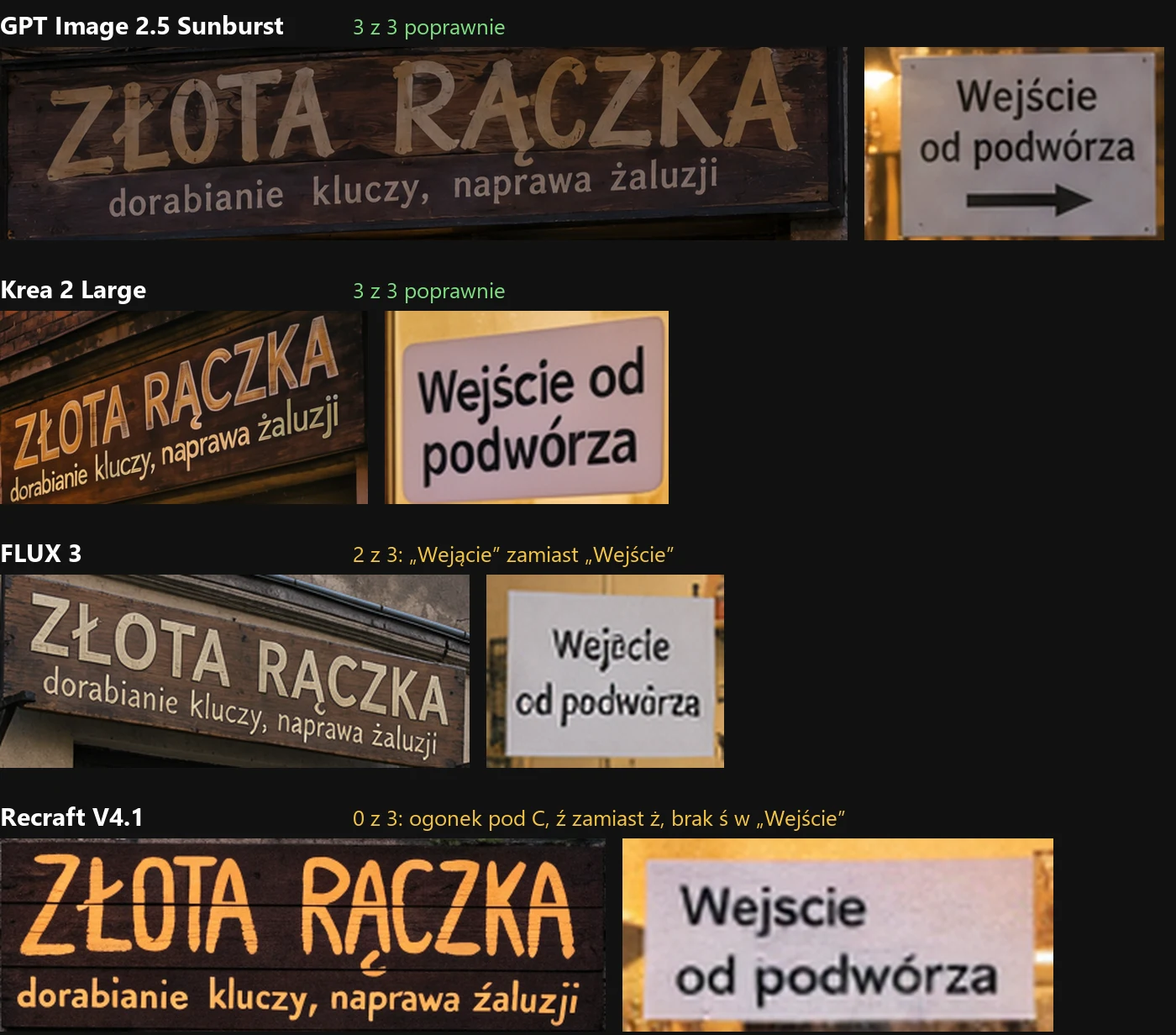
In English (same description, Polish text in quotes), FLUX 3 wrote everything flawlessly, and Recraft made one error instead of three. Conclusion: with FLUX 3 and Recraft, it’s better to write the prompt in English and only provide the actual text in the target language. GPT Image and Krea handle both versions.
2. Reportage portrait
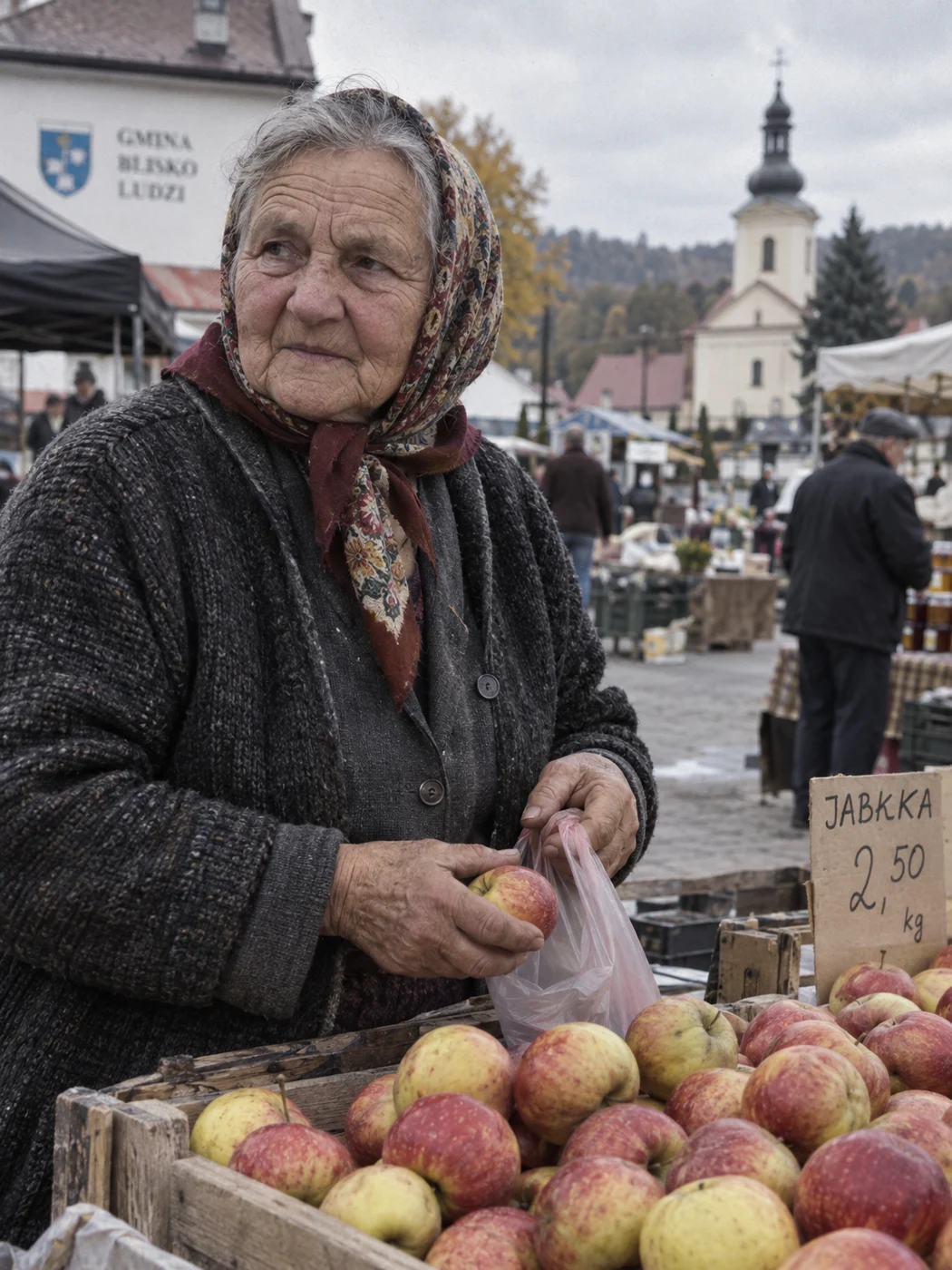
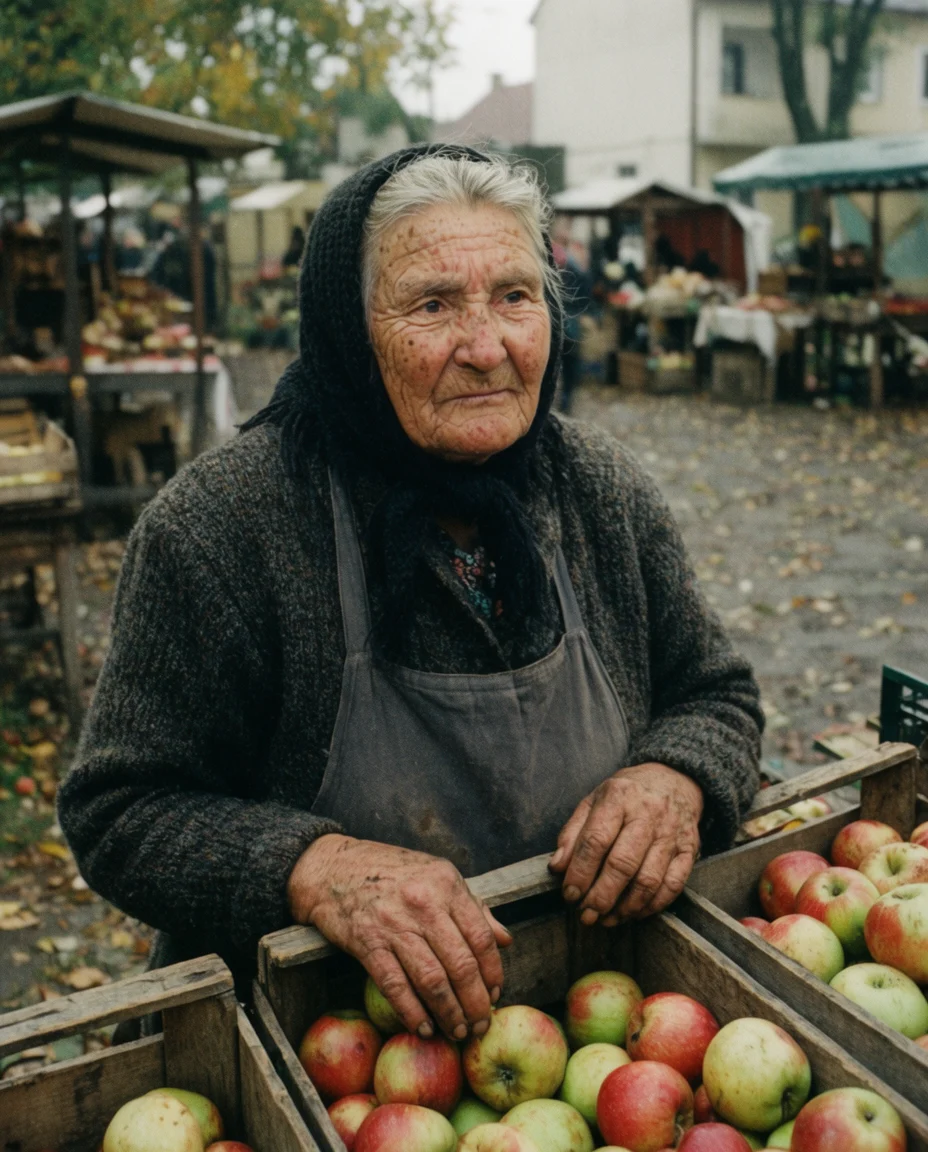
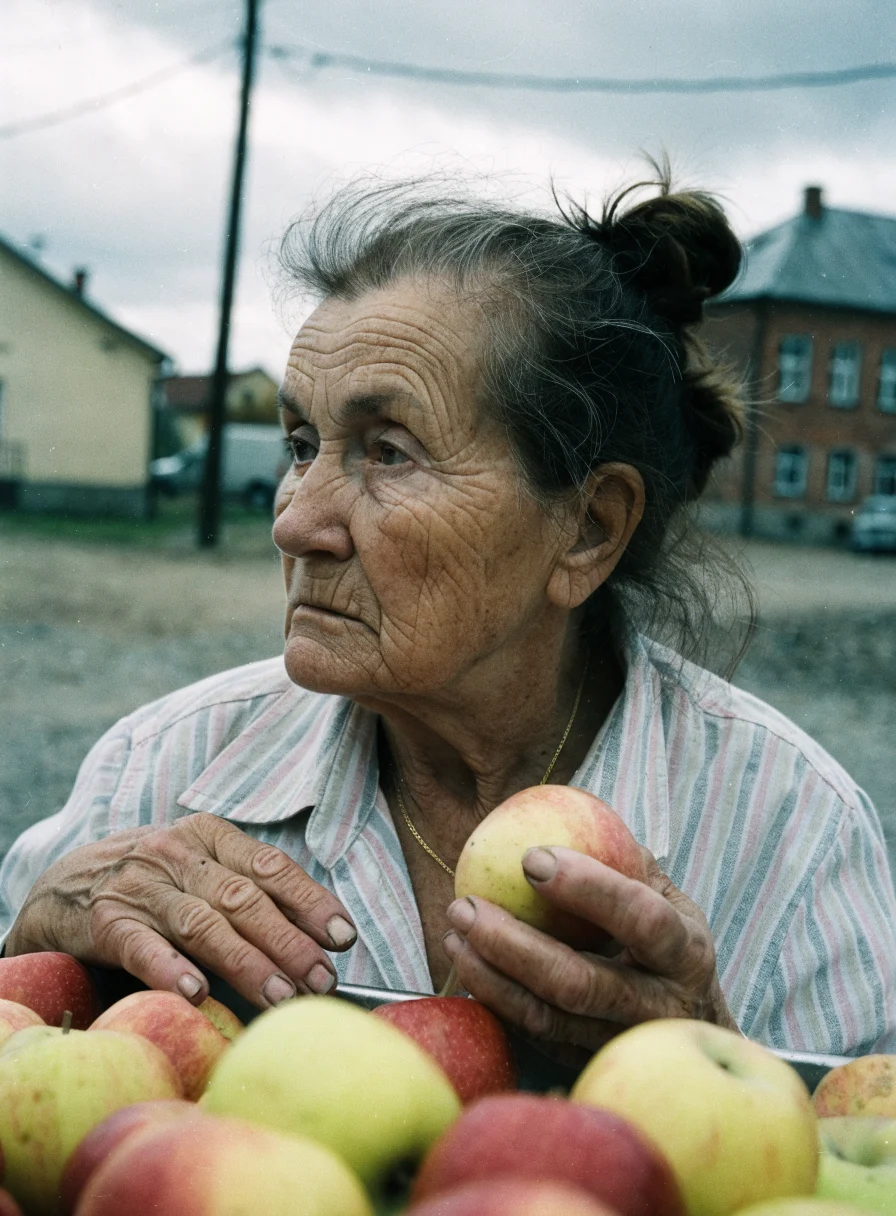
Prompt (we tested it in Polish):
Reportage portrait of an elderly woman selling apples at a market in a small town. October, overcast daylight. Handheld shot, 35mm lens, slight grain like on film. Natural wrinkles and weathered hands, woman looking past the lens. No beautification and no skin retouching, looks like a newspaper photo.
3. Vector logo
Prompt (we tested it in Polish):
Flat vector logo for family apiary “Pasieka Pod Lipą“ (Apiary Under the Linden): simple bee icon inscribed in hexagon honeycomb, below icon text “Pasieka Pod Lipą“. Two colors: dark navy and honey yellow, white background, no gradients and no shadows, ready for printing on jar label.



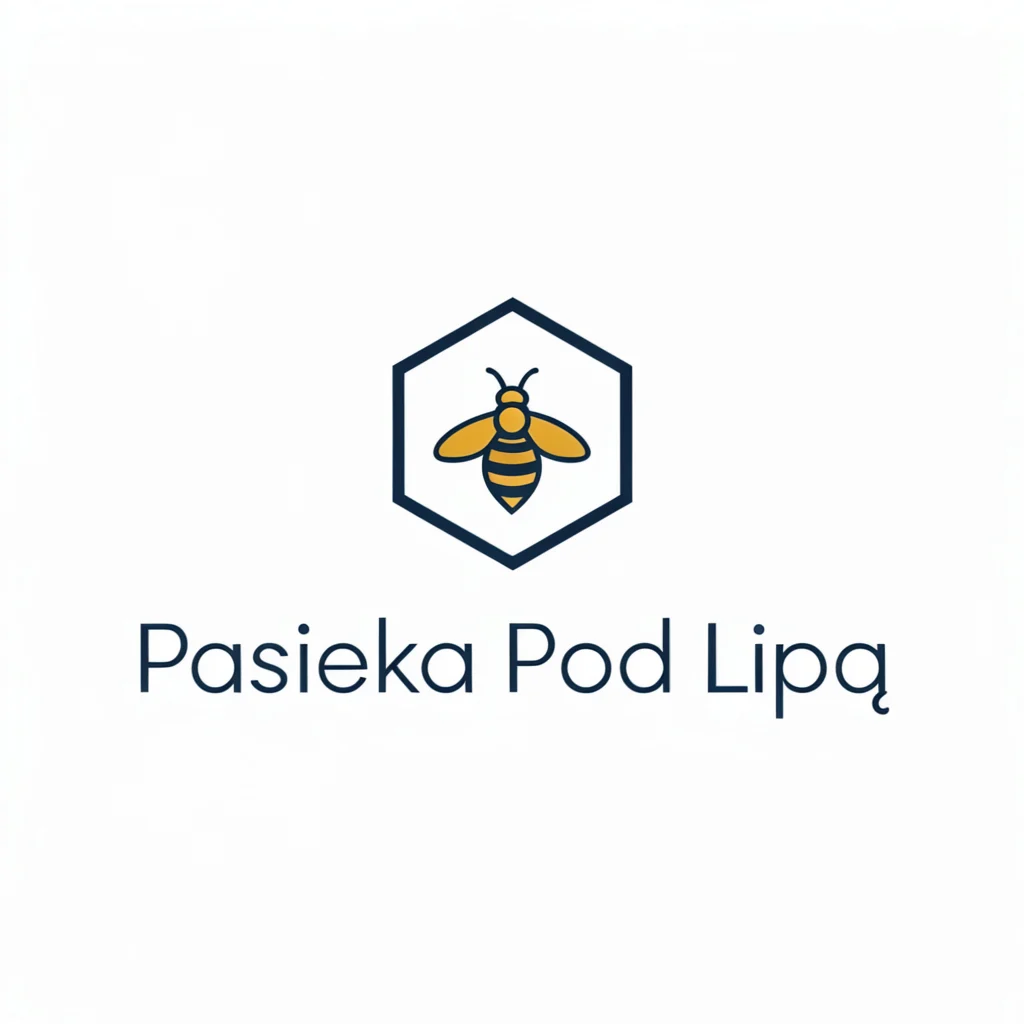
All four models wrote the Polish text correctly. The difference is in format: GPT Image, Krea, and FLUX 3 give a PNG file that needs to be vectorized before printing. Recraft in Vector version delivered a true SVG file (36 paths, two colors) for 0.08 USD. For logos, it’s the only choice without additional work.
4. Product packshot
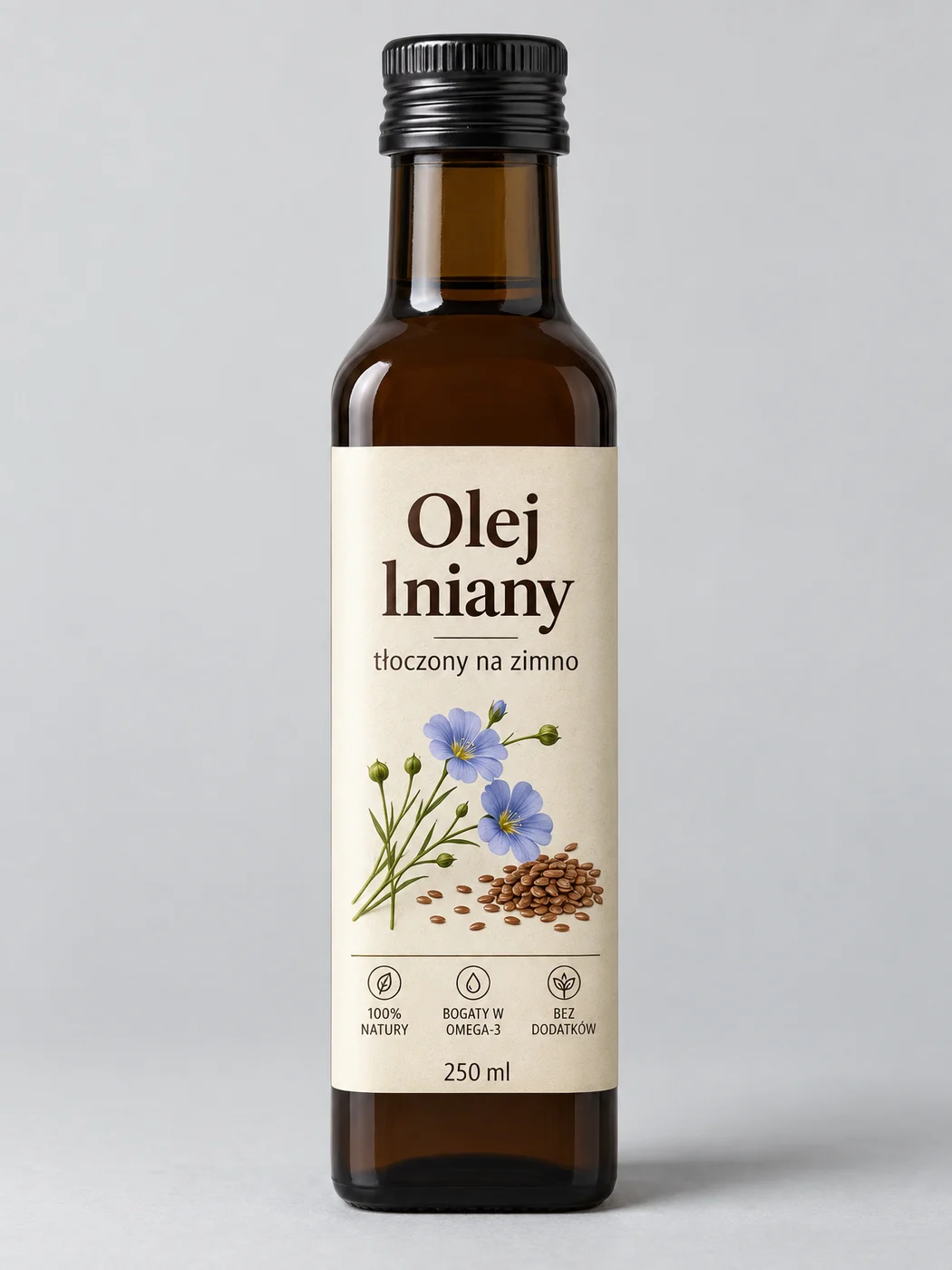
Prompt (we tested it in Polish):
Product packshot photo: 250 ml bottle of dark brown glass with cream label with text “Olej lniany” (Linseed oil) and smaller “tłoczony na zimno“ (cold-pressed). Uniform light gray background, soft studio light from above and left, delicate shadow under bottle, entire product sharp, vertical frame.
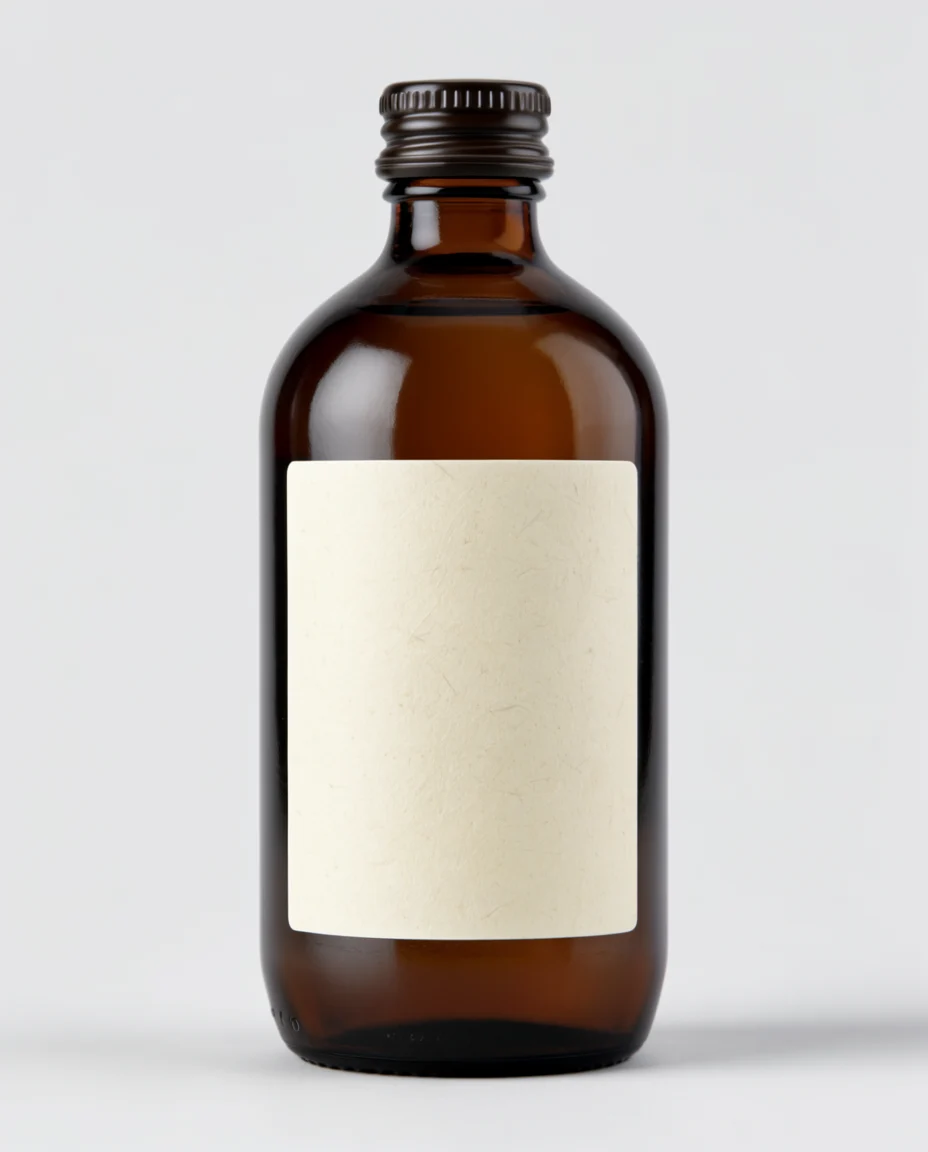
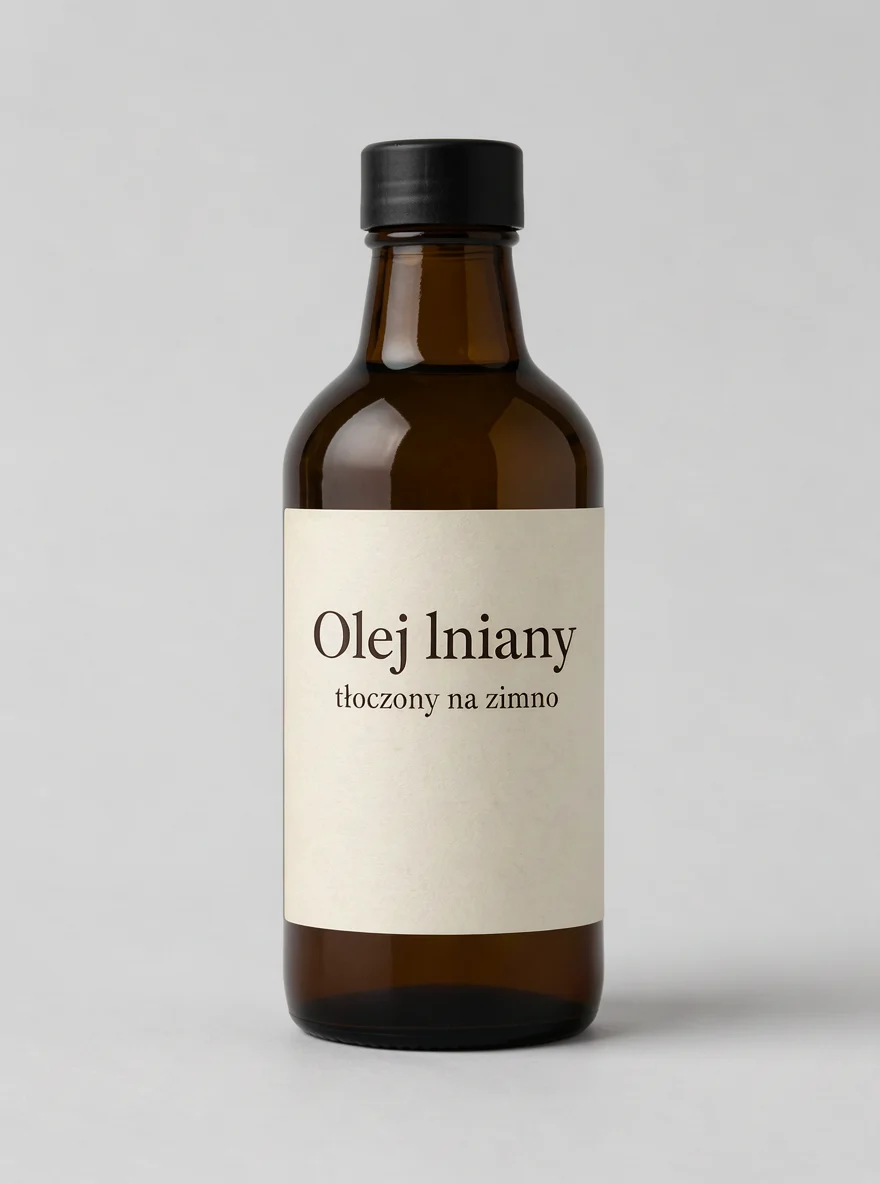
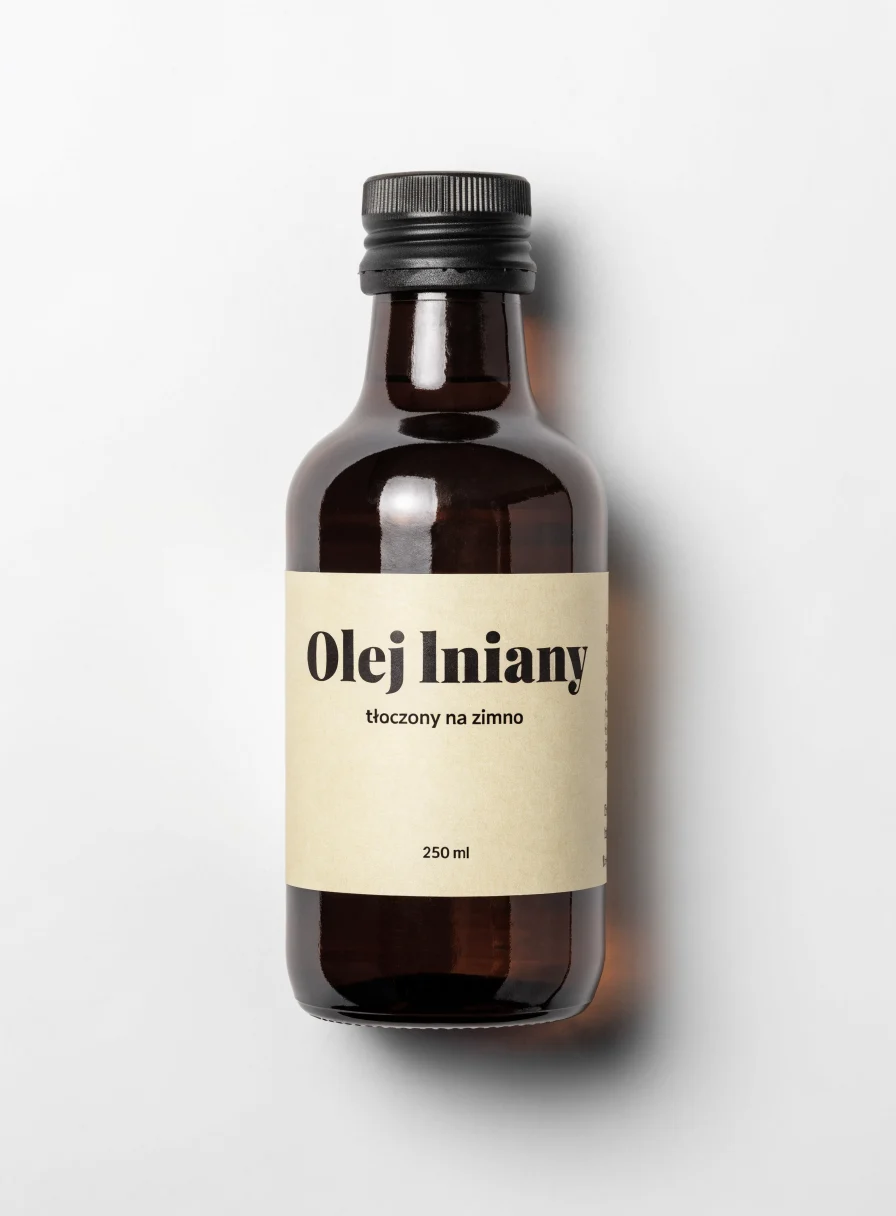
Ratings table
| Model | Sign (PL) | Sign (EN) | Portrait | Logo | Packshot | Average | Text without error | Cost per image | Avg time |
|---|---|---|---|---|---|---|---|---|---|
| GPT Image 2.5 Sunburst | 10 | 10 | 8.5 | 9 | 9.5 | 9.4 | 8/8 | 0.050 USD | 33 s |
| FLUX 3 | 7.5 | 9 | 8 | 8.5 | 8.5 | 8.3 | 7/8 | 0.024 USD | 28 s |
| Krea 2 Large | 9 | 9 | 8 | 7 | 4 | 7.4 | 7/8 | 0.060 USD | 37 s |
| Recraft V4.1 | 5 | 7 | 9 | 8.5 (SVG: 9.5) | 7 | 7.3 | 4/8 | 0.035 USD | 6 s |
“Text without error” is the number of correct text labels out of eight requested: three on the sign from the Polish prompt, three from English, name in logo, and label. Krea lost a point not for an error, but for an empty bottle label. GPT Image won in three out of five categories and was the only one that didn’t misspell any requested text. Recraft was fastest (6 seconds) and gave the best portrait, but handled diacritics in the Polish prompt worst. We run a full arena with other models on the page AI image generator arena.
GPT Image vs competition
| Model | Elo (AA, Oct 3, 2026) | Text rendering in our tests | API cost per ~1 Mpx image | Where without API |
|---|---|---|---|---|
| GPT Image 2.5 Sunburst | 1197 | 13/13 and 8/8 | approx. 0.03-0.05 USD (“high”) | ChatGPT, including Free |
| Nano Banana 2 | 1125 | 13/13 | - | Gemini |
| Nano Banana Pro | 1101 | 13/13 | 0.15 USD (fal.ai) | Gemini |
| Krea 2 Large | 1026 | 7/8 | 0.06 USD | krea.ai |
| Recraft V4.1 Utility | 1023 | 4/8 (V4.1) | 0.035 USD | recraft.ai |
| Ideogram 4.5 (High) | 1013 | 11/13 | - | ideogram.ai |
| FLUX 3 | not in ranking | 7/8 | 0.024 USD per Mpx | bfl.ai, Krea, Leonardo |
| Midjourney v7 Alpha | 878 | not tested | no API | midjourney.com |
Artificial Analysis calculates Elo from votes of people who choose the better of two images without knowing which model they came from. The current Midjourney V8.2 is not in the table. Reviews of other generators are in the hubs AI image generators, Nano Banana, FLUX, Ideogram, and Midjourney, and we described OpenAI’s newest rivals in the test lesser-known image generators.
Where else does GPT Image work
- Microsoft Foundry (Azure) - both 2.5 models generally available since version 2026-09-08.
- OpenRouter and fal.ai - we ran our tests through them. Prices are the same as OpenAI’s.
- Leonardo AI - GPT Image 1.5, 2, and 2.5 (Flare and Sunburst) as partner models, billed in Leonardo tokens. More in the guide Leonardo AI.
- Magnific (formerly Freepik) - GPT Image 2 and 2.5 for credits, see Freepik AI.
- Adobe Firefly - GPT Image 2 as partner model, see Adobe Firefly. We haven’t found version 2.5 on Adobe sites yet.
- Microsoft Copilot - GPT-Image-2 and 1.5 in model selection.
Who is GPT Image for
- Anyone who needs graphics with text in multiple languages - poster, post, cover, label. This is currently the most reliable model for text.
- For editing existing images - Sunburst leads the editing ranking, and in ChatGPT you select a fragment and describe the change.
- For developers - one API, predictable pricing, transparent background, and Batch mode at half price.
- Not for vector logos - Recraft is better here. Not for series in one style - Krea and Leonardo with style training are more convenient.
Before you use an image commercially, read the article AI images and copyright. OpenAI’s terms grant you ownership of the output, but that’s not the same as copyright protection.
Frequently asked questions
Is GPT Image free?
In ChatGPT yes - ChatGPT Images 2.5 works in the Free plan, but with a low, undisclosed limit and slower generation. In the API you pay for each image, from around 0.01 USD in “medium” quality.
What’s the difference between Sunburst and Flare?
Flare is faster and designed for everyday work, Sunburst more precise for editing and polished creations. They cost the same. In our tests they gave nearly the same images, and Flare rendered them 1.5-2 times faster.
How many images per day can you make in ChatGPT?
OpenAI doesn’t publish numbers for any plan. We only know that Go gives 10 times more than Free, and Pro creates images without limit. When the limit runs out, ChatGPT shows the renewal time.
Does GPT Image write text in multiple languages?
Yes. In our tests (conducted in Polish), GPT Image 2.5 wrote correctly 13 out of 13 and 8 out of 8 text labels with diacritics. It only made mistakes in text we didn’t request.
Does DALL-E still work?
No. DALL-E 2 and DALL-E 3 were deprecated in the API on May 12, 2026, and in ChatGPT they were replaced by GPT Image already in March 2025.
Can I use images from GPT Image commercially?
OpenAI’s terms say the output belongs to you, so you can use it in advertising or on a product. However, you’re responsible for ensuring it doesn’t violate others’ rights, such as trademarks or likeness.
How to edit only part of an image in ChatGPT?
Open the image, choose Select, mark the area, and describe the change. You can also leave a comment at a specific spot on the image or sketch a correction through @Sketch.
Do images from GPT Image have a watermark?
You can’t see it, but it’s there: each image has C2PA metadata and an invisible SynthID mark that OpenAI applies together with Google DeepMind in ChatGPT, Codex, and the API.
Google · Your sourcesQuantslant higher in your Google - one clickAdd to preferred sources →Sources and verification date
We verified all data on October 3, 2026. We performed the test the same day through OpenRouter.
- OpenAI - GPT Image 2.5 Sunburst
- OpenAI - GPT Image 2.5 Flare
- OpenAI - image generation guide
- OpenAI - API pricing
- OpenAI - deprecated models
- OpenAI - ChatGPT Images 2.5 system card
- OpenAI - Images in ChatGPT
- Artificial Analysis - text-to-image leaderboard
- Artificial Analysis - editing leaderboard
- Microsoft Foundry - GPT Image 2.5 Flare
- OpenRouter - GPT Image 2.5 Sunburst
More on this from QUANTSLANT

 benchmarks·CultureScore: Measuring Cultural Accuracy in AI Video ModelsNew research reveals top AI video models score below 57% on cultural faithfulness - high visual quality doesn't mean cultural accuracy.