FLUX 3 Image Klein: Local Test on an RTX 4090
FLUX 3 Image Klein generated images in 6-7 seconds on an RTX 4090, using 7.5 GB of VRAM. Here’s how it compared with Qwen-Image 2.1 Turbo.
👁 114 reads
FLUX 3 Image Klein is the first open-weights model in Black Forest Labs’ FLUX 3 family, released on October 13-15, 2026. It has 5.6 billion parameters and can generate images from text and edit images using up to 10 reference photos. I ran it locally in ComfyUI on an RTX 4090 and gave it the same prompts as Qwen-Image 2.1 Turbo. Klein generated an image in 6-7 seconds, with the whole graphics card using just 7.5 GB of VRAM. It’s the most capable lightweight image model I’ve run on this computer.
Status as of October 17, 2026
- RTX 4090 speed: 6-7 seconds per 1024×1536 image (15 steps, int8 version). The first image took 10 seconds, including model loading.
- Memory: peak usage of 7.3-7.5 GB of VRAM across the whole card. Qwen Turbo needed 17-19 GB in the same test.
- Files: int8 model, 5.83 GB; Qwen3-VL-4B int8 encoder, 4.86 GB; VAE, 0.34 GB. About 11 GB in total.
- In the original Polish test, translations of the Polish text: “JAZZ ON THE ODRA” and “VINEGAR 12” rendered correctly; corrupted lettering in the original Polish test appeared instead of the correct city name. These English renderings are translations of the Polish text used in the original test.
- FLUX Kommunity license. The repository requires you to sign in to Hugging Face and accept the terms.
Series: Local AI on an RTX 4090, tests from October 17, 2026
- Roundup: New local AI models (October 2026)
- AI influencers without the plastic look: 5 characters on 5 models
- Talking AI influencer: video with Polish speech
- FLUX 3 Image Klein: 7.5 GB of VRAM, 6 seconds per image (you’re reading it now)
- Qwen-Image 2.1 Turbo: 4 seconds per image
- Kandinsky 6.0: video with sound and Polish speech
- YuE2 and 3 other models: generating Polish songs locally
What is FLUX 3 Image Klein?
Black Forest Labs, the creators of FLUX.1 and FLUX.2, released the FLUX 3 family in October: image and video models in its API, plus one open-weights model, Klein. The model card describes it as a single model for text-to-image generation, editing one image, and composing scenes from multiple references, with a Qwen3-VL-4B-Instruct encoder.
There are two weight versions:
- Klein (distilled, 16 steps, no guidance) for generation and editing. This is the same version available in the BFL API.
- Klein Base (50 steps, guidance 3.5) for fine-tuning, LoRA, and research.
BFL provides ready-to-use ComfyUI files in three formats: bf16 (11.1 GB), int8 (5.83 GB), and NVFP4 (5.28 GB, for RTX 50 cards). I used int8.
My test: Klein vs. Qwen-Image 2.1 Turbo
Hardware: RTX 4090 24 GB, 64 GB RAM, Windows 11, ComfyUI 0.41.0. I used the official template settings for Klein (15 steps, euler, CFG 1) and Qwen Turbo’s 8 steps. The prompts and seed (7) were the same. I measured time from submitting a job to saving the file, and checked VRAM with nvidia-smi every half-second.
| Prompt | FLUX 3 Klein | Qwen 2.1 Turbo |
|---|---|---|
| Poster, 1024×1536 | 10.0 s* / 7.5 GB | 45.4 s* / 17.2 GB |
| Portrait, 1024×1536 | 7.0 s / 7.5 GB | 4.0 s / 17.0 GB |
| Shop, 1536×1024 | 7.0 s / 7.5 GB | 4.0 s / 18.6 GB |
| Product, 1024×1024 | 6.0 s / 7.3 GB | 3.0 s / 16.8 GB |
* The first image in each series includes loading the model from disk. Klein loads more than 4 times faster because it is half the size.
Qwen Turbo is 2-3 seconds faster per image, but uses more than twice as much graphics memory. Klein should fit on an 8-12 GB card; Qwen Turbo won’t.
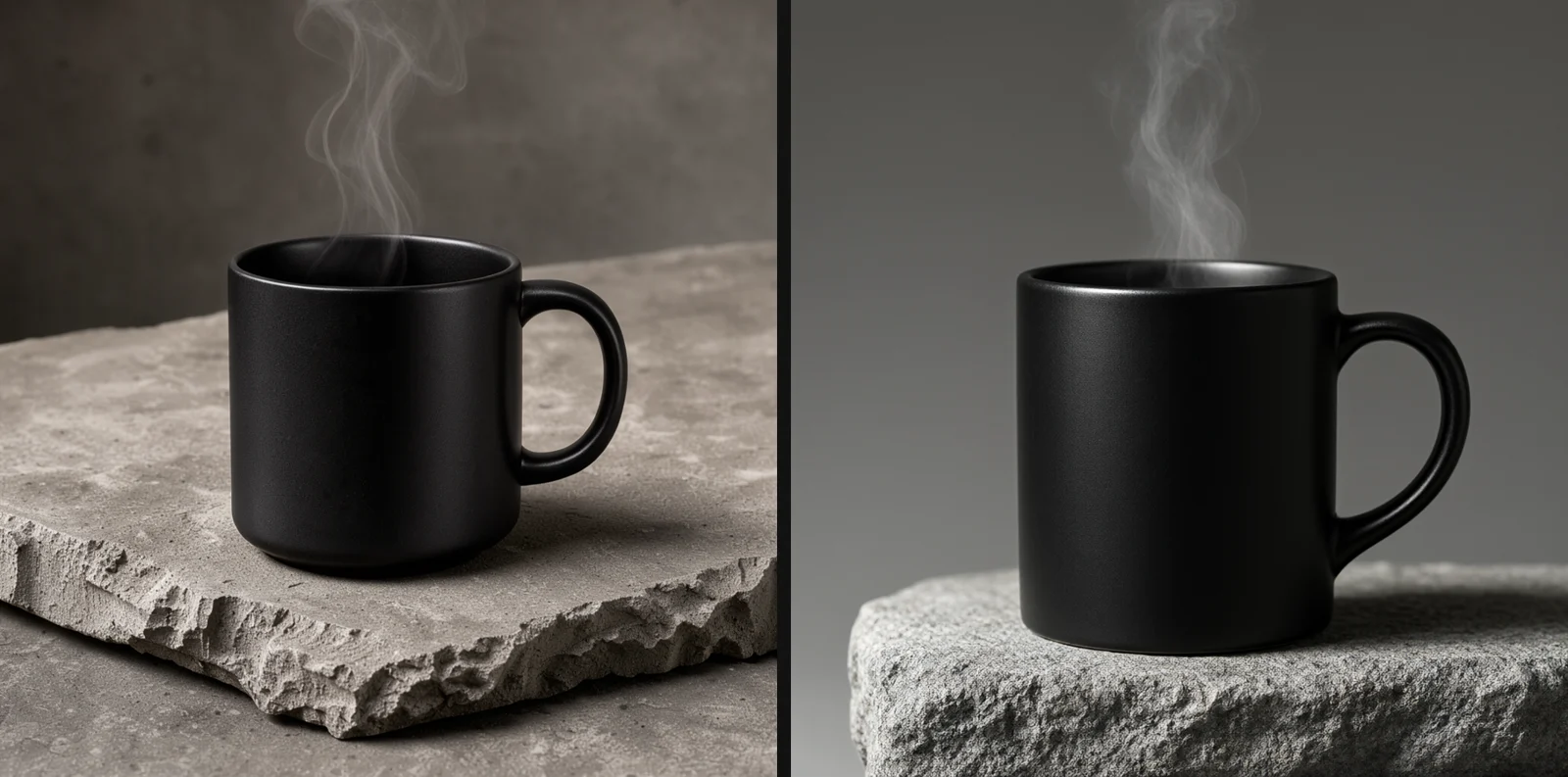
Poster with Polish text
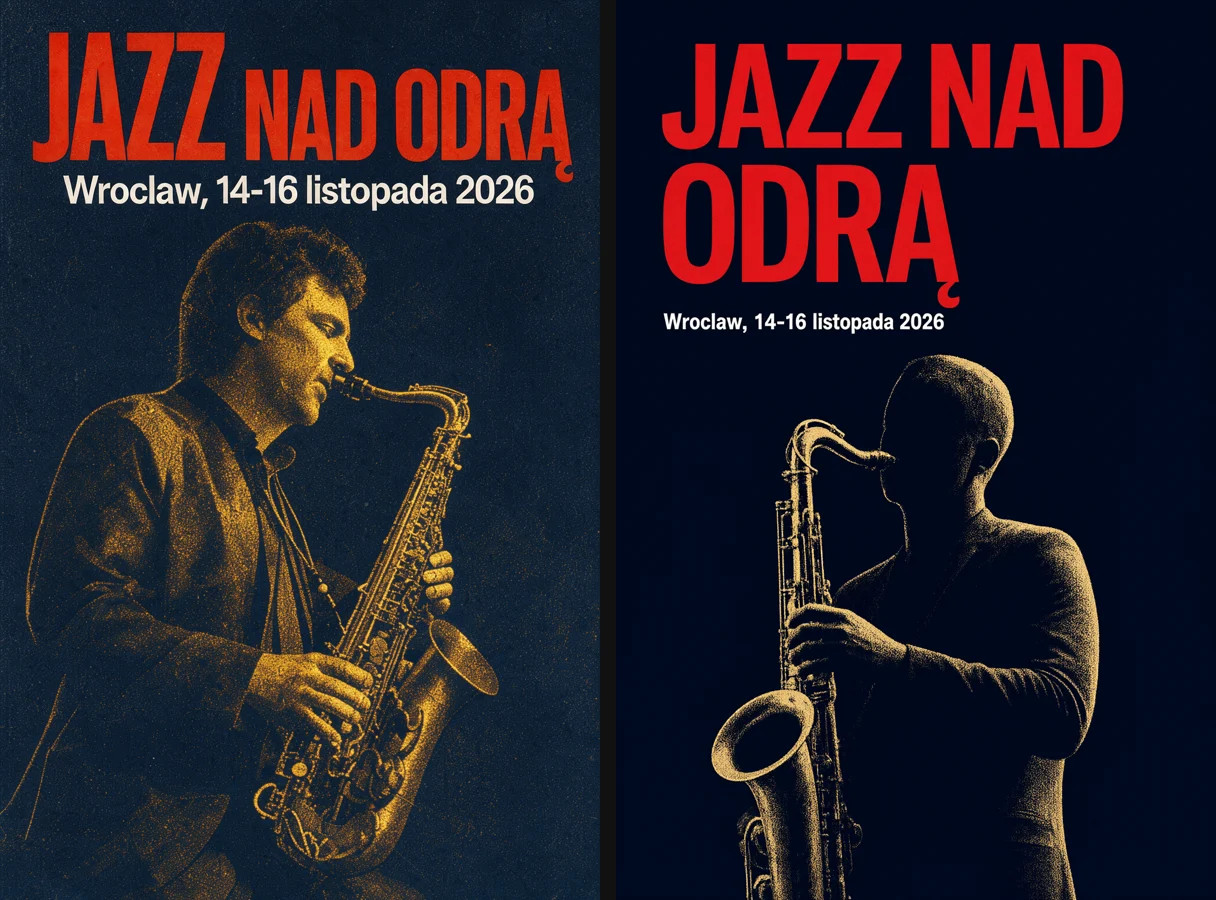
Both models rendered the translation of the Polish test phrase “JAZZ ON THE ODRA” with the correct Polish diacritic. Both generated corrupted lettering in the original Polish test instead of the city name. These displayed English phrases are translations of the Polish text used in the original test; the test itself was conducted in Polish. Klein made a poster that looked more like a real print, with grain, paper texture, and a saxophonist with a face. Qwen Turbo produced a cleaner, more modern layout with a silhouette.
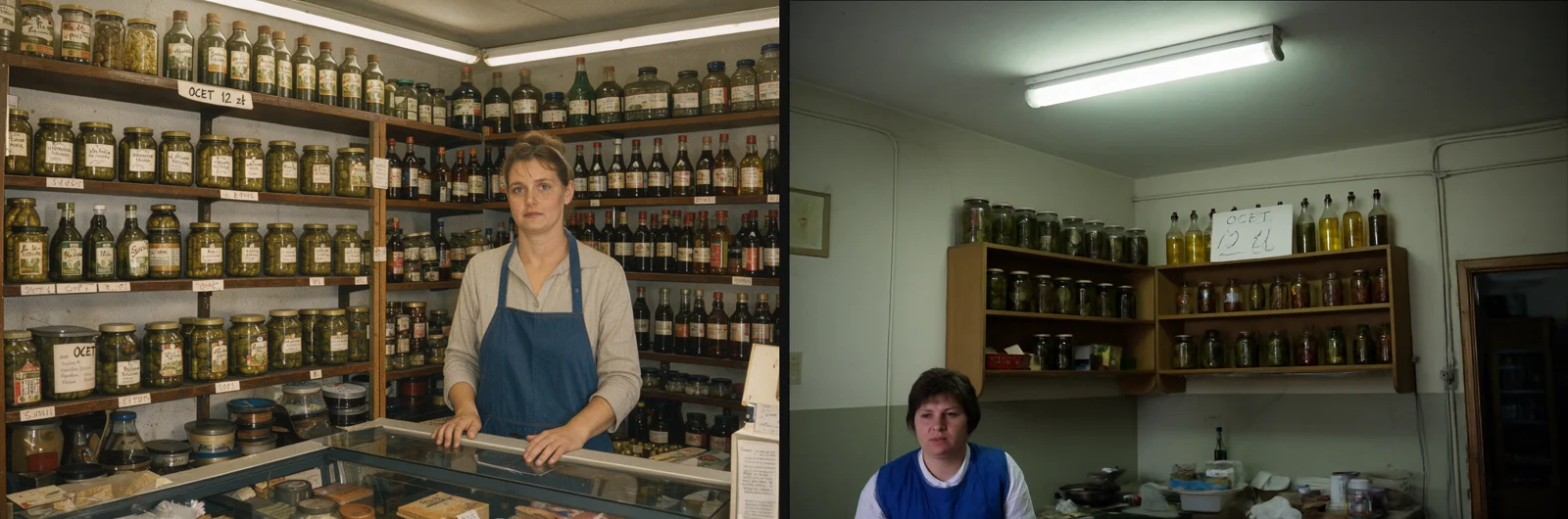
1980s shop
The sign reading “VINEGAR 12” (translated from the Polish test) was correct in both images. This is a translation of the Polish sign used in the original test, not a new test. Neither model got the corrupted lettering in the original Polish test cooperative sign right. Klein filled the shelves with hundreds of jars and labels, but the small label text was gibberish, a typical image-model problem with tiny background text. Klein’s shopkeeper stands behind the counter as if in a period photograph.
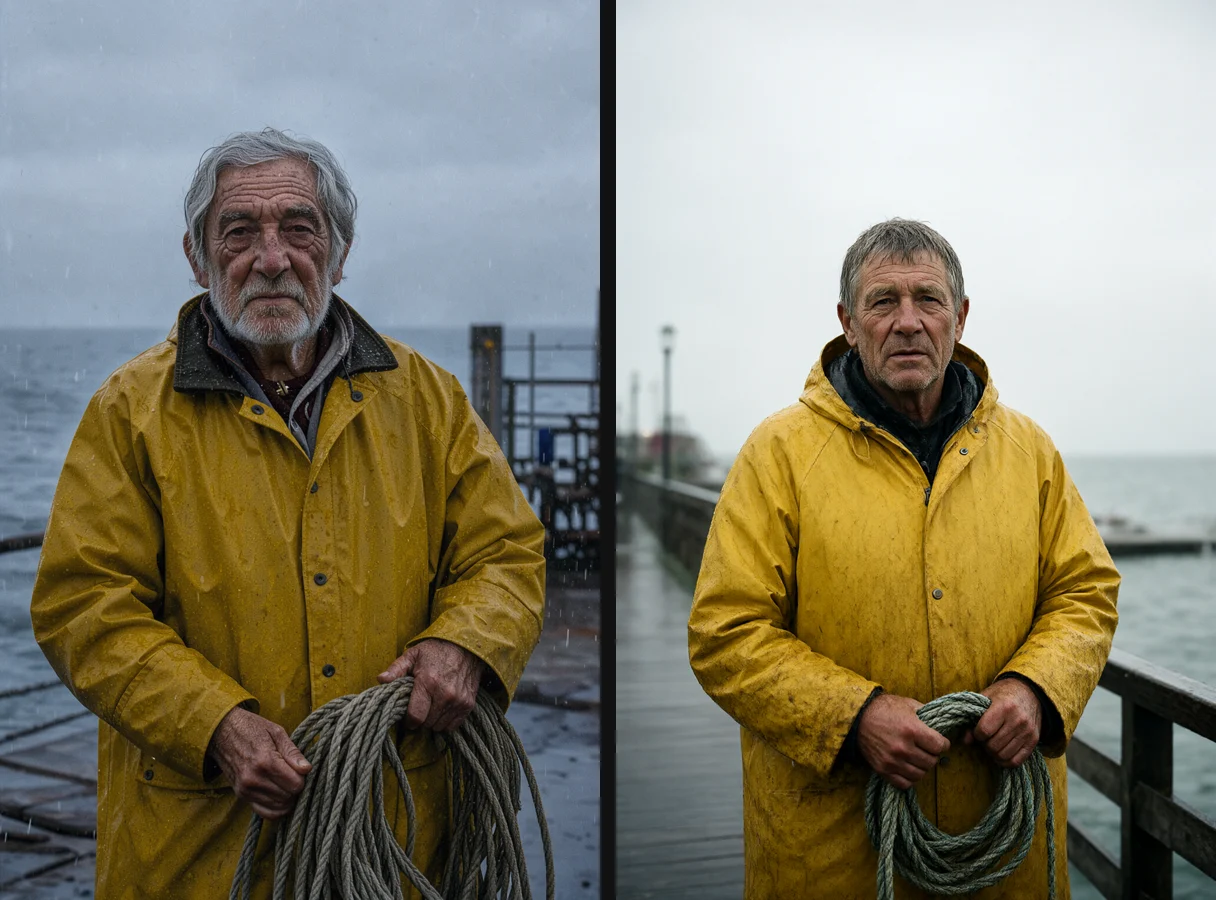
Portrait
Klein came out ahead on detail here: raindrops on the jacket, gray stubble, and wrinkles around the eyes. Qwen Turbo produced a cleaner, more catalog-like portrait.
Short prompt vs. detailed description
BFL explicitly advises against using Klein without expanding your prompt. I tested what that means. The first prompt had five words (“a cat on a sofa”); the second was a detailed scene description specifying the cat’s breed, sofa color, lighting, and lens.
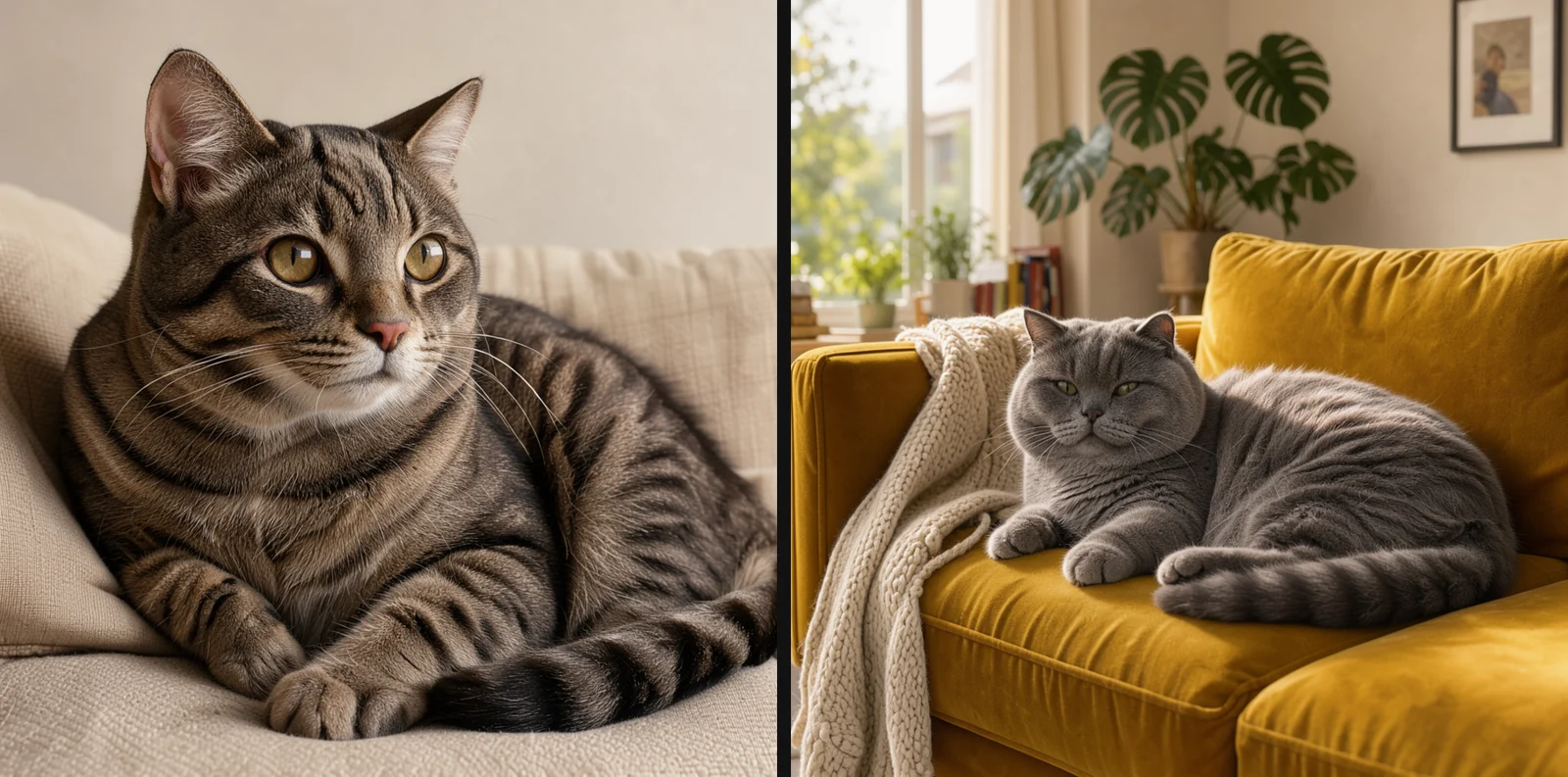
The short prompt produces a correct but bland image: a cat against a beige background. The detailed description produces an image that could be used in an ad. The ComfyUI template includes a built-in prompt expander (a separate Qwen 3.5 9B model, 6.7-18.8 GB depending on the version). I didn’t download it and wrote the descriptions myself. You can also ask any AI chat tool to expand a prompt.
How to run FLUX 3 Klein in ComfyUI
- Create a Hugging Face account, visit flux-3-image-klein-comfy, and accept the license.
- In your account settings, open Access Tokens and create a Read token.
- In a terminal, log in with
hf auth loginusing the Python installation ComfyUI uses, then paste in the token. - Download
diffusion_models/flux3-image-klein-int8-convrot.safetensorstomodels/diffusion_models,text_encoders/qwen3vl_4b_int8_convrot.safetensorstomodels/text_encoders, andvae/flux2-vae.safetensorstomodels/vae. - Update ComfyUI to version 0.41 or later. Open Workflow, then Browse Templates, and select “Flux.3 Image Klein” (distilled version).
- If you aren’t downloading the prompt expander, turn off the expansion toggle in the template and enter a full description in English.
Note on the VAE: I already had a flux2-vae.safetensors file from another source, but its SHA-256 checksum didn’t match the file in BFL’s repository. I downloaded BFL’s version under a separate name and used that in the test.
For a fresh ComfyUI installation, see my ComfyUI setup guide. For FLUX 3 in the cloud and through the API, see my FLUX 3 Image guide.
Klein or Qwen Turbo?
- You have an 8-16 GB card: Choose Klein. Qwen Turbo will offload weights to RAM on a card that size and run more slowly.
- You have 24 GB and speed matters: Choose Qwen Turbo, at 3-4 seconds per image.
- You want portraits and texture: Klein produced more detail in my test.
- You want to edit images using multiple references: Klein accepts up to 10 references. I haven’t tested editing yet.
- Licensing: Qwen Turbo is licensed for research only. Klein has its own FLUX Kommunity license, and you must accept its terms when downloading. Read the repository’s terms before using it commercially.
The simplest option: Hangar
FLUX 3 Klein is listed in Hangar, my free local-model manager for Windows, which uses the ComfyUI engine. The catalog has one variant, int8: 11.0 GB of files in total (model 5.83 GB, Qwen3-VL-4B int8 encoder 4.86 GB, VAE 0.34 GB). It’s the lightweight version (7.3-7.5 GB of VRAM in my test). Hangar displays the FLUX Kommunity license, which allows commercial use subject to conditions: you can sell outputs if your company’s annual revenue is below USD 5 million. It also warns that BFL’s repository requires a Hugging Face account and acceptance of its terms.
- Download the installer (14 MB) from the Hangar page. It isn’t digitally signed yet, so Windows SmartScreen will show a warning: click “More info,” then “Run anyway.”
- Hangar detects your card (Nvidia with CUDA, from 8 GB VRAM; 12 GB or more is recommended) and indicates whether the model will fit.
- Find FLUX 3 Klein in the catalog to see its file size, license, and whether it can be used in the EU.
- For now, generate images in ComfyUI using the instructions above. Hangar can set up a portable ComfyUI installation from scratch (it took 231 seconds on my system) or connect to an existing ComfyUI installation.
Hangar lists the model, but image generation through Hangar isn’t available yet (as of October 17, 2026). For now, use ComfyUI as described above. Learn more about the tool on the Hangar page.
Frequently asked questions
How much VRAM does FLUX 3 Klein need?
With the int8 version, peak usage across the whole card was 7.3-7.5 GB for a 1024×1536 image. The bf16 version is 11.1 GB and needs correspondingly more memory.
Can FLUX 3 Klein render Polish text?
Short text worked: translated from the Polish test as “JAZZ ON THE ODRA” and “VINEGAR 12”, both came out correctly. These are translations of the Polish phrases tested in the original, not results from a new English-language test. The model produced corrupted lettering in the original Polish test instead of the city name, and small background text was unreadable. The result was very similar to Qwen Turbo.
Why can’t I download the files?
The repository is gated: without signing in and accepting the Hugging Face license, you’ll get a 401 error. Once you’ve accepted the terms, you’ll also need to provide a token to the program doing the download.
How many steps should I use?
The ComfyUI template uses 15; the model card specifies 16 for the distilled version. The Base version needs 50 steps and guidance 3.5, so it takes several times longer.
Does Klein work on AMD cards or a Mac?
I tested only on NVIDIA and Windows. Unofficial GGUF versions are already available on Hugging Face, but I haven’t tested them.
Google · Your sourcesQuantslant higher in your Google - one clickAdd to preferred sources →Sources
- FLUX 3 Image Klein on Hugging Face (model card, checked October 17, 2026)
- flux-3-image-klein-comfy (ComfyUI files)
- ComfyUI Wiki: FLUX 3 Image Klein
- My measurements on an RTX 4090, October 17, 2026.