90s Photos with AI: Complete Prompt and 10 Scenes
We start with the scene, not the filter. Here's a complete prompt for 90s-style AI photos, plus ten variations showing what each element does.
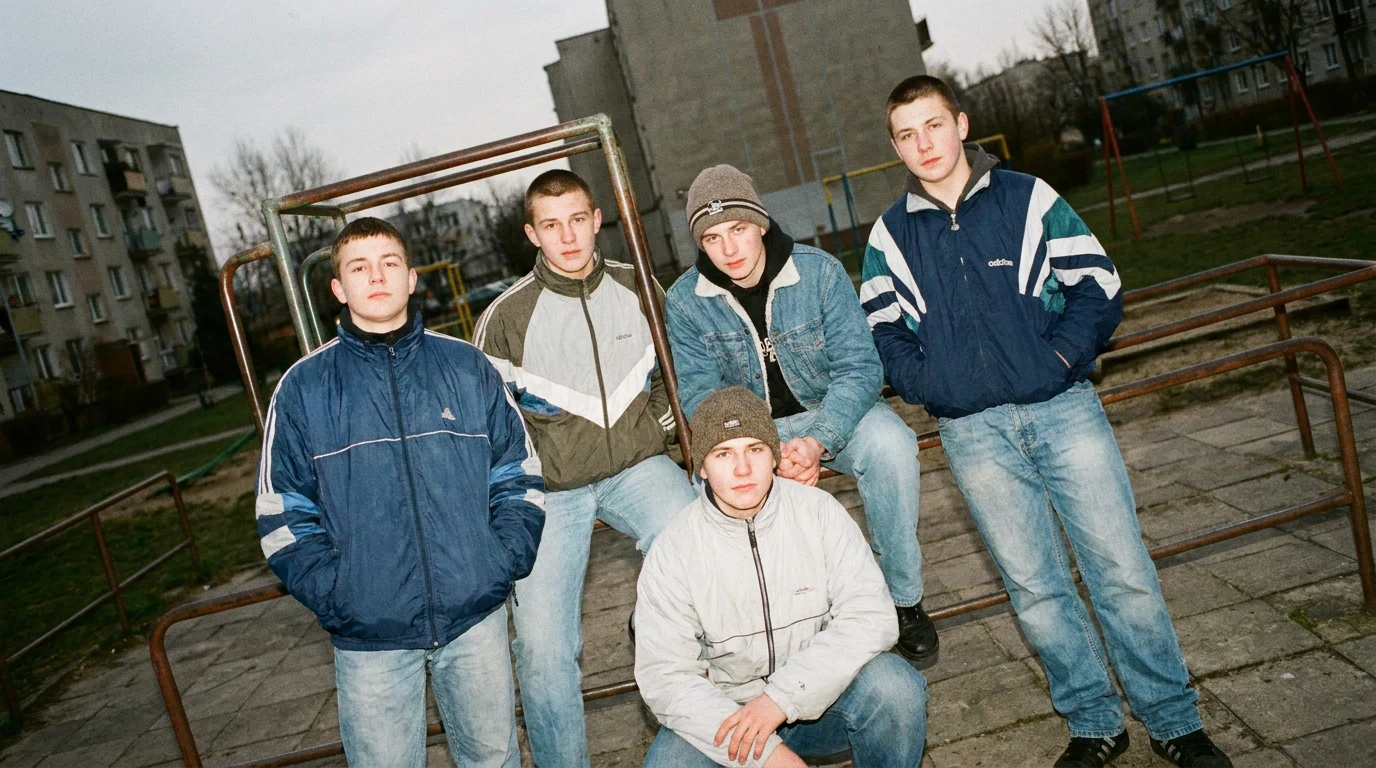
👁 121 reads
We start 90s-style AI photos with the scene, not the filter. Simply asking for “retro, nineties” leaves too much unsaid: a home album, clothing catalog, and music video can look completely different. We choose ordinary color negative photography, a simple point-and-shoot, and a specific setting. Only then do we add clothing, hairstyle, and frame imperfections.
We keep the method from our article on 80s-style photos: we describe identity, scene, and photography method separately. Below we provide a complete prompt and ten variations, with a frame generated from each one. All show the same fictional person, generated for this article, not a real person or a found photograph from the era. This is a demonstration of what each prompt element does, not a tool comparison or measurement of how often generators make mistakes.
Why “90s” Alone Gives the Wrong Direction
We don’t have measurements showing what generators do by default most often. But we can point out an error in the prompt itself: the decade name doesn’t specify the type of photograph. If we want a keepsake from an apartment but simultaneously ask for a fashion cover, dramatic lighting, and perfect skin, we’re setting contradictory requirements.
We also don’t replace the purple haze of eighties aesthetics with mandatory grunge. The 90s museum shows rock, sportswear, and grunge outfits side by side. This is a useful distinction: we can choose flannel or a tracksuit without dressing every person in the entire set at once. Source: fashion exhibition, verified September 11, 2026.
In a hairstyle retrospective covering the 90s, shading, highlights, plastic headbands, large scrunchies, butterfly clips, and zigzag parts appear. We treat this as a repertoire, not a mandatory uniform. We choose details that match the hair in the reference photo. Source: fashion and hairstyle retrospective, verified September 11, 2026.
What Actually Distinguishes Equipment vs. Just Photo Captions
Flash and color negative don’t mark boundaries between decades. What matters more is whether the specified equipment existed at the moment we’re depicting. The Canon Prima Mini, also sold as Sure Shot M, entered the market in September 1993. It had a 32mm f/3.5 lens, automation, and built-in flash. Source: Canon Camera Museum, verified September 11, 2026.
Olympus documents the mju-II premiere in 1997 and its 35mm f/2.8 lens. This gives us a concrete reference point for the end of the decade. Source: manufacturer announcement, verified September 11, 2026.
Direct flash can produce flat face lighting, shine, and a distinct shadow behind the head. Such effects are also described by photography equipment manufacturers. In the prompt, we imitate light placement instead of adding random grain. But we don’t darken every daytime background. Source: Nikon, flash photography basics, verified September 11, 2026.
90s Filter: What Simple Photo Processing Changes
If you’re looking for a 90s filter, we’d first separate two expectations. The first is changing the finish of a current photo: calmer colors, a bit of grain, less sharp digital appearance. The second is rebuilding the scene, including clothing, interior, and lighting. A color filter alone won’t remove a modern phone from the table or turn a new interior into an old one.
With a simple portrait against a neutral background, we’d start with a small change. We leave skin in natural color and check that grain doesn’t obscure the eyes. Sepia, scratched frames, and faded corners aren’t a mandatory set. We match the finish to the specific photograph instead of applying all signs of age at once.
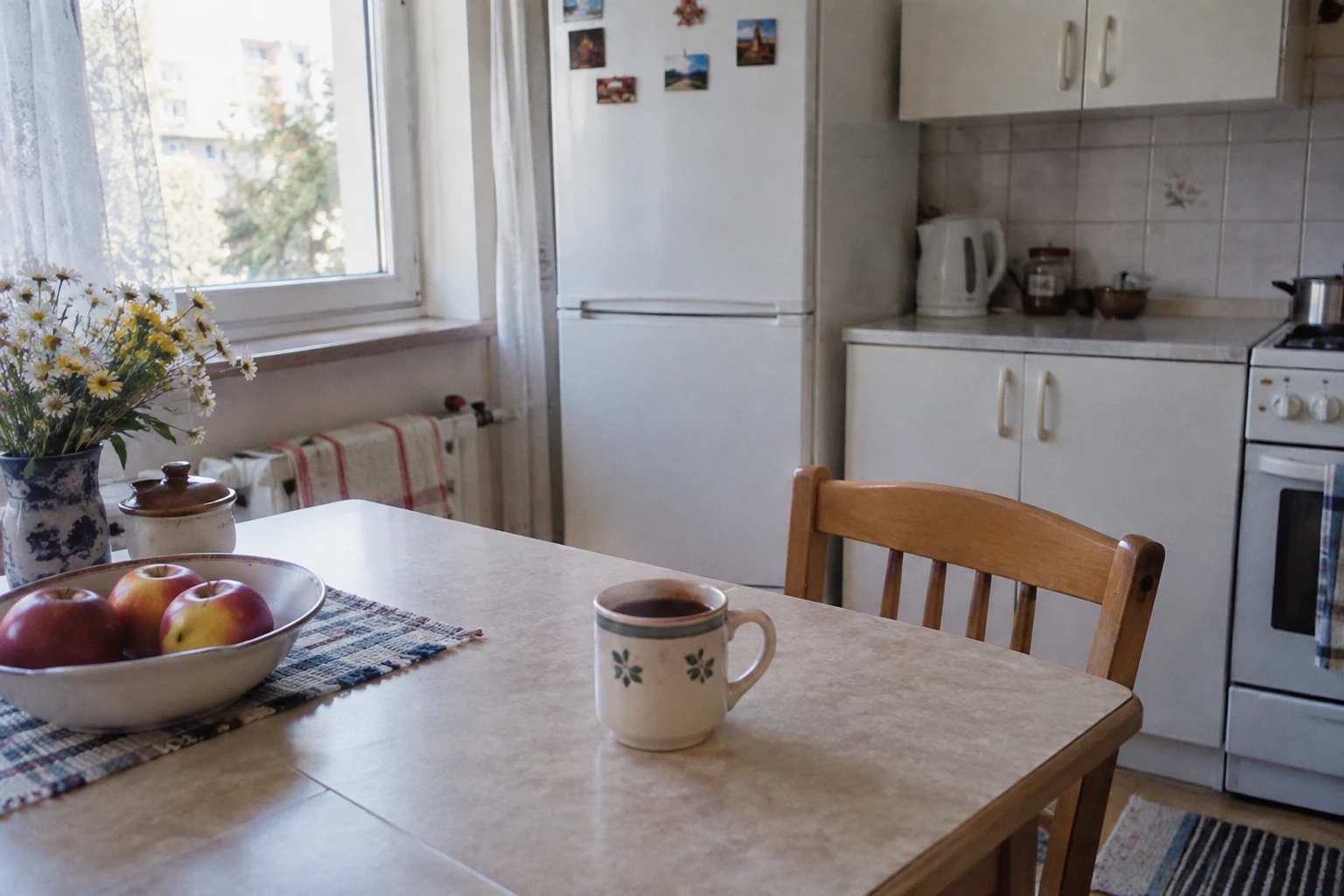
We generated two new frames in these sections as illustrations of the described directions. They are not a “before and after” pair or the result of a comparative filter test.
If you want to preserve the place and outfit, specify in the prompt: “Change only the color palette, contrast, and subtle photo texture. Don’t change the face, clothing, objects, or composition.” With generative editing, we still compare the result with the original, because the instruction alone doesn’t guarantee preservation of every detail.
90s Effect: Light, Frame, and Everyday Scene
The 90s effect we’re looking for here resembles an ordinary print from a compact camera. The face is readable, the room modest, the clothing everyday. Flash can cast a simple shadow behind the person, and window light can be soft and flat. This is a chosen convention of home photography, not a description of every photograph taken in the entire decade.
Instead of asking for “strong retro effect,” we provide a situation: person in a cotton sweatshirt at a table, ordinary curtain, direct flash, natural colors. We write separately what should remain: face, age, expression, and features visible in the reference. We don’t need purple glow or smoke for the frame to make sense.
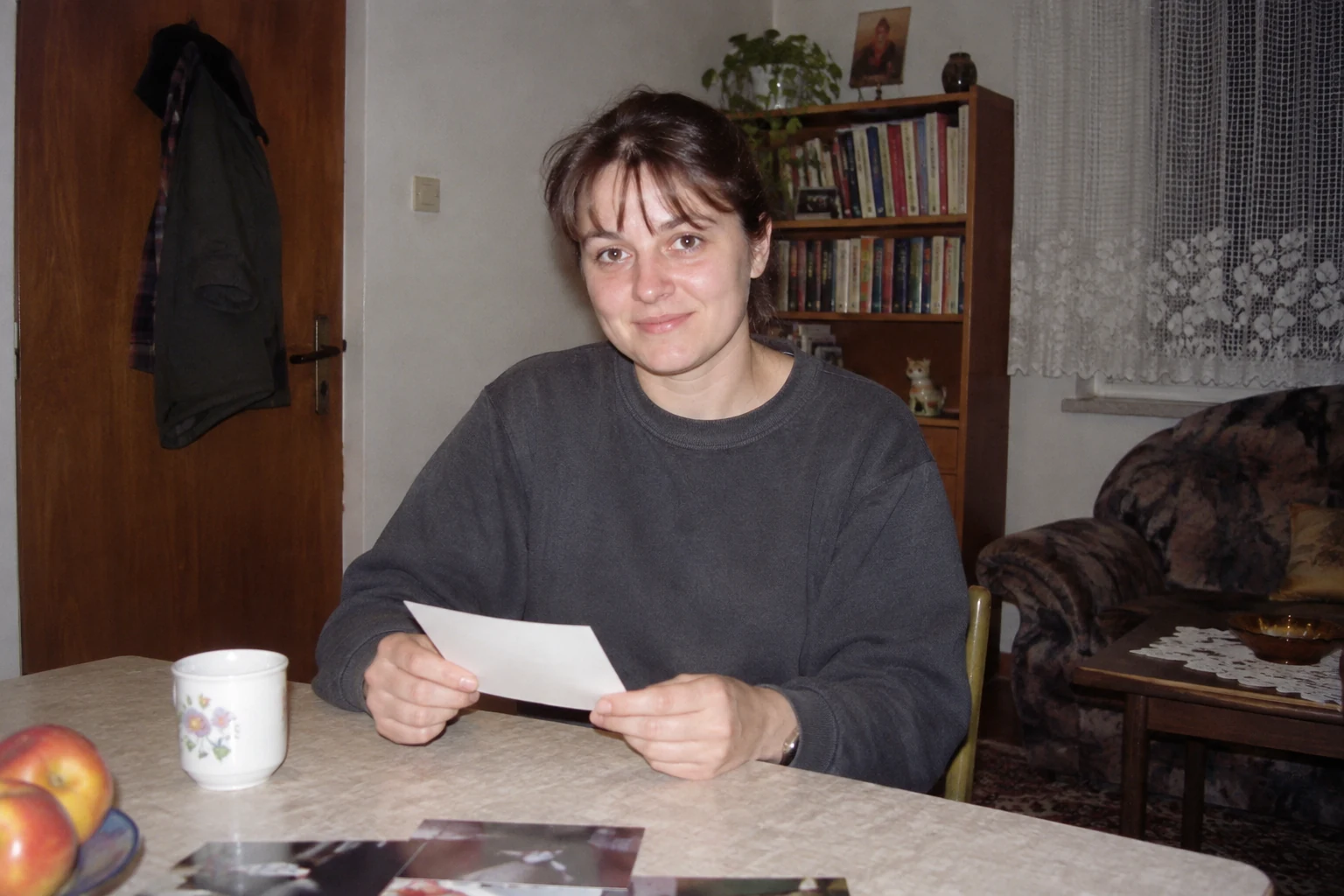
We check the result in three places: whether we recognize the person, whether props fit the scene, and whether the lighting resembles contemporary advertising. If you want to change only the image finish, check when a 90s filter is enough. If you want to go from a file in your gallery to a downloaded image, we describe separately how to convert a photo to 90s style on your phone.
Complete Prompt to Copy
To a tool that supports reference photos, we upload current, clear photos of the same adult person. We don’t mix them with a portrait of a stranger “for atmosphere.” If we add a style example, we clearly assign it the role of lighting and color reference. We describe the material preparation method more broadly in the article how to transform a photo in AI.
The year and arrangement of the scene below are our creative choice. They don’t describe a real event from the photographed person’s life. The prompt can be pasted after adding your own photos, without filling in fields.
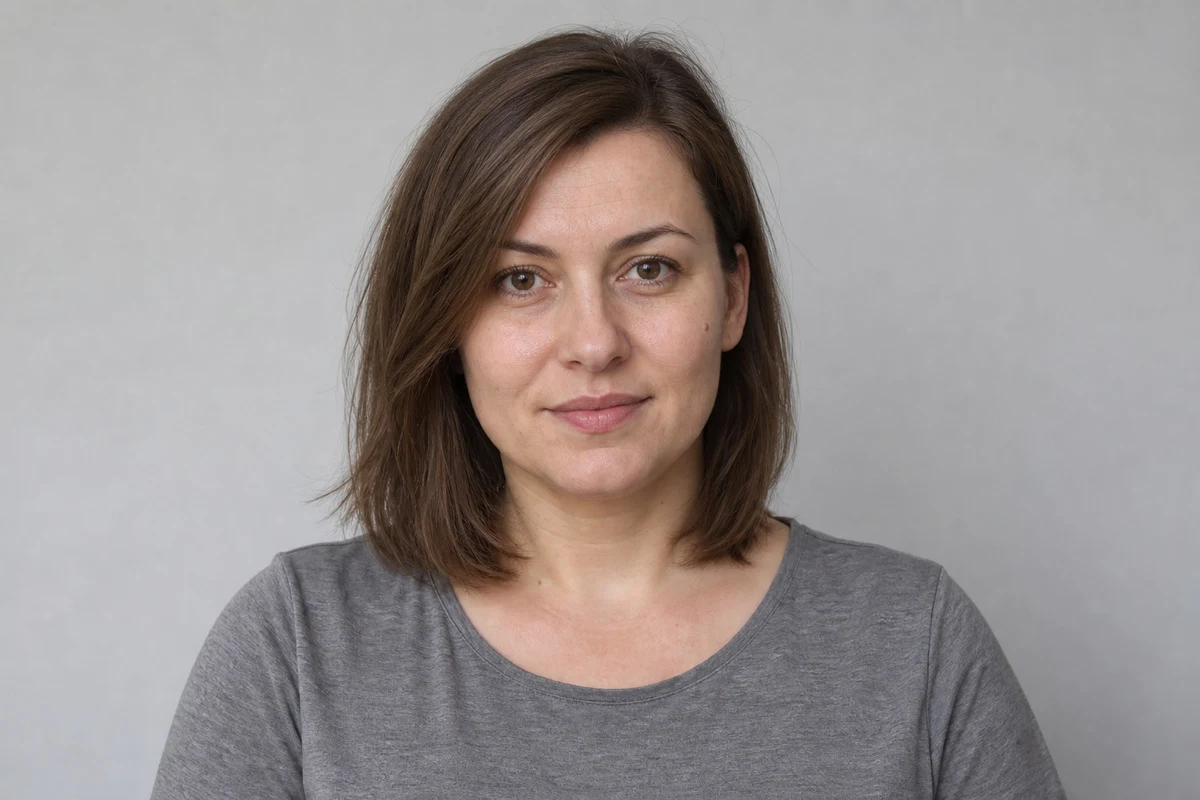
Use the attached photos as reference for the appearance of the same adult person. Create a fictional photograph styled as a home print from Poland from the late nineties, nominally from 1998. Do not present it as an authentic archival photograph.

Preserve the current identity and age of the person: facial proportions, nose shape, jawline, eye spacing, natural asymmetry, hairline, and visible distinguishing marks. Don't make younger, don't slim, and don't smooth skin. Preserve glasses or facial hair if they're in the reference photo. Don't invent dentition not visible in the photos.

Scene: ordinary room in an apartment. Person stands next to a table, holds a closed album and is just looking at the photographer. Wearing a loose sweater and plain jeans. In the background a curtain, bookshelf, and part of an armchair. Without a collection of props meant to prove the decade.

Photography method: amateur compact camera on color negative, direct flash close to lens axis. Reference: Canon Prima Mini with 32mm f/3.5 lens and Kodak GOLD 400 film. Don't show the camera in the frame. Face readable, slight skin shine, visible shadow on nearby wall. Background retains details but doesn't compete with the person. Horizontal frame, with a bit of free space around the silhouette and natural, imperfect positioning.

Print appearance: moderate contrast, ordinary colors, subtle image structure. Without sepia, artificial scratches, discoloration, video tape traces, and digital advertising sharpness. Without large background blur, colored haze, and glowing contours.

Preserve credible anatomy and ordinary expression. Don't add text, date stamps, watermarks, or recognizable logos. Most important is the person's match with the reference. If stylization would require changing features, limit the stylization.
Ten Frames: What Should Work in Each
Each block below is a follow-up prompt in the same conversation. First we paste the full instruction, then the chosen variation. We don’t add all scenes simultaneously. We start evaluation with the face, only later checking the era.
1. Room after friends’ visit. We build the impression of a casual keepsake through an ordinary gesture. The album should occupy the hands, not obscure the face.
Preserve identity and print appearance rules. Person sits sideways in an armchair and closes an album lying on their lap. Looking at the photographer. Direct flash, slightly tilted frame, ordinary apartment.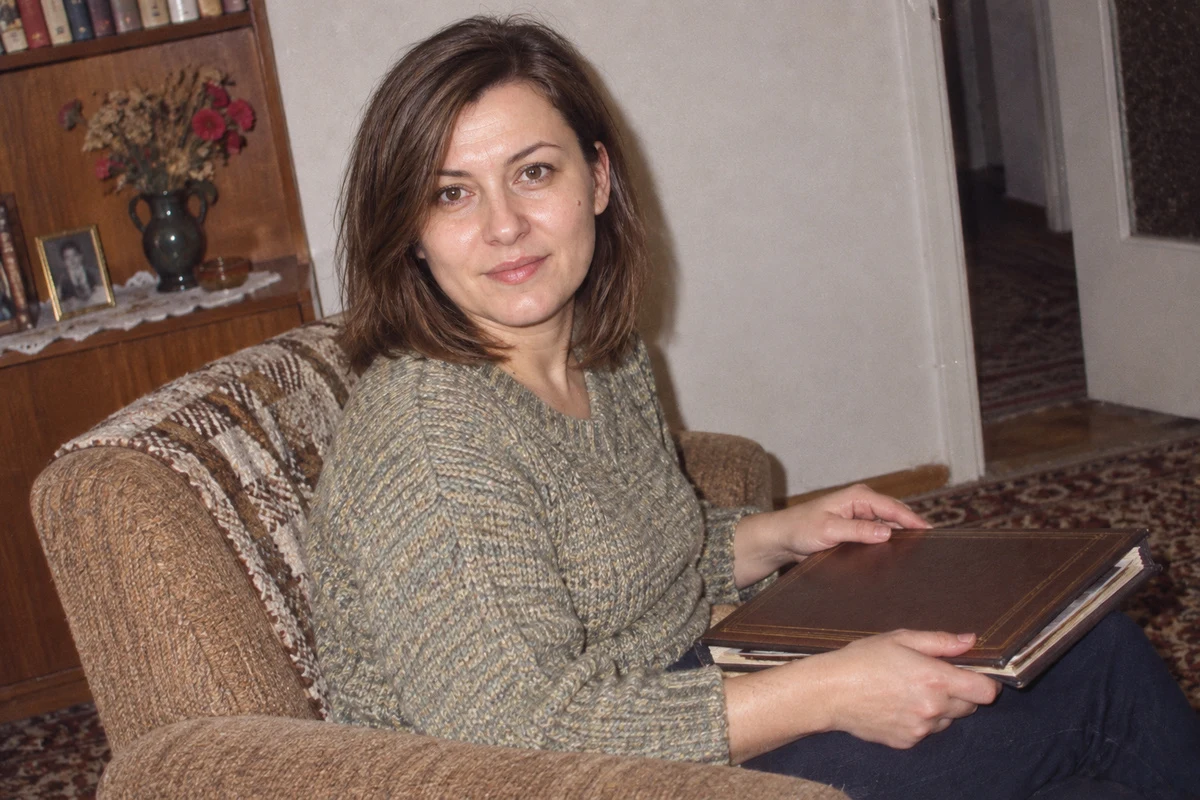
2. Flannel before going out. We choose clothing from the grunge repertoire but skip concert scenography. We check that plaid doesn’t turn into random patterns.
Preserve identity. Place person in hallway, in unbuttoned flannel shirt over plain undershirt and straight jeans. Hands relaxed at sides. Ordinary compact flash, without stage smoke.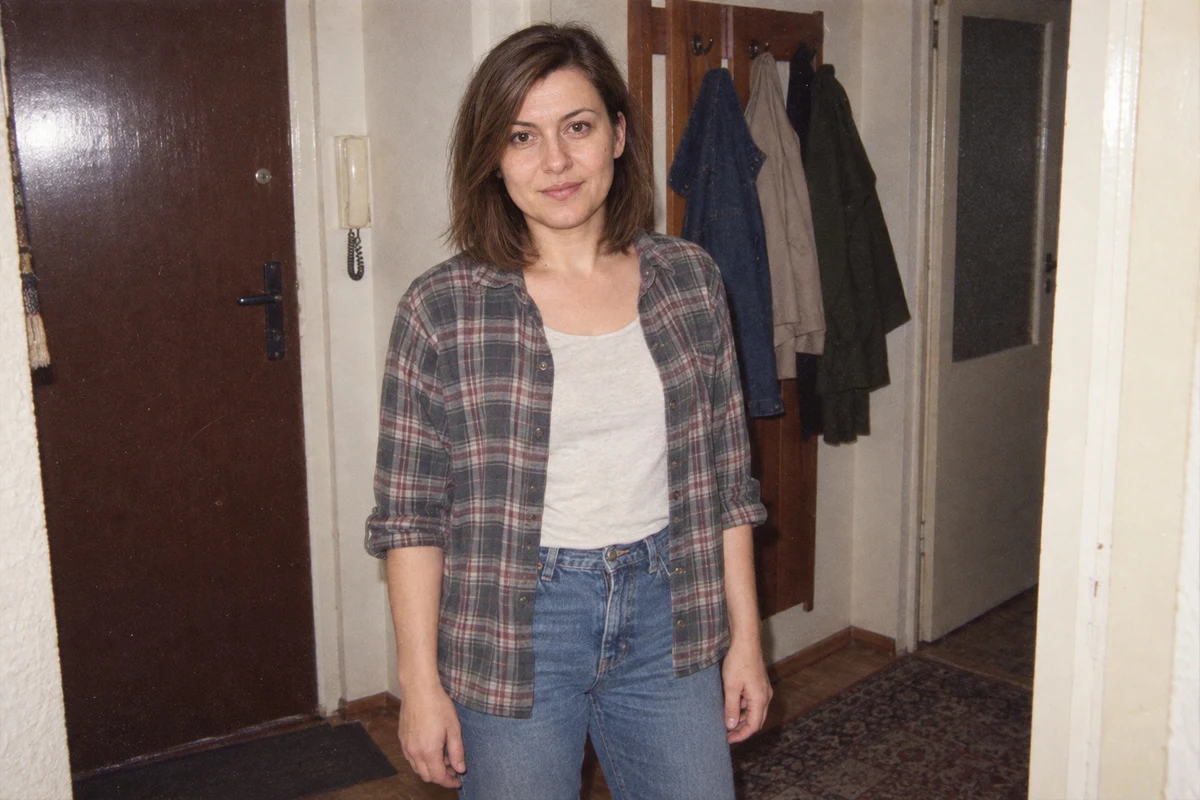
3. Tracksuit by bench. Here the decade is suggested by cut, not aggressive processing. Daytime surroundings should remain bright and readable.
Preserve face and age. Person in loose sports jacket stands next to bench in courtyard. Overcast day, natural light, frame at eye level. Without flash pretending night and without logos.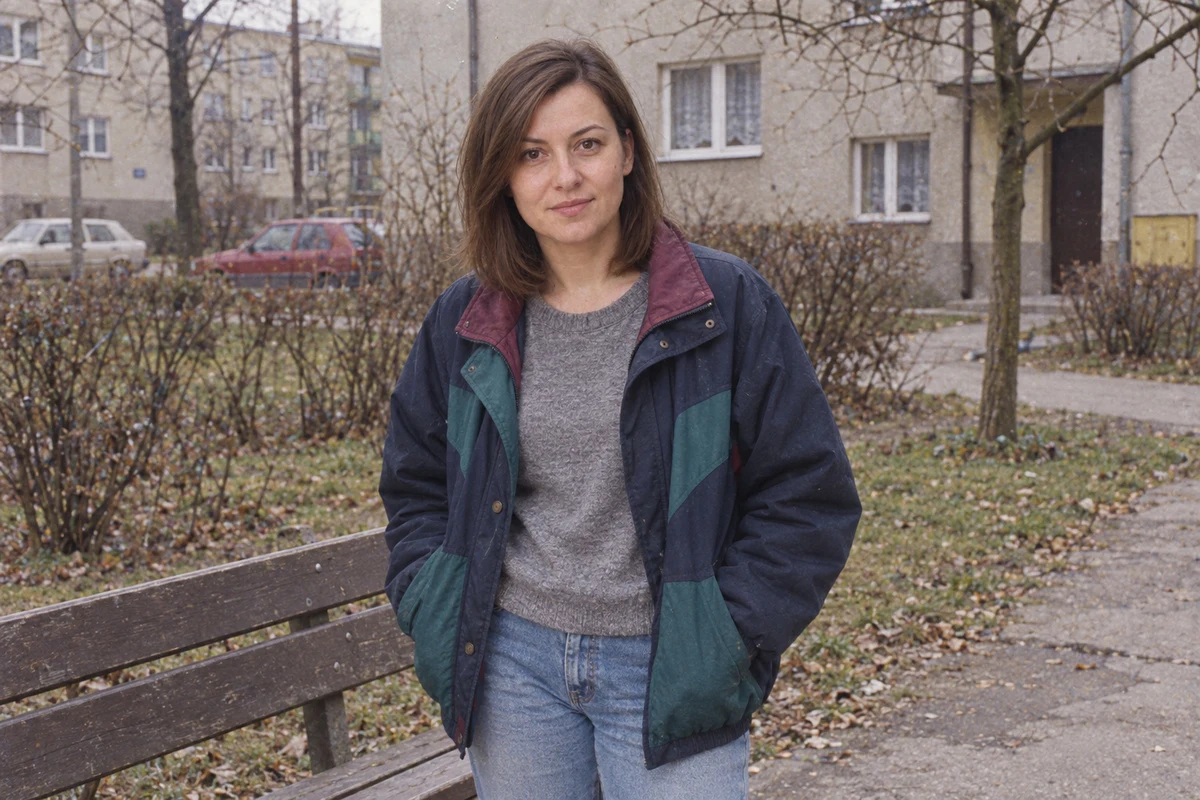
4. Birthday table without cake spectacle. We care about the relationship between person and space. We don’t add unknown family dates or birthday numbers.
Preserve identity. Person stands at table with plates and glasses, turned toward camera. Bright flash from front, visible shadow behind shoulder. Without text, numbered candles, and additional people.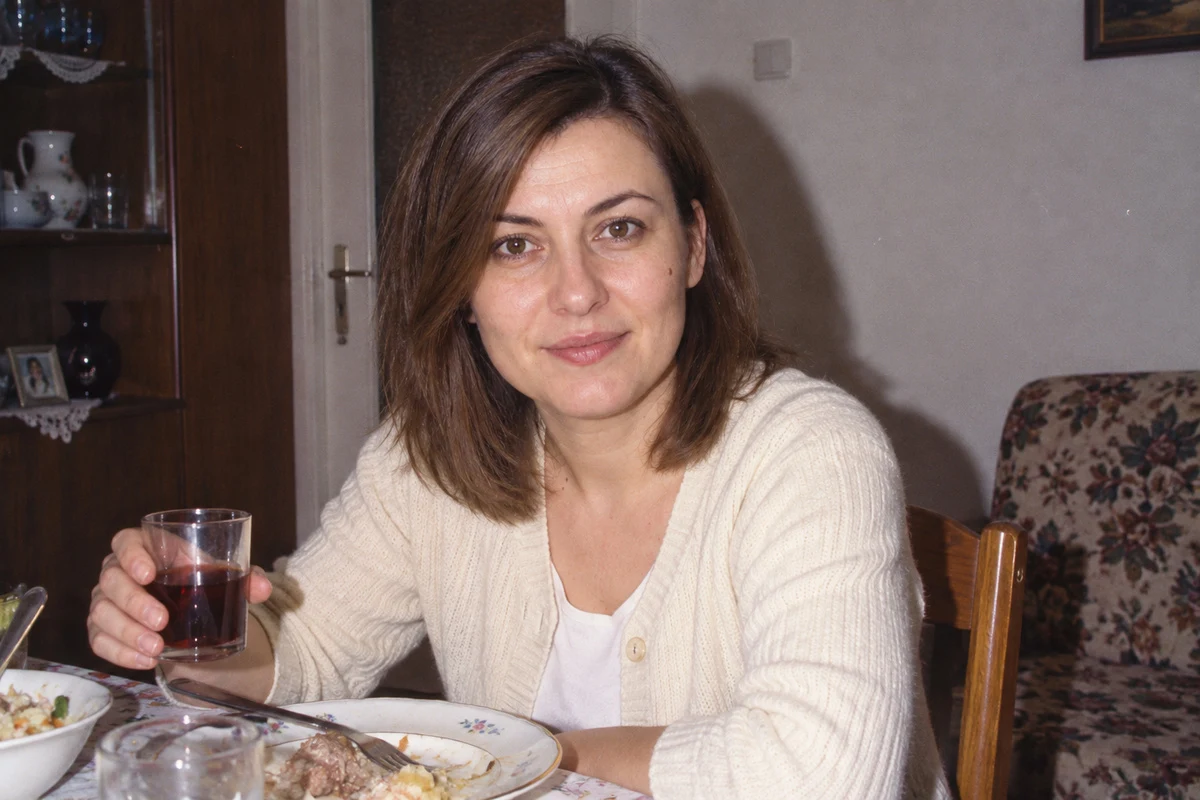
5. Vacation sidewalk. Instead of a postcard, we choose a brief stop. We control head-to-body proportions and absence of unnecessary model poses.
Preserve identity. Person in plain t-shirt and light jacket stands on sidewalk with cloth bag. Soft daylight, surroundings in focus, imperfect centering. Without fashion shoot and contemporary screens.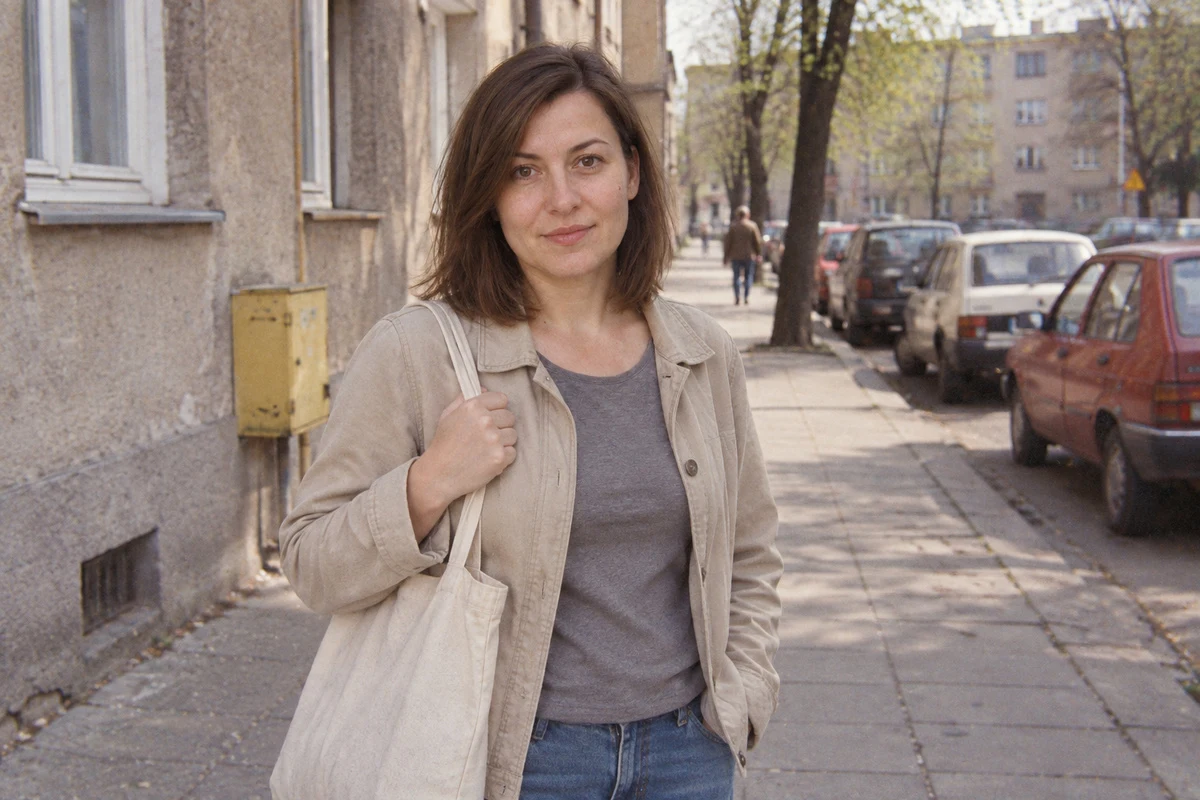
6. Headband and sweater. We introduce a single hairstyle detail. We don’t change hairline or length just to achieve an association with the decade.
Preserve face, hairline and length. If the hairstyle allows, add a simple plastic headband. Loose sweater, ordinary room, waist-up portrait with direct flash. Don't create a new hairstyle.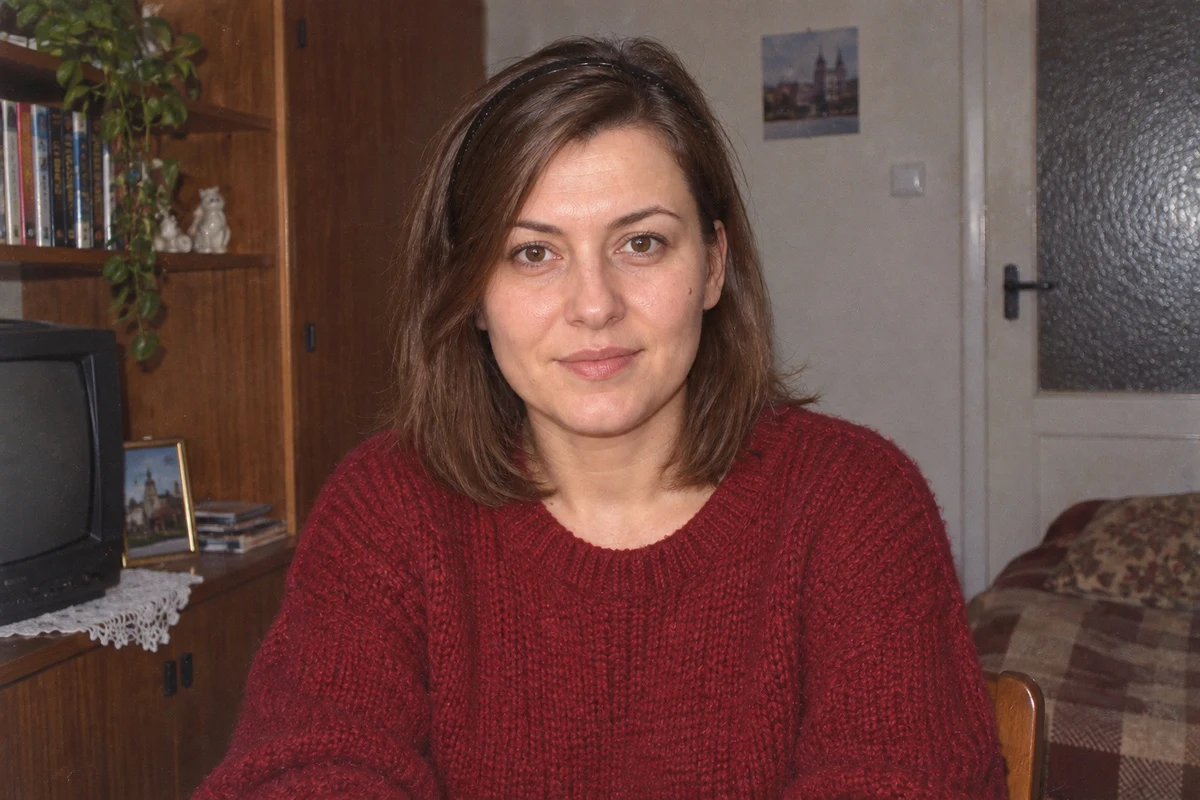
7. Music in room. The prop should justify the activity. We’d reject the image if the model highlighted fantastical equipment and illegible text instead of the person.
Preserve identity. Person puts cassette box on shelf and glances at camera. Next to it a simple player without visible brand. Moderate clutter, room light with supplemental flash, without neon.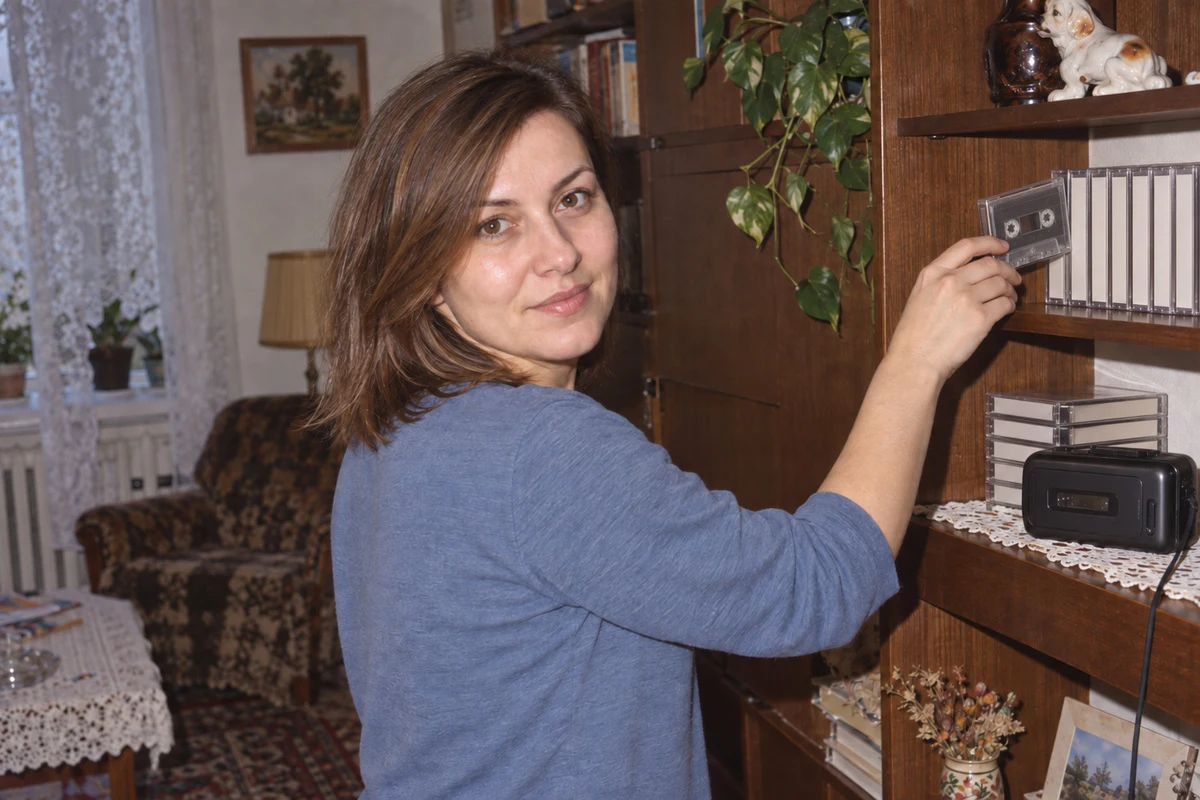
8. Ordinary dressy outing. This variation breaks the assumption that the entire decade meant sportswear. We’re looking for a credible portrait, not a suit catalog.
Preserve identity and age. Person wears simple blazer and plain shirt. Standing by curtain, relaxed, with hands visible in frame. Direct flash, without luxury studio and beauty retouching.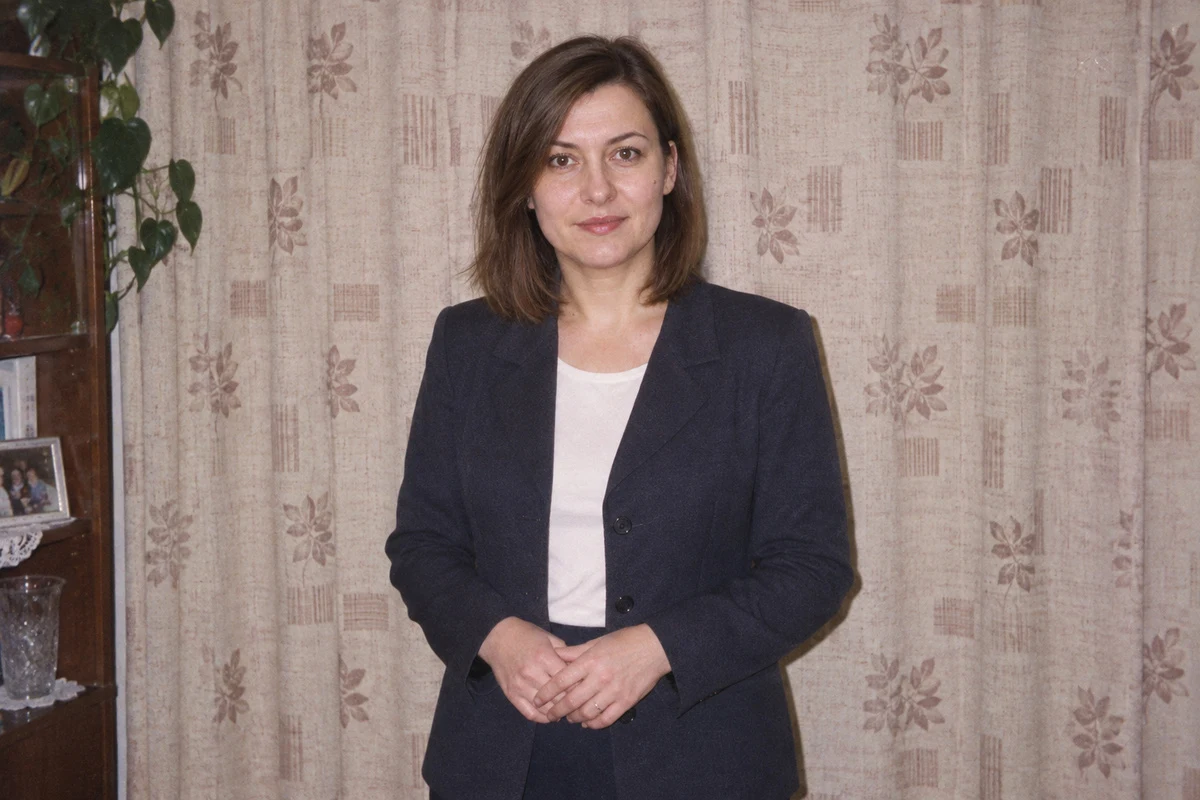
9. Window without flash. We check whether the image still works without the most obvious compact effect. Clothing and surroundings should maintain the era.
Preserve identity. Person sits by window in plain sweater, holds mug below face. Only soft daylight. Natural print colors, readable clothing texture, without sepia and film haze.
10. Photo from end of meeting. We choose a restrained smile and relaxed posture. We don’t force open mouth if the reference doesn’t show teeth.
Preserve identity. Person stands by door with jacket draped over forearm. Gentle smile consistent with reference. Home flash, ordinary background, minor frame imperfection. Without making younger and whitening teeth.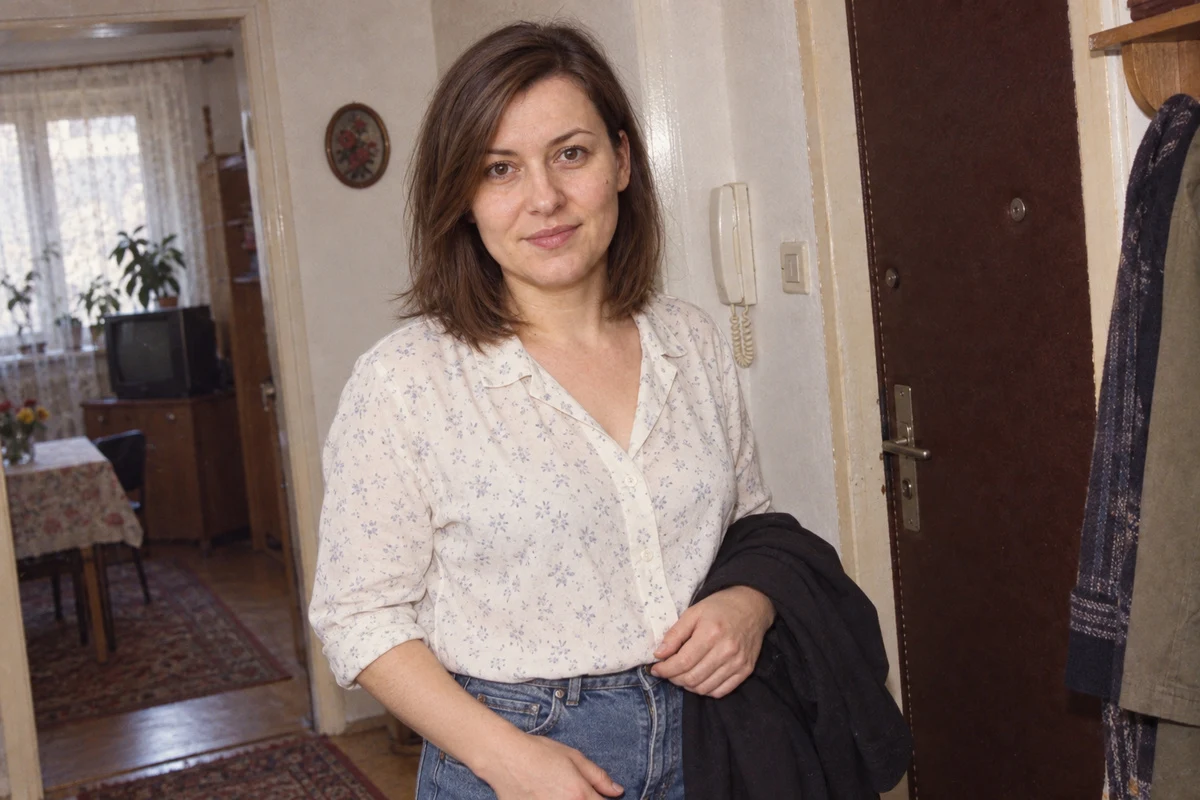
Camera and Film: Sets with Date Control
Kodak notes the renewed GOLD line, including 200 and 400, in 1997, and the introduction of the PORTRA family in 1998. This doesn’t mean the GOLD brand was only created then. Fujifilm dates the introduction of an additional color layer in Superia films to 1998. Sources: Kodak history and Fujifilm history, verified September 11, 2026.
| Set for late-decade brief | What we add beyond the name |
|---|---|
| Canon Prima Mini and Kodak GOLD 200 | Ordinary daytime frame, moderate contrast, readable surroundings. |
| Canon Prima Mini and Kodak GOLD 400 | Home direct flash, slight face shine, shadow on wall. |
| Olympus mju-II and Fujicolor Superia | Casual portrait in apartment, without advertising retouching and artificial damage. |
We base dates and names in the table on manufacturer archives cited above, verified September 11, 2026. Appearance descriptions are our creative instructions, not measurements of emulsion characteristics. We also don’t assume the generator faithfully simulates a specific film just because we type its name.
What Not to Expect and What Ruins the Decade
- We don’t get historical proof. Stylization doesn’t confirm the person was in a given place.
- We don’t mix photographic prints with video recording artifacts. We choose one type of image.
- We don’t age everything with sepia, scratches, and faded face. Medium age is a separate topic.
- We don’t treat the entire decade as one outfit. We match scene and moment instead of collecting symbols.
- We don’t add date stamps that could pass as authentic recording. We describe fiction outside the image.
- We don’t consider a prettier face a better result. If resemblance drifts, we return to the reference.
We prepare a 90s-style photo through complete instruction, recognizable person, and coherent situation. We start with a simple room or courtyard. When the face remains correct, we change the frame. If it stops being ours, we use corrections protecting resemblance before adding the next retro detail.
Google · Your sourcesQuantslant higher in your Google - one clickAdd to preferred sources →Your Own Photo, Phone, and Ready Prompts
For transformation we choose an original, clear portrait with readable face. We write explicitly that we want to preserve current age, features, and expression, and change only indicated scene elements. We don’t assume the right word order guarantees resemblance. The result must be compared with the source photo.
We describe full account handling, photo preparation, and corrections in the guide how to convert a photo to 90s style on your phone for free. Without subscription doesn’t mean without account or without limits. We don’t provide a number of free generations that the documentation cited there doesn’t confirm.
If you want to preserve the current scene, start with old print effect without changing face and surroundings. We explain there how to evaluate color, contrast, and texture, and when simple correction will be sufficient.

More on this from QUANTSLANT


 guides·AI Photo Restoration: What You Can Fix and What to Leave AloneWe show you what to fix on an old photograph and where AI starts inventing history. Includes prompts for conservative restoration and separate colorization.